
05-EtherChannel
05-EtherChannel
实验目的
- 掌握二层EtherChannel的操作
- 掌握三层EtherChannel的操作
拓扑与需求
拓扑:
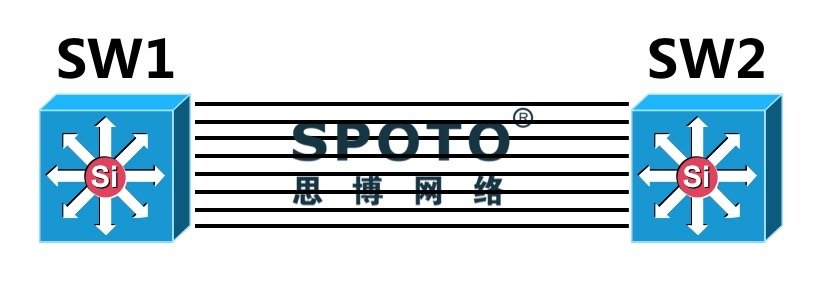
需求:
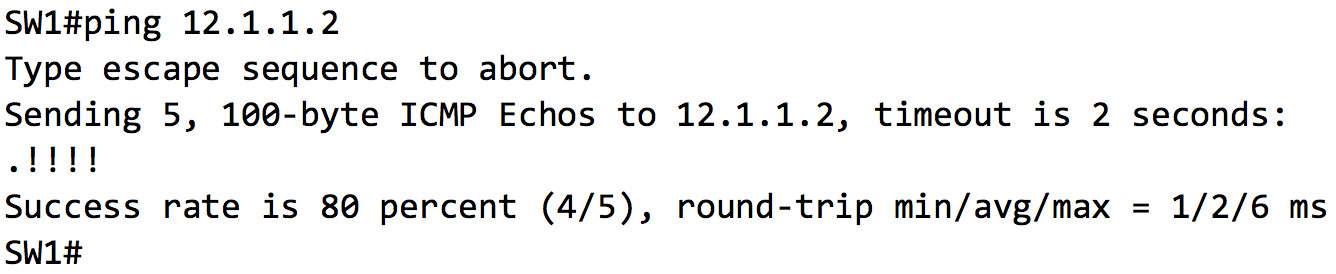
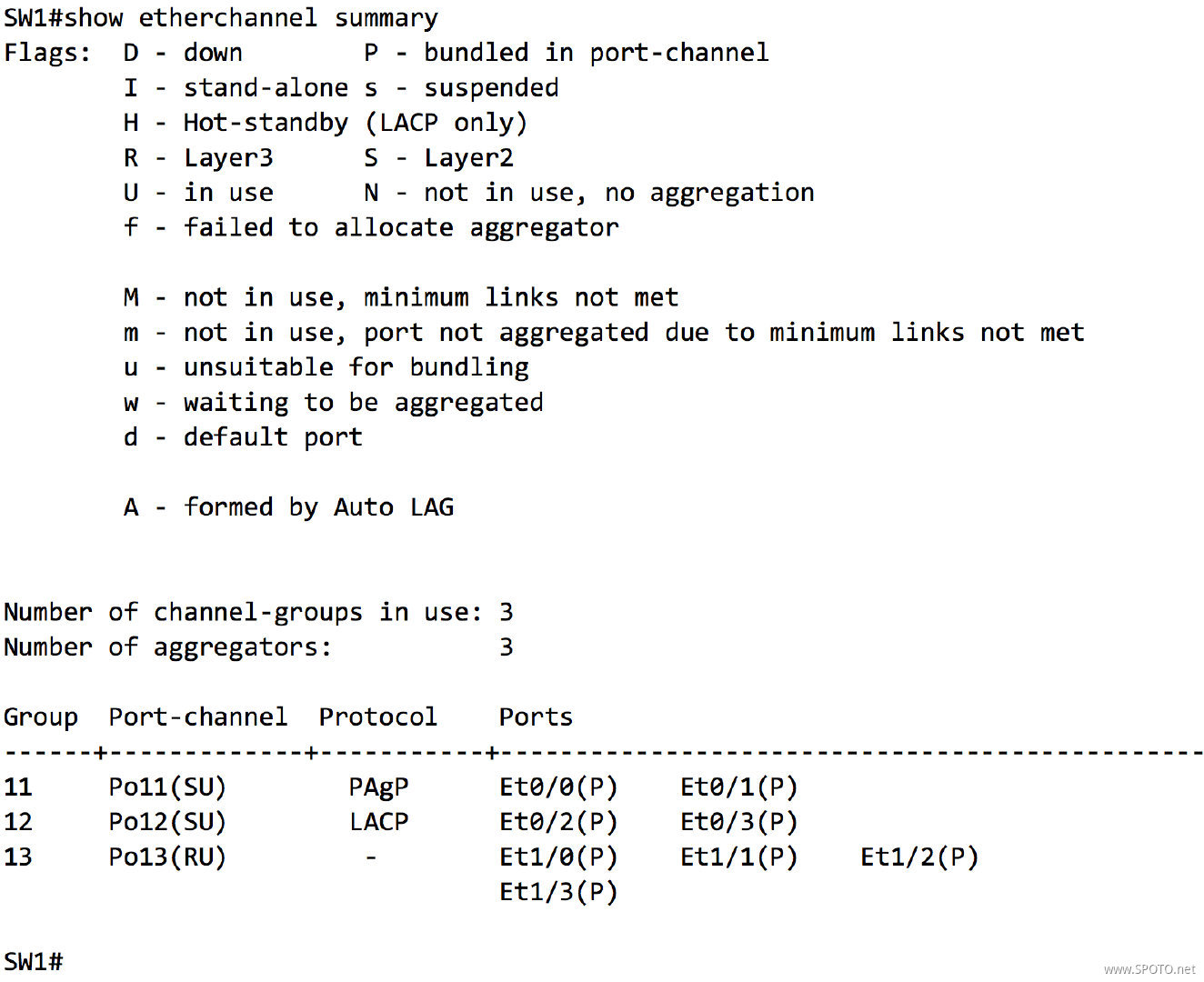
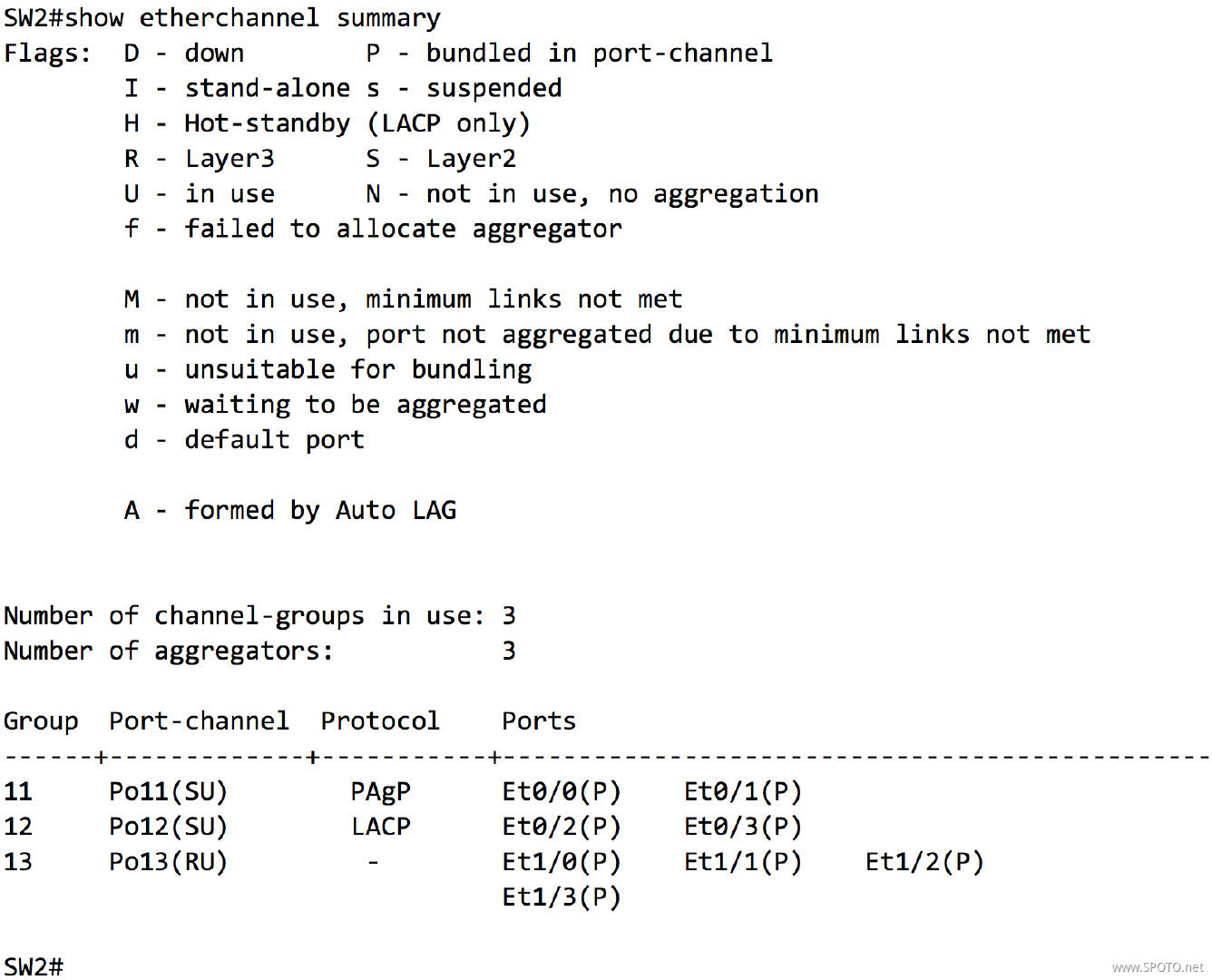
1. SW1和SW2之间的E0/0-1使用PAgP协议创建捆绑接口Port11,SW1为主动模式,SW2为被动模式,Port11划分至VLAN 11,使用SVI 11进行通信(SW1 SVI 11:11.1.1.1/24;SW2 SVI 11:11.1.1.2/24)
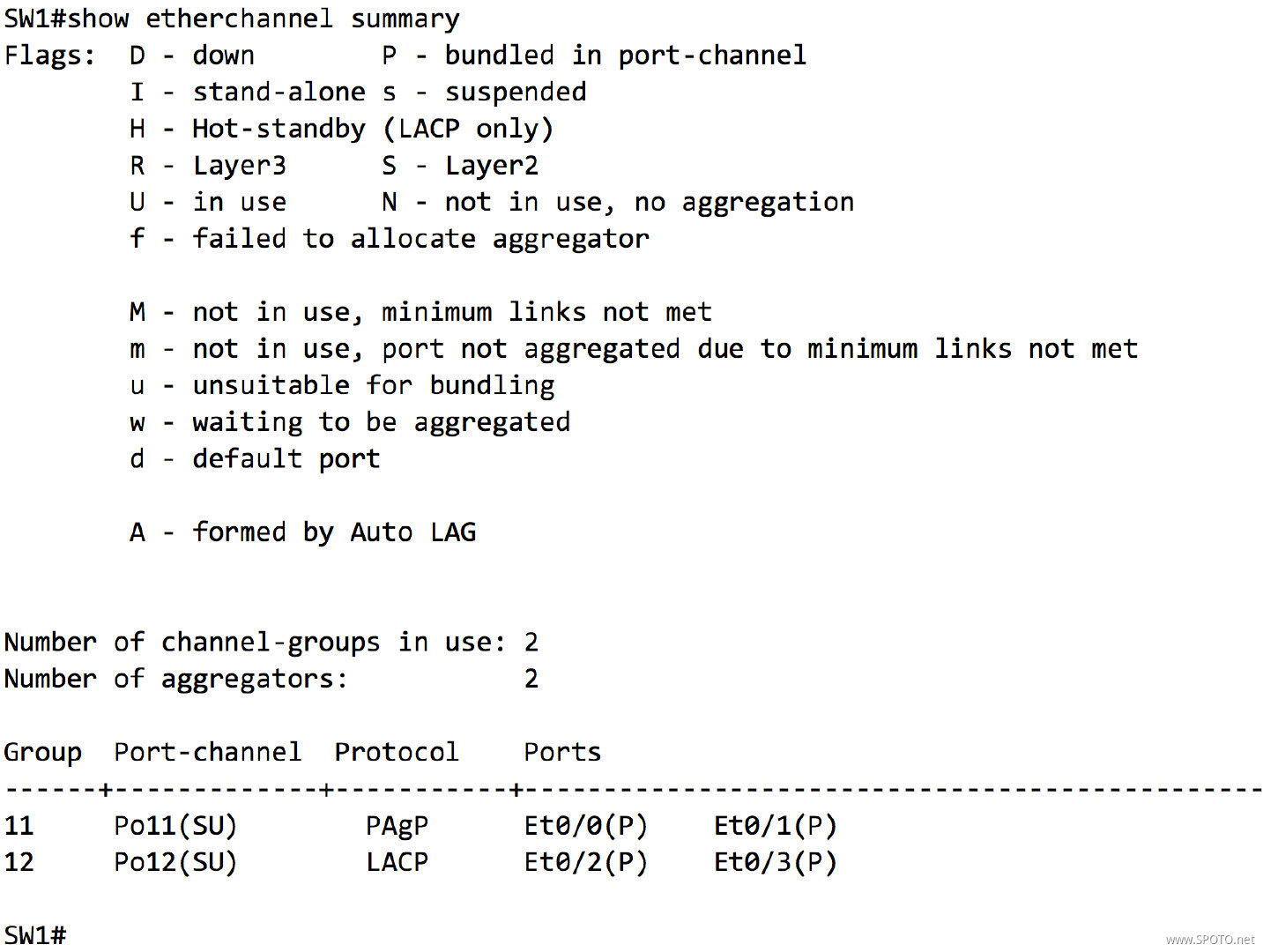
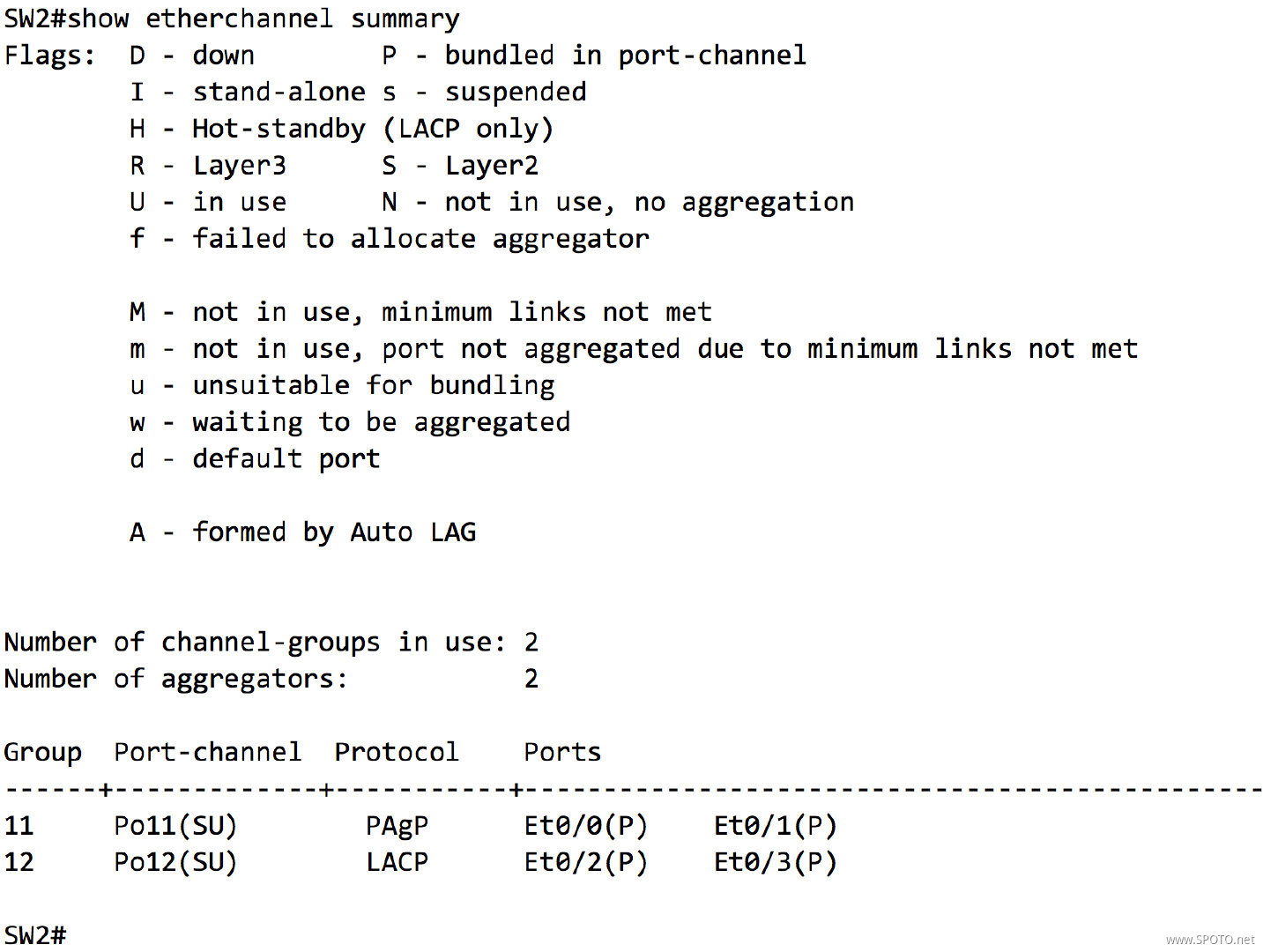
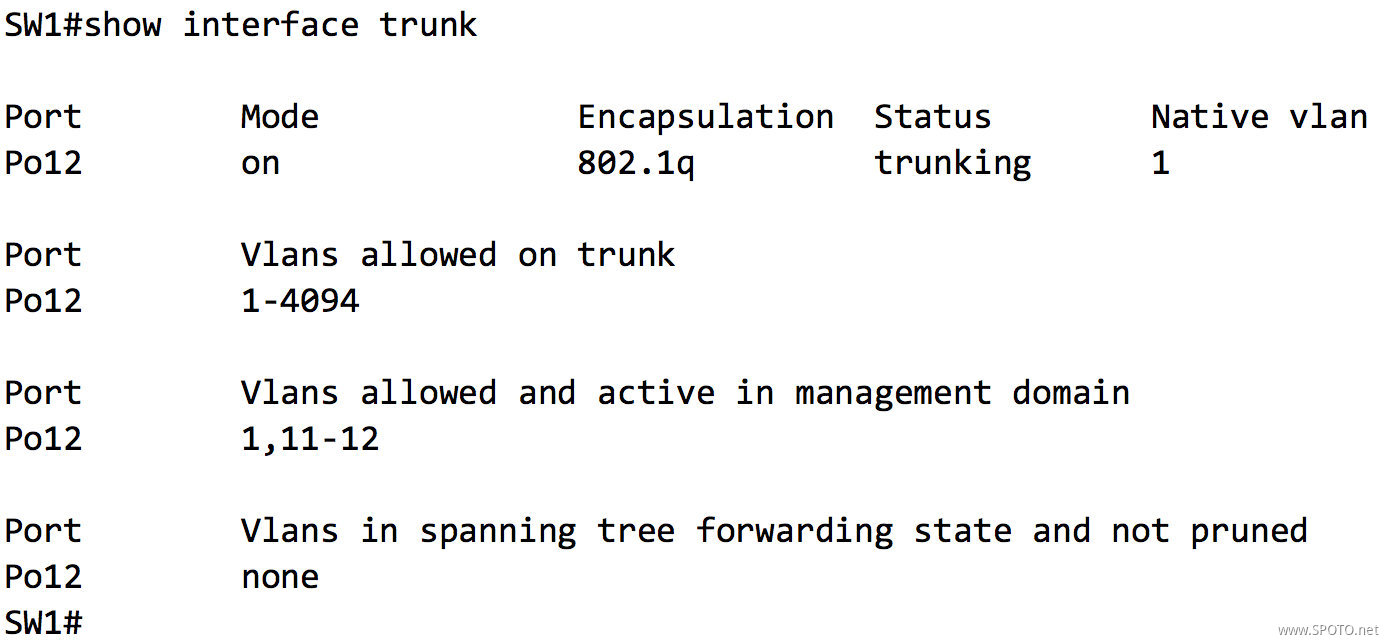
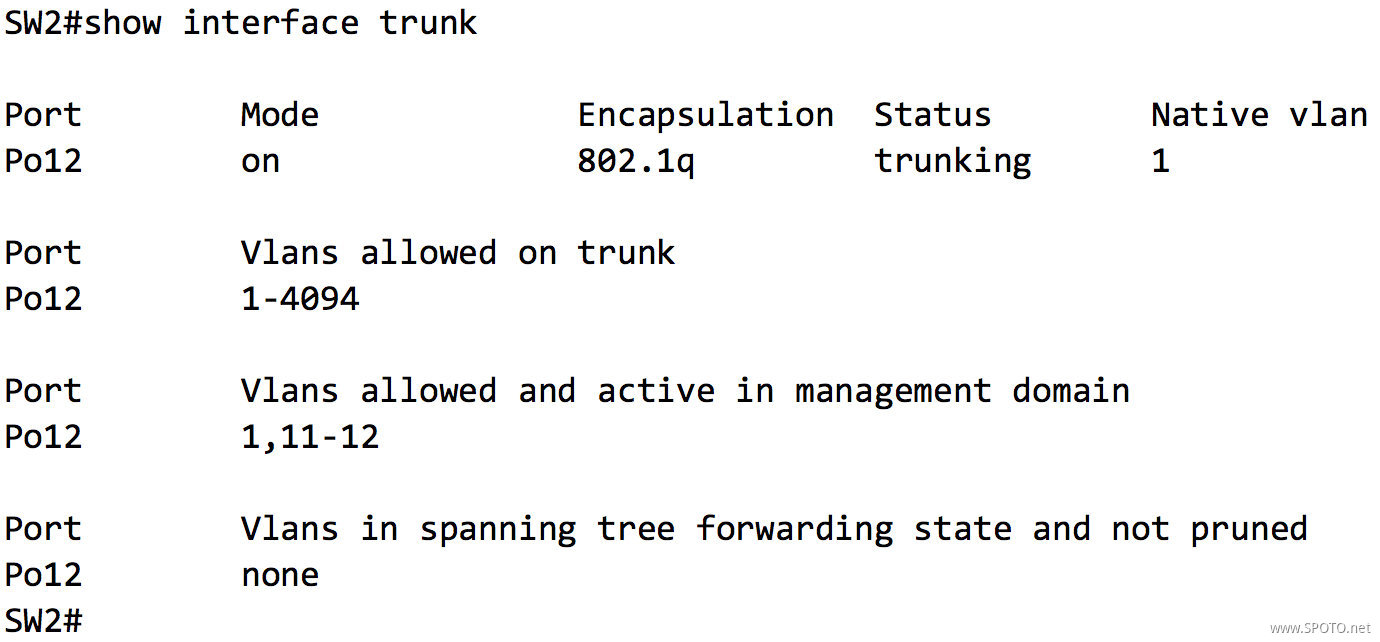
2. SW1和SW2之间的E0/2-3使用LACP协议创建捆绑接口Port12,SW1为主动模式,SW2为被动模式,Port12配置为Trunk,使用SVI 12进行通信(SW1 SVI 12:12.1.1.1/24;SW2 SVI 12:12.1.1.2/24)
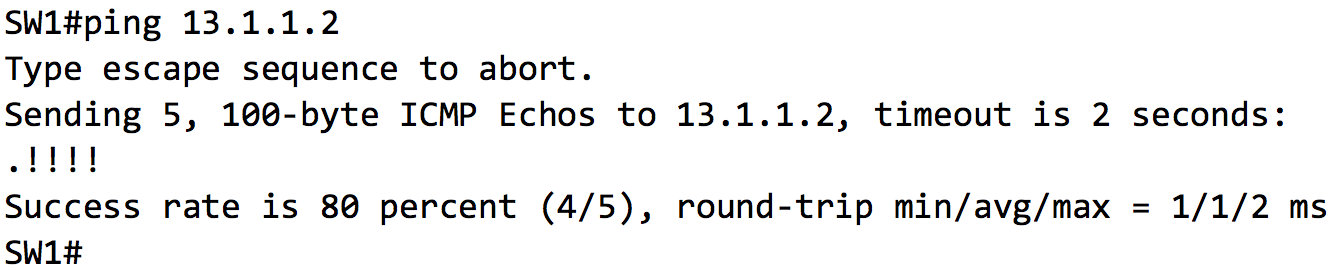
3. SW1和SW2之间的E1/0-3使用On模式创建捆绑接口Port13,Port13配置为三层接口,使用Port 13进行通信(SW1 Port 13:13.1.1.1/24;SW2 Port 13:13.1.1.2/24)
配置与实现
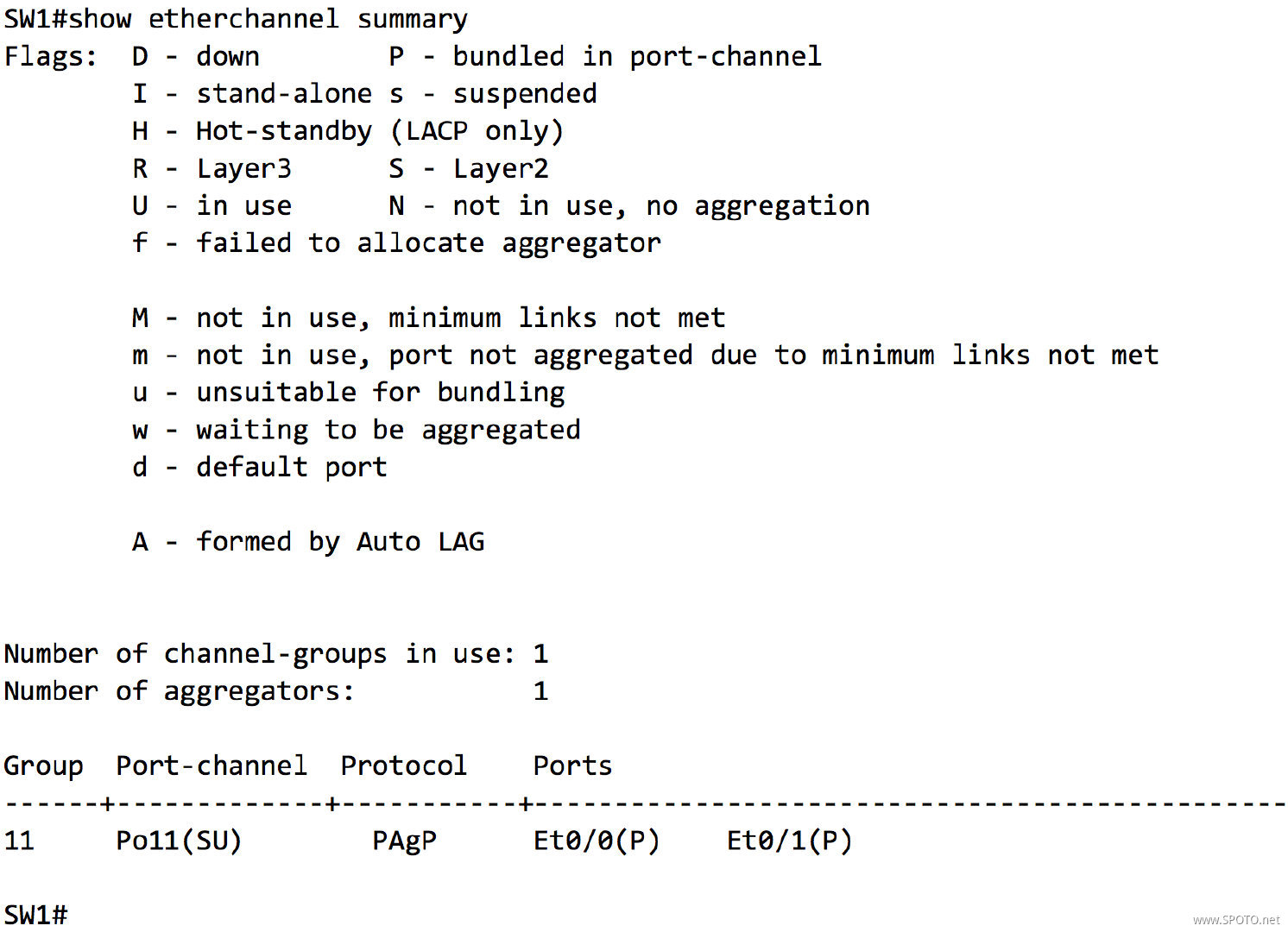
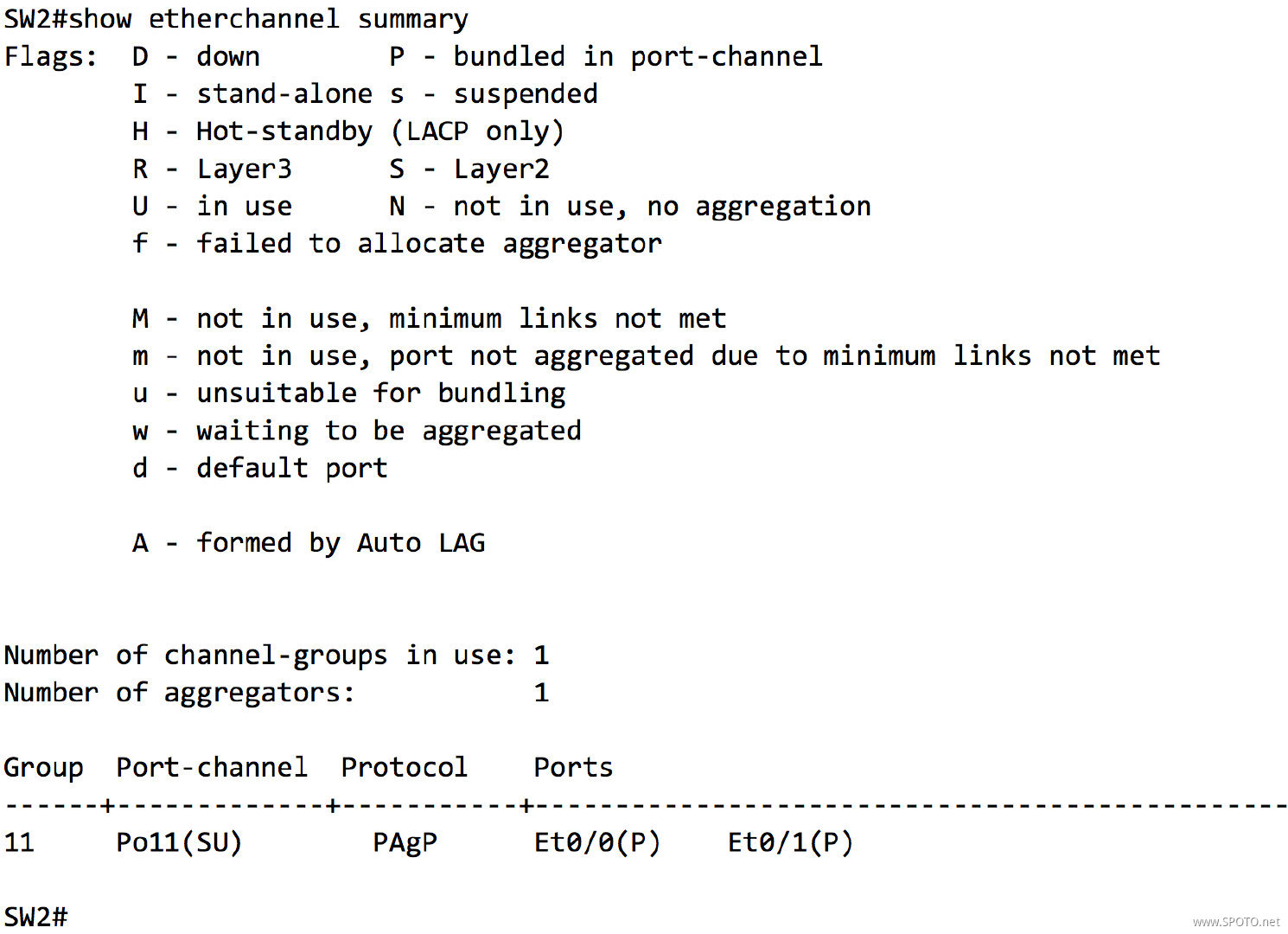
1. SW1和SW2之间的E0/0-1使用PAgP协议创建捆绑接口Port11,SW1为主动模式,SW2为被动模式,Port11划分至VLAN 11,使用SVI 11进行通信(SW1 SVI 11:11.1.1.1/24;SW2 SVI 11:11.1.1.2/24)
创建捆绑接口
SW1
1 SW1(config)#interface range ethernet 0/0-1
2 SW1(config-if-range)#channel-protocol pagp
3 SW1(config-if-range)#channel-group 11 mode desirable
4 Creating a port-channel interface Port-channel 11
SW2
1 SW2(config)#interface range ethernet 0/0-1
2 SW2(config-if-range)#channel-protocol pagp
3 SW2(config-if-range)#channel-group 11 mode auto
4 Creating a port-channel interface Port-channel 11
配置SVI
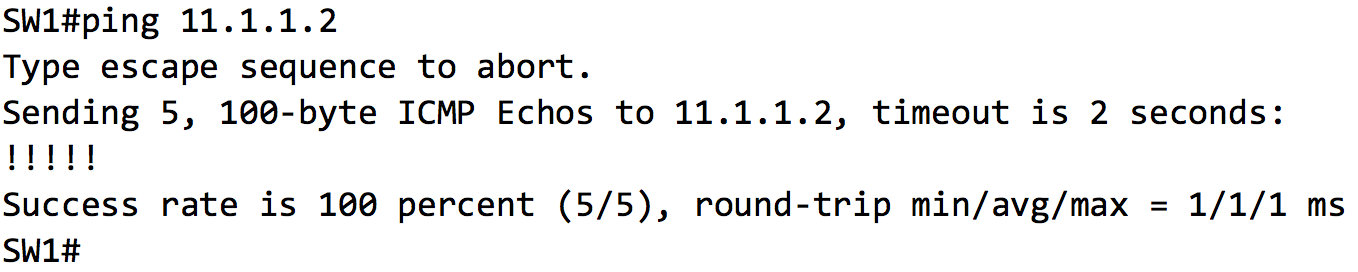
SW1
1 SW1(config)#interface Port-channel11
2 SW1(config-if)#switchport mode access
3 SW1(config-if)#switchport access vlan 11
4 % Access VLAN does not exist. Creating vlan 11
5 SW1(config-if)#interface vlan 11
6 SW1(config-if)#ip address 11.1.1.1 255.255.255.0
7 SW1(config-if)#no shutdown
SW2
1 SW2(config)#interface Port-channel11
2 SW2(config-if)#switchport mode access
3 SW2(config-if)#switchport access vlan 11
4 % Access VLAN does not exist. Creating vlan 11
5 SW2(config-if)#interface vlan 11
6 SW2(config-if)#ip address 11.1.1.2 255.255.255.0
7 SW2(config-if)#no shutdown
2. SW1和SW2之间的E0/2-3使用LACP协议创建捆绑接口Port12,SW1为主动模式,SW2为被动模式,Port12配置为Trunk,使用SVI 12进行通信(SW1 SVI 12:12.1.1.1/24;SW2 SVI 12:12.1.1.2/24)
创建捆绑接口
SW1
1 SW1(config)#interface range ethernet 0/2-3
2 SW1(config-if-range)#channel-protocol lacp
3 SW1(config-if-range)#channel-group 12 mode active
4 Creating a port-channel interface Port-channel 12
SW2
1 SW2(config)#interface range ethernet 0/2-3
2 SW2(config-if-range)#channel-protocol lacp
3 SW2(config-if-range)#channel-group 12 mode passive
4 Creating a port-channel interface Port-channel 12
配置SVI
SW1
1 SW1(config-if-range)#interface Port-channel12
2 SW1(config-if)#switchport trunk encapsulation dot1q
3 SW1(config-if)#switchport mode trunk
4 SW1(config-if)#vlan 12
5 SW1(config-vlan)#interface vlan 12
6 SW1(config-if)#ip address 12.1.1.1 255.255.255.0
7 SW1(config-if)#no shutdown
SW2
1 SW2(config-if-range)#interface Port-channel12
2 SW2(config-if)#switchport trunk encapsulation dot1q
3 SW2(config-if)#switchport mode trunk
4 SW2(config-if)#vlan 12
5 SW2(config-vlan)#interface vlan 12
6 SW2(config-if)#ip address 12.1.1.2 255.255.255.0
7 SW2(config-if)#no shutdown
3. SW1和SW2之间的E1/0-3使用On模式创建捆绑接口Port13,Port13配置为三层接口,使用Port 13进行通信(SW1 Port 13:13.1.1.1/24;SW2 Port 13:13.1.1.2/24)
创建捆绑接口
SW1
1 SW1(config)#interface range ethernet 1/0-3
2 SW1(config-if-range)#no switchport
3 SW1(config-if-range)#bandwidth 10000
4 SW1(config-if-range)#channel-group 13 mode on
5 Creating a port-channel interface Port-channel 13
SW2
1 SW2(config)#interface range ethernet 1/0-3
2 SW2(config-if-range)#no switchport
3 SW2(config-if-range)#bandwidth 10000
4 SW2(config-if-range)#channel-group 13 mode on
5 Creating a port-channel interface Port-channel 13
由于模拟器问题,在实现三层EtherChannel时,需要在物理接口下指定bandwidth,真机操作请忽略
配置接口通信
SW1
1 SW1(config)#interface Port-channel13
2 SW1(config-if)#ip address 13.1.1.1 255.255.255.0
3 SW1(config-if)#no shutdown
SW2
1 SW2(config)#interface Port-channel13
2 SW2(config-if)#ip address 13.1.1.2 255.255.255.0
3 SW2(config-if)#no shutdown

 浙公网安备 33010602011771号