
03-VTP
03-VTP
实验目的
- 掌握Trunk的配置
- 掌握VTP基本操作
- 理解VTP角色之间的区别
拓扑与需求
拓扑:
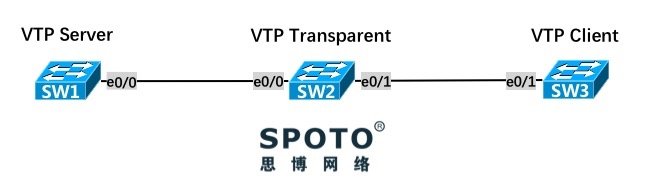
需求:
- SW1、SW2和SW3之间的线路需配置为Trunk,采用Dot1q封装协议
- SW1为VTP Server模式,SW2为VTP Transparent模式,SW3为VTP Client模式,Domain名为
SPOTO, VTP密码为P@s5w0rd - 在SW1上创建VLAN 10 名字为VTP-Server,在SW2上创建VLAN 20 名字为VTP-Transparent,观察SW1~3的VLAN数据库以及VTP状态
配置与实现
1. SW1、SW2和SW3之间的线路需配置为Trunk,采用Dot1q封装协议
SW1 & SW2
1 SWX(config)#interface ethernet 0/0
2 SWX(config-if)#switchport trunk encapsulation dot1q
3 SWX(config-if)#switchport mode trunk
SW2 & SW3
1 SWX(config)#interface ethernet 0/1
2 SWX(config-if)#switchport trunk encapsulation dot1q
3 SWX(config-if)#switchport mode trunk
2. SW1为VTP Server模式,SW2为VTP Transparent模式,SW3为VTP Client模式,Domain名为 SPOTO, VTP密码为 P@s5w0rd ,使用VTP 版本2
SW1
1 SW1(config)#vtp version 2
2 SW1(config)#vtp mode server
3 Device mode already VTP Server for VLANS.
4 SW1(config)#vtp domain SPOTO
5 Changing VTP domain name from NULL to SPOTO
6 SW1(config)#vtp password P@s5w0rd
7 Setting device VTP password to P@s5w0rd
IOS默认VTP模式为Server,域名和密码为空
SW2
1 SW2(config)#vtp version 2
2 SW2(config)#vtp mode transparent
3 Setting device to VTP Transparent mode for VLANS.
4 SW2(config)#vtp domain SPOTO
5 Domain name already set to SPOTO.
6 SW2(config)#vtp password P@s5w0rd
7 Setting device VTP password to P@s5w0rd
SW3
1 SW3(config)#vtp version 2
2 SW3(config)#vtp mode client
3 Setting device to VTP Client mode for VLANS.
4 SW3(config)#vtp domain SPOTO
5 Changing VTP domain name from NULL to SPOTO
6 SW3(config)#vtp password P@s5w0rd
7 Setting device VTP password to P@s5w0rd
3. 在SW1上创建VLAN 10 名字为VTP-Server,在SW2上创建VLAN 20 名字为VTP-Transparent,观察SW1~3的VLAN数据库以及VTP状态
SW1
1 SW1(config)#vlan 10
2 SW1(config-vlan)#name VTP-Server
SW2
1 SW2(config)#vlan 20
2 SW2(config-vlan)#name VTP-Transparent
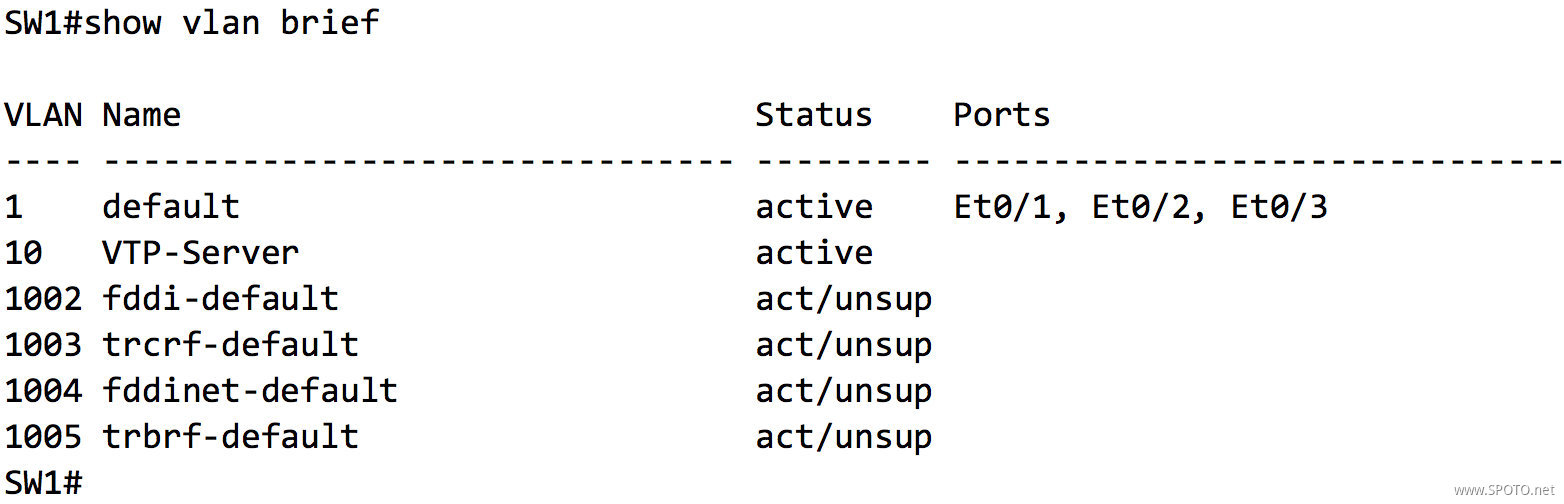
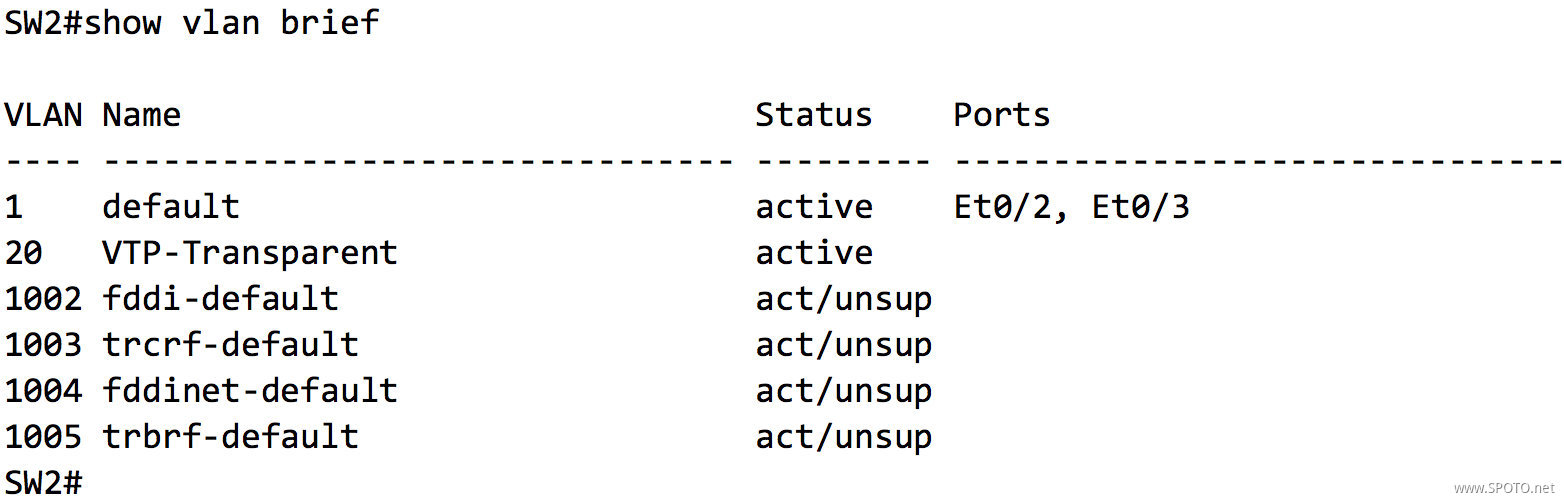
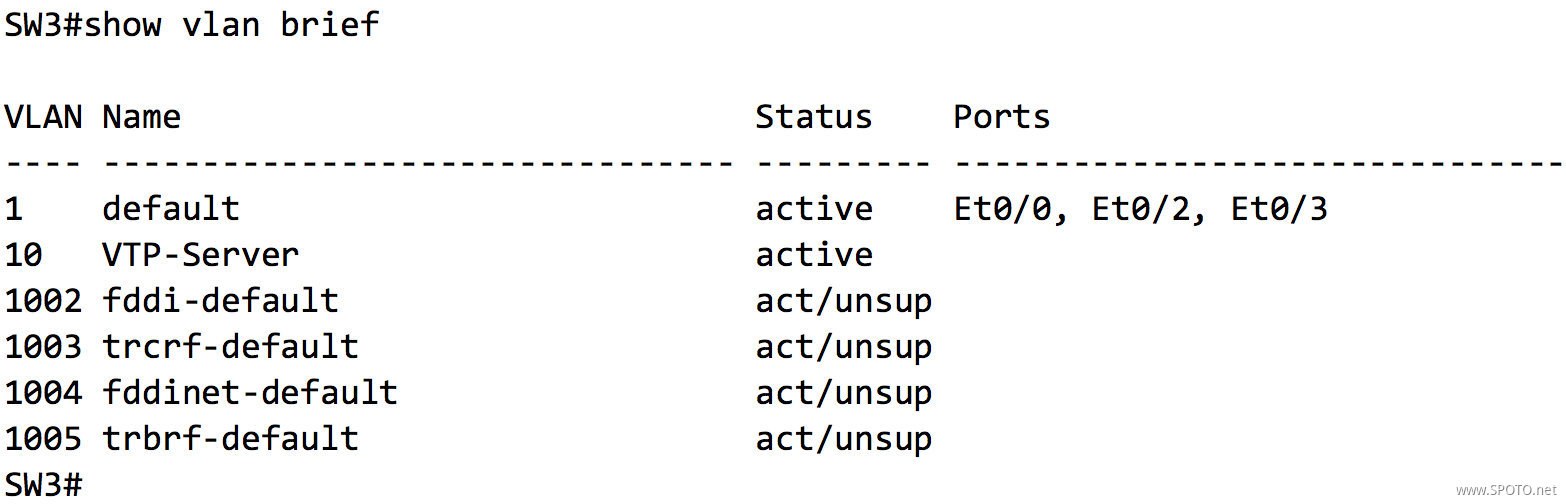
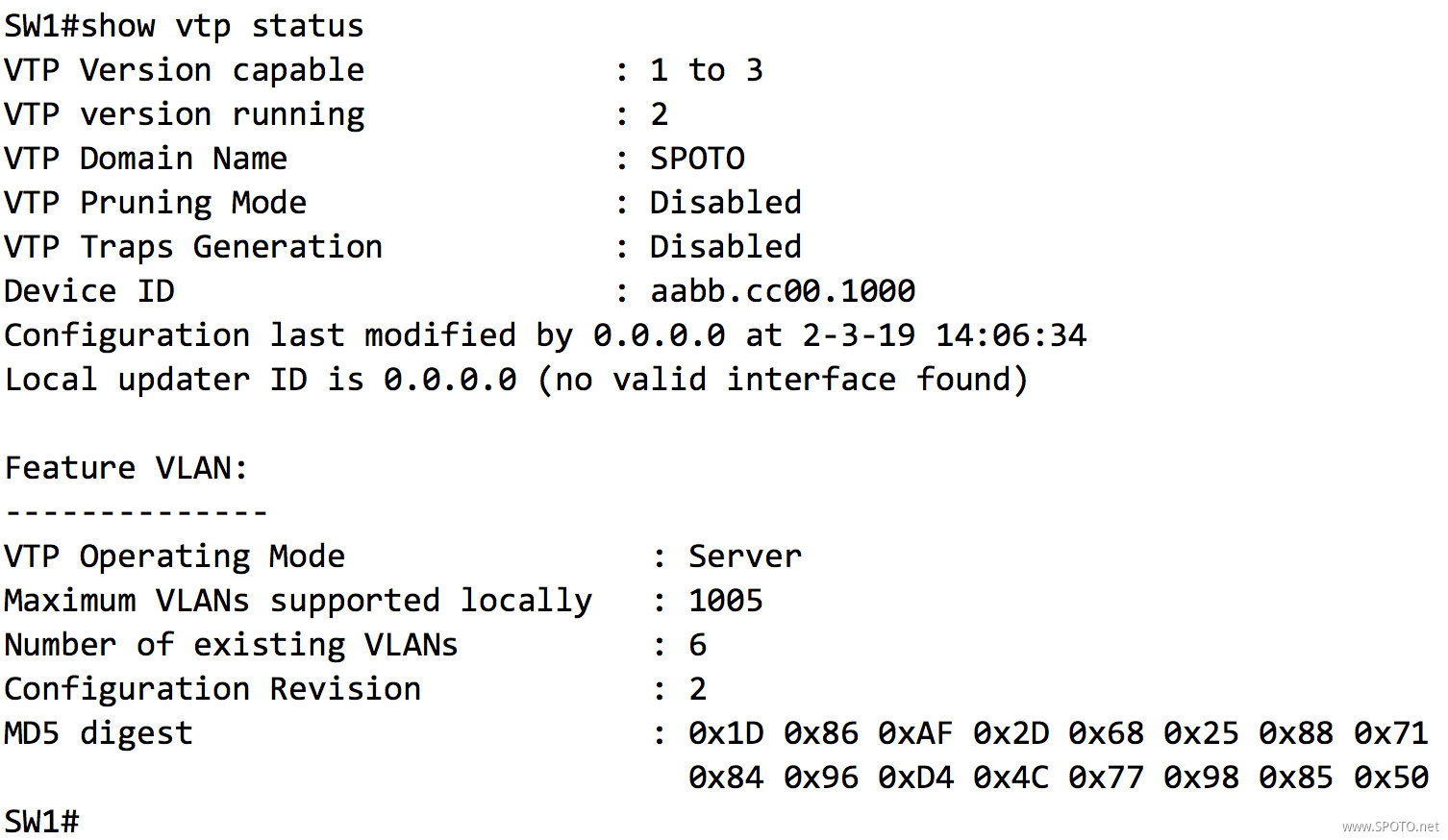
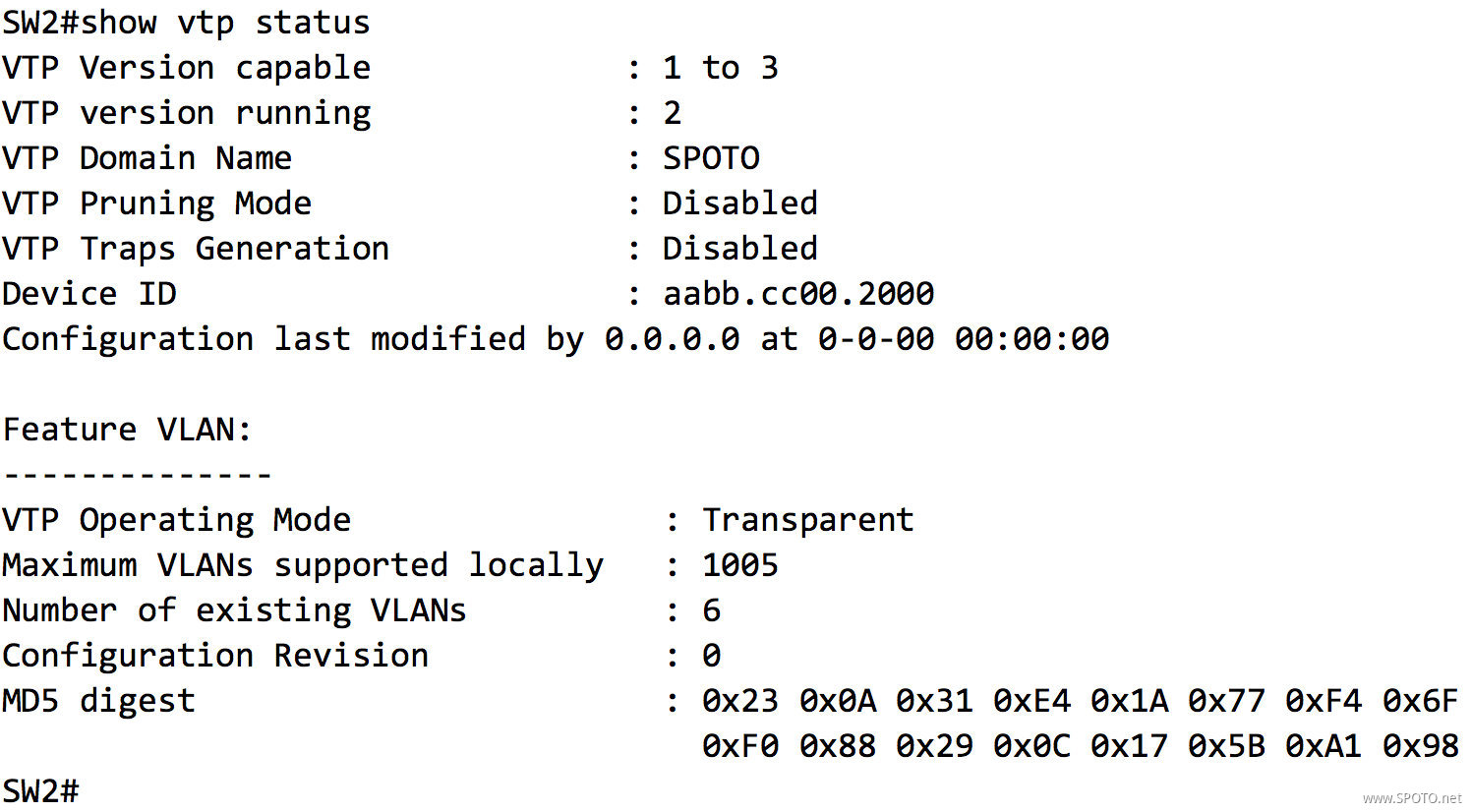
此处出现
*** MD5 digest checksum mismatch on trunk: Et0/0 ***消息,不需理会,SW2为透明模式,不会同步和被同步SW1的VLAN数据库,所以MD5校验不一致也是正常现象
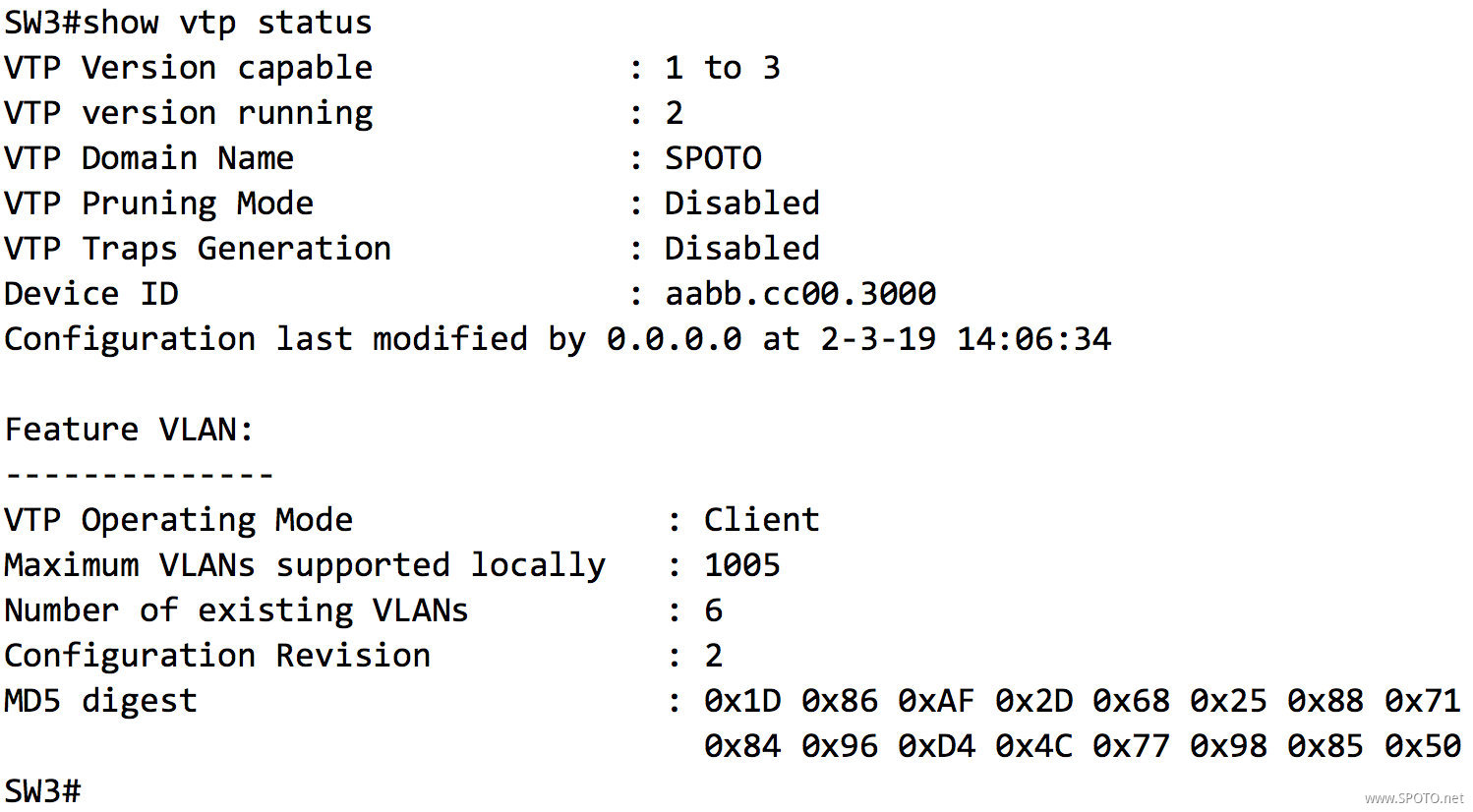
查看SW1和SW3的
MD5 digest部分,如果此部分完全一致,则表示VTP已经同步

 浙公网安备 33010602011771号