
02-Switch_Vlan
02-Switch_Vlan
实验目的
- 掌握交换机VLAN的基本操作
- 理解广播域的作用
拓扑与需求
拓扑:
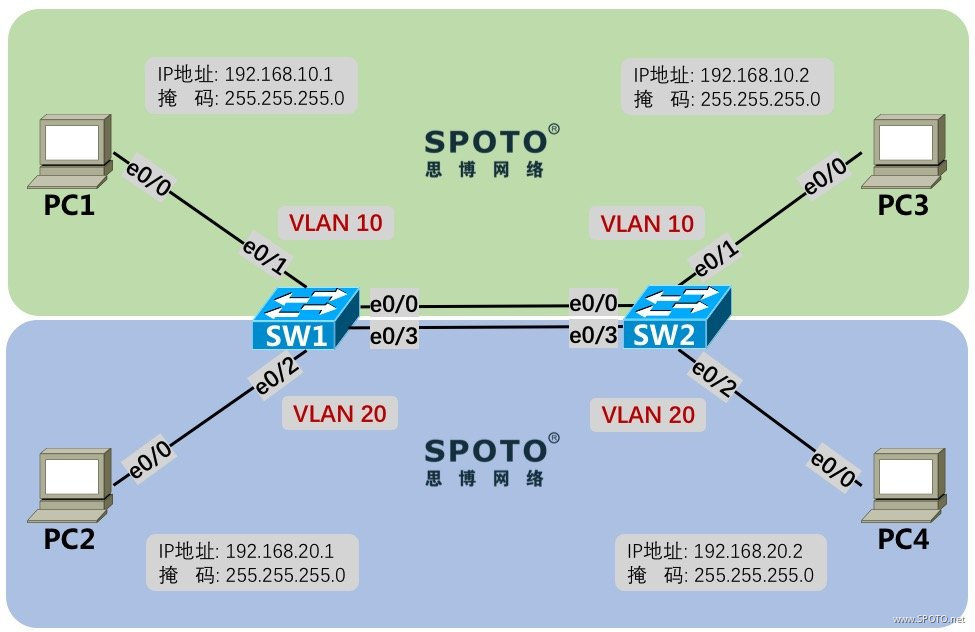
需求:
- 设置SW1和SW2的设备名分别为SW1和SW2
- 按拓扑图所示配置PC1~4的IP地址
- 交换机按图示配置各终端所属的相应vlan,并且进行合理的配置使得同vlan间PC可以相互访问,不同vlan间PC不可以相互访问(不使用trunk)
- 在SW2上配置使得PC1可以使用Telnet远程管理到SW2,远程管理密码为
SPOTO
配置与实现
1. 设置SW1和SW2的设备名分别为SW1和SW2
SW1
1 Switch>enable
2 Switch#configure terminal
3 Switch(config)#hostname SW1
SW2
1 Switch>enable
2 Switch#configure terminal
3 Switch(config)#hostname SW2
2. 按拓扑图所示配置PC1~4的IP地址
PC1
1 PC1>enable
2 PC1#configure terminal
3 PC1(config)#interface Ethernet0/0
4 PC1(config-if)#ip address 192.168.10.1 255.255.255.0
5 PC1(config-if)#no shutdown
PC2
1 PC2>enable
2 PC2#configure terminal
3 PC2(config)#interface Ethernet0/0
4 PC2(config-if)#ip address 192.168.20.1 255.255.255.0
5 PC2(config-if)#no shutdown
PC3
1 PC3>enable
2 PC3#configure terminal
3 PC3(config)#interface Ethernet0/0
4 PC3(config-if)#ip address 192.168.10.2 255.255.255.0
5 PC3(config-if)#no shutdown
PC4
1 PC4>enable
2 PC4#configure terminal
3 PC4(config)#interface Ethernet0/0
4 PC4(config-if)#ip address 192.168.20.2 255.255.255.0
5 PC4(config-if)#no shutdown
3. 交换机按图示配置各终端所属的相应vlan,并且进行合理的配置使得同vlan间PC可以相互访问,不同vlan间PC不可以相互访问(不使用trunk)
SW1
1 SW1(config)#interface range ethernet 0/0-1
2 SW1(config-if-range)#switchport mode access
3 SW1(config-if-range)#switchport access vlan 10
4 % Access VLAN does not exist. Creating vlan 10
5 SW1(config-if-range)#interface range ethernet 0/2-3
6 SW1(config-if-range)#switchport mode access
7 SW1(config-if-range)#switchport access vlan 20
8 % Access VLAN does not exist. Creating vlan 20
当接口划入的VLAN不存在时,IOS会自动创建
使用
range可以批量操作多个接口
SW2
1 SW2(config)#interface range ethernet 0/0-1
2 SW2(config-if-range)#switchport mode access
3 SW2(config-if-range)#switchport access vlan 10
4 % Access VLAN does not exist. Creating vlan 10
5 SW2(config-if-range)#interface range ethernet 0/2-3
6 SW2(config-if-range)#switchport mode access
7 SW2(config-if-range)#switchport access vlan 20
8 % Access VLAN does not exist. Creating vlan 20
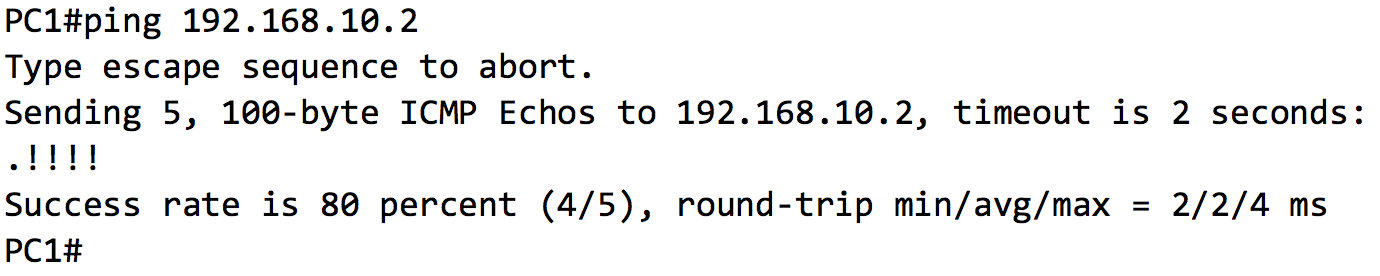
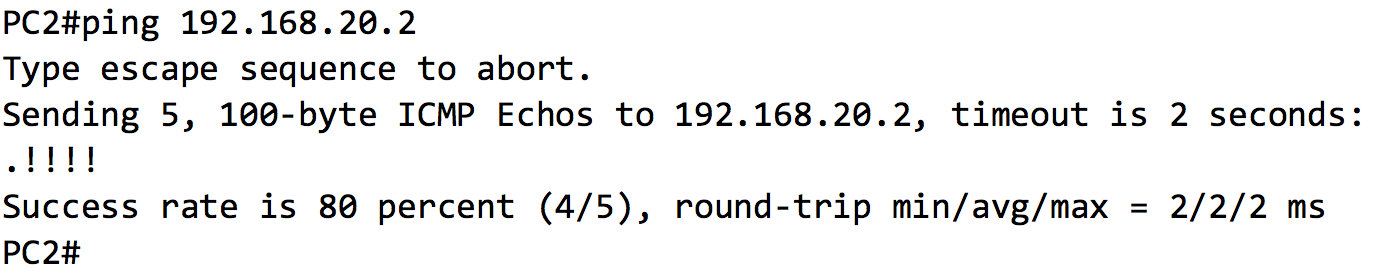
4. 在SW2上配置使得PC1可以使用Telnet远程管理到SW2,远程管理密码为SPOTO
SW2
配置SVI(交换虚拟接口,可用于管理交换机)
1 SW2(config)#interface vlan 10
2 SW2(config-if)#ip address 192.168.10.3 255.255.255.0
3 SW2(config-if)#no shutdown
配置Enable密码为
SPOTO不设置enable密码将不允许远程管理
1 SW2(config)#enable password SPOTO
配置允许Telnet,密码为
SPOTO
1 SW2(config)#line vty 0 4
2 SW2(config-line)#transport input telnet
3 SW2(config-line)#password SPOTO
4 SW2(config-line)#login

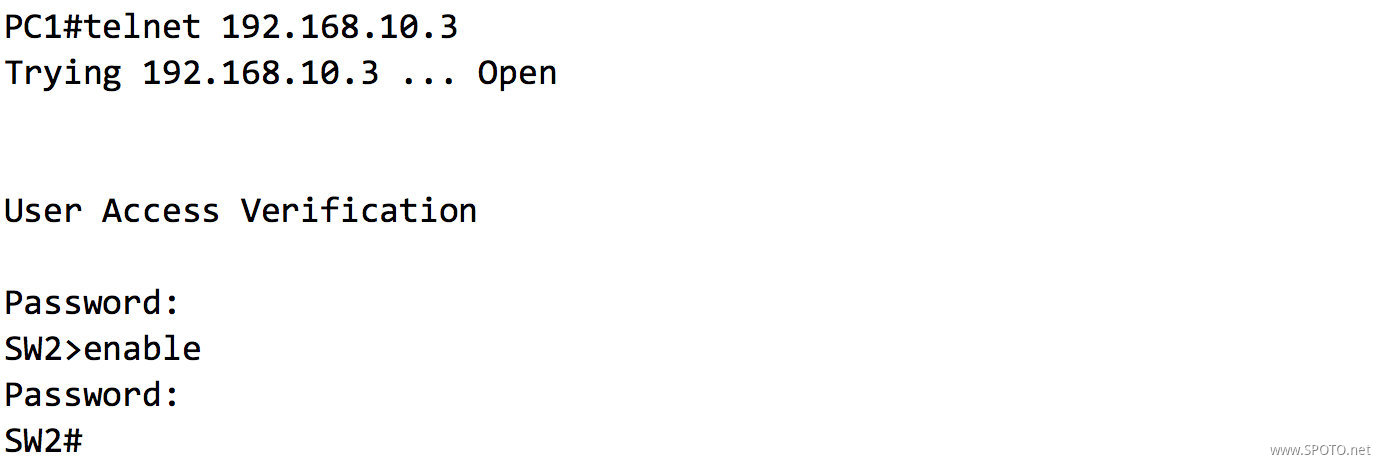
注意密码,区分大小写

 浙公网安备 33010602011771号