

C# Winform监控某个程序是否启动
最近在项目上有两个问题:1.虚拟机上的自动程序总是不知原因的闪退(暂时没找到原因)2.程序里面卡死了相当于自动作业停止了
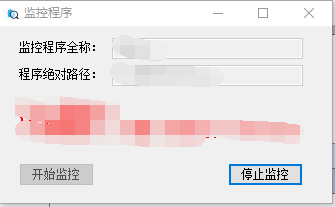
后面想着做个简单的程序来监控:1.开机自启。2.检测指定程序是否启动,没有启动则启动。3.整点关闭一次。
通过两个timer来实现。代码如下:
using Microsoft.VisualBasic;
using Microsoft.Win32;
using System;
using System.Collections.Generic;
using System.ComponentModel;
using System.Data;
using System.Diagnostics;
using System.Drawing;
using System.IO;
using System.Linq;
using System.Text;
using System.Windows.Forms;
namespace Check
{
public partial class Form1 : Form
{
public Form1()
{
InitializeComponent();
}
private void Form1_Load(object sender, EventArgs e)
{
//加入开机自启
string path = Application.ExecutablePath;
RegistryKey rk = Registry.LocalMachine;
RegistryKey rk2 = rk.CreateSubKey(@"Software\Microsoft\Windows\CurrentVersion\Run");
if (rk2.GetValue("AAA") == null)
{
rk2.SetValue("AAA", path);
rk2.Close();
rk.Close();
}
//删除开机自启
//rk2.DeleteValue("AAA", false);
//rk2.Close();
//rk.Close();
textBox1.Text = "AAA";
textBox2.Text = "D:\AAA\AAA.exe";
timer1.Enabled = true;
timer1.Interval = 1 * 60 * 1000;
button1.Enabled = false;
timer2.Enabled = true;
timer2.Interval = 100;
}
private void button1_Click(object sender, EventArgs e)
{
OpenFileDialog openFile = new OpenFileDialog();
openFile.RestoreDirectory = true;
openFile.Filter = "compress files(.exe)|.exe";
if (openFile.ShowDialog() != DialogResult.OK)
{
return;
}
textBox1.Text = Path.GetFileNameWithoutExtension(openFile.FileName);
textBox2.Text = openFile.FileName;
        timer1.Enabled = true;
        timer1.Interval =1*60* 1000;
        button1.Enabled = false;

        timer2.Enabled = true;
        timer2.Interval= 100;
    }

    private void timer1_Tick(object sender, EventArgs e)
    {

            if (System.Diagnostics.Process.GetProcessesByName(textBox1.Text).ToList().Count <= 0)
            {
                Directory.SetCurrentDirectory(Path.GetDirectoryName(textBox2.Text) );
                Process.Start(textBox2.Text);
            }
    }
    private void button2_Click(object sender, EventArgs e)
    {
        timer1.Enabled = false;
        button1.Enabled = true;
    }
    private void timer2_Tick(object sender, EventArgs e)
    {
       if (DateTime.Now.Minute==0)
        {
            var process = Process.GetProcesses();
            foreach (var p in process)
            {
                if (p.ProcessName.Equals(textBox1.Text))
                {
                    p.Kill();
                }
            }
        }
    }
}
}

 浙公网安备 33010602011771号