

工作总结 编辑列表并绑定下拉列
第一种
后台代码:
SelectListItem s1 = new SelectListItem() { Text = "湖北", Value = "0" };
            SelectListItem s2 = new SelectListItem() { Text = "湖南", Value = "1" };
            ViewBag.TypeList = new SelectList(new SelectListItem[] { s1, s2 }, "Value", "Text");
页面代码:
@Html.DropDownListFor(o => o.ID, ViewBag.TypeList as IEnumerable<SelectListItem>, new { @class = "form-control" })
效果:

在页面上根据Html强类型辅助方法 绑定下拉框(o => o.ID)
第二种
后台代码:
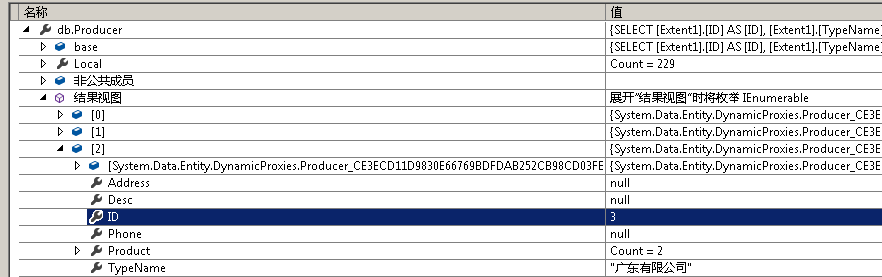
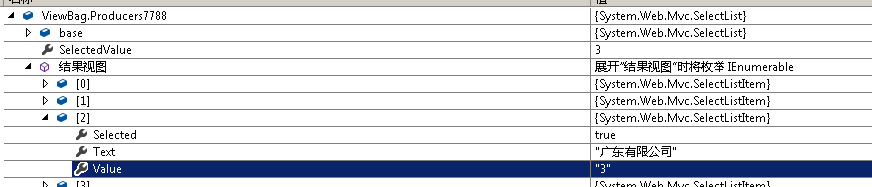
ViewBag.Producers7788 = new SelectList(db.Producer, "ID", "TypeName", product.Producers);
后台已经设置好了 选中的是谁.
页面代码:
@Html.DropDownList("Producers7788")
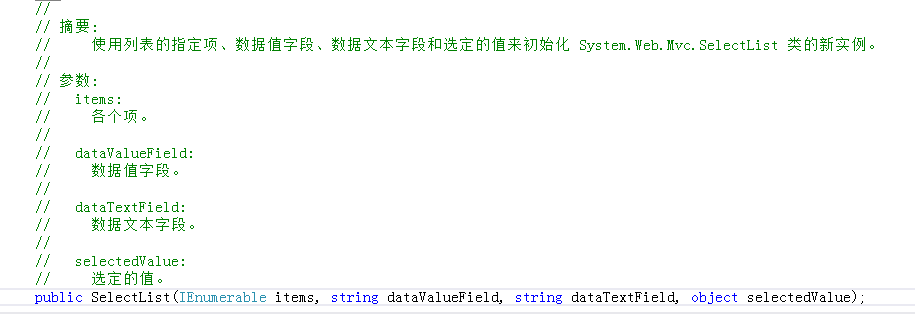
第一个参数 集合
第二个参数 值字段
第三个参数 文本字段
第四个参数 选中的值



 浙公网安备 33010602011771号