
Thymeleaf的语法与使用
Thymeleaf 是一个模板引擎。适合在web程序中为HTML5提供服务
命名空间
xmlns:th="http://www.thymeleaf.org"
Thymeleaf标准表达式
- 简单表达式
-
变量表达式: $
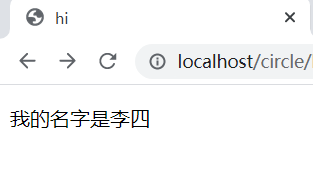
model.addAttribute("name", "李四");<p>我的名字是<span th:text="${name}">张三</span></p>![image]()
-
选择变量表达式: *
选择变量表达式*{...}是另一种类似${...},表示变量的方法,但是选择变量表达式在执行时是在选择的对象上求解,而${...}是在上下文的变量Map上求解。
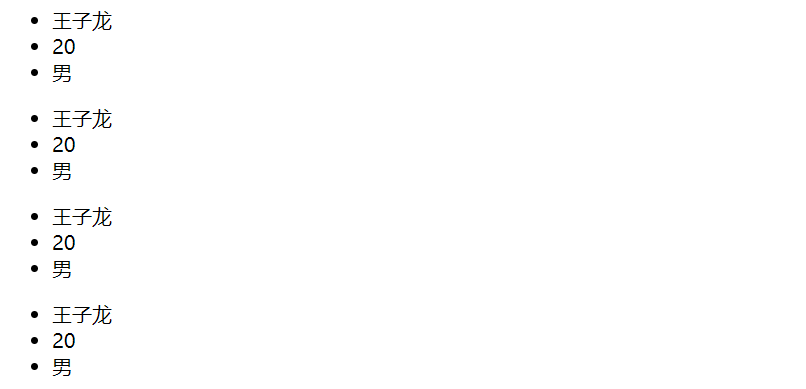
model.addAttribute("user", userBean);<!--通过th:object属性指明选择变量表达式的求解对象--> <ul th:object="${user}"> <li th:text="*{name}"></li> <li th:text="*{age}"></li> <li th:text="*{gender}"></li> </ul> <!--标准变量表达式和选择变量表达式可以混用--> <ul th:object="${user}"> <li th:text="*{name}"></li> <li th:text="${user.age}"></li> <li th:text="*{gender}"></li> </ul> <!--当th:object存在的时候,可以通过${#object}引用到被选择的对象--> <ul th:object="${user}"> <li th:text="${#object.name}"></li> <li th:text="${#object.age}"></li> <li th:text="${#object.gender}"></li> </ul> <!--不存在选择对象的时候,${...}和*{...}等价--> <ul> <li th:text="*{user.name}"></li> <li th:text="*{user.age}"></li> <li th:text="*{user.gender}"></li> </ul>![image]()
-
消息表达式: #
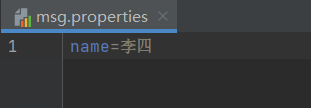
spring: messages: basename: msg # 配置属性文件所在位置![image]()
![image]()
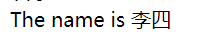
<p style="color: red" th:text="#{name}"></p>![image]()
-
链接URL表达式: @
包括绝对URL(https://www.baidu.com)和相对URL(/index)
@GetMapping({"/", "/index"})
public String index(){
	return "index";
}
<a th:href="@{/}">首页</a>![image]()
-
分段表达式: ~
分段表达式 主要用于模板布局时的引用。也就是在一个页面中引入另一个页面中的内容。
<!--foot.html--> <!DOCTYPE html> <html lang="zh-cn" xmlns:th="http://www.thymeleaf.org"> <head> <meta charset="UTF-8"> <title>Title</title> </head> <body> <div th:fragment="copy"> © 2021 <a href="http://www.baidu.com">百度</a> </div> </body> </html><div th:include="~{foot :: copy}"></div> <div th:include="foot :: copy"></div>![image]()
-
- 字面量
- 文本: 'one text', 'Another one!'
- 数值: 0, 4, 3.0, 12.4
- 布尔值: true, false
- 空: null
- 标记: one, sometext, other 等
- 文本操作
- 字符串连接: +
- 文本替换: |The name is ${name}|
<div th:text="|The name is ${name}|"></div>![image]()
- 算数运算
- 二元运算: +, -, *, /, %等
- 一元运算: -
- 布尔运算
- 二元运算: and, or
- 布尔否定(一元运算): !, not
- 比较和等价
- 比较: >, <, >=, <=, gt, lt, ge, le等
- 等价: ==, !=, eq, ne等
- 条件运算操作
- IF-THEN: (if)?(then)
- IF-THEN-ELSE: (if)? (then): (else)
<div th:text="(3==4)? 'true': 'false'"></div>![image]()
- 取默认值: (value)?:(defaultValue)
<div th:text="${value}?:(110)"></div>![image]()






Thymeleaf表达式对象
html <div th:text="${#locale.country}"></div>

- #ctx 表示上下文对象
- #vars 表示上下文变量
- #request 表示(只在web上下文中) HttpServletRequest对象
- #response 表示(只在web上下文中) HttpServletResponse对象
- #session 表示(只在web上下文中) HttpSession对象
- #servletContext 表示(只在web上下文中) ServletContext对象
- #numbers
- #strings 表示String对象的实用方法(contains, startsWith等)
- #objects
- #bools
- #arrays 数组
- #lists 列表
- #sets
- #maps
- #message 表示用于在变量表达式中获得外部消息的实用方法,与使用#{...}语法获得的方式相同
- #ids 表示用于处理可能重复的id属性的使用方法
th:onclick传递参数给function
<div th:if="${not #lists.isEmpty(people)}">
    <ul th:each="person: ${people}" th:object="${person}">
        <li>
           <span th:text="*{name}"></span>
           <span th:text="*{age}"></span>
           <span th:text="*{address}"></span>
            <button class="btn" th:onclick="getName('[[*{name}]]')" th:text="'获取名字'"></button>
        </li>
    </ul>
</div>
<script th:inline="javascript">
    function getName(name) {
        console.log(name)
        single.name = name;
    }
</script>
挣钱养媳妇儿^.^

 浙公网安备 33010602011771号