
20242216 实验二《Python程序设计》实验报告
学号 2024-2025-2 《Python程序设计》实验二报告
课程:《Python程序设计》
班级: 2422
姓名: 王乐天
学号:20242216
实验教师:王志强
实验日期:2025年3月26日
必修/选修: 公选课
1.实验内容
-
设计并完成一个完整的应用程序,完成加减乘除模等运算,功能包括普通模式的加减乘除乘方对数取模(支持小数)、二进制模式的与或非异或、复数模式的加减乘除;
-
考核基本语法、判定语句、循环语句、逻辑运算等知识点;
2. 实验过程及结果
-
设计计算器模式,找到需要用户输入的参数并填写提示词
-
实现计算器功能,注意二进制非运算只需要一个参数
-
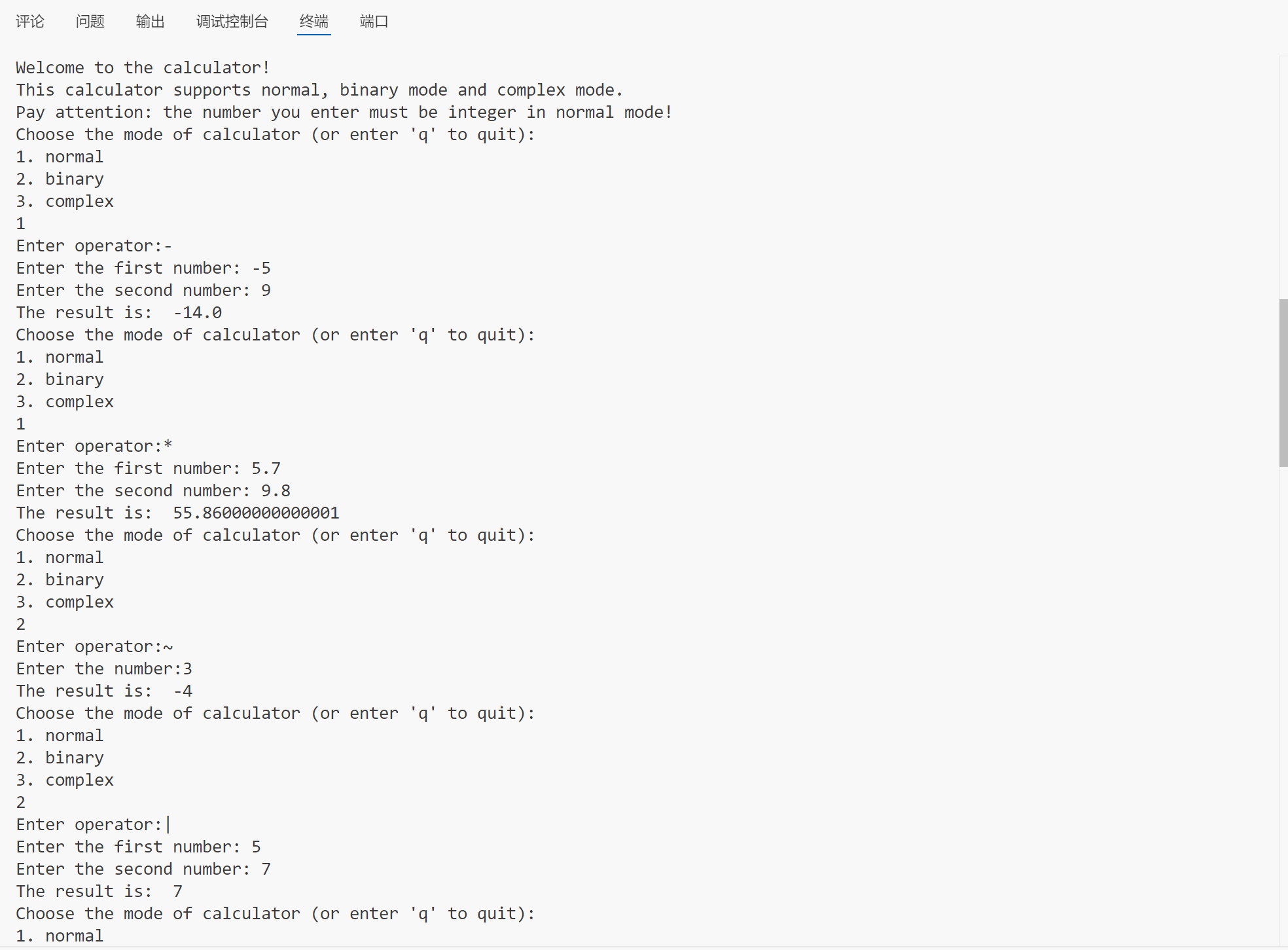
试运行程序,确保程序可以应对各种数据
import math
def calculate(a, b, o):
    if o == "+":
        return a + b
    elif o == "-":
        return a - b
    elif o == "*":
        return a * b
    elif o == "/":
        if b == 0:
            return "Division by zero is not allowed"
        return a / b
    elif o == "~":
        return ~a
    elif o == "&":
        return a & b
    elif o == "|":
        return a | b
    elif o == "^":
        return a ^ b
    elif o == "%":
        return a % b
    elif o == "log":
        if a <= 0:
            return "Input must be > 0 for log"
        if b <= 0 or b == 1:
            return "Invalid base. Must be > 0 and != 1"
        return math.log(a, b)
    else:
        return "Invalid operator"
print("Welcome to the calculator!")
print("This calculator supports normal, binary mode and complex mode.")
print("Pay attention: the number you enter must be integer in normal mode!")
while True:
    print("Choose the mode of calculator (or enter 'q' to quit):")
    print("1. normal")
    print("2. binary")
    print("3. complex")
    mode_input = input()
    if mode_input == "q":
        print("Exiting the calculator. Goodbye!")
        break
    mode = int(mode_input)
    operator = input("Enter operator:")
    if mode == 2 and operator == "~":
        a = int(input("Enter the number:"))
        print("The result is: ", calculate(a, 0, operator))
    else:
        if operator == "log" and mode == 1:
            a = float(input("Enter the number: "))
            b = float(input("Enter the base: "))
            print("The result is: ", calculate(a, b, operator))
            continue
        if mode == 3:
            a = complex(input("Enter the first complex number: "))
            b = complex(input("Enter the second complex number: "))
            if operator in ["+", "-", "*", "/"]:
                print("The result is: ", calculate(a, b, operator))
            else:
                print("Invalid operator for complex mode")
        else:
            a = int(input("Enter the first number: ")) if mode == 2 else float(input("Enter the first number: "))
            b = int(input("Enter the second number: ")) if mode == 2 else float(input("Enter the second number: "))
            if mode == 1:
                if operator in ["+", "-", "*", "/", "%","^"]:
                    print("The result is: ", calculate(a, b, operator))
                else:
                    print("Invalid operator")
            elif mode == 2:
                if operator in ["&", "|", "^"]:
                    print("The result is: ", calculate(a, b, operator))
                else:
                    print("Invalid operator")
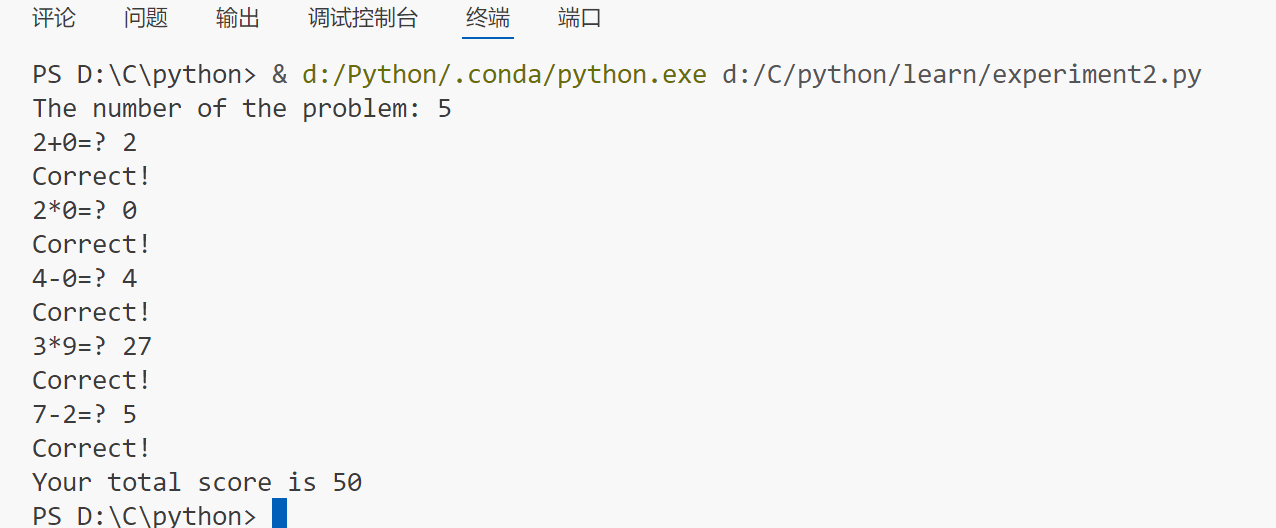
4. 利用随机数生成一个随机出题软件
import random

n = int(input("The number of the problem: "))
point = 0

for _ in range(n):
    a = random.randint(0, 9)
    b = random.randint(0, 9)
    operate = random.randint(0, 3)

    if operate == 0:
        user_answer = int(input("{a}+{b}=? "))
        result = a + b
    elif operate == 1:
        if a < b:
            a, b = b, a
        user_answer = int(input("{a}-{b}=? "))
        result = a - b
    elif operate == 2:
        user_answer = int(input("{a}*{b}=? "))
        result = a * b
    else:
        while b == 0:
            b = random.randint(1, 9)
        user_answer = float(input("{a}/{b}=? "))
        result = a / b

    if user_answer == result:
        print("Correct!")
        point += 10
    else:
        print("Wrong!")

print("Your total score is {point}")
5. 托管代码到gitee
gitee
3. 实验过程中遇到的问题和解决过程
- 问题1:复数输入无法识别;
- 问题1解决方案:查询后发现,在python中,虚部的单位为j而不是i;
其他(感悟、思考等)
函数可以极大的提高代码复用性,降低程序编写的复杂度。而且在这一次的函数使用中,我更清晰的认识到了python的动态特点,对它和先前所使用的语言区分更加明了。

 浙公网安备 33010602011771号