
Antdesign React之Json编辑器
我们先看下效果,这个白色是不是非常不错?没有太多复杂的功能,就是当一个简洁显示json并且进行编辑的功能
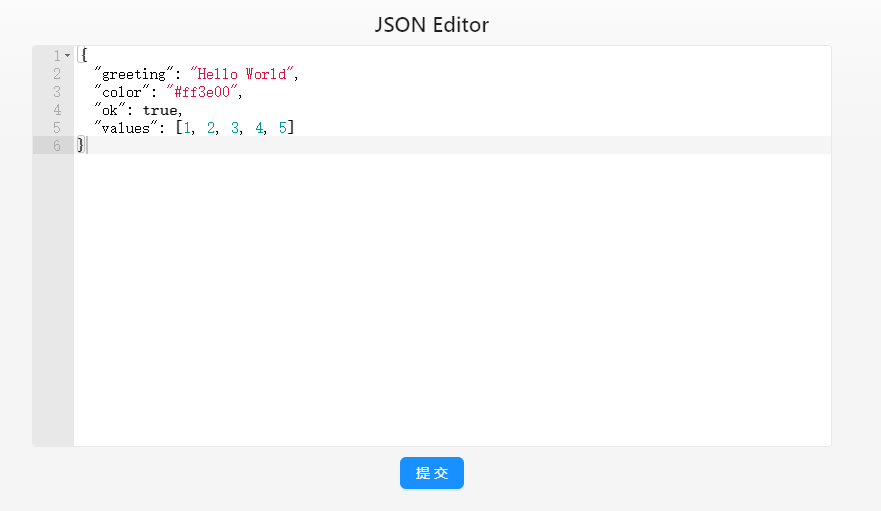
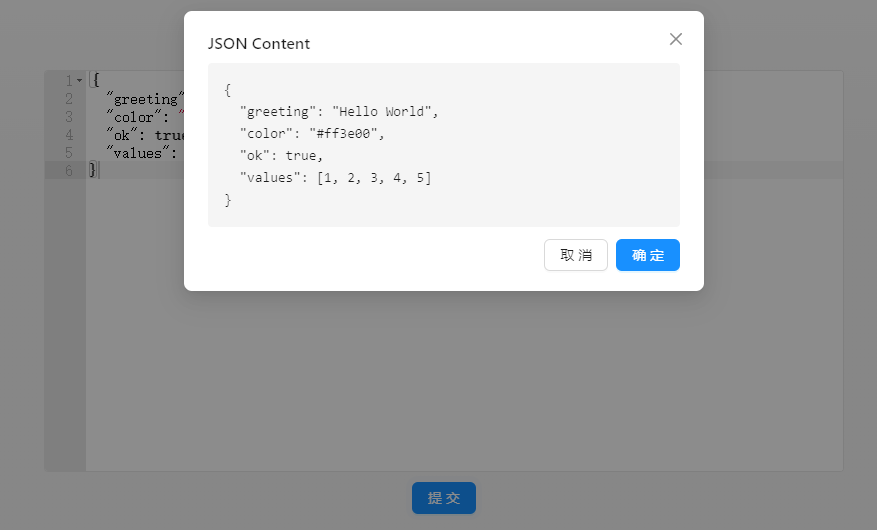
接下来是代码部分
import { useState } from 'react';
import AceEditor from 'react-ace';
import { Button, Modal } from 'antd';
import './styles.css';

// Import ace editor themes and modes
import 'ace-builds/src-noconflict/mode-json';
import 'ace-builds/src-noconflict/theme-github';

function App() {
  const [jsonContent, setJsonContent] = useState(`{
  "greeting": "Hello World",
  "color": "#ff3e00",
  "ok": true,
  "values": [1, 2, 3, 4, 5]
}`);
  const [isModalOpen, setIsModalOpen] = useState(false);

  const handleEditorChange = (value: string) => {
    setJsonContent(value);
  };

  const handleSubmit = () => {
    setIsModalOpen(true);
  };

return (
  <div className="json-view-container">
    <h2>JSON Editor</h2>
    <div className="editor-wrapper">
      <AceEditor
        mode="json"
        theme="github"
        value={jsonContent}
        onChange={handleEditorChange}
        name="json-editor"
        editorProps={{ $blockScrolling: true }}
        setOptions={{
          showLineNumbers: true,
          tabSize: 2,
          useWorker: false,
          fontFamily: 'Fira Code, monospace',
          fontSize: 16,
          printMargin: false
        }}
        width="100%"
        height="400px"
      />
    </div>
    <div className="button-container">
      <Button type="primary" onClick={handleSubmit}>
        提交
      </Button>
    </div>
    <Modal
      title="JSON Content"
      open={isModalOpen}
      onOk={() => setIsModalOpen(false)}
      onCancel={() => setIsModalOpen(false)}
    >
      <pre>{jsonContent}</pre>
    </Modal>
  </div>
);}
export default App;
样式代码
.json-view-container {
  padding: 20px;
  height: 60vh;
  display: flex;
  flex-direction: column;
  align-items: center;
  justify-content: center;
  box-sizing: border-box;
}

h2 {
  margin-bottom: 10px;
  text-align: center;
}

.editor-wrapper {
  width: 80%;
  max-width: 800px;
  border: 1px solid #e8e8e8;
  border-radius: 4px;
  overflow: hidden;
  margin-bottom: 10px;
}

.button-container {
  display: flex;
  justify-content: center;
  padding: 0;
}

.ant-modal-body pre {
  background-color: #f5f5f5;
  padding: 16px;
  border-radius: 4px;
  margin: 0;
  overflow: auto;
  max-height: 400px;
  white-space: pre-wrap;
  word-wrap: break-word;
}
点个赞,支持作者在博客园继续更新!

 浙公网安备 33010602011771号