
matlab分析HOG特征提取出来的直方图
使用matlab自带的extractHOGFeatures()函数提取HOG特征,对于一幅256*256的图,如果cell_size = 8,block_size = 2,
那么特征数量为:9*block_size^2*(256/8-1)^2 = 34596,绘制图形代码如下:
img = imread('fire.jpg');%替换路径即可运行,建议图片大小大于256*256,否则去掉下一行代码
img = img(1:256,1:256);
%img = imrotate(img,122);
imshow(img)
[feature,vision] = extractHOGFeatures(double(img),'CellSize',[8 8],'BlockSize',[2 2]);
f = feature;
figure;
imshow(img);
hold on
plot(vision)接下来使用绘制直方图的命令:histogram绘制feature。在command window输入histogram(feature):
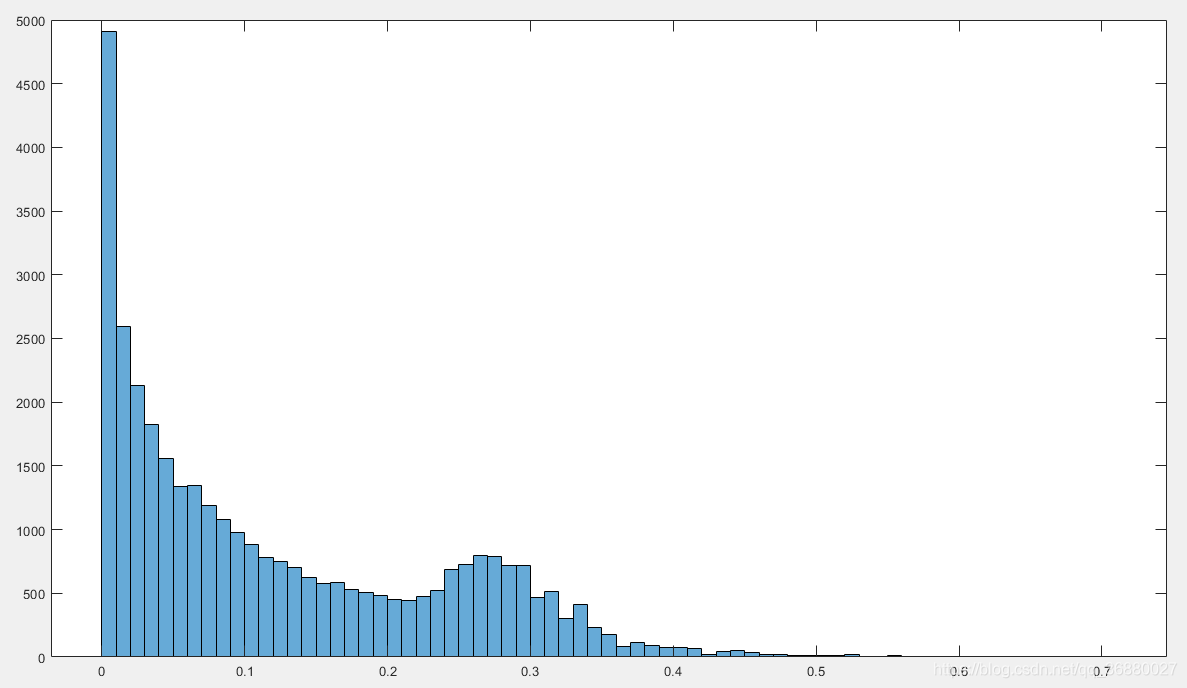
现在,使用函数rotate( ),将图像进行任意角度旋转(15 45 90 135 180)。运行,继续绘制feature直方图:
img = imread('fire.jpg');
img = img(1:256,1:256);
img1 = imrotate(img,15);
img2 = imrotate(img,45);
img3 = imrotate(img,90);
img4 = imrotate(img,135);
img5 = imrotate(img,180);
[feature1,vision1] = extractHOGFeatures(double(img),'CellSize',[8 8],'BlockSize',[2 2]);
subplot(231)
histogram(feature1)
title('原始图像')
[feature2,vision2] = extractHOGFeatures(double(img1),'CellSize',[8 8],'BlockSize',[2 2]);
subplot(232)
histogram(feature2)
title('旋转15°')
[feature3,vision3] = extractHOGFeatures(double(img2),'CellSize',[8 8],'BlockSize',[2 2]);
subplot(233)
histogram(feature3)
title('旋转45°')
[feature4,vision4] = extractHOGFeatures(double(img3),'CellSize',[8 8],'BlockSize',[2 2]);
subplot(234)
histogram(feature4)
title('旋转90°')
[feature5,vision5] = extractHOGFeatures(double(img4),'CellSize',[8 8],'BlockSize',[2 2]);
subplot(235)
histogram(feature5)
title('旋转135°')
[feature6,vision6] = extractHOGFeatures(double(img5),'CellSize',[8 8],'BlockSize',[2 2]);
subplot(236)
histogram(feature6)
title('旋转180°')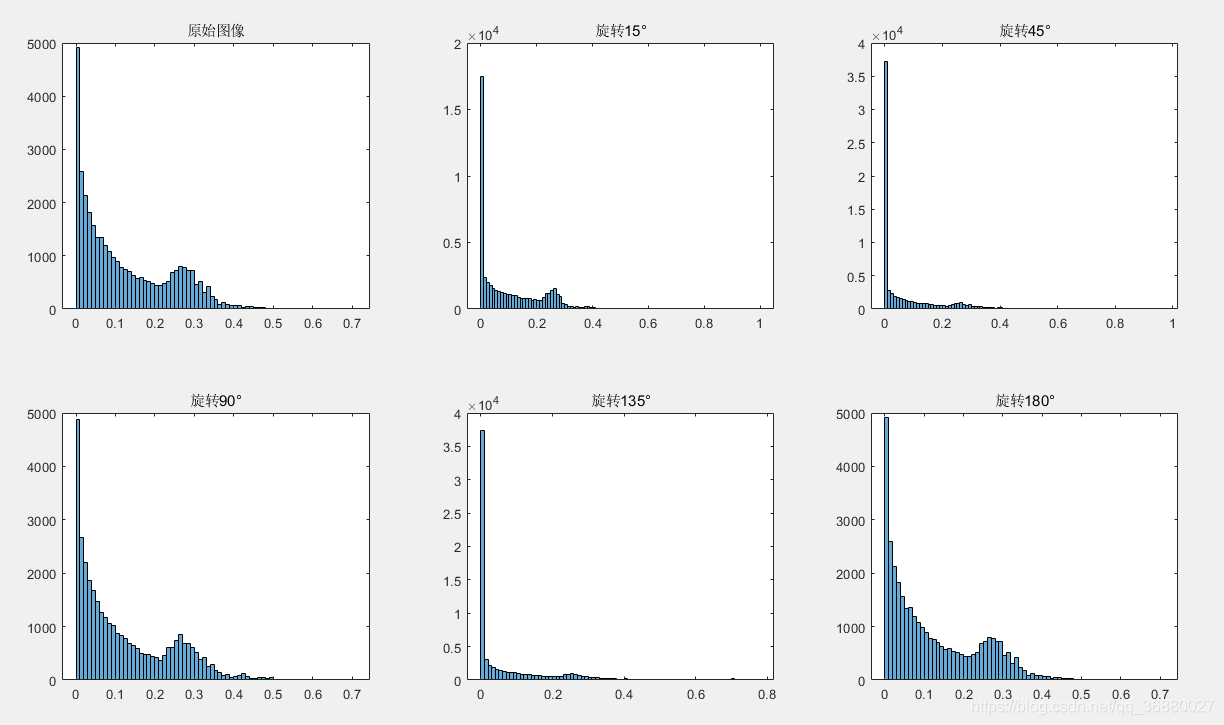
从上图可以看出来,旋转后HOG特征的趋势基本保持不变,只是幅度发生了变化,包络趋势依然存在。说明HOG特征对于旋转能够保持很好的鲁棒性。
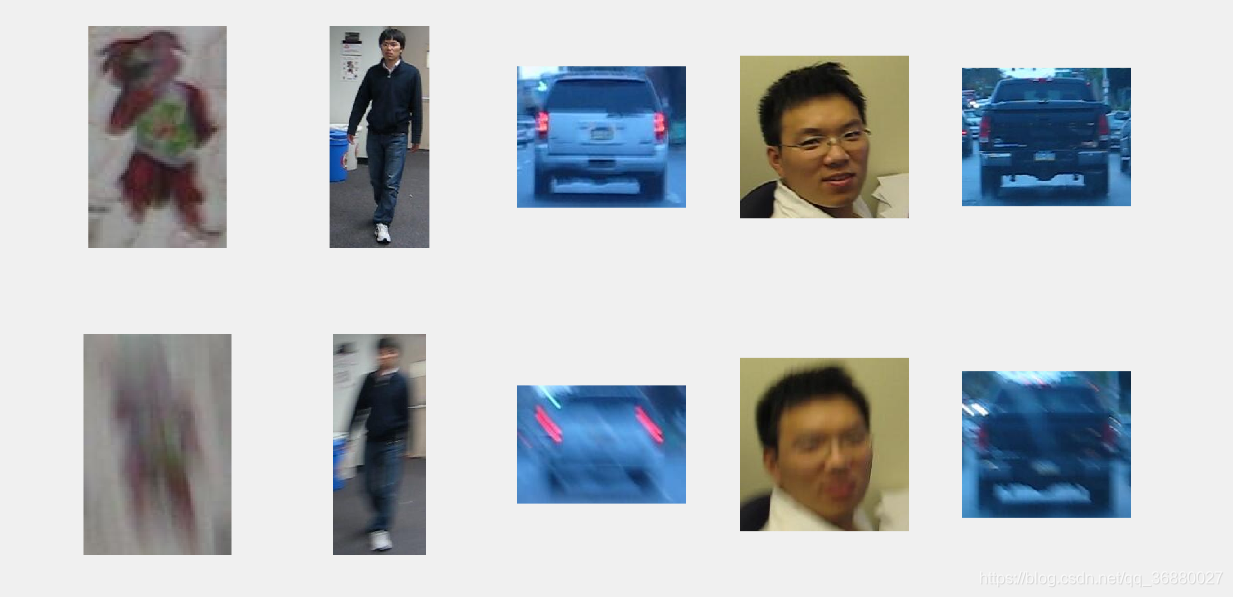
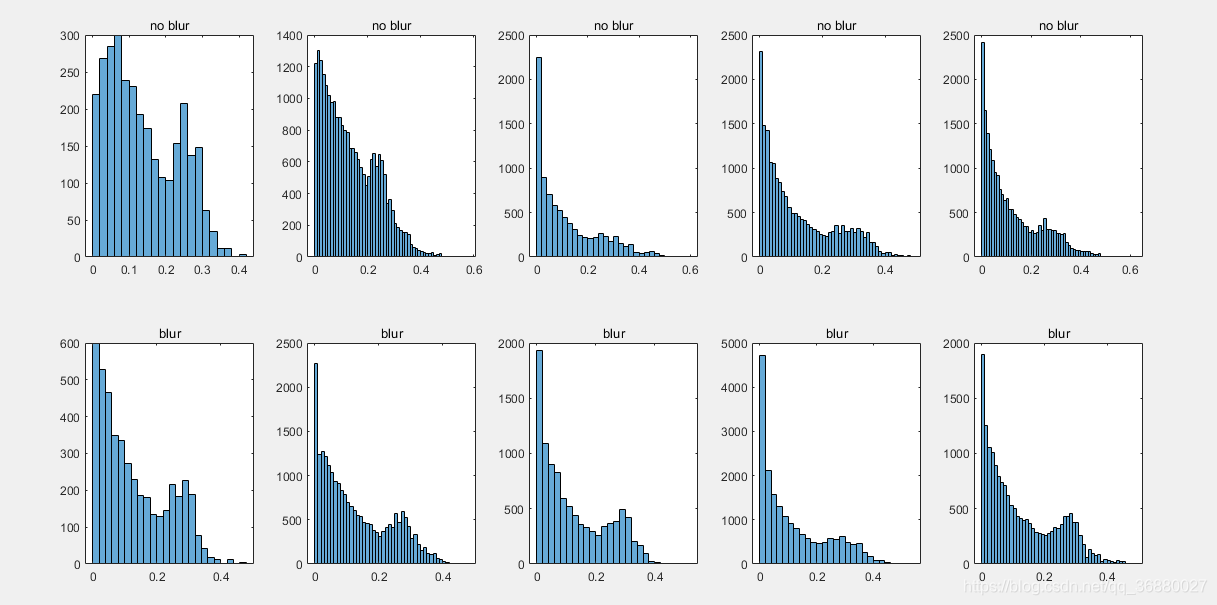
20200404更新:HOG对于模糊的鲁棒性

 浙公网安备 33010602011771号