

ansible
Ansible 配置Apache(加粗的字体是要执行的命令)
配置免密登录
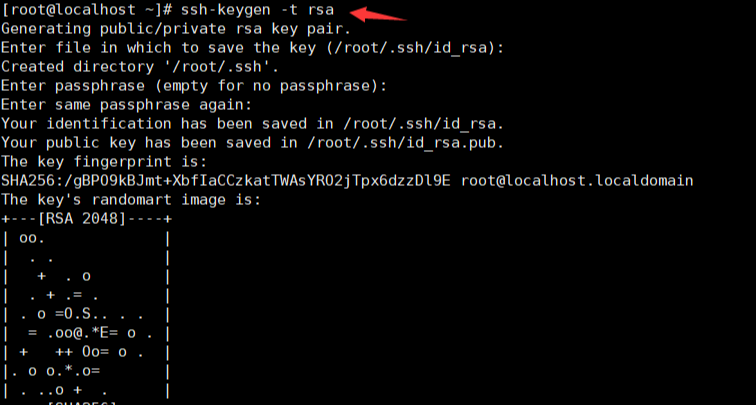


[root@localhost ansible]# vim /etc/ansible/hosts //用来配置目标主机 加入以下内容
[httpd] //目标主机组
192.168.18.130 //目标主机的ip地址
192.168.18.134 //目标主机的ip地址
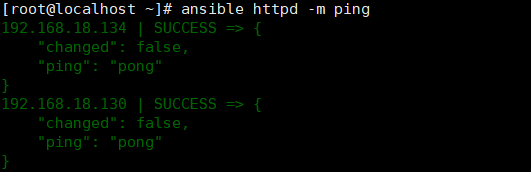
[root@localhost ~]# ansible httpd -m ping // 测试是否目标主机是否可以连通 如果显示一下内容就是成功
编辑ansible的脚本

检查是否有语法错误,执行以下命令成功则是没有语法错

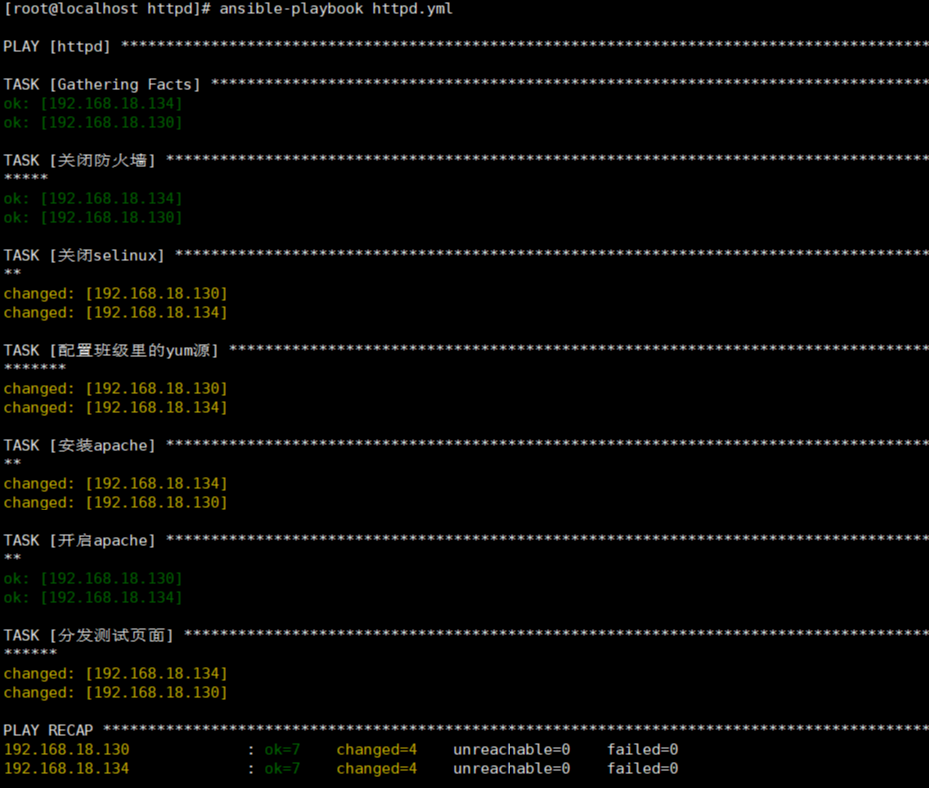
如果没有语法错误,就开始自动部署
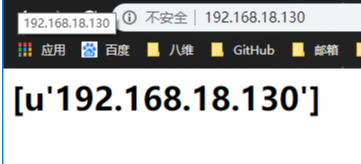
访问目标主机组的ip地址

Ansible自动部署nginx
1.配置免密登录
[root@localhost ansible]# vim /etc/ansible/hosts //用来配置目标主机 加入以下内容
[nginx] //目标主机组
192.168.18.130 //目标主机的ip地址
192.168.18.134 //目标主机的ip地址
[root@localhost ~]# ansible nginx -m ping // 测试是否目标主机是否可以连通 如果显示一下内容就是成功

编写nginx的自动部署的文件nginx.yml

检测是否有语法错误

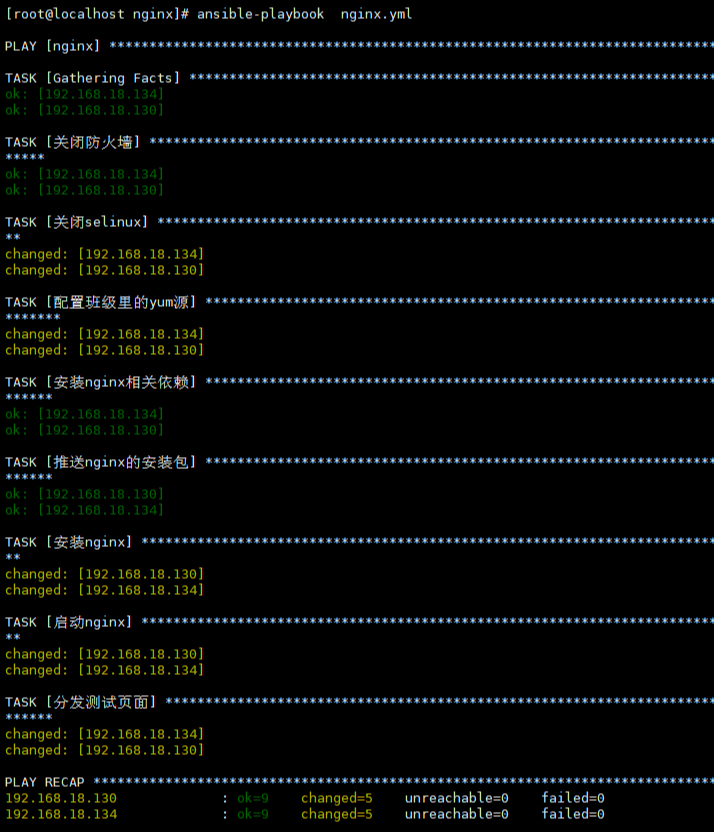
运行文件nginx.yml
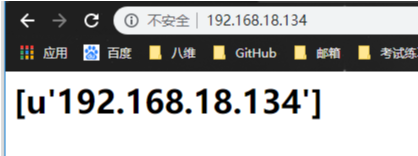
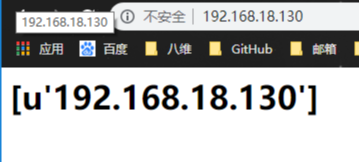
访问目标主机组的ip地址
Ansible自动部署lnmp架构
配置免密登录
[root@localhost ansible]# vim /etc/ansible/hosts //用来配置目标主机 加入以下内容
lnmp] //目标主机组
192.168.18.130 //目标主机的ip地址
192.168.18.134 //目标主机的ip地址
[root@localhost ~]# ansible nginx -m ping // 测试是否目标主机是否可以连通 如果显示一下内容就是成功

编写运行脚本lnmp.yml

运行结果

Ansible自动部署tomcat
---
- hosts: tomcat
tasks:
- name: 关闭防火墙
service: name=iptables state=stopped
- name: 关闭selinux
shell: setenforce 0
- name: 安装所需的软件
yum: name=tar,libselinux-python state=latest
- name: 推送jdk java环境
copy: src=jdk-8u131-linux-x64_.rpm dest=/root
- name: 创建文件夹
file: path=/opt/tomcat state=directory
- name: 推送tomcat的压缩包
unarchive: src=apache-tomcat-8.5.35.tar.gz dest=/opt/tomcat
- name: 安装jdk
yum: name=jdk-8u131-linux-x64_.rpm state=installed
- name: 启动tomcat
shell: nohup /opt/tomcat/apache-tomcat-8.5.35/bin/startup.sh &
Ansible自动部署lnmp架构+上线电商
编写的lnmp.yml 文件
---
- hosts: lnmp
tasks:
- name: 关闭防火墙
service: name=iptables state=stopped
- name: 关闭selinux
shell: setenforce 0
- name: 配置班级yum源
script: repo.sh
- name: 配置相关组件以及MySQL
yum: name=zlib-devel,pcre-devel,gcc,gcc-c++,php,php-mysql,php-gd,php-fpm,libselinux-python,tar,vim,unzip state=latest
- name: 推送nginx安装包
unarchive: src=nginx-1.16.1.tar.gz dest=/root
- name: 安装nginx
shell: cd /root/nginx-1.16.1 && ./configure && make && make install
- name: 启动nginx
shell: netstat -ntlp | grep -q nginx || /usr/local/nginx/sbin/nginx
- name: 推送ningx的配置文件
template: src=nginx.conf dest=/usr/local/nginx/conf/nginx.conf
tags: config-nginx
notify: restart-nginx
- name: 启动php-fpm
service: name=php-fpm state=started
- name: 安装mysql
yum: name=mysql,mysql-server state=latest
- name: 启动mysql
service: name=mysqld state=started
- name: 删除数据库如果存在
shell: mysql -e "drop database if exists ds;"
- name: 创建数据库
shell: mysql -e "create database ds charset=utf8;"
- name: 给用户授权
shell: mysql -e "grant all on *.* to 'tom'@'%' identified by '123';"
- name: 刷新权限
shell: mysql -e "flush privileges;"
- name: 推送电商的安装包并给予权限
unarchive: src=tinyshopV2.5_data.zip dest=/usr/local/nginx/html/ mode=777
handlers:
- name: restart-nginx
shell: /usr/local/nginx/sbin/nginx -s reload
Ansible自动部署Zabbix
1.在Centos7系统上的操作(查找rpm源可以在repo.zabbix.com网站查找)
[root@localhost zabbix]# rpm -ivh http://repo.zabbix.com/zabbix/4.4/rhel/7/x86_64/zabbix-release-4.4-1.el7.noarch.rpm
获取http://repo.zabbix.com/zabbix/4.4/rhel/7/x86_64/zabbix-release-4.4-1.el7.noarch.rpm
警告:/var/tmp/rpm-tmp.MEfeuA: 头V4 RSA/SHA512 Signature, 密钥 ID a14fe591: NOKEY
准备中... ################################# [100%]
正在升级/安装...
1:zabbix-release-4.4-1.el7 ################################# [100%]
[root@localhost ~]# yum -y install zabbix-server-mysql zabbix-web-mysql zabbix-apache-conf zabbix-agent
[root@localhost ~]# yum -y install mariadb mariadb-server
[root@localhost ~]# systemctl start mariadb
[root@localhost ~]# systemctl enable mariadb
[root@localhost ~]# mysql
Welcome to the MariaDB monitor. Commands end with ; or \g.
Your MariaDB connection id is 2
Server version: 5.5.64-MariaDB MariaDB Server
Copyright (c) 2000, 2018, Oracle, MariaDB Corporation Ab and others.
Type 'help;' or '\h' for help. Type '\c' to clear the current input statement.
MariaDB [(none)]> create database zabbix charset=utf8;
Query OK, 1 row affected (0.00 sec)
MariaDB [(none)]> grant all on *.* to 'zabbix'@'localhost' identified by '123';
Query OK, 0 rows affected (0.00 sec)
MariaDB [(none)]> flush privileges;
Query OK, 0 rows affected (0.00 sec)
MariaDB [(none)]> exit
Bye
[root@localhost ~]# cd /usr/share/doc/zabbix-server-mysql-4.4.1/
[root@localhost zabbix-server-mysql-4.4.1]# ls
AUTHORS ChangeLog COPYING create.sql.gz NEWS README
[root@localhost zabbix-server-mysql-4.4.1]# zcat create.sql.gz | mysql -uzabbix -p123 zabbix
[root@localhost ~]# vim /etc/zabbix/zabbix_server.conf
DBName=zabbix //创建的数据库的名字
DBUser=zabbix //用户
DBPassword=123 //用户的密码
[root@localhost ~]# vim /etc/httpd/conf.d/zabbix.conf
php_value date.timezone Asia/Shanghai
[root@localhost ~]# systemctl restart httpd zabbix-server zabbix-agent
可以访问页面查看是否成功
下面时ansible部署自动发现


然后点添加
下面的操作是要配置ansible-playbook自动部署zabbix的客户端
1.配置免密登录(可以参考上面操)
2.编写ansible-playbook
---
- hosts: zabbix
vars:
- ip: "192.168.18.140"
tasks:
- name: 关闭防火墙
service: name=iptables state=stopped
- name: 关闭selinux
shell: setenforce 0
- name: 配置rpm源
shell: rpm -q zabbix-release-4.4-1.el6.noarch || rpm -ivh http://repo.zabbix.com/zabbix/4.4/rhel/6/x86_64/zabbix-release-4.4-1.el6.noarch.rpm
- name: 安装zabbix-agent以及需要的插件
yum: name=libselinux-python,zabbix-agent,httpd state=latest
- name: 分发配置文件
template: src=zabbix_agentd.conf dest=/etc/zabbix/zabbix_agentd.conf
- name: 启动zabbix以及相关软件
service: name=zabbix-agent state=restarted
- name: 启动httpd
service: name=httpd state=restarted
3.检测到你的目标主机就可以了

4.也可以在配置-->主机中查看


 浙公网安备 33010602011771号