

WPF中实现ComBox绑定数字列表的方式
场景描述:界面实现,ComBox下拉列表,选中数字后,显示在一个TextBox文本框内。
1.第1种方式:使用SelectedValuePath和SelectedValue
<Window x:Class="WPFDemoMVVM.View.ComBoxBindNumberView"
		xmlns="http://schemas.microsoft.com/winfx/2006/xaml/presentation"
		xmlns:x="http://schemas.microsoft.com/winfx/2006/xaml"
		xmlns:d="http://schemas.microsoft.com/expression/blend/2008"
		xmlns:mc="http://schemas.openxmlformats.org/markup-compatibility/2006"
		xmlns:local="clr-namespace:WPFDemoMVVM.View"
		mc:Ignorable="d"
		WindowStartupLocation="CenterScreen"
		Title="ComBoxBindNumberView" Height="300" Width="500">
	<StackPanel Height="200" HorizontalAlignment="Center" VerticalAlignment="Center">
		<ComboBox Name="MyComboBox" Width="120" FontSize="24" SelectedValuePath="Content">
			<ComboBoxItem>1</ComboBoxItem>
			<ComboBoxItem>2</ComboBoxItem>
			<ComboBoxItem>3</ComboBoxItem>
		</ComboBox>
		<Separator Height="10" Margin="5" Opacity="0"/>
		<TextBox FontSize="24" IsReadOnly="True" Text="{Binding ElementName=MyComboBox, Path=SelectedValue,Mode=OneWay}"></TextBox>
	</StackPanel>
</Window>
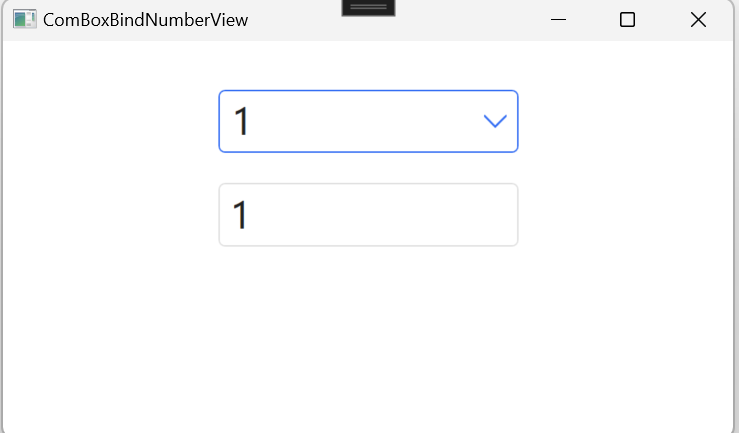
效果如下:
2.第2种方式:使用xmlns:sys="clr-namespace:System;assembly=mscorlib"
<Window x:Class="WPFDemoMVVM.View.ComBoxBindNumberView"
		xmlns="http://schemas.microsoft.com/winfx/2006/xaml/presentation"
		xmlns:x="http://schemas.microsoft.com/winfx/2006/xaml"
		xmlns:d="http://schemas.microsoft.com/expression/blend/2008"
		xmlns:mc="http://schemas.openxmlformats.org/markup-compatibility/2006"
		xmlns:local="clr-namespace:WPFDemoMVVM.View"
		xmlns:sys="clr-namespace:System;assembly=mscorlib"
		mc:Ignorable="d"
		WindowStartupLocation="CenterScreen"
		Title="ComBoxBindNumberView" Height="300" Width="500">
	<StackPanel Height="200" HorizontalAlignment="Center" VerticalAlignment="Center">
		<ComboBox Name="MyComboBox" Width="120" FontSize="24" SelectedValuePath="Content">
			<sys:Int32>1</sys:Int32>
			<sys:Int32>2</sys:Int32>
			<sys:Int32>3</sys:Int32>
		</ComboBox>
		<Separator Height="10" Margin="5" Opacity="0"/>
		<TextBox FontSize="24" IsReadOnly="True" Text="{Binding ElementName=MyComboBox, Path=SelectedItem,Mode=OneWay}"></TextBox>
	</StackPanel>
</Window>
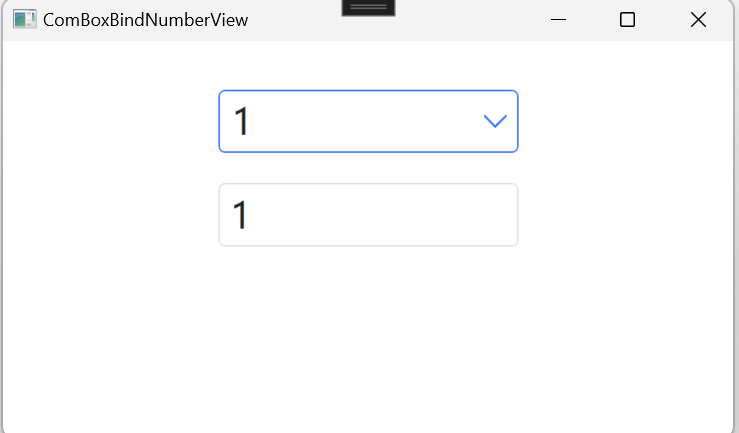
效果如下:
3.第3种方式:<x:Array/>
<Window x:Class="WPFDemoMVVM.View.ComBoxBindNumberView"
		xmlns="http://schemas.microsoft.com/winfx/2006/xaml/presentation"
		xmlns:x="http://schemas.microsoft.com/winfx/2006/xaml"
		xmlns:d="http://schemas.microsoft.com/expression/blend/2008"
		xmlns:mc="http://schemas.openxmlformats.org/markup-compatibility/2006"
		xmlns:local="clr-namespace:WPFDemoMVVM.View"
		xmlns:sys="clr-namespace:System;assembly=mscorlib"
		mc:Ignorable="d"
		WindowStartupLocation="CenterScreen"
		Title="ComBoxBindNumberView" Height="300" Width="500">
	<Window.Resources>
		<x:Array x:Key="Numbers" Type="sys:Int32">
			<sys:Int32>1</sys:Int32>
			<sys:Int32>2</sys:Int32>
			<sys:Int32>3</sys:Int32>
		</x:Array>
	</Window.Resources>
	<StackPanel Height="200" HorizontalAlignment="Center" VerticalAlignment="Center">
		<ComboBox Name="MyComboBox" Width="120" FontSize="24" ItemsSource="{Binding Source={StaticResource Numbers}}">
		</ComboBox>
		<Separator Height="10" Margin="5" Opacity="0"/>
		<TextBox FontSize="24" IsReadOnly="True" Text="{Binding ElementName=MyComboBox, Path=SelectedItem,Mode=OneWay}"></TextBox>
	</StackPanel>
</Window>
或者可以使用如下方式:
<Window x:Class="WPFDemoMVVM.View.ComBoxBindNumberView"
		xmlns="http://schemas.microsoft.com/winfx/2006/xaml/presentation"
		xmlns:x="http://schemas.microsoft.com/winfx/2006/xaml"
		xmlns:d="http://schemas.microsoft.com/expression/blend/2008"
		xmlns:mc="http://schemas.openxmlformats.org/markup-compatibility/2006"
		xmlns:local="clr-namespace:WPFDemoMVVM.View"
		xmlns:sys="clr-namespace:System;assembly=mscorlib"
		mc:Ignorable="d"
		WindowStartupLocation="CenterScreen"
		Title="ComBoxBindNumberView" Height="300" Width="500">
	<StackPanel Height="200" HorizontalAlignment="Center" VerticalAlignment="Center">
		<ComboBox Name="MyComboBox" Width="120" FontSize="24">
			<ComboBox.ItemsSource>
				<x:Array Type="sys:Int32">
					<sys:Int32>1</sys:Int32>
					<sys:Int32>2</sys:Int32>
					<sys:Int32>3</sys:Int32>
				</x:Array>
			</ComboBox.ItemsSource>
		</ComboBox>
		<Separator Height="10" Margin="5" Opacity="0"/>
		<TextBox FontSize="24" IsReadOnly="True" Text="{Binding ElementName=MyComboBox, Path=SelectedItem,Mode=OneWay}"></TextBox>
	</StackPanel>
</Window>
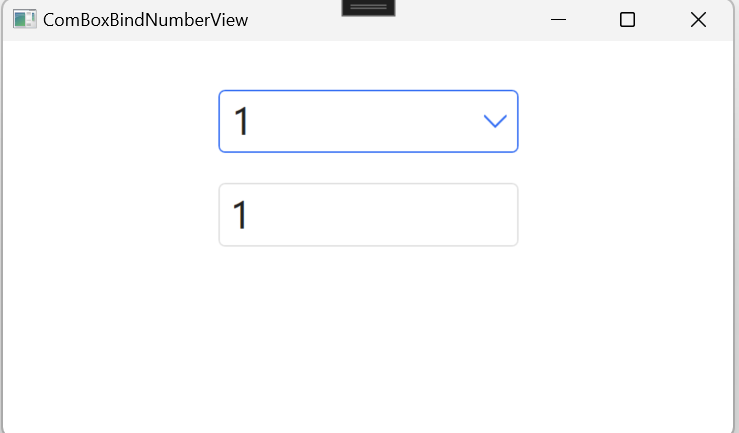
效果如下:
4.第4种方式:使用枚举绑定
使用枚举:
using System;
using System.Collections.Generic;
using System.ComponentModel;
using System.Linq;
using System.Text;
using System.Threading.Tasks;
namespace WPFDemoMVVM.Enums
{
	public enum DateOfWeek
	{
		[Description("星期日")]
		Sunday,
		[Description("星期一")]
		Monday,
		[Description("星期二")]
		Tuesday,
		[Description("星期三")]
		Wednesday,
		[Description("星期四")]
		Thursday,
		[Description("星期五")]
		Friday,
		[Description("星期六")]
		Saturday,
	}
}
页面展示:
<Window x:Class="WPFDemoMVVM.View.ComBoxBindNumberView"
		xmlns="http://schemas.microsoft.com/winfx/2006/xaml/presentation"
		xmlns:x="http://schemas.microsoft.com/winfx/2006/xaml"
		xmlns:d="http://schemas.microsoft.com/expression/blend/2008"
		xmlns:mc="http://schemas.openxmlformats.org/markup-compatibility/2006"
		xmlns:local="clr-namespace:WPFDemoMVVM.View"
		xmlns:enums="clr-namespace:WPFDemoMVVM.Enums"
		xmlns:sys="clr-namespace:System;assembly=mscorlib"
		mc:Ignorable="d"
		WindowStartupLocation="CenterScreen"
		Title="ComBoxBindNumberView" Height="300" Width="500">
	<Window.Resources>
		<ObjectDataProvider x:Key="DateOfWeek" ObjectType="{x:Type sys:Enum}" MethodName="GetValues">
			<ObjectDataProvider.MethodParameters>
				<x:Type TypeName="enums:DateOfWeek"></x:Type>
			</ObjectDataProvider.MethodParameters>
		</ObjectDataProvider>
	</Window.Resources>
	<StackPanel Height="200" HorizontalAlignment="Center" VerticalAlignment="Center">
		<ComboBox Name="MyComboBox" Width="200" FontSize="24" ItemsSource="{Binding Source={StaticResource DateOfWeek}}">
		</ComboBox>
		<Separator Height="10" Margin="5" Opacity="0"/>
		<TextBox FontSize="24" IsReadOnly="True" Text="{Binding ElementName=MyComboBox, Path=SelectedItem,Mode=OneWay}"></TextBox>
	</StackPanel>
</Window>
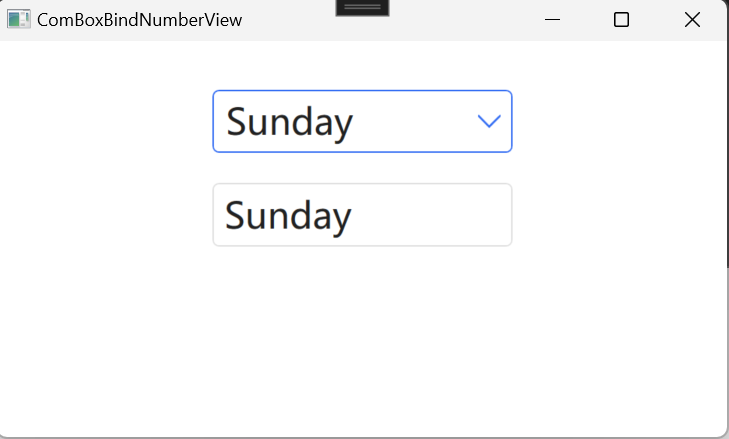
效果如下:
5.第5种方式:使用xmlns:linq="clr-namespace:System.Linq;assembly=System.Core"
<Window x:Class="WPFDemoMVVM.View.ComBoxBindNumberView"
		xmlns="http://schemas.microsoft.com/winfx/2006/xaml/presentation"
		xmlns:x="http://schemas.microsoft.com/winfx/2006/xaml"
		xmlns:d="http://schemas.microsoft.com/expression/blend/2008"
		xmlns:mc="http://schemas.openxmlformats.org/markup-compatibility/2006"
		xmlns:local="clr-namespace:WPFDemoMVVM.View"
		xmlns:enums="clr-namespace:WPFDemoMVVM.Enums"
		xmlns:sys="clr-namespace:System;assembly=mscorlib"
		xmlns:linq="clr-namespace:System.Linq;assembly=System.Core"
		mc:Ignorable="d"
		WindowStartupLocation="CenterScreen"
		Title="ComBoxBindNumberView" Height="300" Width="500">

	<Window.Resources>
		<ObjectDataProvider x:Key="LinqNumbers" ObjectType="{x:Type linq:Enumerable}" MethodName="Range">
			<ObjectDataProvider.MethodParameters>
				<sys:Int32>1</sys:Int32>
				<sys:Int32>10</sys:Int32>
			</ObjectDataProvider.MethodParameters>
		</ObjectDataProvider>
	</Window.Resources>

	<StackPanel Height="200" HorizontalAlignment="Center" VerticalAlignment="Center">
		<ComboBox Name="MyComboBox" Width="200" FontSize="24" ItemsSource="{Binding Source={StaticResource LinqNumbers}}">
		</ComboBox>
		<Separator Height="10" Margin="5" Opacity="0"/>
		<TextBox FontSize="24" IsReadOnly="True" Text="{Binding ElementName=MyComboBox, Path=SelectedItem,Mode=OneWay}"></TextBox>
	</StackPanel>
</Window>
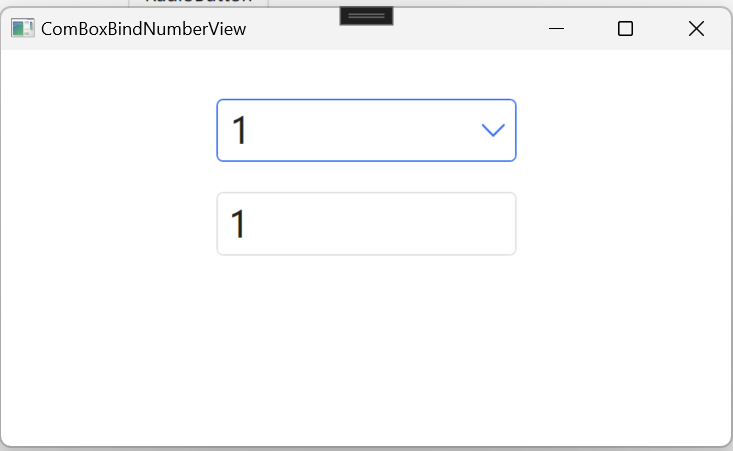
效果如下:
6.第6种方式:使用XmlDataProvider
<Window x:Class="WPFDemoMVVM.View.ComBoxBindNumberView"
		xmlns="http://schemas.microsoft.com/winfx/2006/xaml/presentation"
		xmlns:x="http://schemas.microsoft.com/winfx/2006/xaml"
		xmlns:d="http://schemas.microsoft.com/expression/blend/2008"
		xmlns:mc="http://schemas.openxmlformats.org/markup-compatibility/2006"
		xmlns:local="clr-namespace:WPFDemoMVVM.View"
		xmlns:enums="clr-namespace:WPFDemoMVVM.Enums"
		xmlns:sys="clr-namespace:System;assembly=mscorlib"
		xmlns:linq="clr-namespace:System.Linq;assembly=System.Core"
		mc:Ignorable="d"
		WindowStartupLocation="CenterScreen"
		Title="ComBoxBindNumberView" Height="300" Width="500">

	<Window.Resources>
		<XmlDataProvider x:Key="XmlNumbers" XPath="numbers" >
			<x:XData>
				<numbers xmlns="">
					<number>1</number>
					<number>2</number>
					<number>3</number>
					<number>4</number>
					<number>5</number>
				</numbers>
			</x:XData>
		</XmlDataProvider>
	</Window.Resources>

	<StackPanel Height="200" HorizontalAlignment="Center" VerticalAlignment="Center">
		<ComboBox Name="MyComboBox" Width="200" FontSize="24" ItemsSource="{Binding Source={StaticResource XmlNumbers},XPath=number}">

		</ComboBox>
		<Separator Height="10" Margin="5" Opacity="0"/>
		<TextBox FontSize="24" IsReadOnly="True" Text="{Binding ElementName=MyComboBox, Path=SelectedItem.InnerText,Mode=OneWay}"></TextBox>
	</StackPanel>
</Window>
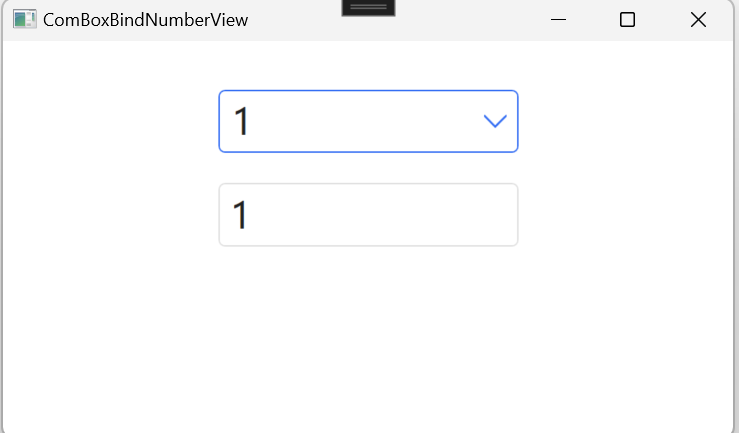
效果如下:
如果本文介绍对你有帮助,可以一键四连:点赞+评论+收藏+推荐,谢谢!

 浙公网安备 33010602011771号