
用python发送qq邮件
python自带了两个模块smtplib和email用于发送邮件。smtplib模块主要负责发送邮件,它对smtp协议进行了简单的封装。email模块主要负责邮件的构造。
email包下有三个模块:
MIMEText,MIMEImage,MIMEMultipart
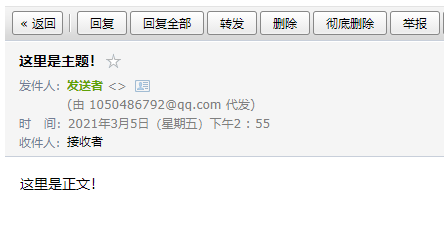
发送纯文本qq邮件
import smtplib
from email.header import Header
from email.mime.text import MIMEText

sender = '888888@qq.com'  # 发送使用的邮箱
receivers = ['888888@qq.com']  # 收件人,可以是多个任意邮箱

message = MIMEText('这里是正文!', 'plain', 'utf-8')
message['From'] = Header("发送者", 'utf-8')  # 发送者
message['To'] = Header("接收者", 'utf-8')  # 接收者

subject = '这里是主题!'
message['Subject'] = Header(subject, 'utf-8')

try:
    # qq邮箱服务器主机
    # 常见其他邮箱对应服务器:
    # qq:smtp.qq.com 登陆密码:系统分配授权码
    # 163:stmp.163.com 登陆密码:个人设置授权码
    # 126:smtp.126.com 登陆密码:个人设置授权码
    # gmail:smtp.gmail.com 登陆密码:邮箱登录密码

    smtp = smtplib.SMTP_SSL('smtp.qq.com')

    # 登陆qq邮箱,密码需要使用的是授权码
    smtp.login(sender, 'abcdefghijklmn')

    smtp.sendmail(sender, receivers, message.as_string())
    smtp.quit()
    print("邮件发送成功")
except smtplib.SMTPException:
    print("Error: 无法发送邮件")
发送HTML格式邮件
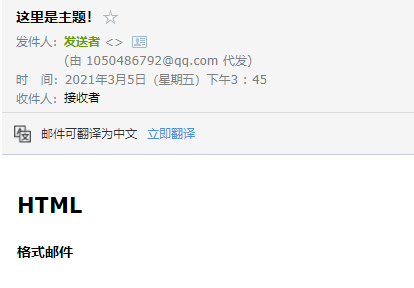
html = """
<html>
  <body>
    <h2> HTML </h2>
    <div style='font-weight:bold'>
       格式邮件
    </div>
  </body>
</html>
"""
message = MIMEText(html,'html', 'utf-8')
发送HTML格式邮件带图片
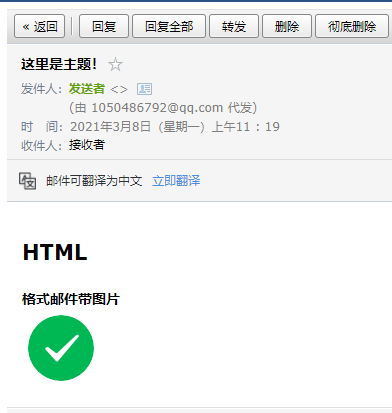
html = """
<html>
  <body>
    <h2> HTML </h2>
    <div style='font-weight:bold'>
       格式邮件带图片
    </div>
    <img src="cid:imageTest">
  </body>
</html>
"""

message = MIMEMultipart('related')

messageAlter = MIMEMultipart('alternative')
message.attach(messageAlter)

messageAlter.attach(MIMEText(html, 'html', 'utf-8'))

# 指定图片为当前目录
fp = open('test.png', 'rb')
messageImage = MIMEImage(fp.read())
fp.close()

# 定义图片ID,和图片中的ID对应
messageImage.add_header('Content-ID', '<imageTest>')
message.attach(messageImage)
发送带附件邮件
from email.mime.multipart import MIMEMultipart

message = MIMEMultipart()

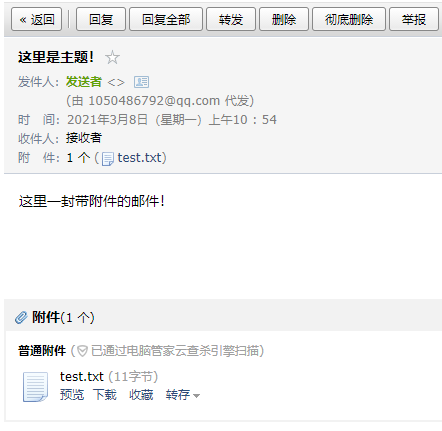
message.attach(MIMEText('这里一封带附件的邮件!', 'plain', 'utf-8'))

# 添加附件

# 其他格式如png,rar,doc,xls等文件同理。

attach = MIMEText(open('test.txt', 'rb').read(), 'base64', 'utf-8')
attach["Content-Type"] = 'application/octet-stream'
attach["Content-Disposition"] = 'attachment; filename="test.txt"'

message.attach(attach)

 浙公网安备 33010602011771号