
SoftSIM - swSIM
https://github.com/tomasz-lisowski/swsim
编译
服务器端 swicc-pcsc
sudo apt-get install make cmake gcc pkg-config libpcsclite1 libpcsclite-dev pcscd
git clone --recurse-submodules https://github.com/tomasz-lisowski/swicc-pcsc
MakeFile去除 -Werror \
cd swicc-pcsc
make main-dbg
sudo make install

客户端 swsim
sudo apt-get install make gcc
git clone --recurse-submodules https://github.com/tomasz-lisowski/swsim
MakeFile去除 -Werror \
cd swsim
make main-dbg
启动
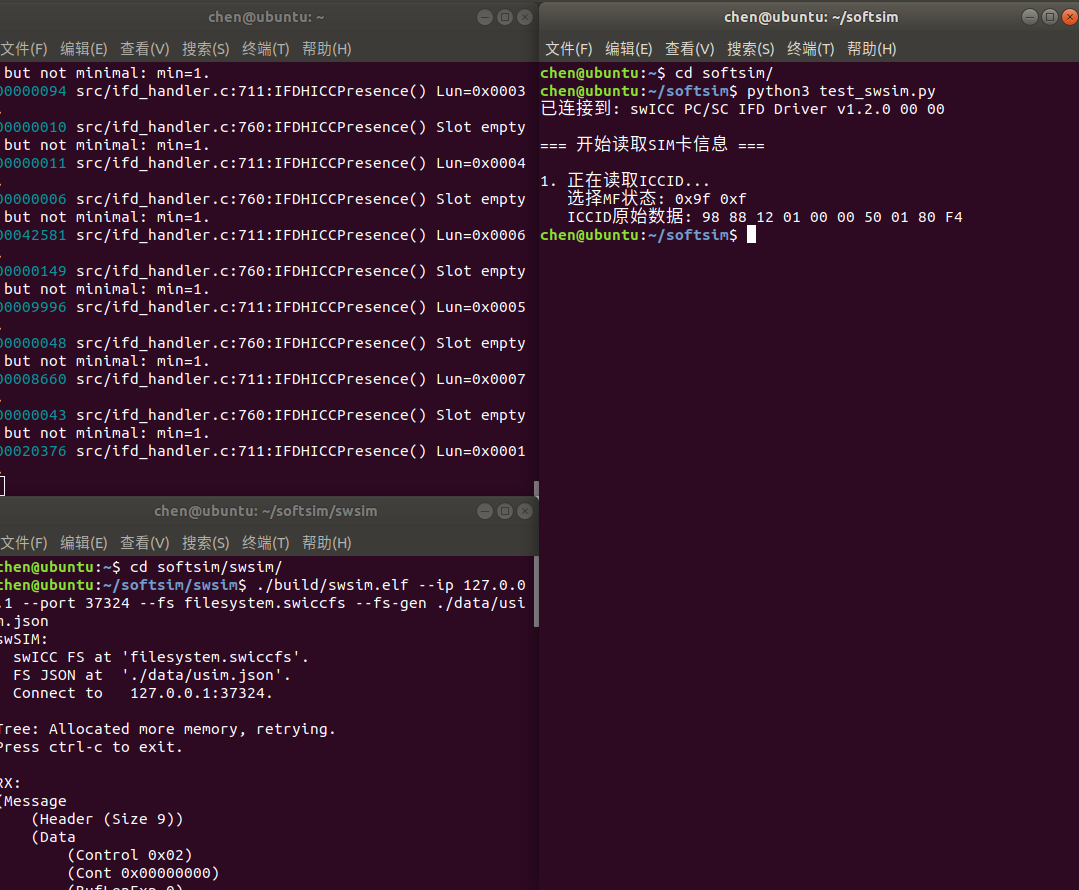
读卡器启动: sudo pcscd -f -d -T 停止: pkill -x pcscd
swsim启动:cd swsim && ./build/swsim.elf --ip 127.0.0.1 --port 37324 --fs filesystem.swiccfs --fs-gen ./data/usim.json
测试
sudo apt install python-pip
sudo apt install python3-pyscard
python3 test_swsim.py
# -*- coding: utf-8 -*-
from smartcard.System import readers
from smartcard.util import toHexString

def hex_to_string(hex_list):
    """将十六进制列表转换为可读的字符串(用于BCD编码的数字)"""
    result = ""
    for byte in hex_list:
        high = (byte >> 4) & 0x0F
        low = byte & 0x0F
        # 处理可能存在的填充位 (0xF)
        if high != 0x0F:
            result += str(high)
        if low != 0x0F:
            result += str(low)
    return result

# 1. 查找读卡器
reader_list = readers()
swicc_readers = [r for r in reader_list if 'swICC' in str(r)]
if not swicc_readers:
    print("错误:未找到swICC读卡器。请确保swSIM服务器正在另一个终端运行。")
    exit(1)

swicc_reader = swicc_readers[0]
print(f"已连接到: {swicc_reader}")

# 2. 连接
connection = swicc_reader.createConnection()
connection.connect()

print("\n=== 开始读取SIM卡信息 ===\n")

# 3. 读取ICCID (文件ID: 2FE2,位于MF下)
print("1. 正在读取ICCID...")

SELECT_MF = [0xA0, 0xA4, 0x00, 0x00, 0x02, 0x2F, 0xE2]
resp, sw1, sw2 = connection.transmit(SELECT_MF)
print(f"   选择MF状态: {hex(sw1)} {hex(sw2)}")

SELECT_ICCID = [0xA0, 0xB0, 0x00, 0x00, 0x00A]
iccid_data, sw1, sw2 = connection.transmit(SELECT_ICCID)
print(f"   ICCID原始数据: {toHexString(iccid_data)}")
qq:505645074

 浙公网安备 33010602011771号