
2021.11.10
//基本事件
// $(".child").click(function(){
// console.log(0)
// })
// $(".child").mousemove(function(e){
// console.log(e,offsetX,e.offsetY)
// })
// $(".child").mouseover(function(){
// $(this).css("background-color","red");
// }).mouseout(function(){
// $(this).css("background-color","pink") //浮动效果
// })
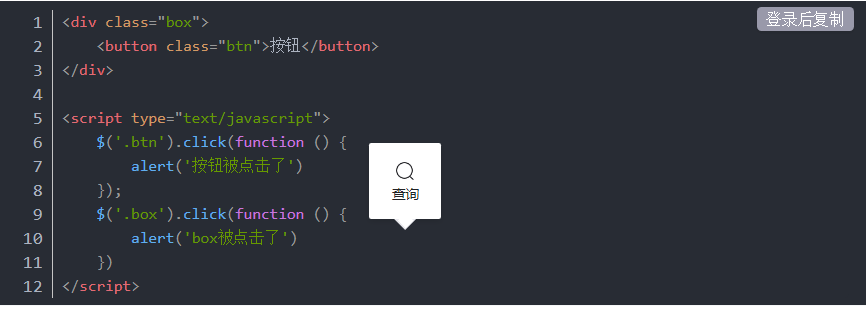
function stopPropagation(e){
e.stopPropagation();//阻止事件冒泡
e.preventDefault();//阻止默认行为 reset submit a[href]
return false;
}
$(".child").click(function(){
console.log(".child")
return stopPropagation(e);
})
$(".parent").click(function(){
console.log(".parent")
})
})
jQuery event.stopPropagation() 方法
阻止 click 事件冒泡到父元素:
$("span").click(function(event){
event.stopPropagation();
alert("The span element was clicked.");
});
$("p").click(function(event){
alert("The p element was clicked.");
});
event.stopPropagation();
alert("The span element was clicked.");
});
$("p").click(function(event){
alert("The p element was clicked.");
});
jQuery event.preventDefault() 方法
防止链接打开 URL:
$("a").click(function(event){
event.preventDefault();
});
event.preventDefault();
});
节流(throttle):
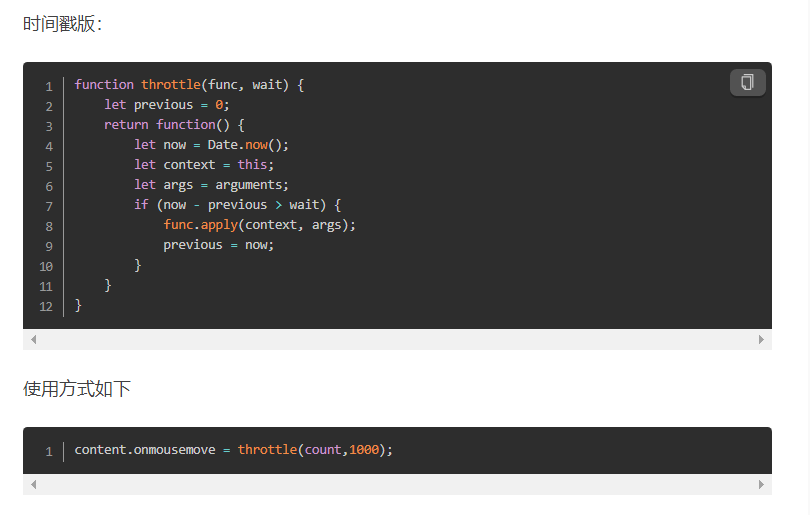
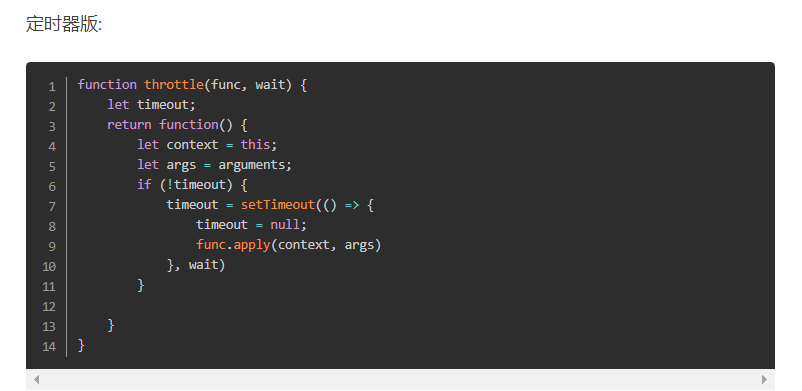
所谓节流,就是指连续触发事件但是在 n 秒中只执行一次函数。节流会稀释函数的执行频率。
对于节流,一般有两种方式可以实现,分别是时间戳版和定时器版。
时间戳版:
防抖(debounce):
所谓防抖,就是指触发事件后在 n 秒内函数只能执行一次,如果在 n 秒内又触发了事件,则会重新计算函数执行时间。
防抖函数分为非立即执行版和立即执行版。
非立即执行版:
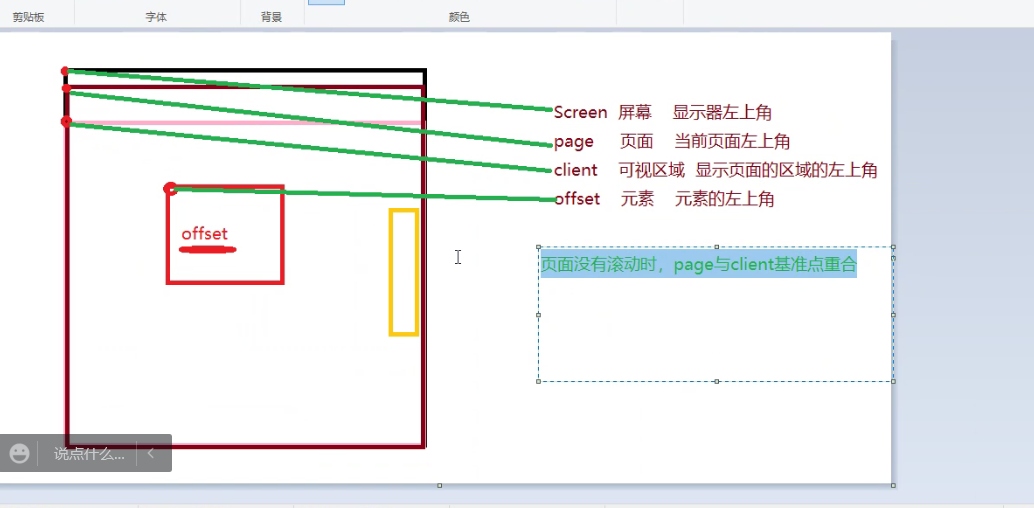
Screen 屏幕 显示器在左上角
page 页面 当前页面的区域
client 可视区域 显示页面的区域的左上角
offset 元素 元素的左上角

 浙公网安备 33010602011771号