分布式版本控制系统GIT使用介绍
托管代码方法:搭建服务器托管代码;github|SVN|各云平台托管代码;

GitHub基本概念:github主页,个人主页,仓库主页,仓库repository,收藏star,克隆fork,发起请求pull request,merge合并,watch关注,issue事务;
注意:github服务器在国外,私有仓库收费,以有效邮箱注册;
开源项目贡献方法:新建issue、pull request、

git下载地址:https://git-scm.com/downloads

git工作区域有:
    1、工作区working directory:项目人员在次编写项目文件,如源码等。“git add fileName”即可实现提交文件至暂存区。
    2、暂存区stage:暂时将工作区项目文件保存,并统一提交给git仓库;“git commit -m description”即可实现提交文件至仓库。
    3、git本地仓库repository:最终确定的文件保存到仓库,成为一个新版本,并对所有项目人员可见;
   4、git远程仓库repository:本地仓库的项目文件可推送至远程仓库,并对所有项目人员可见;如:github;

git使用流程:
    1、进入gitbash界面,进行git基本信息设置,用于标记是谁提交文件;
        git config --global user.name 'UserName'             #设置用户名,该用户名在github上唯一;
        git config --global user.email 'UserEmail@**.com'    #设置用户邮箱;
        git config --list
    2、设置github无密钥登陆
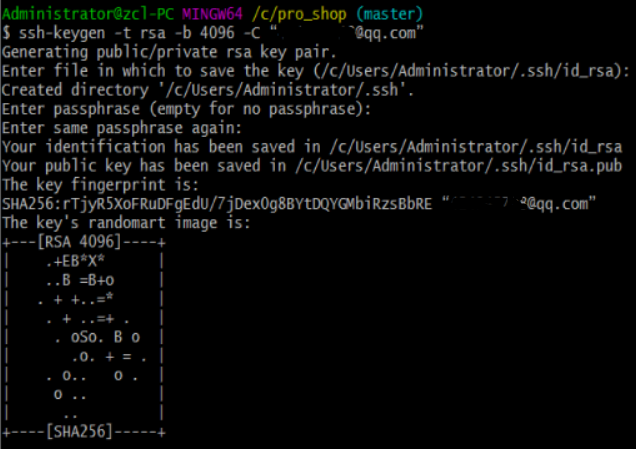
        ssh-keygen -t rsa -b 4096 -C “UserEmail@**.com”     #在本地gitbash生成ssh密钥;
        cat ~/.ssh/id_rsa.pub                               #查看公钥,添加至http://github.com;
        ssh -T git@github.com                               #测试是否配置成功;

    3、创建C:\pro_shop项目文件夹,并初始化该文件夹为git本地仓库;
        mkdir C:\pro_shop
        cd C:\pro_shop
        git init                                            #产生要给.git的隐藏目录;
        ls -a
        git status                                          #查看git状态;


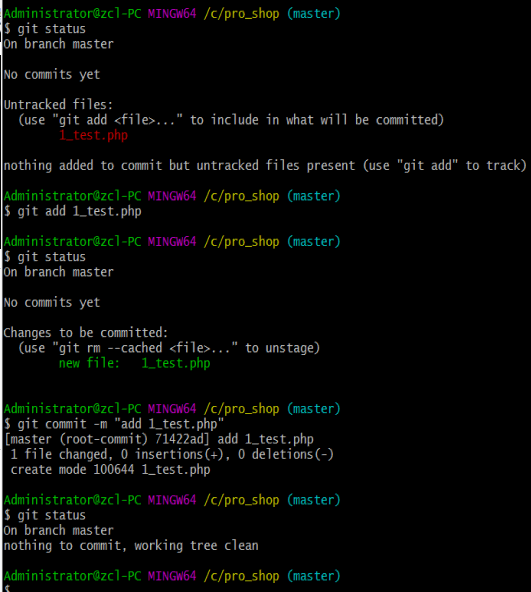
    4、本地仓库测试git:在本地创建文件,提交文件至暂存区stage,提交文件至本地仓库;
        touch 1_test.php
        git status
        git add 1_test.php
        git status
        git commit -m "add 1_test.php"
        git status
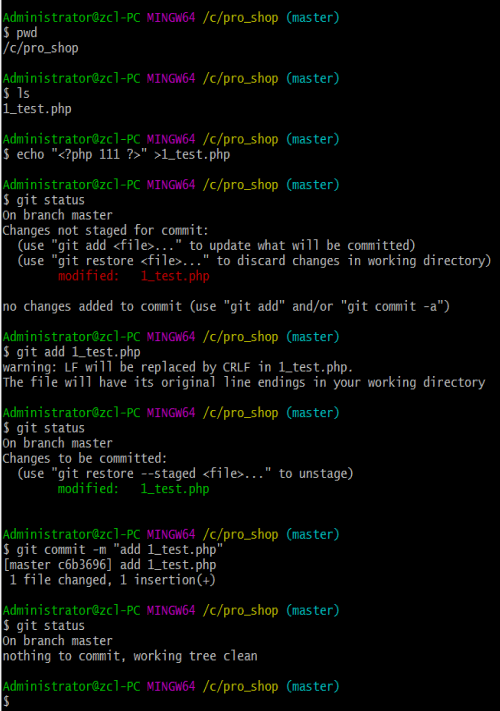
    5、本地仓库测试git:在本地修改文件,提交文件至暂存区stage,提交文件至本地仓库;
        echo "<?php 111 ?>" >1_test.php
        git status
        git add 1_test.php
        git status
        git commit -m "add 1_test.php"
        git status
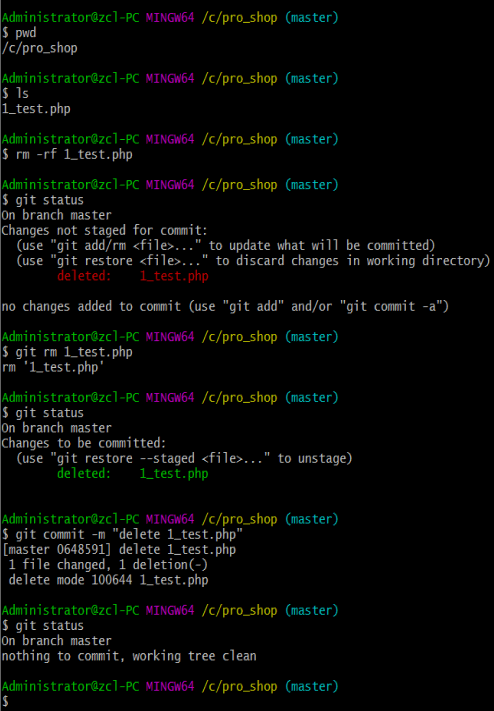
6、本地仓库测试git:删除本地、暂存区、本地仓库文件;
  rm -rf 1_test.php
  git status
  git rm 1_test.php
  git status
  git commit -m "delete 1_test.php"
  git status
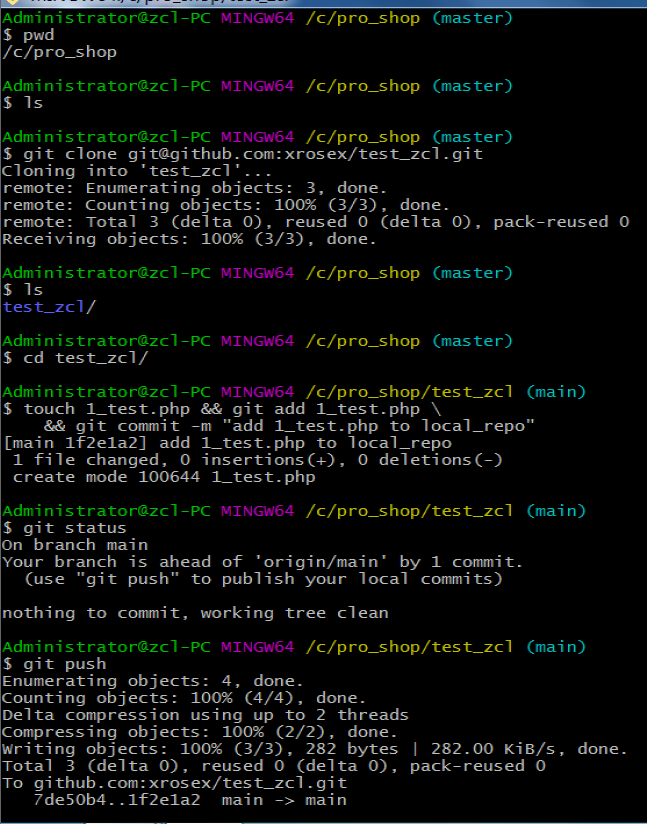
    7、github上创建仓库,并复制仓库到本地,git仓库地址:git@github.com:**/***.git;
        git clone git@github.com:**/***.git             #克隆远程仓库至本地;
        ls
        cd test_zcl/
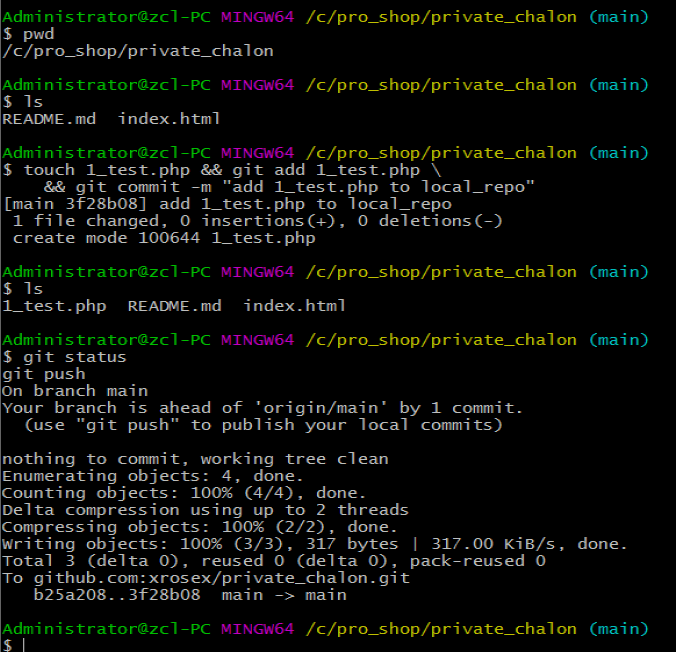
        touch 1_test.php && git add 1_test.php \
            && git commit -m "add 1_test.php to local_repo"
        git status
        git push                                        #推送本地仓库至github远程仓库;

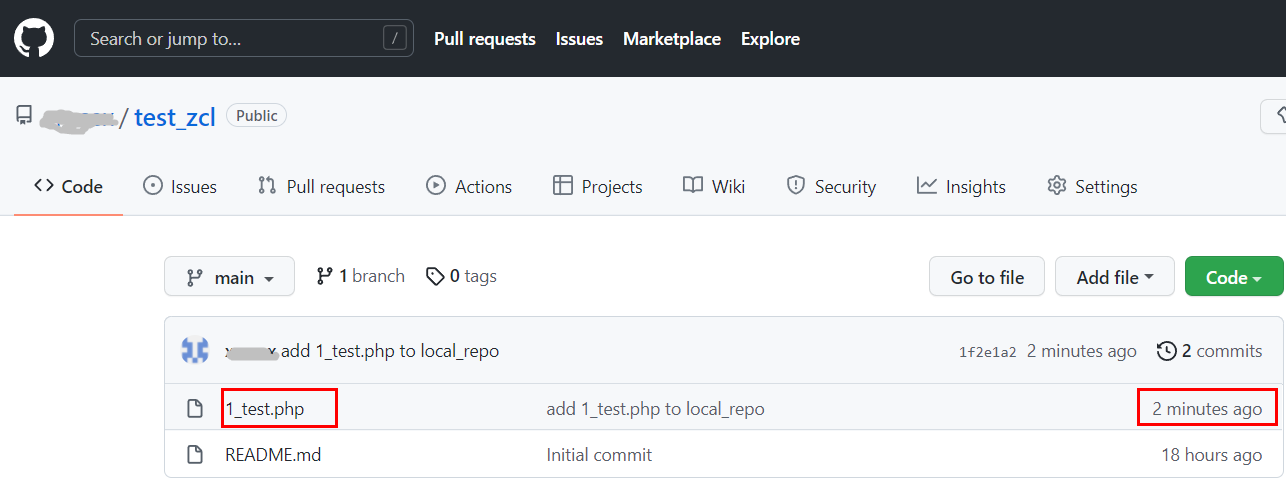

    9、github发布网站
        1)创建public仓库,名称格式必须为:账户名.github.io;
        2)在“账户名.github.io”仓库下创建index.hmtl,并删除README.md文件;
        3)web浏览器访问http://账户名.github.io;
    10、其他项目发布网站
        1)前提:能访问http://账户名.github.io;
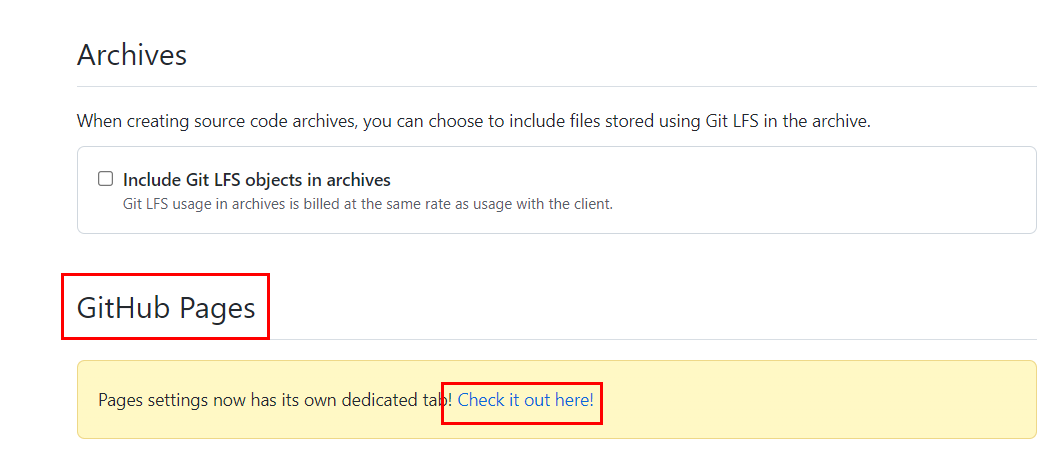
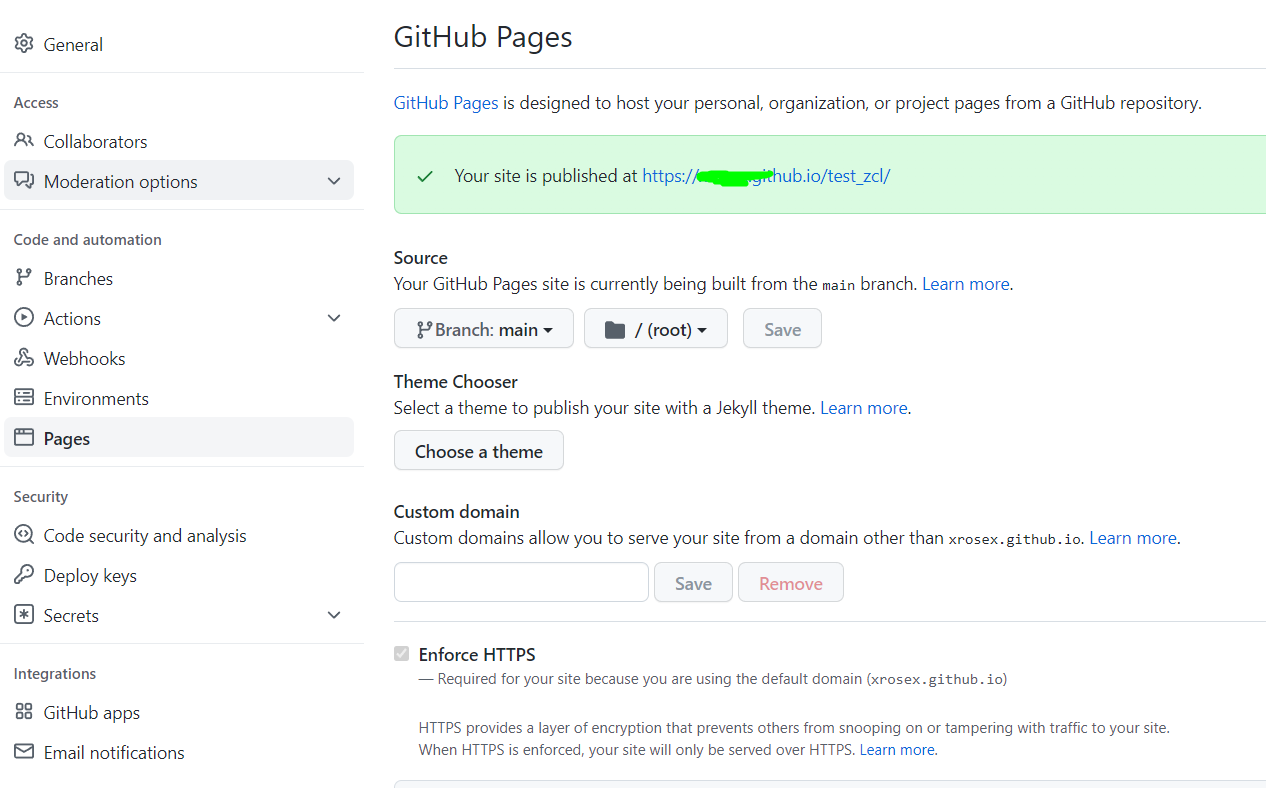
        2)GitHub进行某个项目的仓库主页,进入“setting”页面,在“GitHub Pages”选定web根目录;
        3)web浏览器访问http://账户名.github.io/仓库名;


 浙公网安备 33010602011771号