
docker centos 开启ssh
运行docker 镜像

-
进入centos容器
![docker运行centos使用ssh连接]()
-
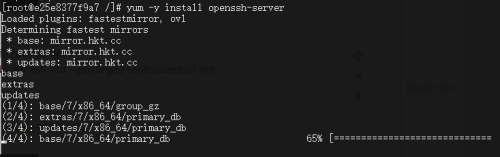
yum -y install openssh-server
![docker运行centos使用ssh连接]()
-
启动ssh服务
systemctl start sshd
![docker运行centos使用ssh连接]()
4.修改 /etc/ssh/sshd_config 配置信息
去掉如下注释
Port 22
ListenAddress 0.0.0.0
ListenAddress ::
permitrootlogin yes
UsePAM yes 改为 UsePAM no
GSSAPICleanupCredentials no改为GSSAPICleanupCredentials yes
去掉UsePrivilegeSeparation sandbox的注释并改为UsePrivilegeSeparation no
5.重启sshd
/usr/sbin/sshd -D
6.设置linux容器的密码
yum install passwd.x86_64
passwd root
可以ssh连接了,又或者可以提交镜像,再创容器来连接
-
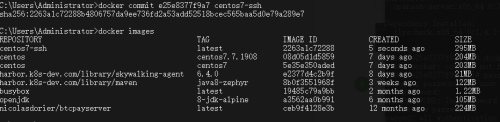
提交镜像
![docker运行centos使用ssh连接]()
-
运行新镜像
![docker运行centos使用ssh连接]()
-




 浙公网安备 33010602011771号