获取电脑安装的软件信息
一、通过powershell获取安装的软件信息
function Get-InstalledSoftware {
    $softwareList = @()

    # Windows注册表(32位和64位)
    $regPaths = @(
        "HKLM:\SOFTWARE\Microsoft\Windows\CurrentVersion\Uninstall\*",
        "HKLM:\SOFTWARE\Wow6432Node\Microsoft\Windows\CurrentVersion\Uninstall\*",
        "HKCU:\SOFTWARE\Microsoft\Windows\CurrentVersion\Uninstall\*"
    )

    foreach ($regPath in $regPaths) {
        if (Test-Path $regPath) {
            try {
                $items = Get-ItemProperty $regPath -ErrorAction Stop

                foreach ($item in $items) {
                    if ($item.DisplayName -and $item.DisplayVersion) {
                        $installDate = $null
                        if ($item.InstallDate) {
                            try {
                                # 尝试解析不同格式的日期
                                if ($item.InstallDate -match '^\d{8}$') {
                                    $installDate = [datetime]::ParseExact($item.InstallDate, "yyyyMMdd", $null)
                                } else {
                                    $installDate = [datetime]$item.InstallDate
                                }
                            } catch {
                                $installDate = $null
                            }
                        }

                        $softwareList += [PSCustomObject]@{
                            Name = ($item.DisplayName -replace '\s+', ' ').Trim()
                            Version = $item.DisplayVersion
                            Publisher = $item.Publisher
                            InstallDate = $installDate
                            InstallLocation = $item.InstallLocation
                            UninstallString = $item.UninstallString
                            Source = "Registry"
                            RegistryPath = $regPath
                        }
                    }
                }
            } catch {
                Write-Warning "无法访问注册表路径: $regPath. 错误: $_"
            }
        }
    }


    # 去重:基于名称和版本
    $uniqueSoftware = @{}
    $resultList = @()

    foreach ($software in $softwareList) {
        $key = "$($software.Name)|$($software.Version)"
        if (-not $uniqueSoftware.ContainsKey($key)) {
            $uniqueSoftware[$key] = $true
            $resultList += $software
        }
    }

    return $resultList | Sort-Object Name
}

# 使用示例

    $installedSoftware = Get-InstalledSoftware
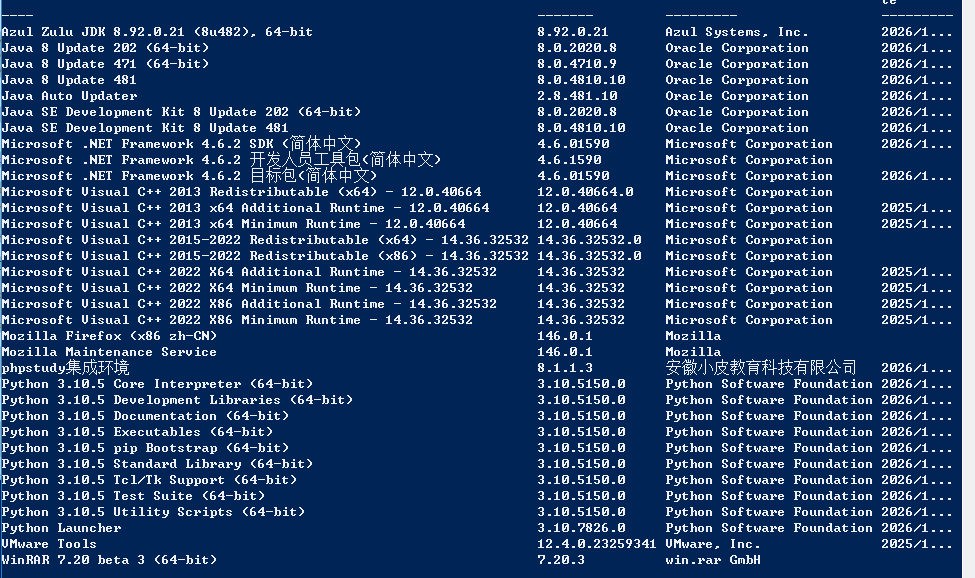
    $installedSoftware | Select-Object Name, Version, Publisher, InstallDate | Format-Table -AutoSize
    Write-Host "找到 $($installedSoftware.Count) 个已安装软件" -ForegroundColor Green

 浙公网安备 33010602011771号