playbook部署lamp
环境说明:
| 主机IP | 安装的服务 |
| 192.168.122.134 | ansible |
| 192.168.122.137 | httpd |
| 192.168.122.138 | mysql |
| 192.168.122.139 | php |
[root@ansible ~]# vim /etc/hosts
127.0.0.1   localhost localhost.localdomain localhost4 localhost4.localdomain4
::1         localhost localhost.localdomain localhost6 localhost6.localdomain6
192.168.122.134 ansible
192.168.122.137 httpd
192.168.122.138 mysql
192.168.122.139 php
//配置yum源
[root@ansible ~]# curl -o /etc/yum.repos.d/CentOS-Base.repo https://mirrors.aliyun.com/repo/Centos-8.repo
[root@ansible ~]# sed -i -e '/mirrors.cloud.aliyuncs.com/d' -e '/mirrors.aliyuncs.com/d' /etc/yum.repos.d/CentOS-Base.repo
[root@ansible ~]# sed  -i 's#\$releasever#8#g'  /etc/yum.repos.d/CentOS-Base.repo
[root@ansible ~]# yum install -y https://mirrors.aliyun.com/epel/epel-release-latest-8.noarch.rpm
[root@ansible ~]# sed -i 's|^#baseurl=https://download.fedoraproject.org/pub|baseurl=https://mirrors.aliyun.com|' /etc/yum.repos.d/epel*
[root@ansible ~]# sed -i 's|^metalink|#metalink|' /etc/yum.repos.d/epel*
[root@ansible ~]# sed  -i 's#\$releasever#8#g'  /etc/yum.repos.d/epel.repo
//安装ansible
[root@ansible ~]# yum -y install ansible
//ssh免密登录
[root@ansible ~]# ssh-keygen -t rsa
[root@ansible ~]# ssh-copy-id  root@apache
[root@ansible ~]# ssh-copy-id  root@mysql
[root@ansible ~]# ssh-copy-id  root@php
写清单
[root@ansible ~]# vim /etc/ansible/inventory
httpd
mysql
php
//更改配置文件
[root@ansible ~]# vim /etc/ansible/ansible.cfg
inventory      = /etc/ansible/inventory
//测试
[root@ansible ~]# ansible all -m ping
php | SUCCESS => {
    "ansible_facts": {
        "discovered_interpreter_python": "/usr/libexec/platform-python"
    },
    "changed": false,
    "ping": "pong"
}
httpd | SUCCESS => {
    "ansible_facts": {
        "discovered_interpreter_python": "/usr/libexec/platform-python"
    },
    "changed": false,
    "ping": "pong"
}
mysql | SUCCESS => {
    "ansible_facts": {
        "discovered_interpreter_python": "/usr/libexec/platform-python"
    },
    "changed": false,
    "ping": "pong"
}
搭建源
[root@localhost ~]# mkdir /root/lamp
[root@localhost ~]# mkdir /root/lamp/yum
[root@localhost ~]# vim /root/lamp/yum.yml
---
- hosts: all
  tasks:
    - name: yum to configure
      yum_repository:
        name: "{{ item }}"
        description: "{{ item }}"
        file: "{{ item }}"
        baseurl: https://mirrors.aliyun.com/centos/8/{{ item }}/x86_64/os/
        gpgcheck: no
        enabled: yes
        gpgcheck: no
        enabled: yes
      loop:
        - BaseOS
        - AppStream

    - name: epel
      yum_repository:
        name: epel
        description: epel
        file: epel
        baseurl: https://mirrors.aliyun.com/epel/8/Everything/x86_64/
        gpgcheck: no
        enabled: yes

    - name: stop firewalld
      service:
        name: firewalld
        state: stopped

    - name: disabled selinux
      lineinfile:
        path: /etc/selinux/config
        regexp: '^SELINUX'
        line: SELINUX=disable

    - name: stop selinux
      shell: setenforce 0
下载源码包
[root@ansible ~]# wget https://mirrors.tuna.tsinghua.edu.cn/apache/httpd/httpd-2.4.46.tar.bz2
[root@ansiblet ~]# wget https://mirrors.tuna.tsinghua.edu.cn/apache//apr/apr-1.7.0.tar.gz
[root@ansible ~]# wget https://mirrors.tuna.tsinghua.edu.cn/apache//apr/apr-util-1.6.1.tar.gz
[root@ansible ~]# wget https://downloads.mysql.com/archives/get/p/23/file/mysql-5.7.31-linux-glibc2.12-x86_64.tar.gz
安装apache
[root@ansible lamp]# vim web/apache/vars/httpd.yml
packages:
  - openssl-devel
  - pcre-devel
  - expat-devel
  - libtool
  - gcc
  - gcc-c++
  - make
  - '@development tools'
[root@localhost lamp]# vim web/apache/templates/httpd.j2
  AddType application/x-compress .Z
  AddType application/x-gzip .gz .tgz
  AddType application/x-httpd-php .php          //添加此行
  AddType application/x-httpd-php-source .phps      //添加此行
  #LoadModule remoteip_module modules/mod_remoteip.so
LoadModule proxy_module modules/mod_proxy.so                  //取消注释
  #LoadModule proxy_connect_module modules/mod_proxy_connect.so
  #LoadModule proxy_ftp_module modules/mod_proxy_ftp.so
  #LoadModule proxy_http_module modules/mod_proxy_http.so
LoadModule proxy_fcgi_module modules/mod_proxy_fcgi.so      //取消注释
  DirectoryIndex index.php  index.html #添加index.php
//在配置文件的最后加入以下内容
<VirtualHost *:80>
        DocumentRoot "/usr/local/apache/htdocs/"
        ServerName  www.csltest.com
        ProxyRequests   Off
        ProxyPassMatch ^/(.*\.php)$ fcgi://{{ hostvars['node4'].ansible_default_ipv4.address }}:9000/var/www/html/$1
        <Directory "/usr/local/apache/htdocs">
                Options none
                AllowOverride none
                Require all granted
        </Directory>
</VirtualHost>
[root@ansible lamp]# vim apache/scripts/apr_util.sh
#!/bin/bash
tar -xf /root/apr-util-1.6.1.tar.gz
cd /root/apr-util-1.6.1
./configure  --prefix=/usr/local/apr-util --with-apr=/usr/local/apr
make && make install

[root@ansible lamp]# vim apache/scripts/httpd.sh
#!/bin/bash
tar -xf /root/httpd-2.4.46.tar.gz
cd /root/httpd-2.4.46
./configure --prefix=/usr/local/apache \
    --sysconfdir=/etc/httpd24 \
    --enable-so \
    --enable-ssl \
    --enable-cgi \
    --enable-rewrite \
    --with-zlib \
    --with-pcre \
    --with-apr=/usr/local/apr \
    --with-apr-util=/usr/local/apr-util/ \
    --enable-modules=most \
    --enable-mpms-shared=all \
    --with-mpm=prefork
make && make install
编写httpd的playbook
[root@ansible lamp]# vim apache/httpd.yml
---
- hosts: httpd
  vars_files:
    - vars/httpd.yml
  tasks:
    - name: create user
      user:
        name: "{{ user }}"
        system: yes
        create_home: no
        shell: /sbin/nologin
        state: present

    - name: install base packages
      yum:
        name: "{{ item }}"
        state: present
      loop: "{{ packages }}"

    - name: uncompress apr
      unarchive:
        src: packages/apr-1.7.0.tar.gz
        dest: /opt/

    - name: uncompress apr-util
      unarchive:
        src: packages/apr-util-1.6.1.tar.gz
        dest: /opt/

    - name: uncompress httpd
      unarchive:
        src: packages/httpd-2.4.46.tar.bz2
        dest: /opt/

    - name: install apr
      shell: sed -i 's/$RM "$cfgfile"/#$RM "$cfgfile"/' /opt/apr-1.7.0/configure && cd /opt/apr-1.7.0 && ./configure  --prefix=/usr/local/apr && make && make install

    - name: install apr-util
      shell: cd /opt/apr-util-1.6.1 && ./configure  --prefix=/usr/local/apr-util --with-apr=/usr/local/apr && make && make install

    - name: install httpd
      shell: cd /opt/httpd-2.4.46 && ./configure --prefix=/usr/local/apache --sysconfdir=/etc/httpd24  --enable-so  --enable-ssl  --enable-cgi  --enable-rewrite  --with-zlib  --with-pcre --with-apr=/usr/local/apr  --with-apr-util=/usr/local/apr-util/  --enable-modules=most --enable-mpms-shared=all --with-mpm=prefork && make && make install

    - name: create export path
      shell: echo 'export PATH=/usr/local/apache/bin:$PATH' > /etc/profile.d/httpd.sh && source /etc/profile.d/httpd.sh

    - name: systemctl httpd
      template:
        src: templates/httpd.service.j2
        dest: /usr/lib/systemd/system/httpd.service

    - name:
      shell: systemctl daemon-reload
mysql安装
[root@ansible lamp]# vim databases/mysql/templates/mysql.j2
[mysqld]
basedir = /usr/local/mysql
datadir = {{ datadir }}
socket = /tmp/mysql.sock
port = 3306
pid-file = {{ datadir }}/mysql.pid
user = mysql
skip-name-resolve
//创建mysqld.servicej2文件做为模板
[root@ansible modules]# vim databases/mysql/templates/mysqld.service.j2
[Unit]
Description=MySQL Server
Documentation=man:mysqld(8)
Documentation=http://dev.mysql.com/doc/refman/en/using-systemd.html
After=network.target
After=syslog.target

[Install]
WantedBy=multi-user.target

[Service]
User=mysql
Group=mysql
Type=forking
PIDFile={{ datadir }}/mysql.pid
TimeoutSec=0
PermissionsStartOnly=true
ExecStart={{ basedir }}/mysql/bin/mysqld --daemonize --pid-file={{ datadir}}/mysql.pid $MYSQLD_OPTS
LimitNOFILE = 5000
Restart=on-failure
RestartPreventExitStatus=1
PrivateTmp=false
[root@ansible lamp]# vim database/mysql/install.yml
---
- hosts: mysql
  vars_files:
    - vars/mysql.yml
  tasks:
    - name: base packages
      yum:
        name: "{{ item }}"
        state: present
      loop: "{{ packages }}"

    - name: create user
      user:
        name: "{{ user }}"
        create_home: no
        system: yes
        shell: /sbin/nologin
        state: present

    - name: uncompress mysql
      unarchive:
        src: packages/mysql-5.7.31-linux-glibc2.12-x86_64.tar.gz
        dest: "{{ basedir }}/"
        owner: mysql
        group: mysql

    - name: soft link
      file:
        src: "{{ basedir }}/mysql-5.7.31-linux-glibc2.12-x86_64"
        dest: "{{ basedir }}/mysql"
        state: link

    - name: create export mysql
      shell: echo 'export PATH={{ basedir }}/mysql/bin:$PATH' > /etc/profile.d/myslq.sh && source /etc/profile.d/myslq.sh

    - name: create datadir
      file:
        path: "{{ datadir }}"
        owner: mysql
        group: mysql
        state: directory

    - name: initialize mysql
      shell: '{{ basedir }}/mysql/bin/mysqld --initialize-insecure --user=mysql --datadir={{ datadir }}'
      ignore_errors: yes

    - name: config file
      template:
        src: templeates/my.cnf.j2
        dest: /etc/my.cnf

    - name: systemctl mysqld
      template:
        src: templeates/my.service.j2
        dest: /usr/lib/systemd/system/mysqld.service

    - name: reload
      shell: systemctl daemon-reload
php安装
[root@ansible ~]# mkdir /root/lamp/php
[root@ansible ~]# vim /root/lamp/php/php.yml
---
- hosts: php

  tasks:
    - name: install tools
      yum:
        name: "@Development tools"
        state: present

    - name: install package
      yum:
        name: libxml2,libxml2-devel,openssl,openssl-devel,bzip2,bzip2-devel,libcurl,libcurl-devel,libicu-devel,libjpeg,libjpeg-devel,libpng,libpng-devel,openldap-devel,pcre-devel,freetype,freetype-devel,gmp,gmp-devel,libmcrypt,libmcrypt-devel,readline,readline-devel,libxslt,libxslt-devel,mhash,mhash-devel,php-mysqlnd
        state: present

    - name: install php
      yum:
        name: php-*
        state: present

    - name: php config
      script: /root/lamp/php/config.sh

    - name: start php
      service:
        name: php-fpm
        state: restarted

[root@ansible ~]# vim /root/lamp/php/config.sh
#!/bin/bash
# create php test html
echo -e "<?php\n\tphpinfo();\n?>" > /var/www/html/index.php
chown -R apache.apache /var/www/html/
# config php
sed -i 's|listen = /run/php-fpm/www.sock|listen=0.0.0.0:9000|' /etc/php-fpm.d/www.conf
sed -i 's|127.0.0.1|192.168.100.2|' /etc/php-fpm.d/www.conf
导入
[root@ansible ~]# vim ~/lamp/lamp.yml
---
- name: base config
  import_playbook: ./base/base.yml

- name: build httpd
  import_playbook: ./web/httpd/httpd.yml

- name: build mysql
  import_playbook: ./database/mysql/mysql.yml

- name: build php
  import_playbook: ./app/php/php.yml
执行
[root@ansible ~]# cd ~/lamp/
[root@ansible lamp]# ansible-playbook ./lamp.yml
[root@ansible lamp]# ansible-playbook --vault-password-file=database/mysql/.mypass database/mysql/secret.yml
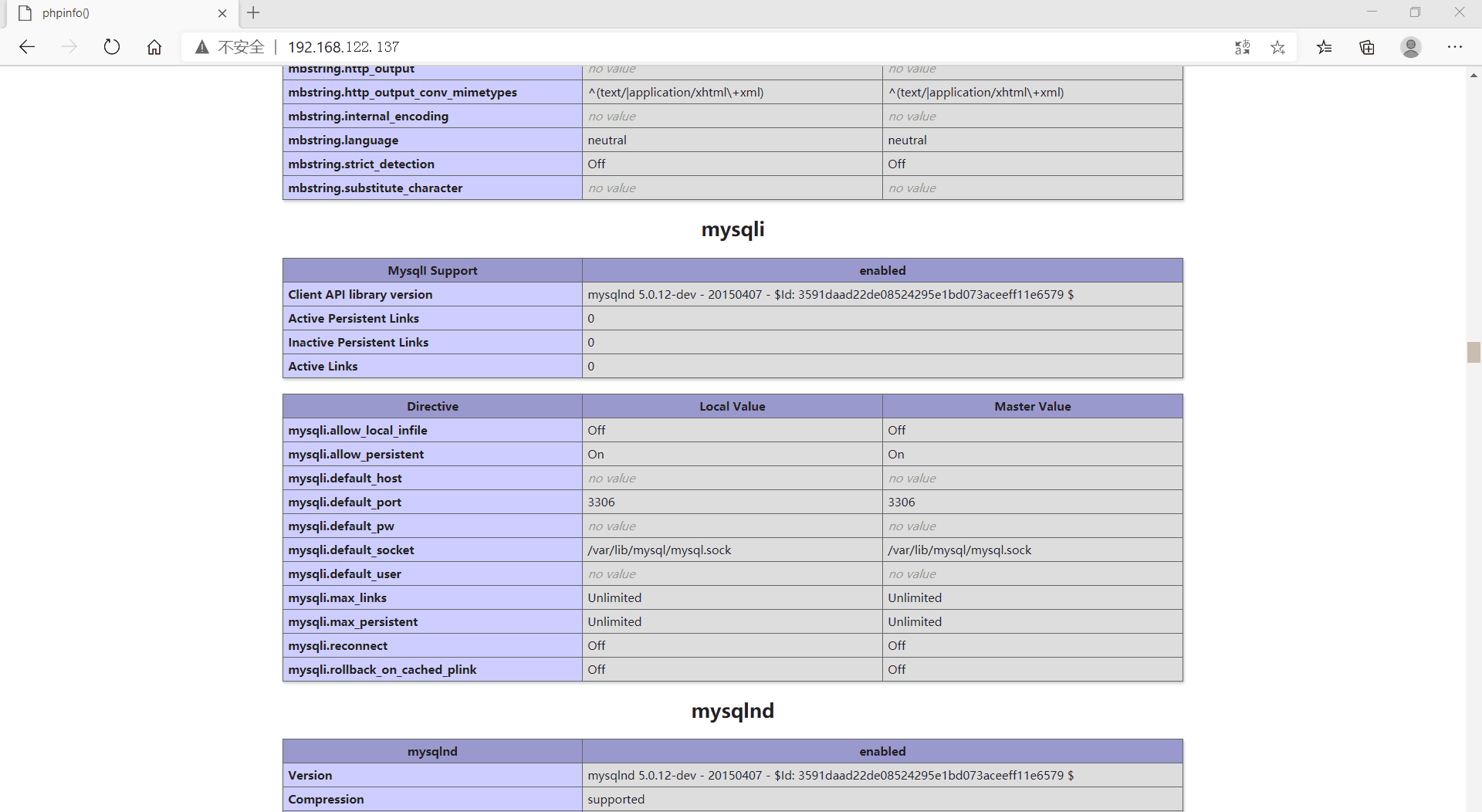
验证

 浙公网安备 33010602011771号