
Leaflet03marker
官网https://leafletjs.com/reference-1.6.0.html#marker

Icon用法
//图片图标
var greenIcon = L.icon({
    iconUrl: 'img/leaf-green.png',//图片地址
//    shadowUrl: 'leaf-shadow.png',//阴影图片地址

    iconSize:     [38, 95], // 图片大小
    shadowSize:   [50, 64], // 阴影大小
    iconAnchor:   [22, 94], // point of the icon which will correspond to marker's location图片相对于坐标偏移量
    shadowAnchor: [4, 62],  // the same for the shadow阴影相对于坐标偏移量
    popupAnchor:  [-3, -76] // point from which the popup should open relative to the iconAnchor//Popup偏移量
});

//div图标
var myIcon = L.divIcon({
className: 'my-div-icon',//div class可以根据class设置css样式
html:'<div>this is a div </div>', //div  html内容
iconSize:60}其余同图片图标属性
);
marker用法

var leafIcon = L.marker(
[31,120],//经纬度
{icon:greenIcon}//图标
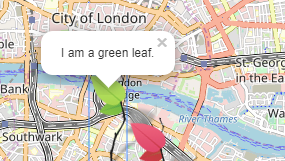
).bindPopup('I am a green leaf.')//Popup文字
.addTo(map);//添加到地图
var divIcon = L.marker([31.5,120.5],{icon:myIcon}).bindPopup('my-div-icon').addTo(map);
地图效果:
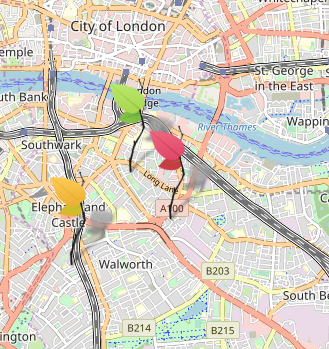
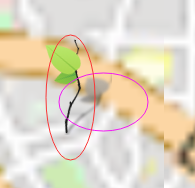
bindPopup事件即点击图标弹出事件
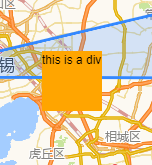
div图标效果
css预设
.my-div-icon{

    background-color: orange;
}
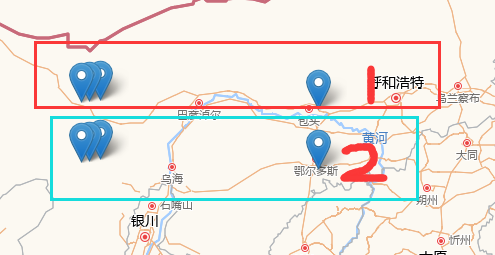
marker 除了单个添加到图层外,还可以分组添加
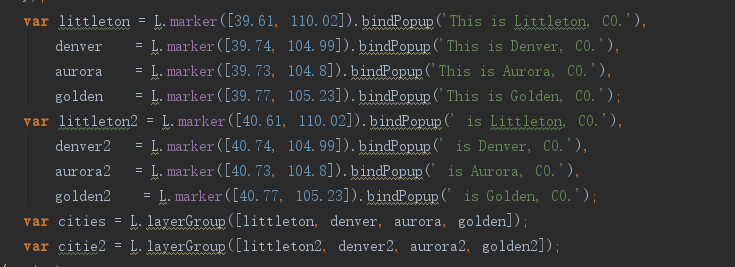
var littleton = L.marker([39.61, 110.02]).bindPopup('This is Littleton, CO.'),
    denver    = L.marker([39.74, 104.99]).bindPopup('This is Denver, CO.'),
    aurora    = L.marker([39.73, 104.8]).bindPopup('This is Aurora, CO.'),
    golden    = L.marker([39.77, 105.23]).bindPopup('This is Golden, CO.');
var littleton2 = L.marker([40.61, 110.02]).bindPopup(' is Littleton, CO.'),
    denver2   = L.marker([40.74, 104.99]).bindPopup(' is Denver, CO.'),
    aurora2   = L.marker([40.73, 104.8]).bindPopup(' is Aurora, CO.'),
    golden2    = L.marker([40.77, 105.23]).bindPopup(' is Golden, CO.');

以上是marker,cities、citie2 是组。将marker加入到组中
var cities = L.layerGroup([littleton, denver, aurora, golden]);
var citie2 = L.layerGroup([littleton2, denver2, aurora2, golden2]);
cities.addTo(map);citie2 .addTo(map);添加到地图没写图标,这是默认图标
另一种写法:
定义一个组:var groupArry = new L.layerGroup();
L.marker加入组:L.marker([ e.latlng.lat, e.latlng.lng],{icon:greenIcon}).addTo(groupArry);

groupArry.addTo(map)。


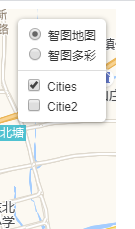
分组图层切换效果:
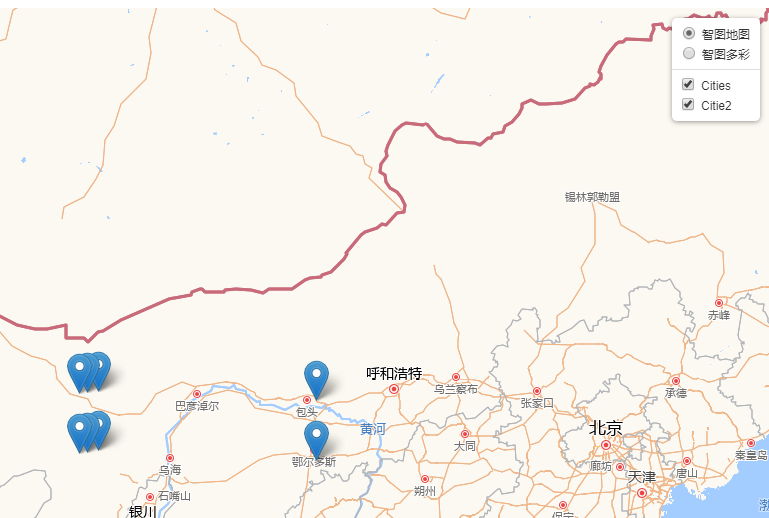

layers:[nomal1,cities],cities放入地图初始化就会默认加载。如果citeie2放入。citeie2也会加载
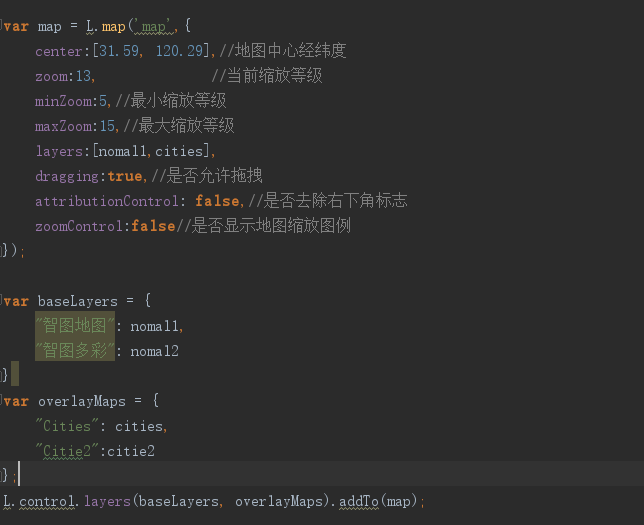
var baseLayers = {
    "智图地图": nomal1,
    "智图多彩": nomal2
}
var overlayMaps = {
    "Cities": cities,
    "Citie2":citie2
};
L.control.layers(baseLayers, overlayMaps).addTo(map);
这两行代码完成效果
map.removeLayer(marker);移除marker

 浙公网安备 33010602011771号