
第三次作业
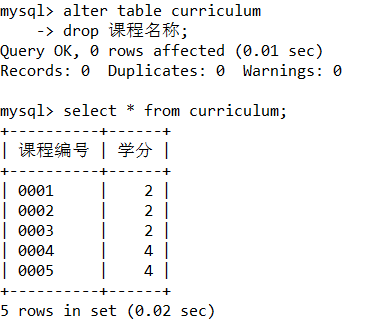
使用SQL语句ALTER TABLE修改curriculum表的“课程名称”列,使之为空。
alter table curriculum
    -> drop 课程名称;
2.
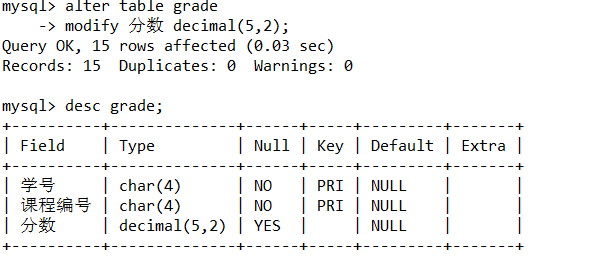
使用SQL语句ALTER TABLE修改grade表的“分数”列,使其数据类型为decimal(5,2)。
mysql> alter table grade
    -> modify 分数 decimal(5,2);
Query OK, 15 rows affected (0.03 sec)
Records: 15  Duplicates: 0  Warnings: 0

mysql> desc grade;
3.
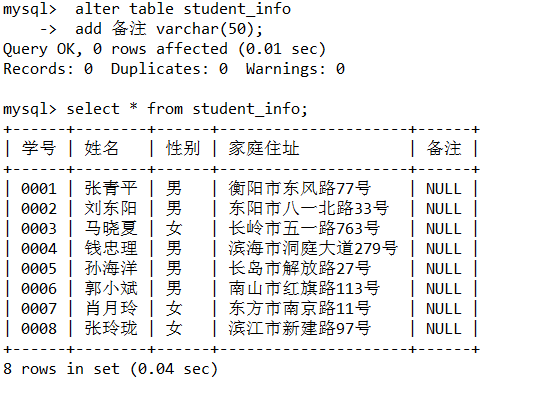
使用SQL语句ALTER TABLE为student_info表添加一个名为“备注”的数据列,其数据类型为varchar(50)。
alter table student_info
    ->  add 备注 varchar(50);
4.
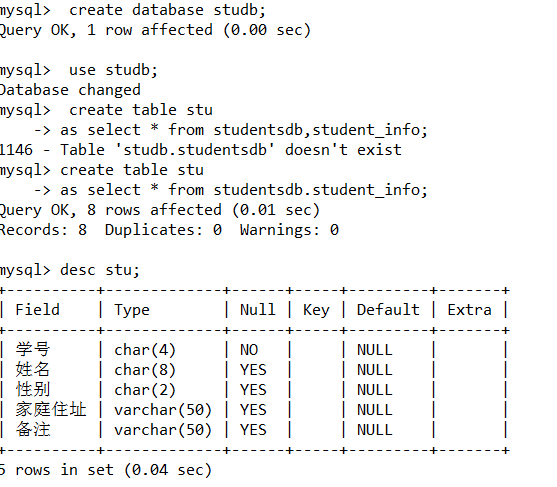
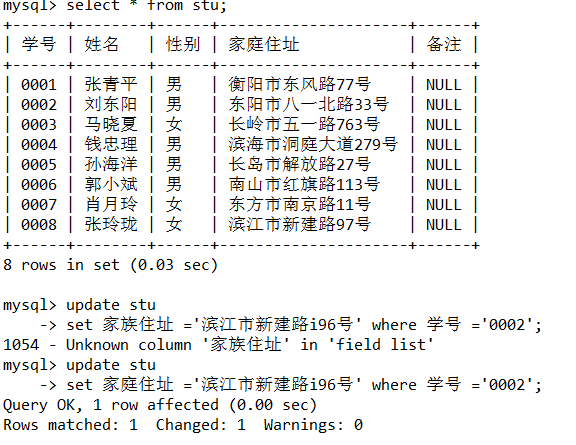
使用SQL语句创建数据库studb,并在此数据库下创建表stu,表结构与数据与studentsdb的student_info表相同。
mysql>  create database studb;
Query OK, 1 row affected (0.00 sec)

mysql>  use studb;
Database changed
mysql>  create table stu
    -> as select * from studentsdb,student_info;
1146 - Table 'studb.studentsdb' doesn't exist
mysql> create table stu
    -> as select * from studentsdb.student_info;
5.
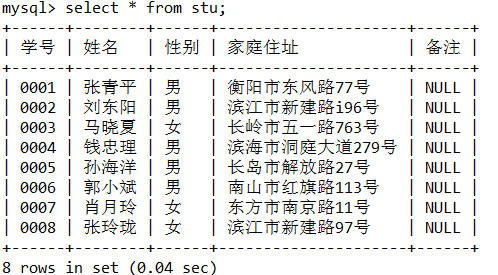
使用SQL语句更新表stud中学号为0002的家庭住址为“滨江市新建路96号”。
mysql> update stu
    -> set 家庭住址 ='滨江市新建路96号' where 学号 ='0002';
Query OK, 1 row affected (0.00 sec)
Rows matched: 1  Changed: 1  Warnings: 0

mysql> select * from stu;
6.
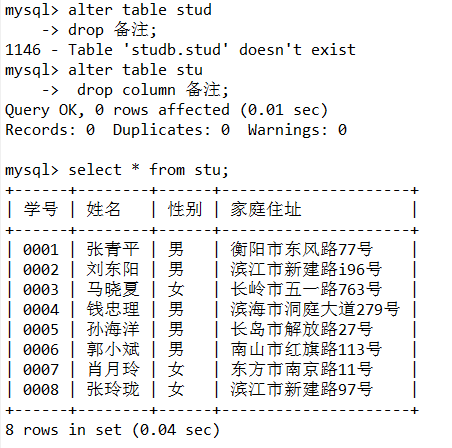
删除表stud的“备注”列
alter table stud
    -> drop 备注;
7.##在studentsdb数据库中使用SELECT语句进行基本查询。
mysql> use studentsdb;
Database changed
mysql> select 学号,姓名,家庭住址 from student_info;
mysql> select 姓名,家庭住址 from student_info where 学号='0002';
mysql> select 姓名,家庭住址 from student_info where 学号>'0005' and 性别='女';
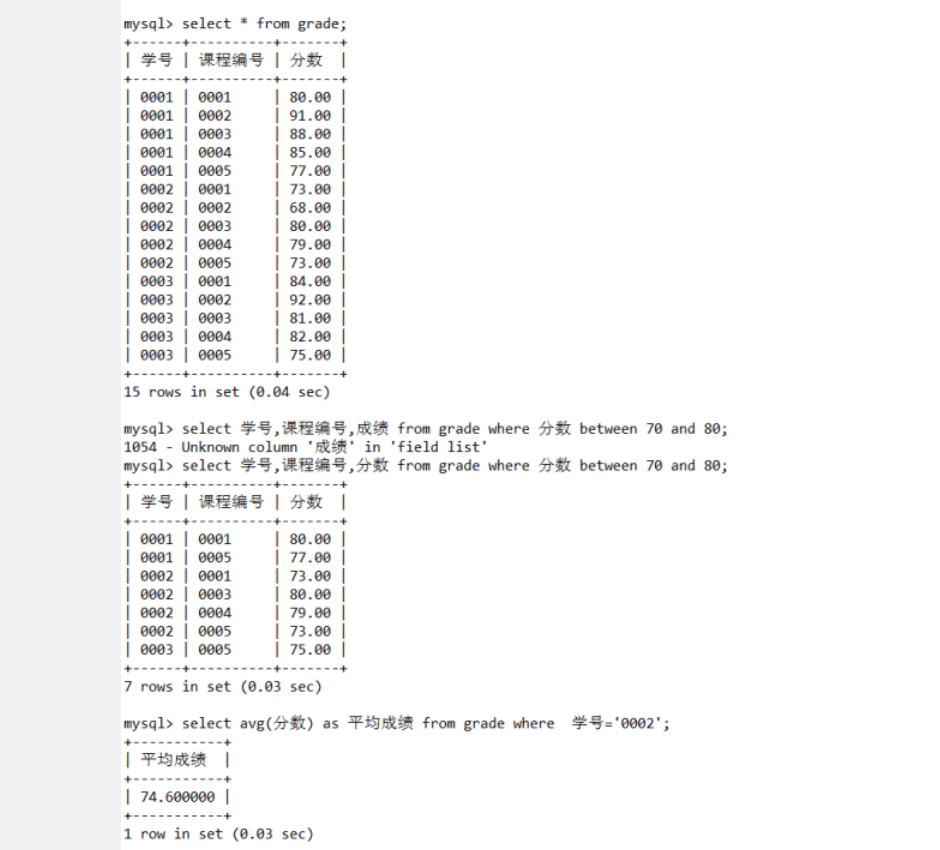
mysql> select 学号,课程编号,分数 from grade where 分数 between 70 and 80;
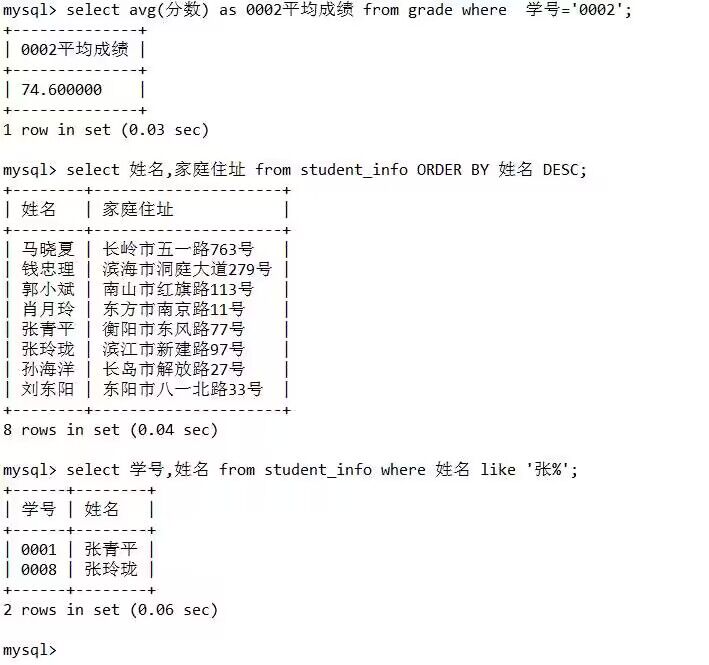
mysql> select avg(分数) as 平均成绩 from grade where 学号='0002';
mysql> SELECT COUNT(*) 选课人数,COUNT(分数) 有成绩人数 FROM grade WHERE 课程编号 = '0003';
mysql> select 姓名,家庭住址 from student_info ORDER BY 姓名 DESC;
mysql> select 学号,姓名 from student_info where 姓名 like '张%';

 浙公网安备 33010602011771号