
bootstarp + thymeleaf +Ajax分页
首先用Ajax分页可以让网页不用刷新就能更新数据的技术
而且本项目用到了bootstarp中的分页样式
一、首先把分页的按钮做出来
因为需要当网页加载的时候就显示第一页的数据所以需要js的网页初始化功能
前台代码就需要放在js中生成
而分页按钮的多少又需要数据库中的数据多少来确定
需要Ajax来请求后台返回i数据
所以我们先写后台获取分页的数据
首先 分页类 Fenye.class
package com.itxinghua.baidu.pojo;

public class Fenye {
   //当前页
    private int currentPage;
    //分页数据
    private int currentCount;
    //总页数
    private int totalPage;
    //总数据
    private int totalCount;

    public int getCurrentPage() {
        return currentPage;
    }

    public int getCurrentCount() {
        return currentCount;
    }

    public int getTotalPage() {
        return totalPage;
    }

    public int getTotalCount() {
        return totalCount;
    }

    public void setCurrentPage(int currentPage) {
        this.currentPage = currentPage;
    }

    public void setCurrentCount(int currentCount) {
        this.currentCount = currentCount;
    }

    public void setTotalPage(int totalPage) {
        this.totalPage = totalPage;
    }

    public void setTotalCount(int totalCount) {
        this.totalCount = totalCount;
    }
    @Override
    public String toString() {
        return "Fenye{" +
                "currentPage=" + currentPage +
                ", currentCount=" + currentCount +
                ", totalPage=" + totalPage +
                ", totalCount=" + totalCount +
                '}';
    }
}
至于实体类和映射文件我就不发到上面了,我是用逆向工程来创建的
控制层显示分页方法
@Controller
@RequestMapping("/Test")
public class TestController {
    //自动注入Jdbc
@Autowired
JdbcTemplate jdbcTemplate;
//自动注入BookMapper
@Autowired
BookMapper bookMapper;
//当前页 设置默认的页面
int currentPage= 1;
//分页数据 固定的显示条数
int currentCount = 6;
@ResponseBody
    @PostMapping("/each")
    public Fenye each(){
        //创建分页类 以便返回到前台
Fenye fy = new Fenye();
//添加逆向工程的条件查询
BookExample bookExample = new BookExample();
//获取当前页
fy.setCurrentPage(currentPage);
//获取分页数据
fy.setCurrentCount(currentCount);
//总数居   countByExample条件计数 因为BookExample为空所以就为查询所有
int totalCount = bookMapper.countByExample(bookExample);
fy.setTotalCount(totalCount);
//总页数 乘以1.0是为了让数据变为小数 毕竟一条数据也是要显示的
//Math.ceil 向上取整
int totalPage = (int) Math.ceil(1.0*totalCount/currentCount);
fy.setTotalPage(totalPage);
        return fy;
}
}
二、动态管理分页
然后JQ 显示 分页按钮
function each(CP) {
    eachhtml = "";
    $.post({
        url: "/Test/each",
        success:function (data) {
            //首先把数据传入
            //当前页
            var currentPage  = CP;
            //分页数据
            var  currentCount = data["currentCount"];
            //总页数
            var totalPage = data["totalPage"];
            //总数据
            var totalCount = data["totalCount"]
            //首页样式类
            var shouyeclass = "";
            //这里用了bootstarp的样式所以需要显示如果是第一页首页选项就不能不能点击
            if (currentPage == 1){
                shouyeclass = "page-item disabled"
            }else {
                shouyeclass = "page-item"
            }
            //分页样式
            var eachclass = "";
            //eachgetData(1)是之后显示数据的方法
            eachhtml +="<li  class='"+shouyeclass+"' >" +
                "          <a class=\"page-link \"  href=\"javascript:void(0);\" onclick='eachgetData(1)' tabindex=\"-1\">首页</a>" +
                "       </li>"
            for (var i = 1 ; i <= totalPage;i++){
                if (currentPage == i){
                    eachclass = "page-item active"
                }else{
                    eachclass = "page-item"
                }
                eachhtml += " <li  class='"+eachclass+"' ><a class=\"page-link\" href=\"javascript:void(0);\" onclick='eachgetData("+i+")'>"+i+"<span class=\"sr-only\">(current)</span></a></li>"
            }
            if(currentPage!=totalPage){
                eachhtml+= "<li class=\"page-item\" >" +
                    "           <a class=\"page-link\" href=\"javascript:void(0);\" onclick='eachgetData("+(currentPage+1)+")'>下一页</a>" +
                    "       </li>"
            }else{
                eachhtml +="";
            }
            $("#eachdata").html(eachhtml);
        }
    })
}
三、显示第一页数据
然后用JQ获取到数据库的数据
function eachgetData(CP) {
    dataHtml = "";
    $.post({
        url:"/Test/currentPage",
        data:{"currentPage":CP},
        success:function (data) {
            console.log(data)
            for ( i in data){
                dataHtml = dataHtml + "<div  class=\"col-md-4 rounded shadow p-3 mb-5\">" +
                    "                    <img src=\"/img/01-4%20(1).jpg\" style=\"width: 100%;height: 100%\">"
                for (j in data[i]){
                    dataHtml = dataHtml+ " <span >"+data[i][j]+"</span>"
                }
                dataHtml = dataHtml + "</div>"
            }
            each(CP)
            $("#neirong").html(dataHtml);
        }
    })
}
控制层代码
package com.itxinghua.baidu.Controller;

import com.itxinghua.baidu.mapper.BookMapper;
import com.itxinghua.baidu.pojo.Book;
import com.itxinghua.baidu.pojo.BookExample;
import com.itxinghua.baidu.pojo.Fenye;
import org.springframework.beans.factory.annotation.Autowired;
import org.springframework.jdbc.core.JdbcTemplate;
import org.springframework.stereotype.Controller;
import org.springframework.web.bind.annotation.PostMapping;
import org.springframework.web.bind.annotation.RequestMapping;
import org.springframework.web.bind.annotation.ResponseBody;

import java.util.List;


@Controller
@RequestMapping("/Test")
public class TestController {
    //自动注入Jdbc
    @Autowired
    JdbcTemplate jdbcTemplate;
    //自动注入BookMapper
    @Autowired
    BookMapper bookMapper;
    //当前页 设置默认的页面
    int currentPage= 1;
    //分页数据 固定的显示条数
    int currentCount = 6;
    @ResponseBody
    @PostMapping("/each")
    public Fenye each(){
        //创建分页类 以便返回到前台
        Fenye fy = new Fenye();
        //添加逆向工程的条件查询
        BookExample bookExample = new BookExample();
        //获取当前页
        fy.setCurrentPage(currentPage);
        //获取分页数据
        fy.setCurrentCount(currentCount);
        //总数居   countByExample条件计数 因为BookExample为空所以就为查询所有
        int totalCount = bookMapper.countByExample(bookExample);
        fy.setTotalCount(totalCount);
        //总页数 乘以1.0是为了让数据变为小数 毕竟一条数据也是要显示的
        //Math.ceil 向上取整
        int totalPage = (int) Math.ceil(1.0*totalCount/currentCount);
        fy.setTotalPage(totalPage);
        return fy;
    }
    //点击分页
    @ResponseBody
    @RequestMapping("/currentPage")
    public List<Book> currentPage(int currentPage){
        Fenye fy = new Fenye();
        BookExample bookExample = new BookExample();
        //当前页
        fy.setCurrentPage(currentPage);
        //分页数据
        fy.setCurrentCount(currentCount);
        //总数据
        int totalCount = bookMapper.countByExample(bookExample);
        fy.setTotalCount(totalCount);
        //总页数
        int totalPage = (int) Math.ceil(1.0*totalCount/currentCount);
        fy.setTotalPage(totalPage);
        bookExample.setOrderByClause("id limit "+(currentPage-1)*currentCount+","+currentCount);
        List<Book> books=  bookMapper.selectByExample(bookExample);
        return books;
    }
}
如果要初始的时候显示第一页只需要在网页初始化中加入此方法就行了
$(function () {
    eachgetData(1)
})
四、点击按钮后显示相应数据
其实写完之后就已经能用按钮点击了
前台数据
<!DOCTYPE html>
<html lang="en" xmlns:th="http://www.thymeleaf.org">
<head>
    <meta charset="UTF-8">
    <script type="text/javascript" th:src="@{/webjars/jquery/3.5.1/jquery.js}"></script>
    <script type="text/javascript" th:src="@{/js/Test.js}"></script>
    <link th:href="@{/webjars/bootstrap/4.5.3/css/bootstrap.css}" rel="stylesheet" type="text/css" />
    <script type="text/javascript" th:src="@{/webjars/bootstrap/4.5.3/js/bootstrap.bundle.js}"></script>
    <title>Title</title>
</head>
    <style>
        #neirong>div,#eachdata{
            float:left;
}
    </style>
<body>
<div id="neirong"></div>
<nav aria-label="...">
    <ul class="pagination" id ="eachdata">
    </ul>
</nav>
</body>
</html>
实际效果
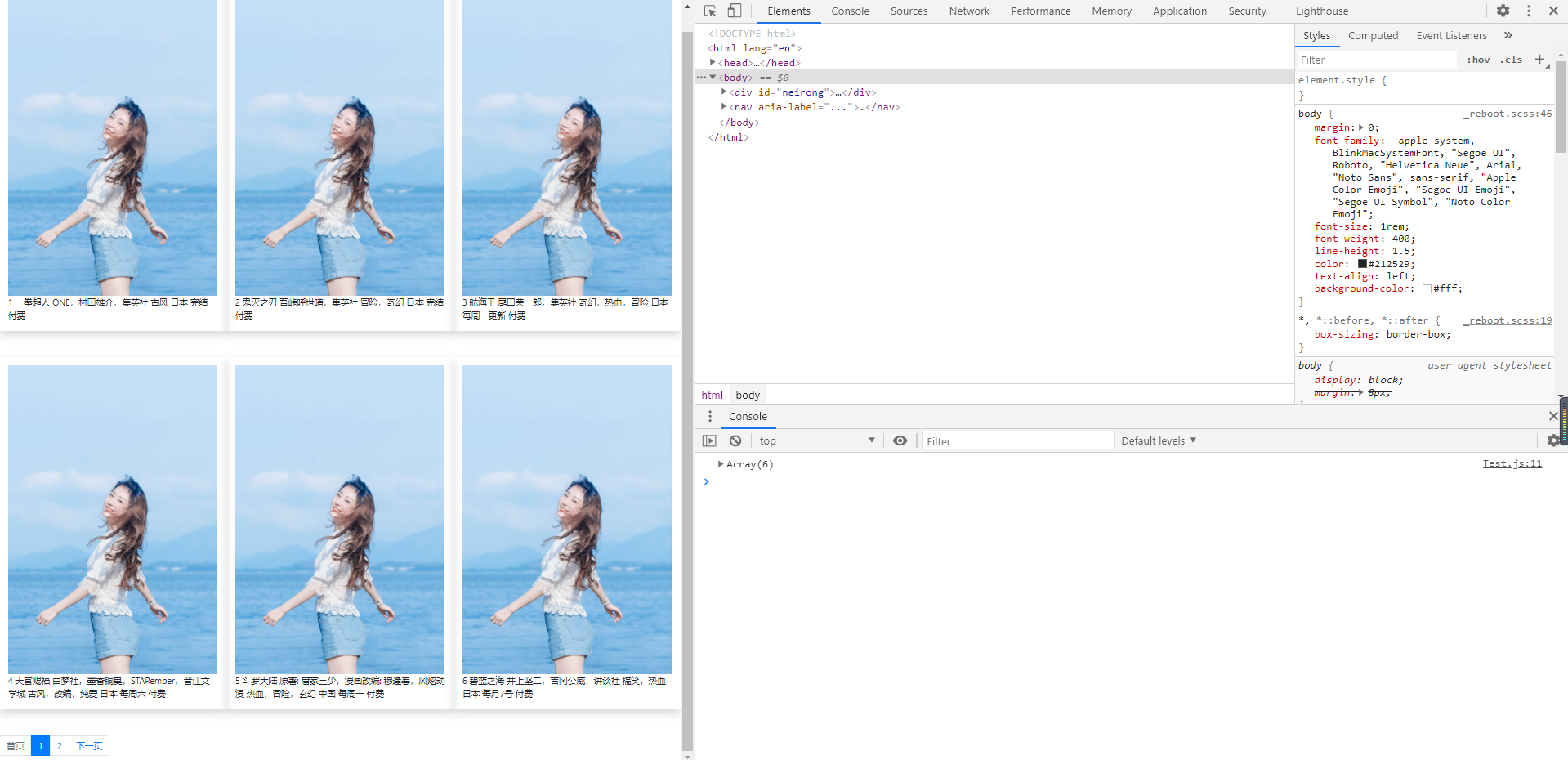
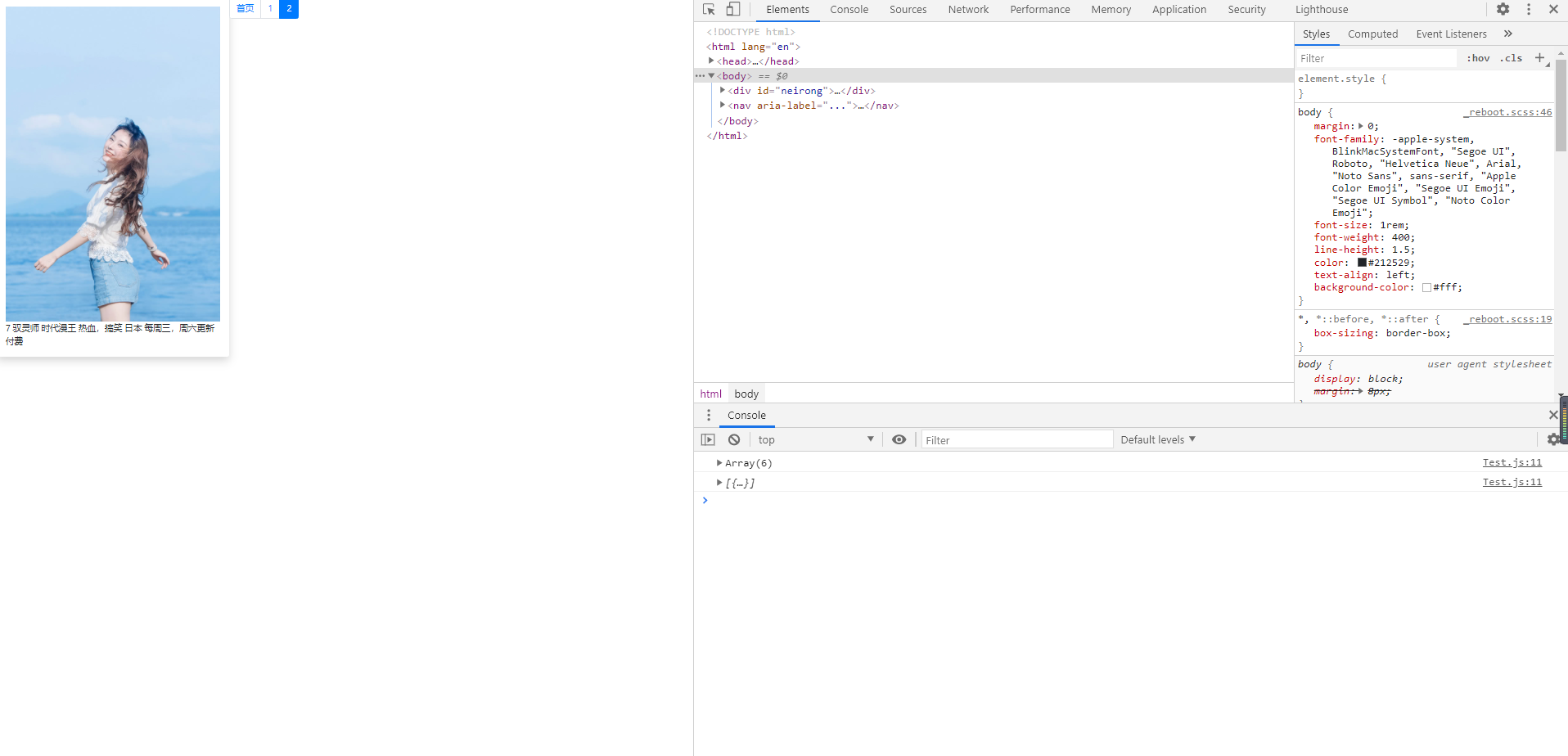
因为只有七条数据跟只是粗略的做了演示,这里只是分享一下思路

 浙公网安备 33010602011771号