

放大镜
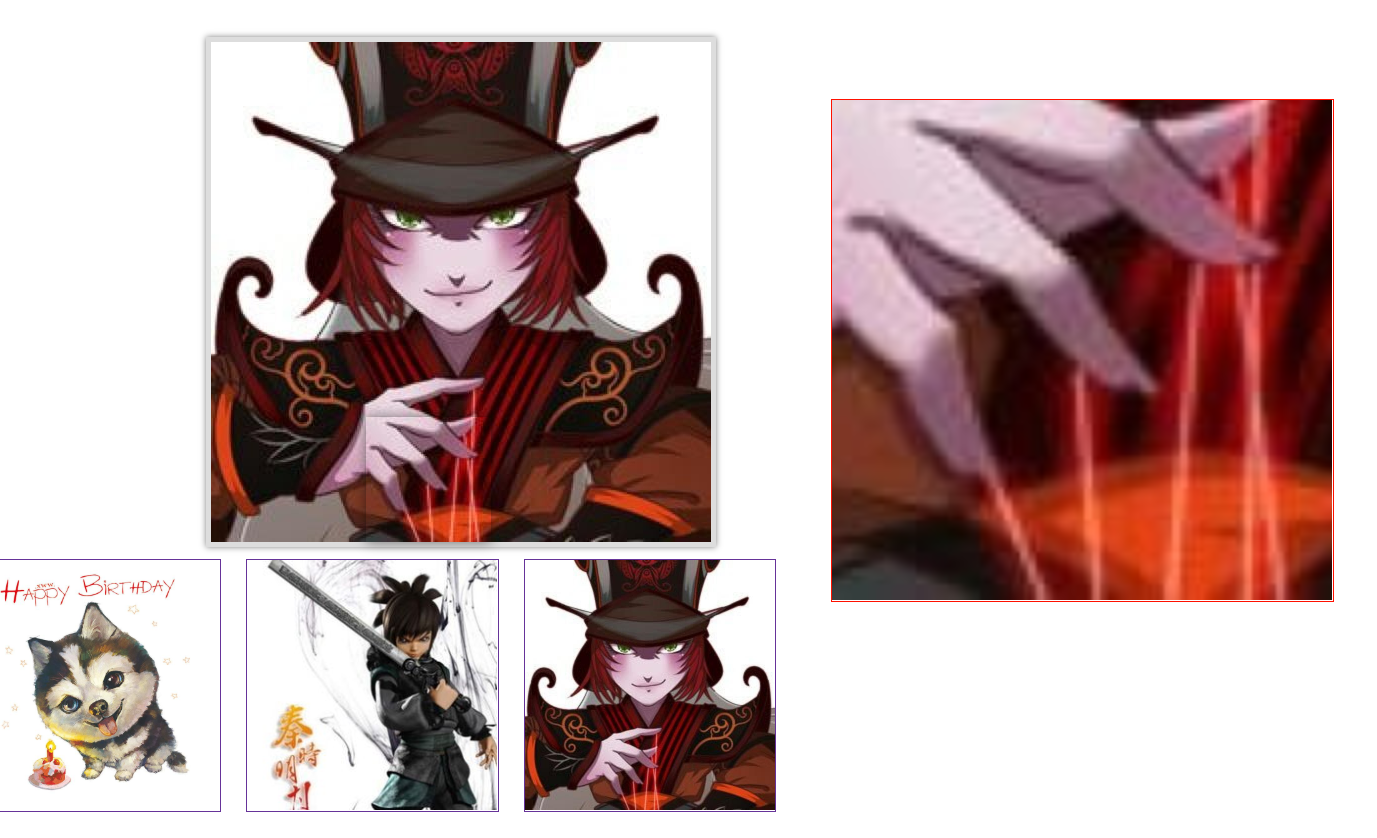 放大镜是我们常用的工具之一,几乎每个购物网站都缺不了该功能。下面是实现放大镜的具体步骤:
实现放大镜的核心功能是使cutting_box 与samll_box的宽度高度的比例和big_box 与big_img的宽度高度比例一致,cutting_box 、samll_box和big_box可以获取,所以很容易的调节big_img的宽高,然后求出cutting_box的滑动比例,求出big_img的具体滑动范围
代码如下:
*{
margin: 0;
padding: 0;
}
.small {
width: 400px;
height: 400px;
position: relative;
margin-left: 200px;
margin-top: 50px;
border:4px solid #ddd;
box-shadow: 0 0 5px rgba(0,0,0,.5);
}
.small img{
width: 100%;
height: 100%;
}
.small .wrap{
width: 100%;
height: 100%;
position: absolute;
z-index: 999;
}
.small .grayBox{
display: none;
width: 100px;
height: 100px;
background-size:400px 400px;
background-position: 0 0;
box-shadow: 0 0 10px rgba(0, 0, 0, 0.5);
position: absolute;
left: 0;
top: 0;
}
.big{
width: 400px;
height: 400px;
position: absolute;
left: 700px;
top: 100px;
border:1px solid #f10;
display: none;
overflow: hidden;
}
.big img{
position: absolute;
}
.img{
margin: 10px;
float: left;;
width: 200px;
height: 200px;
border: 1px solid rebeccapurple;
}
.img img{
width: 100%;
height: 100%;
}
</style>
</head>
<body>
<div class="small">
<img src="./images/timg.jpg" >
<span class="grayBox"></span>
</div>
<div class="big">
<img src="./images/timg.jpg">
</div>
<div class="img">
<img src="./images/timg.jpg" >
</div>
<div class="img">
<img src="./images/tianming.jpg" alt="">
</div>
<div class="img">
<img src="./images/zhaogao.jpg" alt="">
</div>
<script>
class Magnifier{
constructor( options ) {
this.init( options );
}
init(options){
for(var attr in options){
this[attr+"_ele"] = this.$(options[attr]);
}
this.small_box_offset = {
left : this.small_box_ele.offsetLeft,
top : this.small_box_ele.offsetTop,
width : parseInt(getComputedStyle(this.small_box_ele).width),
height : parseInt(getComputedStyle(this.small_box_ele).height)
}
this.cutting_box_offset = {
width : parseInt( getComputedStyle(this.cutting_box_ele).width ),
height : parseInt( getComputedStyle(this.cutting_box_ele).height ),
}
this.bindEvent();
}
$(selector){
return document.querySelector(selector);
}
//事件触发,滑入small_box,cutting_ele跟随鼠标
bindEvent(){
let magnifier_start = false;
this.small_box_ele.addEventListener( "mouseover" , function(){
// 元素显示
magnifier_start = true;
this.eleToggle("show");
}.bind(this));
this.small_box_ele.addEventListener( "mouseout" , function(){
// 元素隐藏;
magnifier_start = false;
this.eleToggle("hide");
}.bind(this));
// 元素运动;
this.small_box_ele.addEventListener("mousemove" , function( evt ){
var e = evt || event;
var x = e.clientX ;
var y = e.clientY ;
this.res = this.factoryPosition( x , y );
this.eleMove(this.res);
}.bind(this))
this.small_box_ele.addEventListener( "mousewheel" , function(evt){
if(!magnifier_start ){
return false;
}
var e = evt || event ;
this.changeCutBox( e.wheelDelta > 0 ? "narrow" : "large" );
}.bind(this) )
}
//鼠标滑轮 放大或缩小cutting_ele
changeCutBox( type ){
switch ( type ) {
case "large":
// console.log("放大");
this.cutting_box_offset.width += 2;
this.cutting_box_offset.height += 2;
this.res.x --;
this.res.y --;
break;
case "narrow":
this.cutting_box_offset.width -= 2;
this.cutting_box_offset.height -= 2;
// 小盒子的位移;
this.res.x ++;
this.res.y ++;
break;
default:
break;
}
this.cutting_box_ele.style.width = this.cutting_box_offset.width + "px";
this.cutting_box_ele.style.height = this.cutting_box_offset.height + "px";
// 位置改变之后,调用相应的比例计算工具;
this.scaleBigImg();
// 重新进行大图运动的计算;
this.eleMove(this.res);
}
eleToggle ( type ){
this.cutting_box_ele.style.display = type === "show" ? "block" : "none";
this.big_box_ele.style.display = type === "show" ? "block" : "none";
}
// 小图移动,大图跟随;
eleMove ( obj ){
this.scaleBigImg();
this.cutting_box_ele.style.left = obj.x + "px";
this.cutting_box_ele.style.top = obj.y + "px";
this.big_img_ele.style.left = -this.big_img_boundary.left * obj.percent_x + "px" ;
this.big_img_ele.style.top = -this.big_img_boundary.top * obj.percent_y + "px";
}
//大图的宽高变化
scaleBigImg(){
let width_s = this.small_box_offset.width / this.cutting_box_offset.width;
let height_s = this.small_box_offset.height / this.cutting_box_offset.height;
this.big_img_offset = {
width : width_s * this.small_box_offset.width,
height : height_s * this.small_box_offset.height
}
this.big_img_boundary = {
top: this.big_img_offset.height - this.small_box_offset.height,
left : this.big_img_offset.width - this.small_box_offset.width
}
this.big_img_ele.style.width = this.big_img_offset.width + "px";
this.big_img_ele.style.height = this.big_img_offset.height + "px";
}
// 处理x和y;
factoryPosition( x , y){
let _left = x - this.small_box_offset.left - this.cutting_box_offset.width / 2;
let _top = y - this.small_box_offset.top - this.cutting_box_offset.height / 2 ;
let max_left = this.small_box_offset.width - this.cutting_box_offset.width;
let max_top = this.small_box_offset.height - this.cutting_box_offset.height ;
// 做边界监测 :
_left = _left <= 0 ? 0 : _left;
_top = _top <= 0 ? 0 : _top;
_left = _left >= max_left ? max_left : _left;
_top = _top >= max_top ? max_top : _top;
return {
x : _left,
y : _top,
percent_x : _left / max_left,
percent_y : _top / max_top
}
}
}
new Magnifier({
small_box : ".small",
cutting_box : ".grayBox",
big_box : ".big",
big_img : ".big img"
});
let imgs = document.querySelectorAll(".img img");
let small_img = document.querySelector(".small img");
let big_img = document.querySelector(".big img");
for( var i = 0 ; i <= imgs.length -1 ; i ++ ){
imgs[i].addEventListener("mouseover" ,function(index){
small_img.src = imgs[index].src;
big_img.src = imgs[index].src;
}.bind(this,i))
}
运行结果:顶部
注:该放大镜新增功能:可以根据鼠标滑轮滑动放大或缩小cutting_box的宽高

 浙公网安备 33010602011771号