


Windows实用右键菜单,快捷,高效助力开发!😏😏😏✨
1. 查看 Git remotes
菜单名称:
Git remotes
菜单命令:
#适用于文件夹,目录,目录背景。 图标:C:\Program Files\Git\cmd\git-gui.exe
cmd.exe /k "echo %V && cd %V && git remote -v"

#适用于目录,目录背景
cmd.exe /k "echo %V && git remote -v"
注册表文件:
Windows Registry Editor Version 5.00

[HKEY_CLASSES_ROOT\Directory\Background\shell\Git_remotes]
@="Git remotes"
"Icon"="C:\\Program Files\\Git\\cmd\\git-gui.exe,0"

[HKEY_CLASSES_ROOT\Directory\Background\shell\Git_remotes\command]
@="cmd.exe /k \"echo %V && cd %V && git remote -v\""


[HKEY_CLASSES_ROOT\Folder\shell\Git_remotes]
@="Git remotes"
"Icon"="C:\\Program Files\\Git\\cmd\\git-gui.exe,0"

[HKEY_CLASSES_ROOT\Folder\shell\Git_remotes\command]
@="cmd.exe /k \"echo %V && cd %V && git remote -v\""
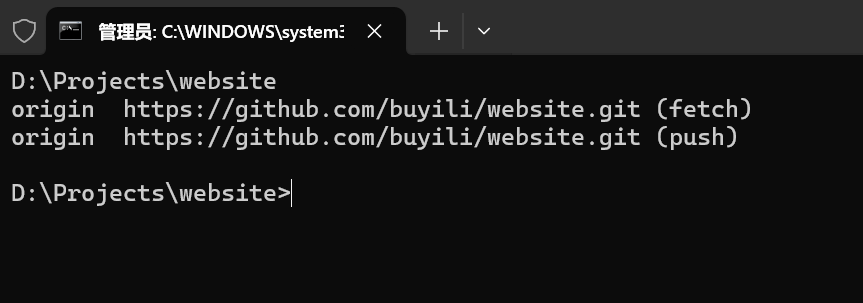
执行效果:
2. 启动 serve 或 serveplus
菜单名称:
Npm serve
菜单命令:
cmd.exe " /k echo %V && serveplus"
注册表文件:
Windows Registry Editor Version 5.00

[HKEY_CLASSES_ROOT\Directory\Background\shell\npm_serve]
@="Npm Serve"

[HKEY_CLASSES_ROOT\Directory\Background\shell\npm_serve\command]
@="cmd.exe /k echo %V && serve"


[HKEY_CLASSES_ROOT\Folder\shell\npm_serve]
@="Npm Serve"

[HKEY_CLASSES_ROOT\Folder\shell\npm_serve\command]
@="cmd.exe /k echo %V && serve"
菜单名称
Npm serveplus
菜单命令:
cmd.exe " /k echo %V && serveplus"
注册表文件:
Windows Registry Editor Version 5.00

[HKEY_CLASSES_ROOT\Directory\Background\shell\npm_serveplus]
@="Npm Serveplus"

[HKEY_CLASSES_ROOT\Directory\Background\shell\npm_serveplus\command]
@="cmd.exe /k echo %V && serveplus"


[HKEY_CLASSES_ROOT\Folder\shell\npm_serveplus]
@="Npm Serveplus"

[HKEY_CLASSES_ROOT\Folder\shell\npm_serveplus\command]
@="cmd.exe /k echo %V && serveplus"
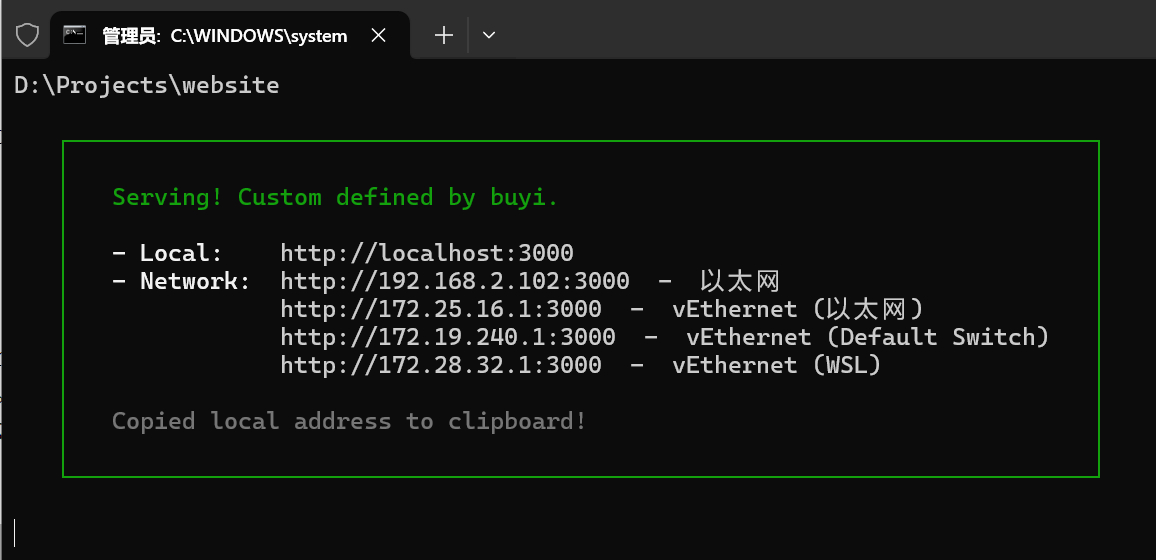
执行效果:
3. 在 WSL 发行版中打开文件夹
菜单名称:
在 Ubuntu-24.04 中打开
菜单命令:
cmd.exe /k "echo %V && wsl -d Ubuntu-24.04"
注册表文件:
Windows Registry Editor Version 5.00

[HKEY_CLASSES_ROOT\Directory\Background\shell\Open_in_ubuntu24]
@="在 WSL Ubuntu-24.04中打开"
"Icon"="C:\\Program Files\\WindowsApps\\CanonicalGroupLimited.Ubuntu_2404.1.68.0_x64__79rhkp1fndgsc\\ubuntu.exe,0"

[HKEY_CLASSES_ROOT\Directory\Background\shell\Open_in_ubuntu24\command]
@="cmd.exe /k \"echo %V && wsl -d Ubuntu-24.04\""


[HKEY_CLASSES_ROOT\Folder\shell\Open_in_ubuntu24]
@="在 WSL Ubuntu-24.04中打开"
"Icon"="C:\\Program Files\\WindowsApps\\CanonicalGroupLimited.Ubuntu_2404.1.68.0_x64__79rhkp1fndgsc\\ubuntu.exe,0"

[HKEY_CLASSES_ROOT\Folder\shell\Open_in_ubuntu24\command]
@="cmd.exe /k \"echo %V && wsl -d Ubuntu-24.04\""
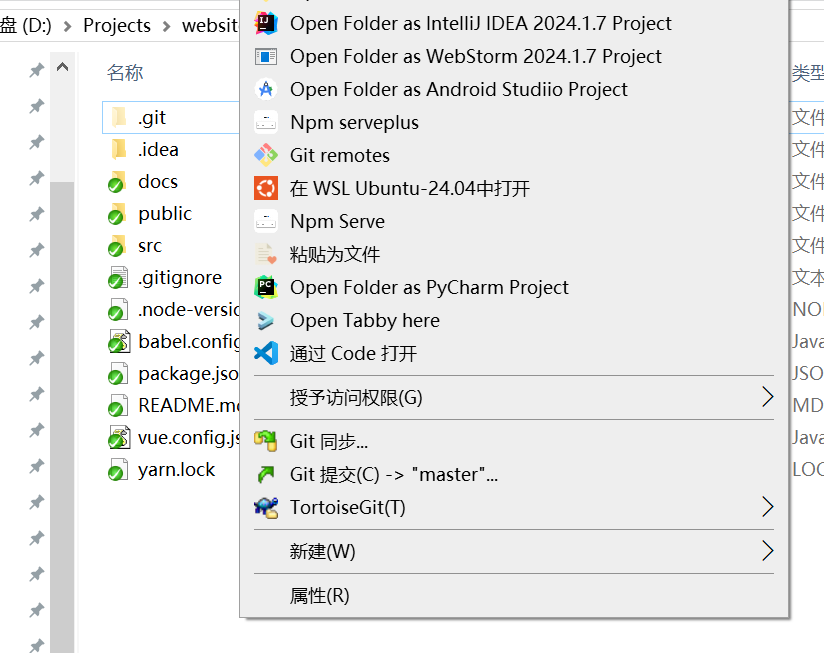
执行效果1:
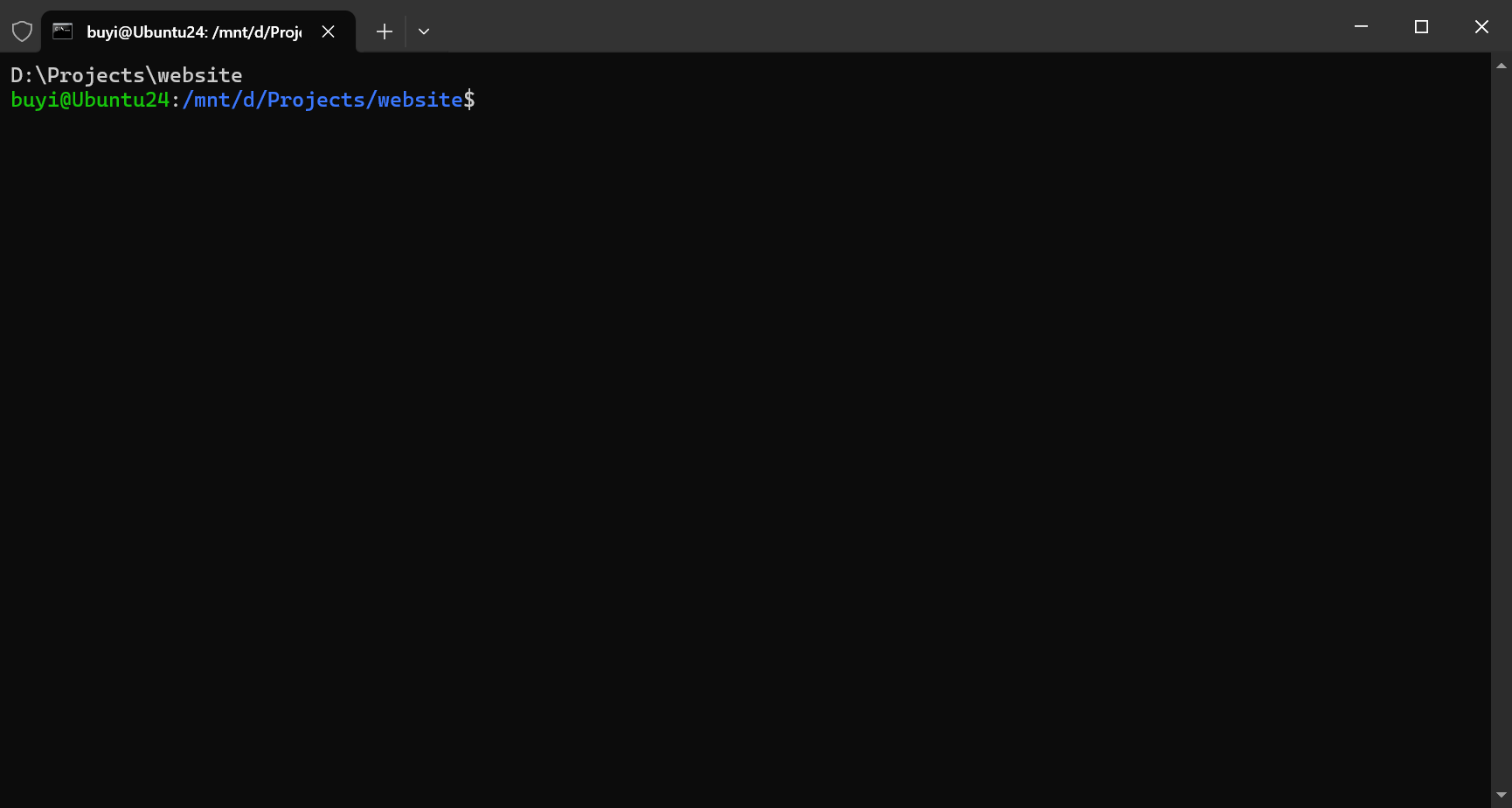
执行效果2:

 浙公网安备 33010602011771号