

https://askubuntu.com/questions/363346/how-to-permanently-switch-caps-lock-and-esc
This will allow you to use the caps:swapescape syntax and automatically keep the change permanent.
sudo apt-get install dconf-tools
After starting the dconf-editor, navigate to org >> gnome >> desktop >> input-sources
Add the options that you need in xkb-options. The option strings are surrounded by single quotes and separated by commas. Be careful not to delete the brackets on the ends.
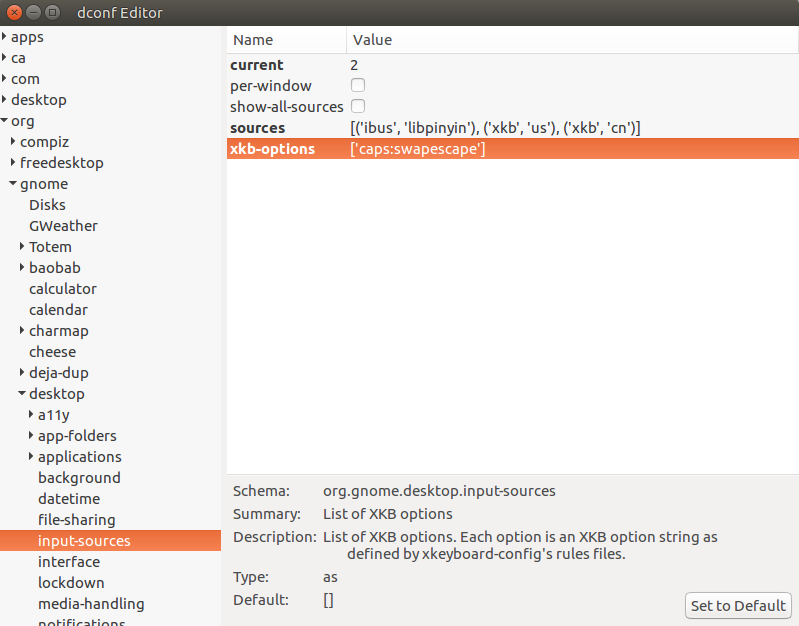
修改kb-options为['caps:swapescape']

 浙公网安备 33010602011771号