

How to install php-cs-fixer in PHPStorm
As we know, php-cs-fixer is a strongly recommended tool for automatically formating php code according to the PSR standards. However, installing it is a big problem. I spent three hours to install successfully. Now, I would like to share my experience with you.
First, my environment consists of PHPtorm 2023.1.2 running on a standalone pc with Windows 11.
-
Don't install the 'php-cs-fixer' plugin from the PHPStorm marketplace of if you have the same environment as I do.
I believe that the plugin is intended for UNIX/Linux developer rather than Windows developer. If you check its homepage, you will see that the reviews are not favorable. -
The following steps have been verified successfully:
a. Run the command in the windows CLI:
composer global require friendsofphp/php-cs-fixer
To verify a successful install, you can run:
php-cs-fixer --version
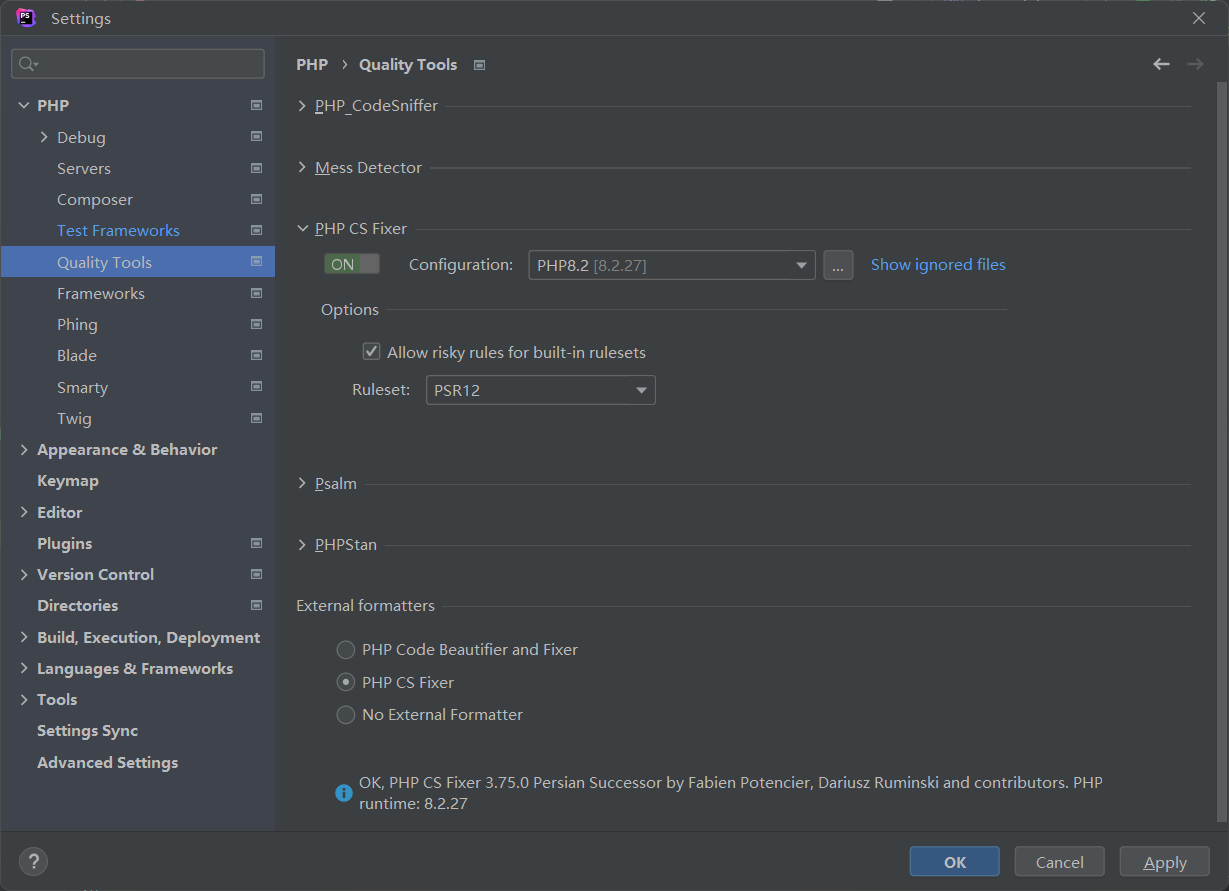
b. In phpstorm, go to 'File > Setting > PHP > Quality Tools', click on PHP CS Fixer and configure it:
c. On the configuration screen, it is best to select the absolute path to 'php-cs-fixer.bat' after clicking '...' on the right of the 'Configuration' field:
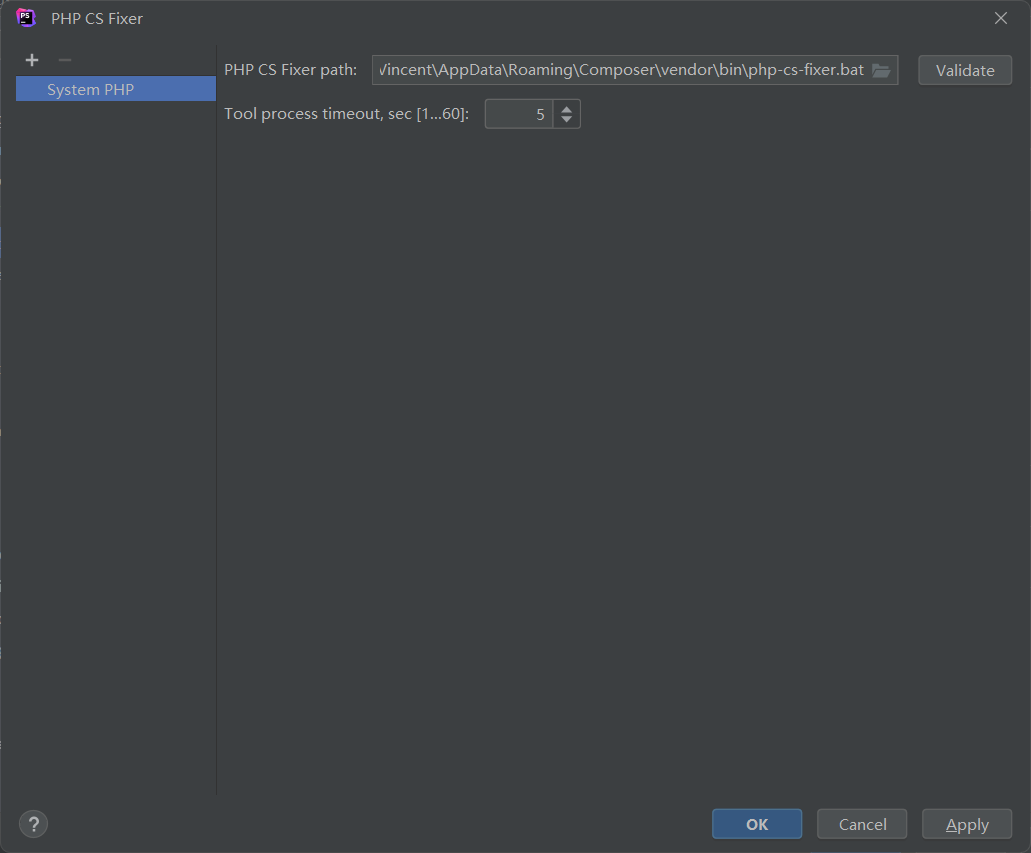
The file is generally located at 'C:\Users{your user name}\AppData\Roaming\Composer\vendor\bin**php-cs-fixer.bat**'. You can get the path using dash command in CLI:
where.exe php-cs-fixer
d. In phpstorm, go to 'File > Setting > Tools > File Watcher', click on + and configure it:
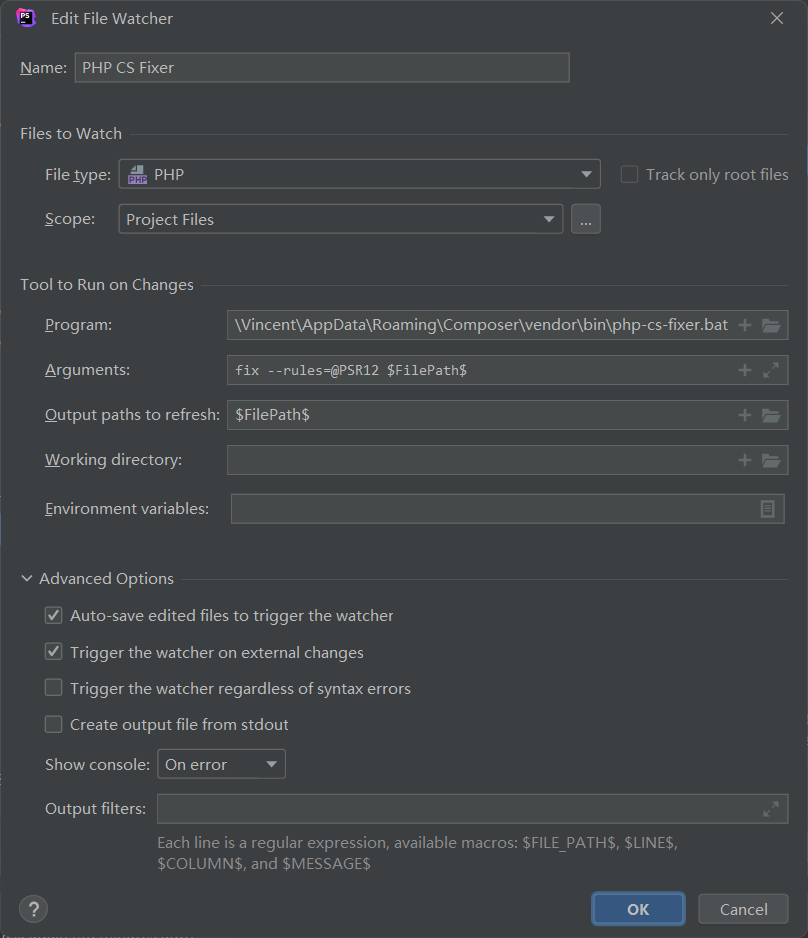
Congratulations! you can now use the PHP-CS-Fixer to format your code. Open a php file, edit it or save it, PHP-CS-Fixer runs automatically. You can see the process details in the output window.

 浙公网安备 33010602011771号