
Qt_创建C++动态库DLL
2020-11-20
本文主要学自:https://www.bilibili.com/video/BV1m4411D7NG?from=search&seid=12648539654277089299
为提高代码复用性,实现模块化开发,我们通常会对一些常用函数进行封装,通过调用共享库的方法实现代码复用。 Qt自身便能构建共享库,本教程以QT构建动态链接库为例进行讲解。
本例子,采用Qt Creator 4.11.1版本编写
1. Qt新建共享库工程
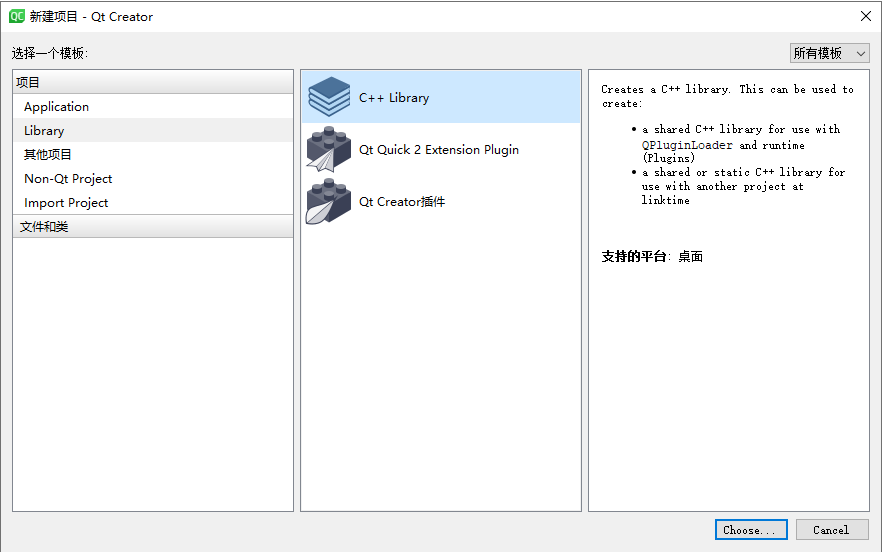
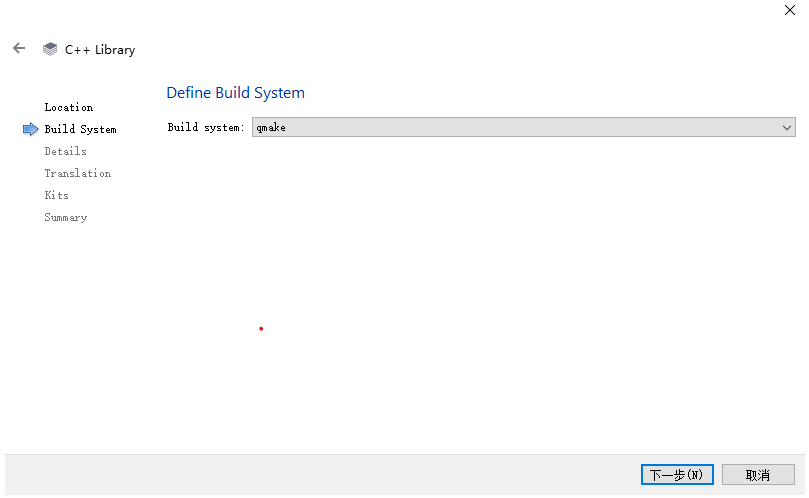
新建工程, 选择动态库, 命名为DynamicLibrary
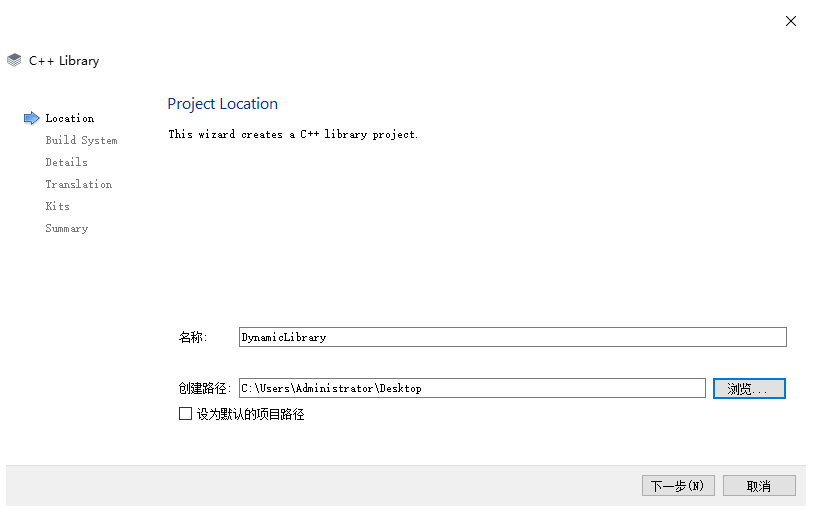
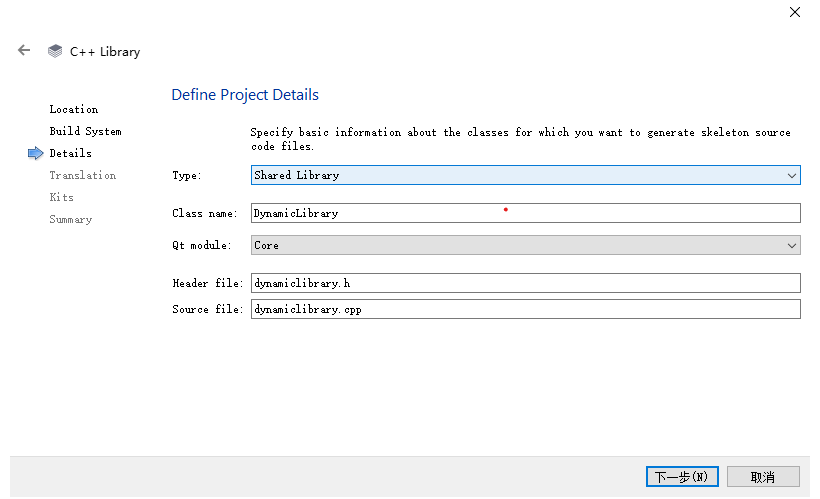
这里注意Type:选择Shared Library (共享库),在写自己的class name:DynamicLibrary,QT module 选择Core就行
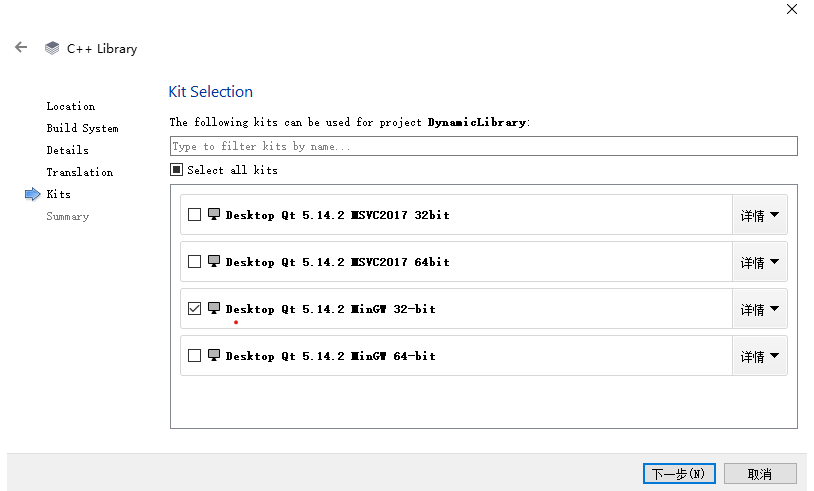
这个选择编译器根据自己的程序运行环境选择32或64位
建立的工程项目,有这几个文件
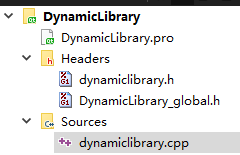
DynamicLibrary.pro文件,没有动
 1 QT -= gui
 2
 3 TEMPLATE = lib
 4 DEFINES += DYNAMICLIBRARY_LIBRARY
 5
 6 CONFIG += c++11
 7
 8 # The following define makes your compiler emit warnings if you use
 9 # any Qt feature that has been marked deprecated (the exact warnings
10 # depend on your compiler). Please consult the documentation of the
11 # deprecated API in order to know how to port your code away from it.
12 DEFINES += QT_DEPRECATED_WARNINGS
13
14 # You can also make your code fail to compile if it uses deprecated APIs.
15 # In order to do so, uncomment the following line.
16 # You can also select to disable deprecated APIs only up to a certain version of Qt.
17 #DEFINES += QT_DISABLE_DEPRECATED_BEFORE=0x060000    # disables all the APIs deprecated before Qt 6.0.0
18
19 SOURCES += \
20     dynamiclibrary.cpp
21
22 HEADERS += \
23     DynamicLibrary_global.h \
24     dynamiclibrary.h
25
26 # Default rules for deployment.
27 unix {
28     target.path = /usr/lib
29 }
30 !isEmpty(target.path): INSTALLS += target
在dynamiclibrary.h文件,添加了一个测试函数的声明 int test();
#ifndef DYNAMICLIBRARY_H
#define DYNAMICLIBRARY_H

#include "DynamicLibrary_global.h"

class DYNAMICLIBRARY_EXPORT DynamicLibrary
{
public:
    DynamicLibrary();

    int test();//新添加的测试函数
};

#endif // DYNAMICLIBRARY_H
DynamicLibrary_global.h
这个文件没有动
#ifndef DYNAMICLIBRARY_GLOBAL_H
#define DYNAMICLIBRARY_GLOBAL_H

#include <QtCore/qglobal.h>

#if defined(DYNAMICLIBRARY_LIBRARY)
#  define DYNAMICLIBRARY_EXPORT Q_DECL_EXPORT
#else
#  define DYNAMICLIBRARY_EXPORT Q_DECL_IMPORT
#endif
#endif // DYNAMICLIBRARY_GLOBAL_H
dynamiclibrary.cpp
#include "dynamiclibrary.h"
#include<QDebug>
DynamicLibrary::DynamicLibrary()
{
}

//测试函数的定义
int DynamicLibrary::test()
{
    int num=10;
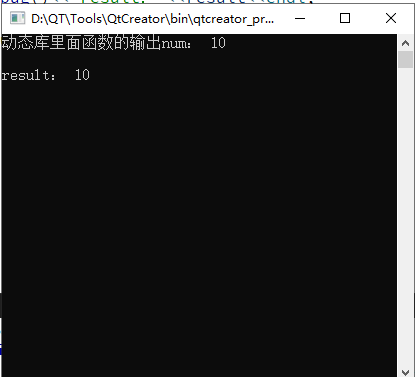
    qDebug()<<"动态库里面函数的输出num:"<<num<<endl;
    return num;
}
根据自己的建立项目的地址,在debug文件夹下找到 .dll文件,就是生成库文件
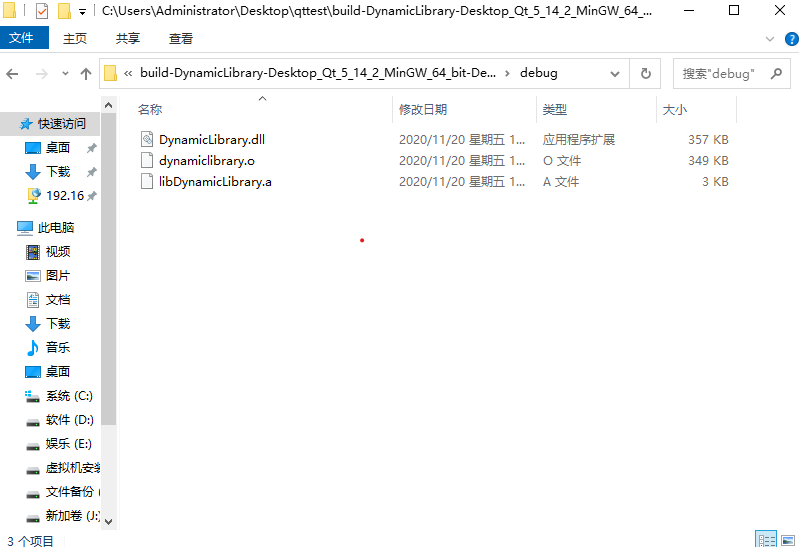
C:\Users\Administrator\Desktop\qttest\build-DynamicLibrary-Desktop_Qt_5_14_2_MinGW_64_bit-Debug\debug
得到共享库 DynamicLibrary.dll
2. Qt调用动态库
(1)新建一个控制台工程LoadDynamic , 用于测试调用前面构建的动态库dll
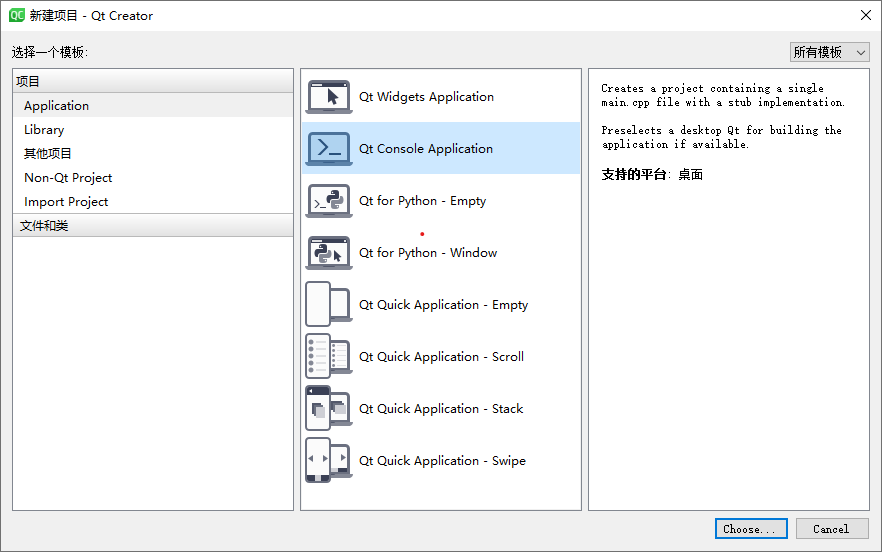
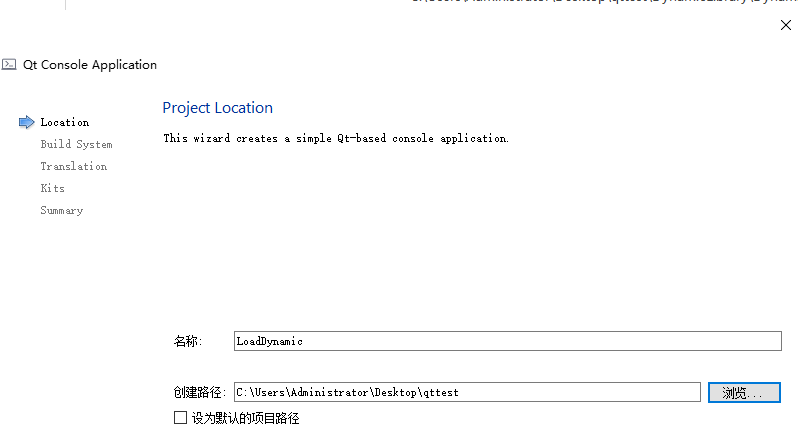
其余默认就行
下面选相应的64位
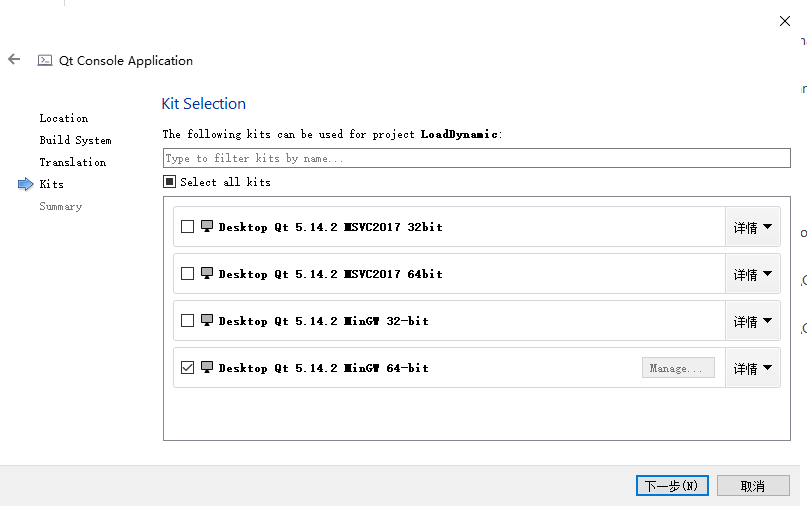
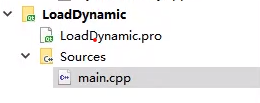
生成的项目文件:
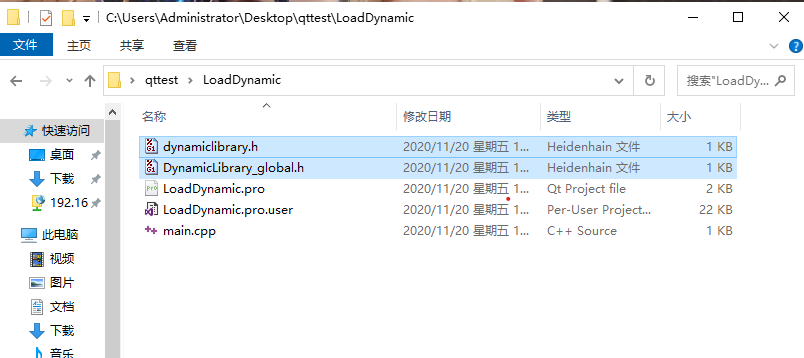
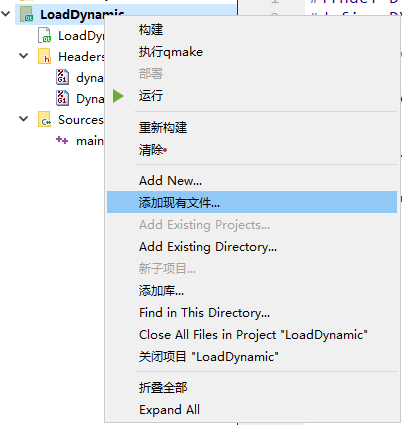
(2)导入相关头文件,复制头文件至当前测试项目工程路径下, 接着添加现有文件
把左边(以前的编写封装的库文件的头文件)复制到右边文件夹(当前测试工程路径),图片不清,可以保存下载看
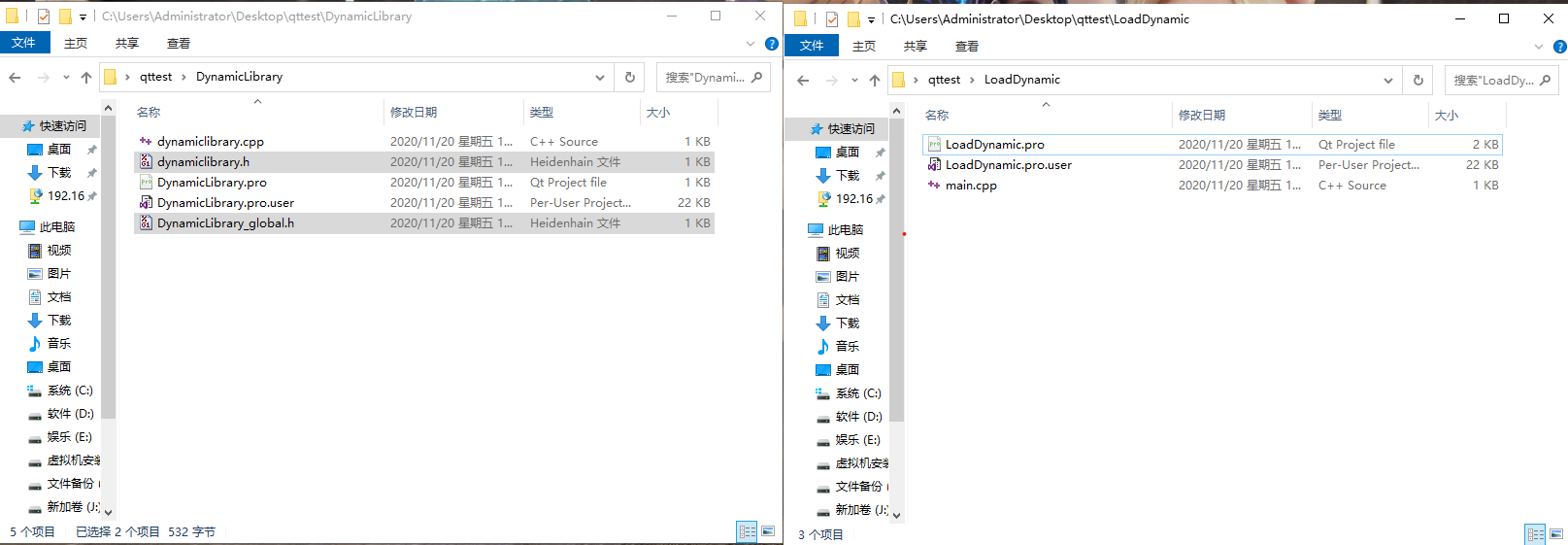
复制的效果图:
再在QT里面添加现有文件,把前面拷贝的两个文件.h文件,添加到项目
在main.cpp文件里面,添加测试的代码和头文件
#include <QCoreApplication>
#include"dynamiclibrary.h"
#include<QDebug>
int main(int argc, char *argv[])
{
    QCoreApplication a(argc, argv);

  //测试代码开始
    DynamicLibrary dLib;
    int result=dLib.test();
    qDebug()<<"result:"<<result<<endl;

    return a.exec();
}
最后点击运行,效果图:
最终项目:


 浙公网安备 33010602011771号