
安装PyTorch详细过程
https://blog.csdn.net/MCYZSF/article/details/116525159
读取mnist数据集方法大全(train-images-idx3-ubyte.gz,train-labels.idx1-ubyte等)(python读取gzip文件)
vscode 解释器路径添加:
用命令ctrl+p打开:
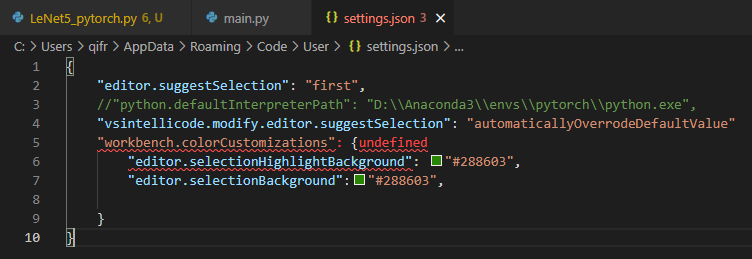
{
    "editor.suggestSelection": "first",
    //"python.defaultInterpreterPath": "D:\\Anaconda3\\envs\\pytorch\\python.exe",
    "vsintellicode.modify.editor.suggestSelection": "automaticallyOverrodeDefaultValue"
    "workbench.colorCustomizations": {undefined
        "editor.selectionHighlightBackground": "#288603",
        "editor.selectionBackground":"#288603",

    }
}
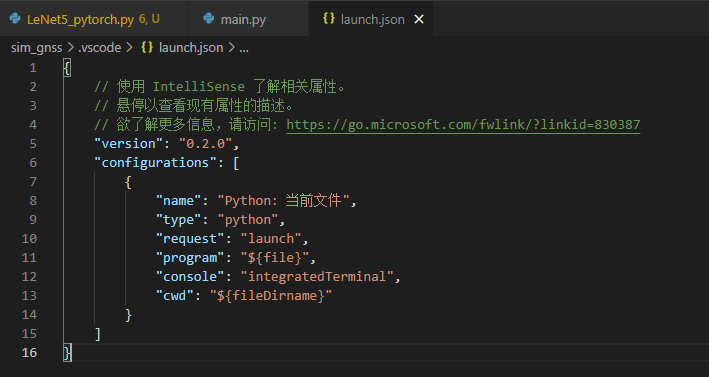
执行 路径设置:
{
    // 使用 IntelliSense 了解相关属性。
    // 悬停以查看现有属性的描述。
    // 欲了解更多信息,请访问: https://go.microsoft.com/fwlink/?linkid=830387
    "version": "0.2.0",
    "configurations": [
        {
            "name": "Python: 当前文件",
            "type": "python",
            "request": "launch",
            "program": "${file}",
            "console": "integratedTerminal",
            "cwd": "${fileDirname}"
        }
    ]
}
记录每天生活的点点滴滴,呵呵呵呵呵呵

 浙公网安备 33010602011771号