
CentOS 7系统更换阿里云镜像源
阿里云Linux安装镜像源地址:http://mirrors.aliyun.com/
CentOS系统更换软件安装源
1、安装wget
yum install -y wget
2、下载CentOS 7的repo文件
wget -O /etc/yum.repos.d/CentOS-Base.repo http://mirrors.aliyun.com/repo/Centos-7.repo
或者
curl -o /etc/yum.repos.d/CentOS-Base.repo http://mirrors.aliyun.com/repo/Centos-7.repo
3、更新镜像源
清除缓存:yum clean all
生成缓存:yum makecache
更改配置文件(很重要)
4、备份CentOS 7系统自带yum源配置文件/etc/yum.repos.d/CentOS-Base.repo命令:
mv /etc/yum.repos.d/CentOS-Base.repo /etc/yum.repos.d/CentOS-Base.repo.backup
5、找到yum源的配置路径
cd /etc/yum.repos.d
6、打开CentOS-Base.repo文件
vim CentOS-Base.repo
或
vi CentOS-Base.repo
7、将文件中的所有http开头的地址更改为https
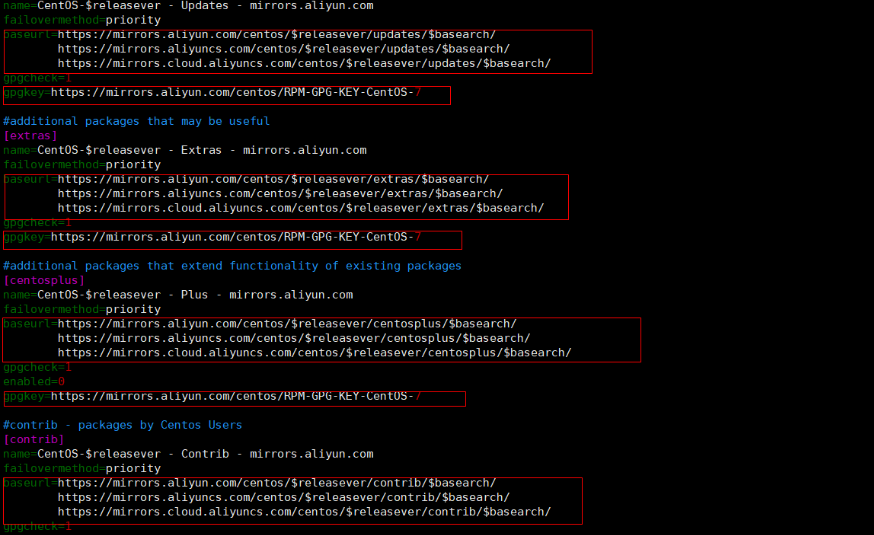
插入模式下输入: %s/http/https/g
8、更新yum
yum -y update

 浙公网安备 33010602011771号