
github生成SSH/GPG Key并添加到服务器
一、SSH Key生成和添加到github
1.生成 ssh key
ssh-keygen -t ed25519 -C "xx@qq.com"
2.打印 ssh key
cat C:\Users\cmm\.ssh\id_ed25519.pub
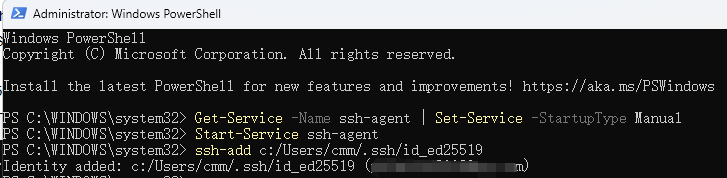
3.将 SSH 密钥添加到 ssh-agent
windows种打开管理员权限打开powershell执行如下:
> Get-Service -Name ssh-agent | Set-Service -StartupType Manual
> Start-Service ssh-agent
> ssh-add c:/Users/cmm/.ssh/id_ed25519
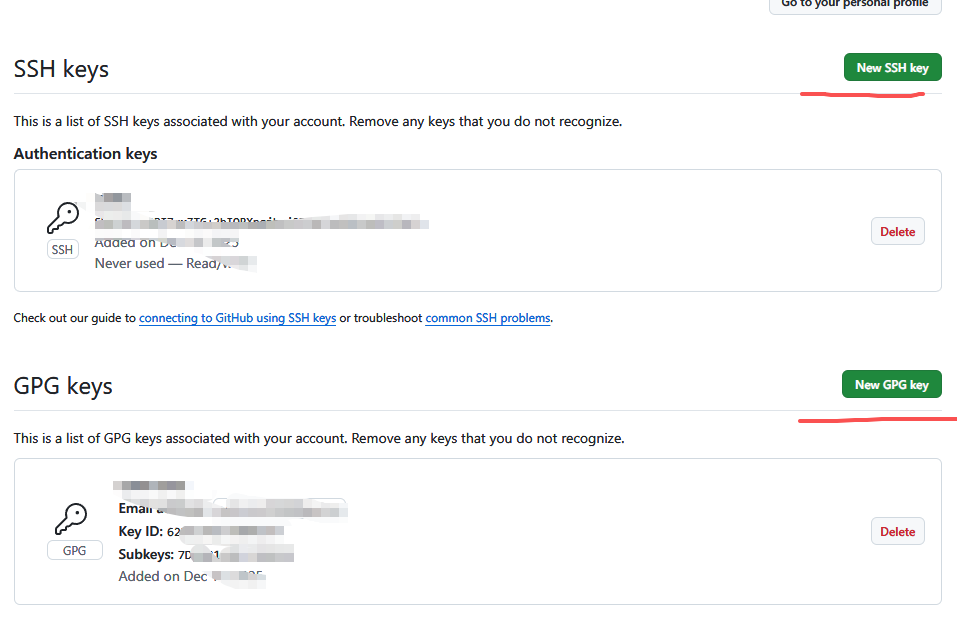
4.将ssh key添加到github服务器上(下载上传代码用)
https://github.com/settings/keys
二、GPG Key生成和添加到github
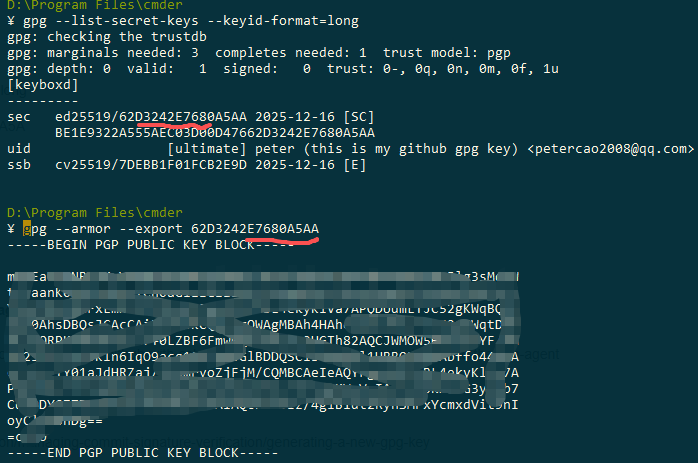
> gpg --full-generate-key
> gpg --list-secret-keys --keyid-format=long
> gpg --armor --export 62D3242E7680A5A
ref doc:
生成新的 SSH 密钥并将其添加到 ssh-agent
https://docs.github.com/zh/authentication/connecting-to-github-with-ssh/generating-a-new-ssh-key-and-adding-it-to-the-ssh-agent
生成新 GPG 密钥
https://docs.github.com/zh/authentication/managing-commit-signature-verification/generating-a-new-gpg-key
https://github.com/settings/keys

 浙公网安备 33010602011771号