
can环境模拟+重放攻击+逆向分析
安装ICSim
sudo apt install libsdl2-dev libsdl2-image-dev can-utils maven autoconf -y
# 下载ICSim
git clone https://github.com/zombieCraig/ICSim.git
# 编译安装
cd ICSim/
sudo make
安装socketcand
# 下载socketcand
git clone https://github.com/linux-can/socketcand.git
cd socketcand

# 获取缺少的文件
wget https://raw.githubusercontent.com/dschanoeh/socketcand/master/config.h.in

# 编译安装
autoconf
./configure
make clean
make
sudo make install
安装Kayak
kayak我用ubuntu22监听不了vcan0网口,所以我换了kali用的
# 下载
git clone https://github.com/dschanoeh/Kayak.git
# 安装jdk
sudo apt-get install openjdk-8-jdk
# 安装
cd Kayak
mvn clean package
启动模拟器
设置vcan接口
sudo modprobe can
sudo modprobe vcan
sudo ip link add dev vcan0 type vcan
sudo ip link set up vcan0
启动汽车
./setup_vcan.sh         #初始化,每次重启后都要重新运行
./icsim vcan0           #模拟器
./controls vcan0        #控制面
其控制器的按键说明如下:
| 功能 | 按键 |
|---|---|
| 加速 | 上方向键 |
| 左转向 | 左方向键 |
| 右转向 | 右方向键 |
| 开/关左车门(前)锁 | 右/左shift+A |
| 开/关右车门(前)锁 | 右/左shift+B |
| 开/关左车门(后)锁 | 右/左shift+X |
| 开/关右车门(后)锁 | 右/左shift+Y |
| 开启所有车门锁 | 右shift+左shift |
| 关闭所有车门锁 | 左shift+右shift |
# 二分法分析 这种方法很无脑但是太废人了。 ## 抓包
candump -l vcan0
分析
二分法通过把数据包分成几份然后分份重放测试,反复操作就能找到指令
这里我自己写了一些加快测试的脚本实际还是要自己慢慢操作
import sys

# 读取content文件中的所有内容
with open("index.log", "r") as content_file:
    data = content_file.readlines()

# 解析数据并根据ID进行排序
sorted_data = sorted(data, key=lambda x: int(x.split()[0].split("#")[1]))

# 将排序后的数据写入到index文件中
with open("indexid.log", "w") as index_file:
    for item in sorted_data:
        index_file.write(item)
这个脚本主要是用来去重的。(有时会误删)
wc -l 1 #这里主要是测量数据包行数
split -l 10000 1 cl#切分数据包
anplayer -I claa#然后就是反复重放,然后再切
统计法
这个方法轻松多了,实际操作就是统计每个id出现的次数然后根据id打印data数据。
这是我自己写的脚本,其实脚本很简单
import sys

def parse_can_messages(file_name):
    id_counts = {}
    with open(file_name, 'r') as file:
        for line in file:
            parts = line.strip().split()
            if len(parts) >= 3:
                timestamp = parts[0]
                interface = parts[1]
                data = parts[2]

                # 解析ID和数据
                id_data = data.split('#')
                if len(id_data) == 2:
                    can_id = id_data[0]
                    can_data = id_data[1]

                    # 计数统计
                    if can_id in id_counts:
                        id_counts[can_id] += 1
                    else:
                        id_counts[can_id] = 1

    return id_counts

def display_data_for_id(file_name, target_id):
    with open(file_name, 'r') as file:
        for line in file:
            parts = line.strip().split()
            if len(parts) >= 3:
                data = parts[2]
                id_data = data.split('#')
                if len(id_data) == 2:
                    can_id = id_data[0]
                    if can_id == target_id:
                        print(data)

if __name__ == "__main__":
    file_name = "candump.log"
    id_counts = parse_can_messages(file_name)

    print("ID Counts:")
    for can_id, count in id_counts.items():
        print(f"ID: {can_id}, Count: {count}")

    target_id = input("Enter ID to display data (leave empty to exit): ").strip()
    while target_id:
        print(f"Data for ID {target_id}:")
        display_data_for_id(file_name, target_id)
        target_id = input("Enter ID to display data (leave empty to exit): ").strip()
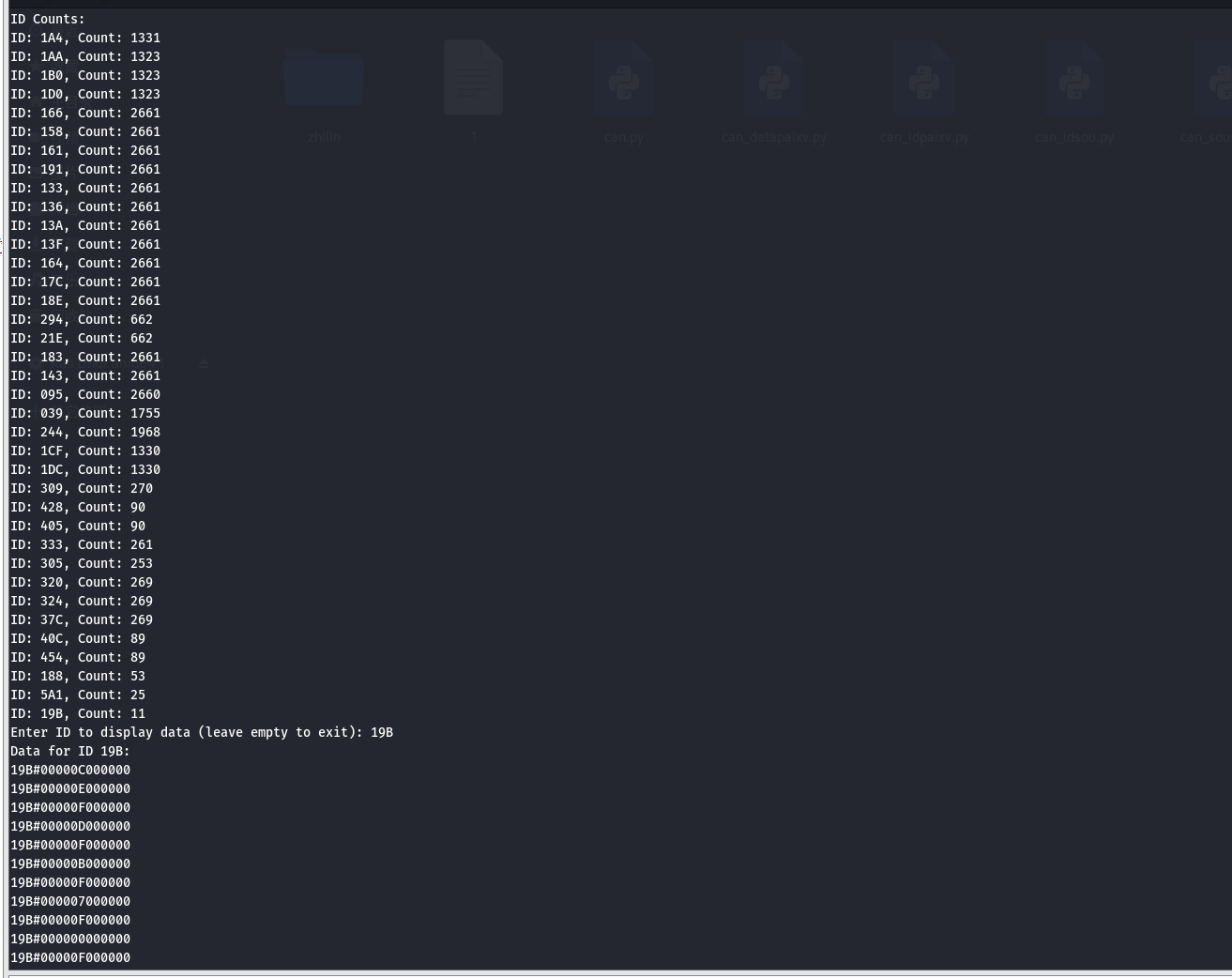
然后就可以根据自己执行的指令次数来测试了!

 浙公网安备 33010602011771号