
Git怎么配置别名
git 不会在你输入部分命令时自动推断出你想要的命令,如果不想每次都输入完整的 git 命令,我们可以通过 git config 文件来轻松地为每一个命令设置一个别名。
git config --global alias.st "status"

git config --global alias.cm "commit -m"

git config --global alias.lg "log --color --graph --pretty=format:'%Cred%h%Creset -%C(yellow)%d%Creset %s %Cgreen(%cr) %C(bold blue)<%an>%Creset' --abbrev-commit"
这意味着当要输入 git commit -m "更新" 时,只需要输入 git cm "更新" 即可;--global参数含义为全局生效,如果只想要当前仓库生效,那么不带–global参数即可。
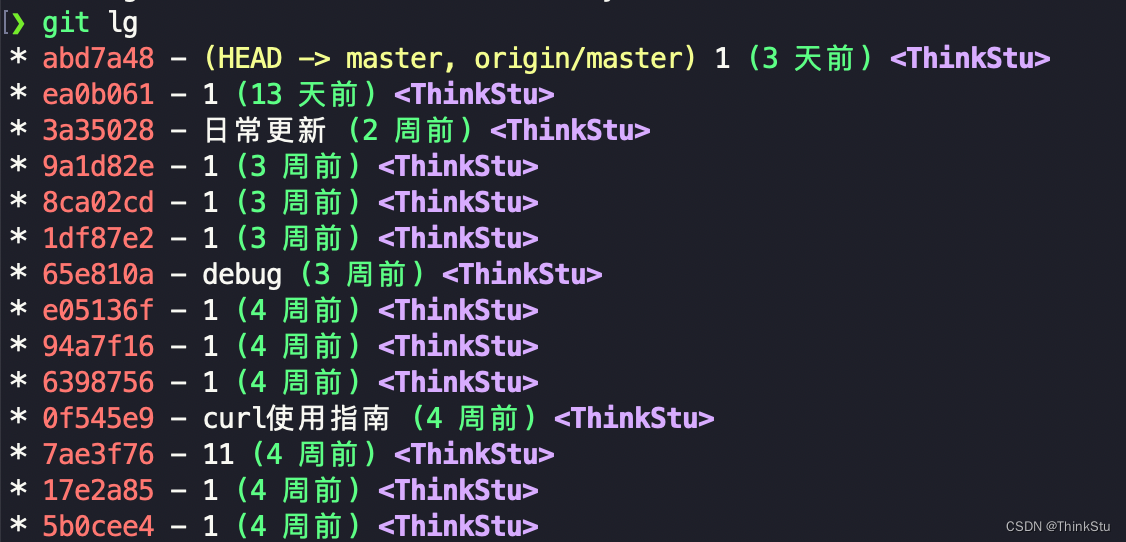
随着你不断的使用 git,你可能也会经常使用其他命令,所以在创建别名时请不要犹豫。

 浙公网安备 33010602011771号