# https://www.cnblogs.com/evescn/p/17654505.html
# https://blog.51cto.com/kaliarch/10535499
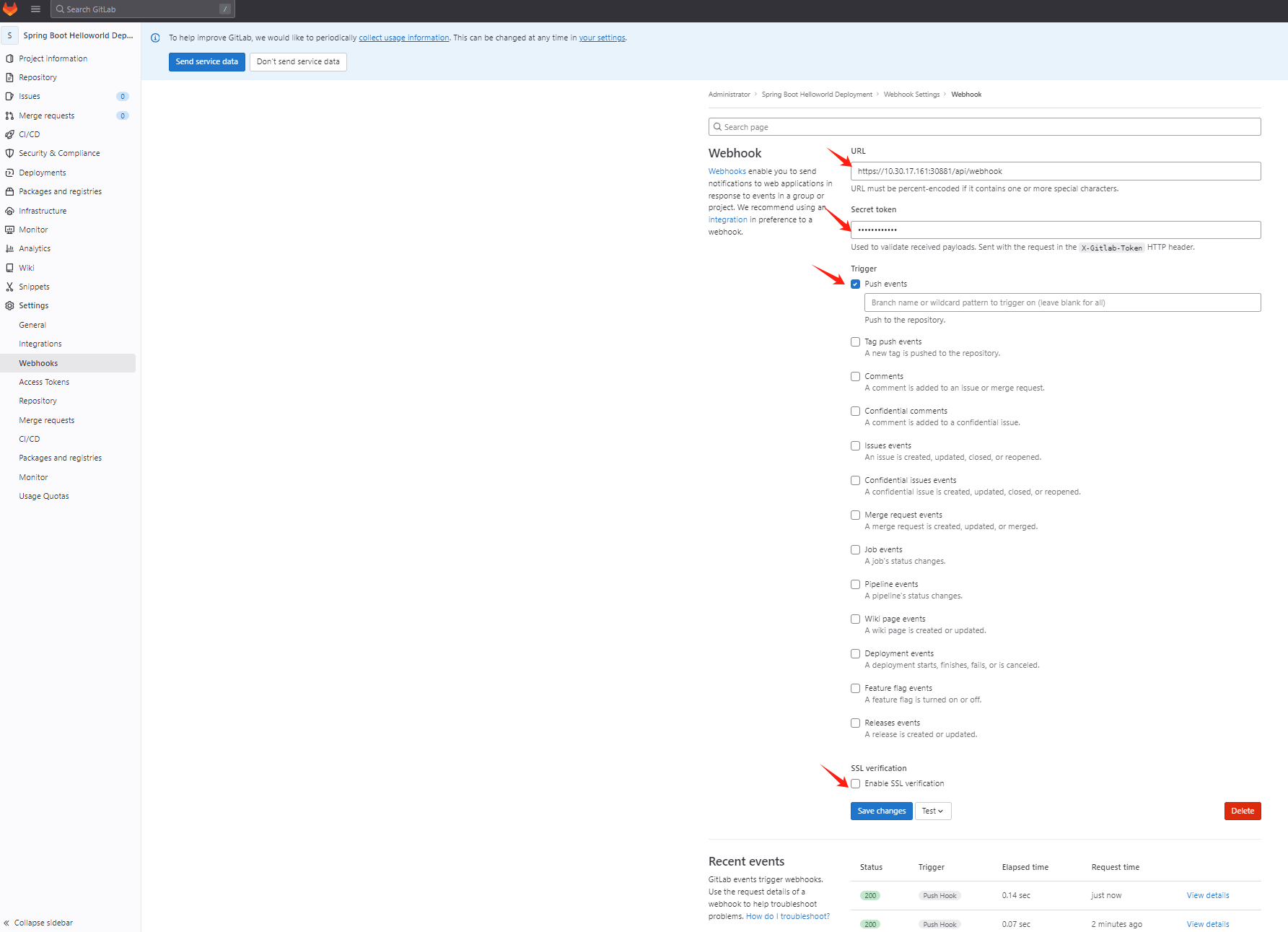
Gitlab配置 Webhook
ArgoCD、GitLab同一IP 需要勾选配置 在Admin-Settings-network-Outbound requests中配置
# Allow requests to the local network from web hooks and services 打勾


# https://10.30.17.161:30881/api/webhook

# Secret : argocd123

# SSL 验证取消
![]()
![]()
配置K8S Secret
# kubectl edit secret argocd-secret -n argocd
最后添加
stringData:
  # gitlab webhook secret
  webhook.gitlab.secret: argocd123


保存后,更改会自动生效,我们可以在 GitLab 这边测试配置的 Webhook,查看 Argo CD 的 API 服务 Pod 日志,正常就可以收到 Push 事件了:
测试推送
![]()
![]()
# kubectl logs -f argocd-server-84fd9647bc-h2sc9 -n argocd
time="2025-01-08T09:16:07Z" level=info msg="Received push event repo: http://gitlab.gitlab.svc.cluster.local/root/spring-boot-helloworld-deployment, revision: develop, touchedHead: true"
time="2025-01-08T09:16:07Z" level=info msg="Requested app 'spring-boot-helloworld' refresh"




 浙公网安备 33010602011771号