

Day17盒子模型中设置外边距时的问题
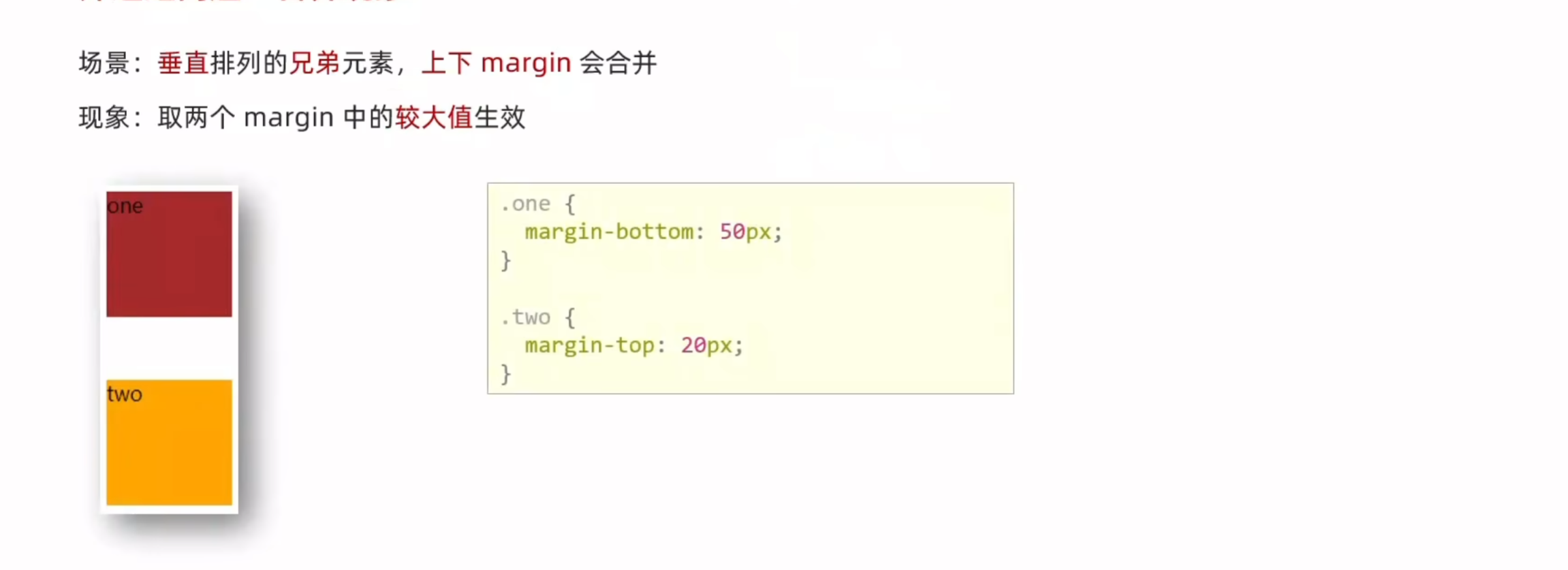
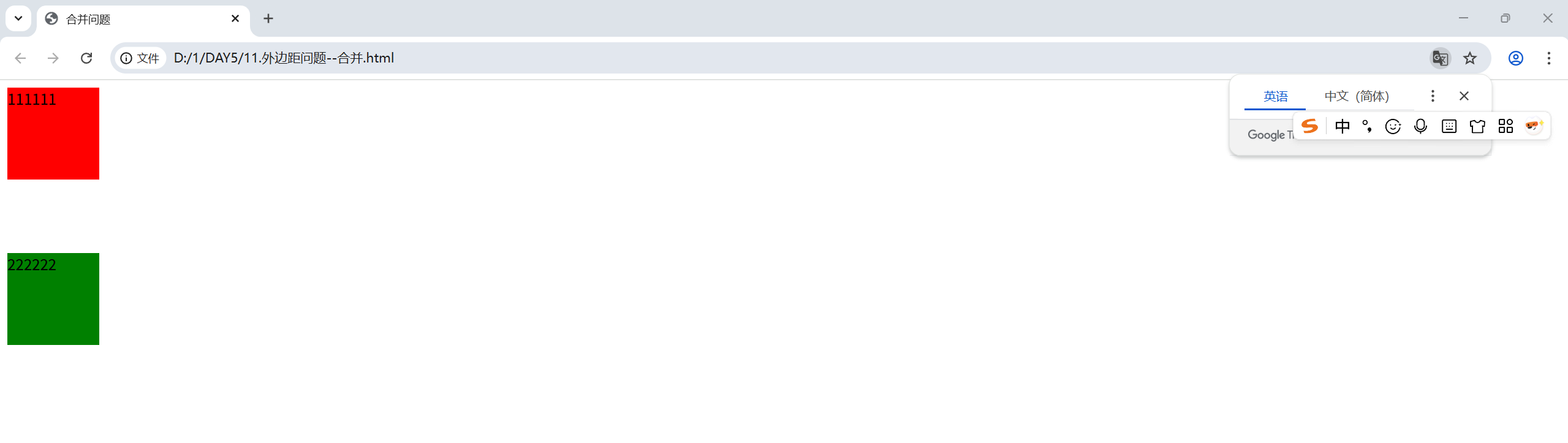
外边距问题1之合并现象
<!DOCTYPE html>
<html lang="en">
<head>
    <meta charset="UTF-8">
    <meta name="viewport" content="width=device-width, initial-scale=1.0">
    <title>合并问题</title>
    <style>
        .one{
            width: 100px;
            height: 100px;
            background-color: red;
            margin-bottom: 80px;
        }
        .tow{
            width: 100px;
            height: 100px;
            background-color: green;
            /* 只会生效大的一方,即80px */
            margin-top: 50px;
        }
    </style>
</head>
<body>
    <div class="one">111111</div>
    <div class="tow">222222</div>
</body>
</html>
外边距问题2之塌陷
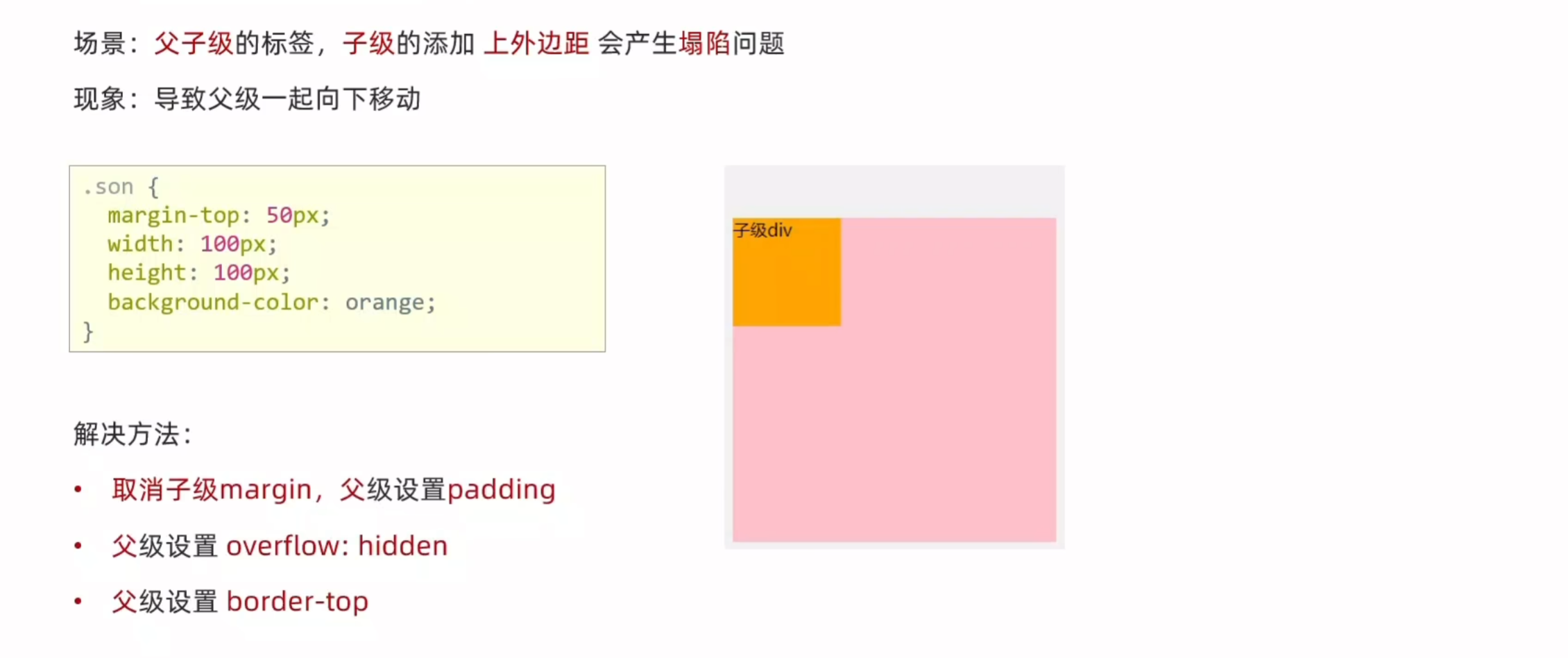
推荐使用第一种方法,直接解决问题根源而非打补丁
下面演示三种方法
<!DOCTYPE html>
<html lang="en">
<head>
    <meta charset="UTF-8">
    <meta name="viewport" content="width=device-width, initial-scale=1.0">
    <title>塌陷问题</title>
    <style>
        .father{
            height: 300px;
            width: 300px;
            background-color: pink;
            /* 最简单的就是把margin-top: 60px;直接删除,然后添加下面这行代码,既可以避免塌陷 */
            /* padding-top: 60px; */
            /* 补充内检模式避免撑大 */
            /* box-sizing: border-box; */
            /* 也可以用hidden来实现 */
            /* overflow: hidden; */
            /* 还可以用边框线来实现 */
            border: 3px solid #000;
        }
        .son{
            width: 100px;
            height: 100px;
            background-color: red;
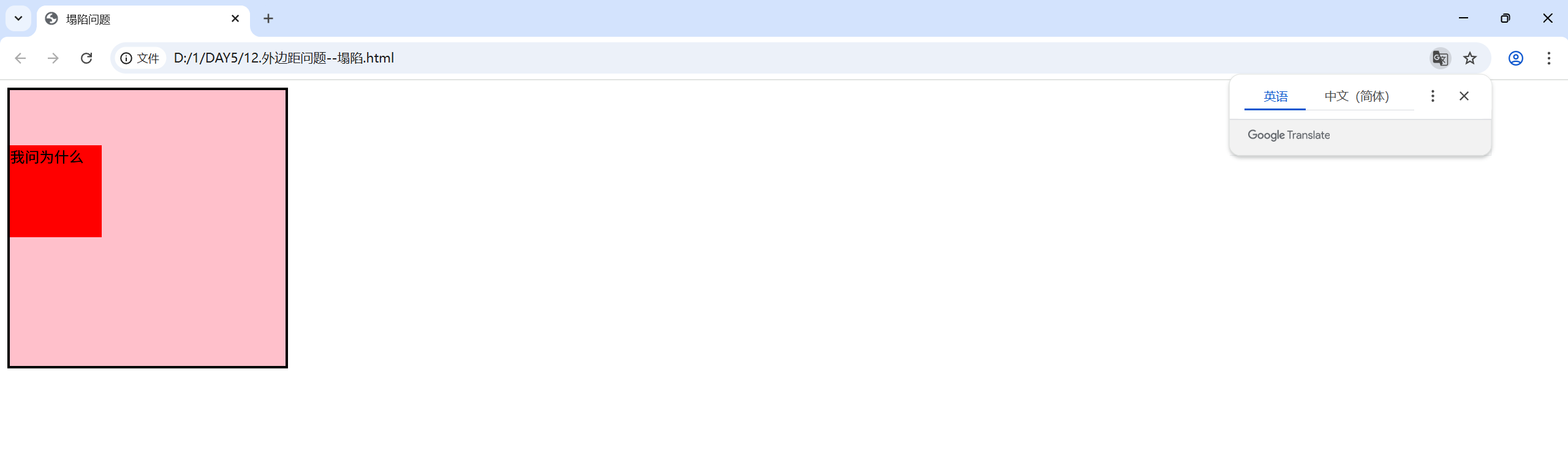
            /* 会导致父级的标签往下移动 */
            margin-top: 60px;
        }
    </style>
</head>
<body>
    <div class="father">
        <div class="son">我问为什么</div>
    </div>
</body>
</html>

 浙公网安备 33010602011771号