
spring-cloud学习之1.搭建注册中心eureka单实例
一:前提
1.先搭建好springCloud初始项目。
<!-- 依赖声明 -->
    <dependencyManagement>
        <dependencies>
            <!--cloud -->
            <dependency>
                <groupId>org.springframework.cloud</groupId>
                <artifactId>spring-cloud-dependencies</artifactId>
                <version>${spring-cloud.version}</version>
                <type>pom</type>
                <scope>import</scope>
            </dependency>


            <!-- SpringBoot的依赖配置 -->
            <dependency>
                <groupId>org.springframework.boot</groupId>
                <artifactId>spring-boot-dependencies</artifactId>
                <version>${spring-boot.version}</version>
                <type>pom</type>
                <scope>import</scope>
            </dependency>
2.引入eureka
 <dependencies>
        <dependency>
            <groupId>org.springframework.cloud</groupId>
            <artifactId>spring-cloud-starter-netflix-eureka-server</artifactId>
        </dependency>
    </dependencies>
3.配置文件
server:
  port: 1001

spring:
  application:
    name: dandelion-server

eureka:
  instance:
    hostname: dandelion-1001 #eureka服务端的实例名称
  client:
    register-with-eureka: false     #false表示不向注册中心注册自己。
    fetch-registry: false     #false表示自己端就是注册中心,我的职责就是维护服务实例,并不需要去检索服务
    service-url:
      defaultZone: http://${eureka.instance.hostname}:${server.port}/eureka/
4.启动类
/**
 * 注册中心
 * EnableEurekaServer启动注册中心
 *
 * @author jiang
 */
@SpringBootApplication
@EnableEurekaServer
public class DandelionEurekaApplication {

    public static void main(String[] args) {
        SpringApplication.run(DandelionEurekaApplication.class, args);
    }

}
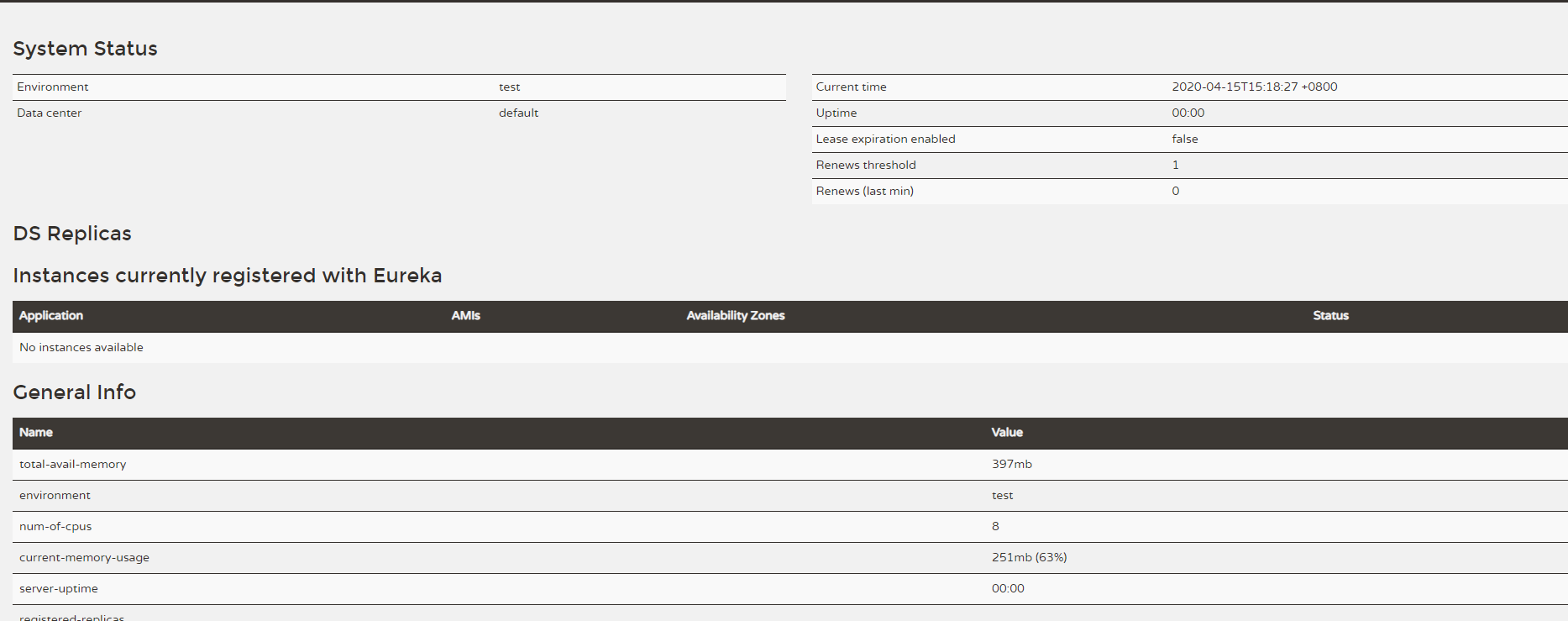
5.启动 访问http://localhost:1001 出现以下页面代表搭建成功

 浙公网安备 33010602011771号