
git clone时出现 Failed connect to github.com:443; Connection refused问题
1.在Windows下,win + R运行cmd
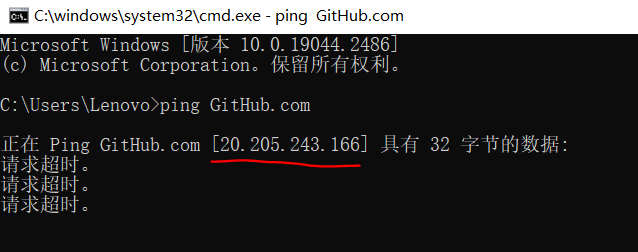
ping GitHub 得到IP地址,如图:
2.在shell中输入如下命令
sudo vim /etc/hosts
如图,将之前的代理注释掉,将刚刚复制的ip添加到hosts文件下

3.再重新git clone就可以了
原因:在网上看了一些文章是dns解析域名的问题


1.在Windows下,win + R运行cmd
ping GitHub 得到IP地址,如图:
2.在shell中输入如下命令
sudo vim /etc/hosts
如图,将之前的代理注释掉,将刚刚复制的ip添加到hosts文件下
3.再重新git clone就可以了
原因:在网上看了一些文章是dns解析域名的问题

 浙公网安备 33010602011771号