

【翻译】骇入Unity游戏 | Unity游戏破解 | C#注入 (2) - 通过 Frida 控制游戏状态
来源:https://www.hypn.za.net/blog/2020/04/19/hacking-unity-games-part-2-manipulating/
发布日期:2020年4月19日
我在上一篇"破解Unity游戏"的文章探讨了一些用于破解Unity游戏的工具和方法。这些方法都涉及到修改游戏逻辑,要么是在游戏的磁盘文件中,要么是在内存中的代码。游戏的一次更新可能会使所有这些方法失效,因为它们会替换磁盘上的文件或导致内存中搜索的字节/偏移量发生变化。
通过再次使用Frida,我们可以将一些自定义的JavaScript注入到游戏中,并访问Mono(Unity游戏编译时使用的技术)函数以实现更好的破解效果。这是通过使用"frida-inject"注入我们的代码以及"frida-mono-api"包与Mono进行交互来实现的。
我将会再次破解游戏"198X",并重新创建之前的"无敌"破解以及其他一些破解。经过几次迭代的脚本编写来破解迷你游戏以及数小时的试错、搜索和查看偏移量和内存值,我最终创建了一个JavaScript库来完成一些繁重的工作。
这个名为"enumerator.js"的脚本不太有创意,它用于列举给定的Unity/Mono类的所有函数名称和属性,并提供了"getter"和"setter"方法,以便轻松地操作该类的实例。不过,要想知道这些类的名称,仍然需要使用 dnSpy(您可能仍然想要使用它来查找您想要破解的游戏逻辑) - 这主要是因为"frida-mono-api"库中还没有实现所需的一些Mono功能。
译者:除了 dnSpy 外,还可以使用 ilSpy。
值得注意的是,注入脚本的输出(例如:console.log())会打印在运行注入器脚本的控制台窗口中。
安装/设置
要想允许我提供的 "Enumerator"脚本 和 破解脚本
- 克隆我的 "unity-frida-hacks" 存储库
- 安装 NodeJS 13(NodeJS 14 LTS也可以,但NodeJS 15存在问题)
-
译者:似乎需要用 NodeJS 14.15.0
-
- 安装 Frida
- 并安装 Npm 库:
npm install frida-mono-api
npm install frida-inject
但是... 还不止这些 😕 您还需要根据待处理的 “拉取请求(Pull Request)” 修改两个文件(但是你直接使用完整的 “拉取请求(Pull Request)” 分支会出现问题)...
-
将你的 "node_modules\frida-mono-api\src\mono-api.js" 替换为 https://raw.githubusercontent.com/GoSecure/frida-mono-api/extra/src/mono-api.js
-
将你的 "node_modules\frida-mono-api\src\mono-api-helper.js" 替换为 https://raw.githubusercontent.com/GoSecure/frida-mono-api/extra/src/mono-api-helper.js
希望做完上面这些步骤后一切正常工作。
如上所述,这一切都是通过将 JavaScript 注入到游戏中来实现的——也就是说,我们需要一个"注入器"脚本,在我的存储库中有一个 injector.js 脚本,支持命令行参数,利于复用。像下面这样一个简单的脚本,将打印出之前文章中关注的 "TakeDamage" 类的所有信息:
import Enumerator from './enumerator.js'

// mono class we want to enumerate
var takeDamage = Enumerator.enumerateClass('TakeDamage');

// print it out
Enumerator.prettyPrint(takeDamage);
(通过 node injector.js 198X.exe enumerator-test.js 来运行)
译者:
如果你在使用 injector.js 进行注入过程中出现问题,包括并不限于以下问题:
- injector.js 相关错误
- frida-inject 相关错误
- frida 相关错误
你可以通过 rollup 将 enumerator-test.js 以 --format iife 打包成 enumerator-test.bundle.js 后
通过 frida 198X.exe -l enumerator-test.bundle.js 来运行。更具体的细节可以参考本人基于原文博主的仓库修改后的方案
然后就会打印出 "TakeDamage" 类的信息:
{
    "address": "0xe8733e0",
    "methods": {
        ...
        "Damage": {
            "address": "0xe887610",
            "jit_address": "0x1082bd20"
        },
        ...
    },
    "fields": {
        ...
        "isPlayerCharacter": {
            "address": "0xe8873d0",
            "offset": "0x1c",
            "type": "boolean"
        }
    }
}
我们要特别注意这些函数的 jit_address,因为在之前的文章中,我们都用到了这个值——无论是在 CheatEngine 脚本中,还是在内存中用来搜索特定字节——以便进行修补。现在我们可以用更程序化的、且不需要通过 CheatEngine 的方式来找到这个地址...... 但这里还有改善空间。
我提供的 Enumerator 中的一些代码肯定会存在错误或不可靠,代码中还包含了一些完全基于运气和假设的神奇偏移量——在使用时请小心 😛
破解"Beating Heart"、"Out of the Void"和"Shadowplay"
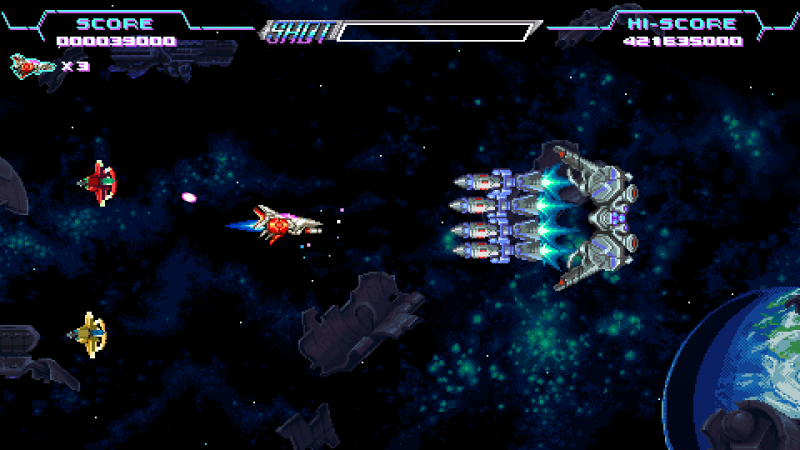
这三个迷你游戏都使用相同的逻辑,因此我们可以一次性破解。在之前的文章中,我都修改了 if (this.dead ... 逻辑检查,修改了检查的字段,使伤害逻辑被绕过。
与之前修补游戏代码的实现方式不同,而新提供的脚本将动态修改接收伤害的游戏对象,以绕过逻辑。
var takeDamage = Enumerator.enumerateClass('TakeDamage');
MonoApiHelper.Intercept(takeDamage.address, 'Damage', {
  onEnter: function(args) {
    this.instance = args[0];

    // check if the player is receiving damage, and if so then set "dead" flag
    // (damage code is skipped if the object receiving it is flagged as "dead")
    var playerCheck1 = takeDamage.getValue(this.instance, 'isPlayerCharacter'); // for "beating heart" and "shadowplay"
    var playerCheck2 = (takeDamage.getValue(this.instance, 'maxHealth') === 3); // for "out of the void"

    if (playerCheck1 || playerCheck2) {
      takeDamage.setValue(this.instance, 'dead', true);
      this.resetDeadFlag = true; // tell "onLeave" (below) to reset this
    }
  },

  onLeave: function(retval) {
    if (this.resetDeadFlag) {
      takeDamage.setValue(this.instance, 'dead', false);
    }
  }
});
这段代码枚举 (enumerates) 了 TakeDamage 类(获取了之前需要从 CheatEngine 中获取的字段偏移和其他信息),然后在 Damage 函数上设置了一个 Frida 的 interceptor(拦截器)。
在这个拦截器中传递给 Damage 函数的参数可以从本地的 args 变量中获取,而 args[0] 是指向 TakeDamage 类实例的指针。
不幸的是,与常规的 Frida interception (拦截) 不同,直接修改一个 Mono 函数的 args 值(或者在 onLeave 中 retval)不仅不能够影响游戏,还会导致错误——所以我们没法这样做。
尽管如此,当对象是玩家的角色时,我们可以通过修改对象的 dead 属性,来绕过游戏逻辑。而这些都是动态完成的,没有硬编码的地址或偏移量,因此这个破解应该能在不太改变逻辑的情况下“经受”住游戏的一般更新。
值得注意的是 this 变量在 onEnter 和 onLeave 函数之间共享,你可以通过它轻松地共享一些状态。
通过 Enumerator 这个类的 getValue() 和 setValue() 函数可以从实例基地址获取相关偏移量以及数据类型,基于此,我们可以轻松读取和写入所需值。
破解 "The Runaway"

这是一个迷你赛车游戏,关注于时间和速度而不是伤害。它也显露了 Enumerator类 的一个严重缺点...我想修改一个子类 (RoadRenderer.Sprite) 的属性,但 Enumerator类 找不到偏移量,所以我不得不走老路,采用硬编码的偏移 😕
在这次破解中,我去掉了车子偏离道路时的减速逻辑,去掉了与其他汽车或障碍物碰撞时的速度损失,还屏蔽了障碍物引发的"失控"。这些破解都基于在 dnSpy 中阅读的游戏源码(前一篇文章中有介绍)。
var carController = Enumerator.enumerateClass('CarController');
MonoApiHelper.Intercept(carController.address, 'SetSpeed', {
  onEnter: function(args) {
    this.instance = args[0];

    // prevent going "off-road" from reducing speed
    // (the offRoadDeceleration value is subtracted from current speed)
    carController.setValue(this.instance, 'offRoadDeceleration', 0.0);
  }
});

MonoApiHelper.Intercept(carController.address, 'OnCollision', {
  onEnter: function(args) {
    this.instance = args[0];

    // prevent collisions with other cars from reducing speed
    // (current speed is multiplied by collisionSpeedLoss, set it to 1 to prevent it from changing)
    carController.setValue(this.instance, 'collisionSpeedLoss', 1.0);

    // prevent collisions with objects form causing a "wipeout"
    // (the "shouldCauseWipeout" property of the sprite is checked to determine this, set it to false to prevent wipeouts)
    //
    // NOTE: a "RoadRenderer.Sprite" object is passed in to "OnCollision"
    // this "Enumerator" can't find the nested sprite class, so this has to be done manually...
    // the "0x44" offset is from CheatEngine, and we add it to the sprite address to reference "shouldCauseWipeout"
    var spriteAddr = parseInt(args[1]);
    var wipeoutAddr = spriteAddr + 0x44;
    Enumerator.setFieldValue(wipeoutAddr, 'boolean', false);
  }
});
注意: 这不会使"不发生一次碰撞完成The Runaway"成就变得更容易,碰撞仍然会发生并被计算,你只是不会减速。
破解 "Kill Screen"
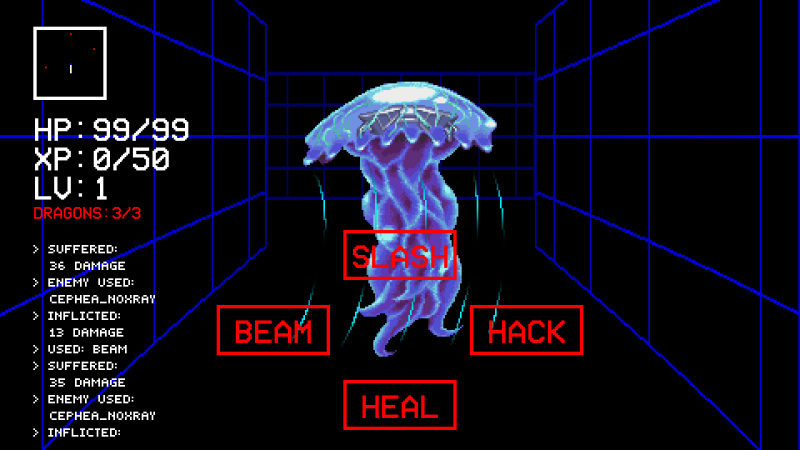
这个迷你游戏是一款RPG地牢探险风格的游戏。玩家受到的伤害是由 RPGController 类中的 EnemyAttack 函数完成。传递给这个函数的第一个参数是正在造成的伤害量,但如前所述,我们不能直接把这个改为零来防止伤害。
我决定不去"阻止"伤害,而是去"撤销"伤害——在受伤之前读取玩家的血量,然后在受伤后将值设置回去。
在onLeave(EnemyAttack函数的)中修改血量就能够达到目的,游戏会认为玩家仍然处于满血状态。但在这个函数执行完毕之前,UI已经更新并显示受伤害后的血条。
为了解决这个问题,我选择在UI更新函数(Status类中的UpdateStatusText)中重置玩家的生命值...这意味着我不能使用 this 变量来共享数值,因为不同的 onEnter 函数的作用域并不共享它们的 this 变量,所以我使用了全局变量。
var rpgController = Enumerator.enumerateClass('RPGController');
var status = Enumerator.enumerateClass('Status'); // used to update on-screen RGP text (eg: health)

MonoApiHelper.Intercept(rpgController.address, 'EnemyAttack', {
  onEnter: function(args) {
    this.instance = args[0];
    var damage = parseInt(args[1]);

    // get the current health value, to set health back to after damage
    // (we can't change the incoming damage value to 0 unfortunately)
    var health = rpgController.getValue(this.instance, 'health');

    // we could set the health back in the "onLeave" for "EnemyAttack", but then the health displayed in-game looks like we took damage
    // instead we'll reset the health before the UI (and displayed health) is updated so it can stay at full health
    globalState.contollerAddress = this.instance;
    globalState.healthWas = health;
    globalState.updateHealth = true;
  }
});

MonoApiHelper.Intercept(status.address, 'UpdateStatusText', {
  onEnter: function(args) {
    // make sure we want to update health (NOT during game start or level up)
    if (globalState.contollerAddress && globalState.updateHealth) {
      // set the health back to what it was previously - before the UI update
      // using the RPG Controller's address, rather than this "Status" object's instance address!
      var health = rpgController.setValue(globalState.contollerAddress, 'health', globalState.healthWas);

      // clear the flag for future level-ups or game restarts
      globalState.resetHealth = false;
    }
  }
});
结论
我上面提到的所有破解都包含在我 GitHub 上的 198X-hacks.js 脚本中。其中还有一个对游戏主菜单的挂钩,用于检测玩家何时开始其中一个游戏:
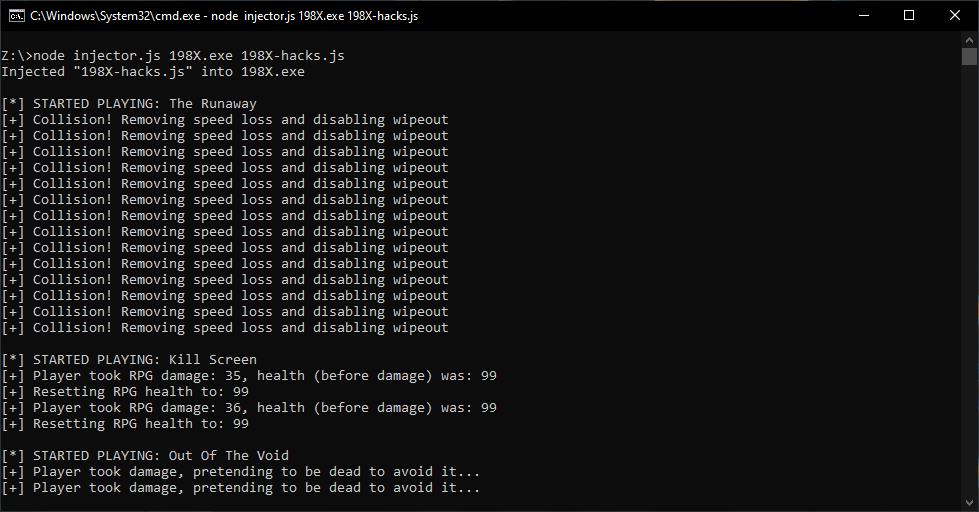
像这样编写游戏函数的挂钩,使我们能够更方便地编写游戏机器人——它可以监听游戏内发生的事件,并更轻松地访问游戏状态,从而触发机器人逻辑——或者在“速通挑战”过程中,用来检测何时完成了某个关卡(或某个迷你游戏)。
查看原文
My previous "Hacking Unity Games" post explored a few tools and methods for hacking Unity games. These methods all involved patching the game logic - either in the game's files on disk or code in memory. An update to the game could break all of these methods by replacing the files on disk or causing the bytes/offset searched for in memory to change.
With the use of Frida (again) we can inject some custom Javascript into the game and access Mono (which Unity games are compiled with) functions for better hacking. This is done with "frida-inject" to inject our code and the "frida-mono-api" package to interact with Mono.
Once again I'm going to be hacking the game "198X", and re-creating the previous "invulnerability" hack as well as some others. After a few iterations of my script to hack the mini-games and hours of trial and error, googling, and staring and offsets and memory values, I've finally come up with a Javascript library to do some of the heavy lifting.
It's worth noting that output from the injected script (eg: console.log()) are printed in the console window the injector script is run from.
To use my "Enumerator" or hacks, you'll need to clone my "unity-frida-hacks" repo, install NodeJS 13 (NodeJS 14 LTS also worked but NodeJS 15 had issues), Frida and install the NPM libraries:
But... it doesn't end there 😕 You'll also need two files from a pending pull request (but using the full pull request branch gave me issues)...
-
replace your "node_modules\frida-mono-api\src\mono-api.js" with https://raw.githubusercontent.com/GoSecure/frida-mono-api/extra/src/mono-api.js
-
replace your "node_modules\frida-mono-api\src\mono-api-helper.js" with https://raw.githubusercontent.com/GoSecure/frida-mono-api/extra/src/mono-api-helper.js
Hopefully that's enough to get everything working.
As mentioned above, this all works by injecting Javascript into the game - for which an "injector" script is needed, one can be found in my repo that supports command line arguments for easy reuse: injector.js.
A simple script, like below, will print out all the information of the "TakeDamage" class the previous post focused on:
(run it with node injector.js 198X.exe enumerator-test.js)
Which prints out the "TakeDamage" class's information:
{
    "address": "0xe8733e0",
    "methods": {
        ...
        "Damage": {
            "address": "0xe887610",
            "jit_address": "0x1082bd20"
        },
        ...
    },
    "fields": {
        ...
        "isPlayerCharacter": {
            "address": "0xe8873d0",
            "offset": "0x1c",
            "type": "boolean"
        }
    }
}
The function's "jit_address" is of special mention as it's this value we needed in the previous post - either in CheatEngine script, or searching for specific bytes in memory - in order to patch. We now have a more programmatic, non-CheatEngine, way of finding this address IF we really wanted to do things that way... but we're still getting to the good bit.
Some of the code in my "Enumerator" is definitely going to buggy or unreliable, and the code contains some magical offsets based purely upon luck and assumptions - use with caution 😛
Hacking "Beating Heart", "Out of the Void", and "Shadowplay"
Conveniently all three of these mini-games use the same logic, making them easy to hack at once. In the previous post I patched a if (this.dead ... logic check, to use a different field causing the damage logic to be bypassed. Rather than patching the game code, my script is going to dynamically modify the game object receiving damage to bypass the logic.
var takeDamage = Enumerator.enumerateClass('TakeDamage');
MonoApiHelper.Intercept(takeDamage.address, 'Damage', {
  onEnter: function(args) {
    this.instance = args[0];

    // check if the player is receiving damage, and if so then set "dead" flag
    // (damage code is skipped if the object receiving it is flagged as "dead")
    var playerCheck1 = takeDamage.getValue(this.instance, 'isPlayerCharacter'); // for "beating heart" and "shadowplay"
    var playerCheck2 = (takeDamage.getValue(this.instance, 'maxHealth') === 3); // for "out of the void"

    if (playerCheck1 || playerCheck2) {
      takeDamage.setValue(this.instance, 'dead', true);
      this.resetDeadFlag = true; // tell "onLeave" (below) to reset this
    }
  },

  onLeave: function(retval) {
    if (this.resetDeadFlag) {
      takeDamage.setValue(this.instance, 'dead', false);
    }
  }
});
The code "enumerates" the class (getting the field offsets, that I previously needed to get from CheatEngine, and other info) and then sets up a Frida interceptor on the "Damage" function. The arguments passed to the "Damage" function are available in the local "args" variable, with the first element being a pointer to the instance of the "TakeDamage" class.
Unfortunately, unlike regular Frida interception, changing the "args" values (or "retval" in the "onLeave") of a Mono function results in an error rather than affecting the game's code - so we can't do that. Instead the "dead" property of the object can be changed, when the object is the player's character, to bypass the game logic. This is all done dynamically, no hardcoded addresses or offsets here, so the hack should survive general updates to the game that don't change it's logic too much. The "this" variable is shared between the "onEnter" and "onLeave" functions making for an easy way to share some state.
The Enumerator's "getValue()" and "setValue()" functions determine the relevant offset from the instance base address, and the data type, to handle reading and writing values easily.
Hacking "The Runaway"
This is a racing mini-game dealing with time and speed rather than damage. It also revealed a fairly major shortcoming of my "Enumerator" code... I want to modify a property of a sub-class ("RoadRenderer.Sprite") which my code can't find or lookup the offsets for, so I've had to resort to a hardcoded offset 😕
For this hack I bypass deceleration logic applied when you go off the road, prevent a speed loss when colliding with another car or obstacle, and prevent obstacles from causing a "wipeout". This logic, and work-arounds, were found looking through the game's code in dnSpy (which the previous post covers).
var carController = Enumerator.enumerateClass('CarController');
MonoApiHelper.Intercept(carController.address, 'SetSpeed', {
  onEnter: function(args) {
    this.instance = args[0];

    // prevent going "off-road" from reducing speed
    // (the offRoadDeceleration value is subtracted from current speed)
    carController.setValue(this.instance, 'offRoadDeceleration', 0.0);
  }
});

MonoApiHelper.Intercept(carController.address, 'OnCollision', {
  onEnter: function(args) {
    this.instance = args[0];

    // prevent collisions with other cars from reducing speed
    // (current speed is multiplied by collisionSpeedLoss, set it to 1 to prevent it from changing)
    carController.setValue(this.instance, 'collisionSpeedLoss', 1.0);

    // prevent collisions with objects form causing a "wipeout"
    // (the "shouldCauseWipeout" property of the sprite is checked to determine this, set it to false to prevent wipeouts)
    //
    // NOTE: a "RoadRenderer.Sprite" object is passed in to "OnCollision"
    // this "Enumerator" can't find the nested sprite class, so this has to be done manually...
    // the "0x44" offset is from CheatEngine, and we add it to the sprite address to reference "shouldCauseWipeout"
    var spriteAddr = parseInt(args[1]);
    var wipeoutAddr = spriteAddr + 0x44;
    Enumerator.setFieldValue(wipeoutAddr, 'boolean', false);
  }
});
Note: this does NOT make the "Complete The Runaway without a single collision" achievement any easier, the collisions still happen and are counted, you just aren't slowed down.
Hacking "Kill Screen"
This mini-game is an RPG, dungeon-crawler, style of game. Damage is dealt to the player by an "EnemyAttack" function in the "RPGController" class. The first argument passed into this function is the amount of damage being dealt but unfortunately, as mentioned above, this value can't just be set to zero to prevent the damage.
Instead of "preventing" the damage I decided to just "undo" it... reading the player's health value before the damage and setting the value back after the damage. Setting the health back in the "onLeave" (of the "EnemyAttack" function) has the desired effect, and the game believes the player's still at full health, but before the function completes the screen is updated and the damaged-health value is shown. To work around this I decided to reset the player's health in the screen update function ("UpdateStatusText" in the "Status") class... this meant that I couldn't use the "this" variable as scope is not shared between "onEnter" functions, so I used a global variable for this.
var rpgController = Enumerator.enumerateClass('RPGController');
var status = Enumerator.enumerateClass('Status'); // used to update on-screen RGP text (eg: health)

MonoApiHelper.Intercept(rpgController.address, 'EnemyAttack', {
  onEnter: function(args) {
    this.instance = args[0];
    var damage = parseInt(args[1]);

    // get the current health value, to set health back to after damage
    // (we can't change the incoming damage value to 0 unfortunately)
    var health = rpgController.getValue(this.instance, 'health');

    // we could set the health back in the "onLeave" for "EnemyAttack", but then the health displayed in-game looks like we took damage
    // instead we'll reset the health before the UI (and displayed health) is updated so it can stay at full health
    globalState.contollerAddress = this.instance;
    globalState.healthWas = health;
    globalState.updateHealth = true;
  }
});

MonoApiHelper.Intercept(status.address, 'UpdateStatusText', {
  onEnter: function(args) {
    // make sure we want to update health (NOT during game start or level up)
    if (globalState.contollerAddress && globalState.updateHealth) {
      // set the health back to what it was previously - before the UI update
      // using the RPG Controller's address, rather than this "Status" object's instance address!
      var health = rpgController.setValue(globalState.contollerAddress, 'health', globalState.healthWas);

      // clear the flag for future level-ups or game restarts
      globalState.resetHealth = false;
    }
  }
});
Conclusion
All of the above hacks are available in my "198X-hacks.js" script on GitHub. Also included is a hook of the game's main menu, detecting when the player starts one of the games:
Hooking game functions like this could make it easier to write bots - relying on events happening in-game to trigger bot logic, and providing easier access to game state - or be used in "speedruns" needing to detect when a level (mini-game) is completed.

 浙公网安备 33010602011771号