

CocosCreator v3.7.x 脚本、库打包研究
vivo小游戏打包
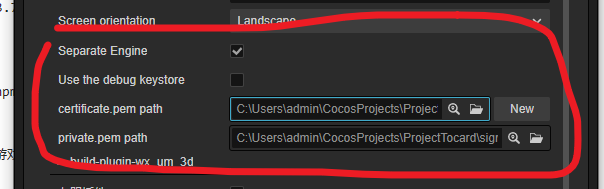
“debug keystore” 和 “分割引擎” 不能同时勾选。
如果要 分割引擎,那么必须使用自己的签名。
如果要用 debug keystore,那么就不能使用 分割引擎。
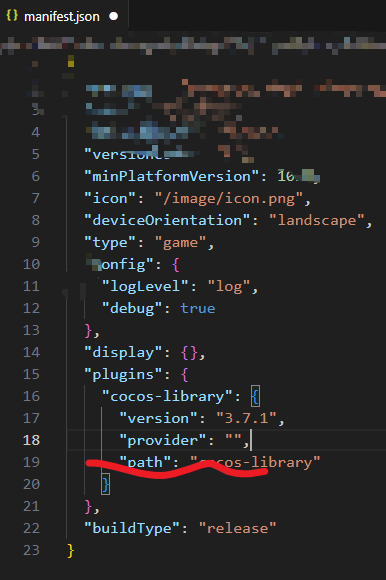
否则打出来的包,引擎的plugin描述内的 provider 为空,包也无法正常执行。
库打包研究
CocosCreator 版本号:3.7.0 / 3.7.1
测试一
只是在项目根目录通过 npm i 安装某个库,而不在项目脚本中使用,打包后的项目中是否会有这个库?
步骤一
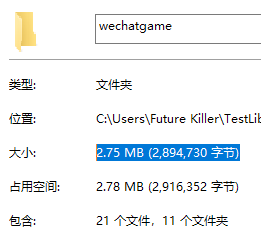
一个空项目,打包微信小游戏,打包后文件夹空间 2,894,730 字节。
步骤二
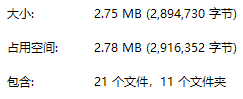
在项目中安装 lodash 及其 @types,npm i --save lodash && npm i --save @types/lodash,打包后文件夹空间 2,894,730 字节。
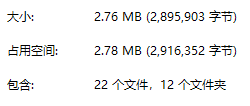
步骤三
在项目中新建一个脚本挂在打包场景中,得打包文件夹空间 2,895,903 字节。
import { _decorator, Component, Node } from 'cc';
const { ccclass, property } = _decorator;

@ccclass('NewComponent')
export class NewComponent extends Component {
    start() {
    }
    update(deltaTime: number) {
    }
}
步骤四
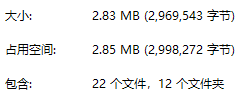
在步骤三的脚本内,使用 lodash,得打包文件夹空间 2,969,543 字节。
import { _decorator, Component, Node } from 'cc';
import * as _ from 'lodash';
const { ccclass, property } = _decorator;

@ccclass('NewComponent')
export class NewComponent extends Component {
    start() {
        console.log(_.VERSION);
    }
    update(deltaTime: number) {
    }
}
总结
| 步骤 | 空间 | 备注 |
|---|---|---|
| 一 | 2,894,730 | 空 |
| 二 | 2,894,730 | npm i |
| 三 | 2,895,903 | npm i+脚本 |
| 四 | 2,969,543 | npm i+脚本+使用库 |
可知,只是在项目根目录 npm i 安装库,并不会增加打包后项目代码。

 浙公网安备 33010602011771号