

linux用户操作
(仅作记录)为避免删库等非法操作,一般都是用普通用户,且只有root用户可以创建普通用户
1、useradd -d /home/lemon lemon
2、root@cvm-10_4_1_25:~ # passwd lemon
  Changing password for user lemon.
  New password:
  BAD PASSWORD: The password is shorter than 8 characters
  Retype new password:
  passwd: all authentication tokens updated successfully.

3、mkdir -p /home/newuser
  chown newuser:newuser /home/newuser

4、su(切换到超级用户,如下操作为了使用sudo)
  chmod +w /etc/sudoers
  lemon ALL=(ALL)       ALL
注:
su - root 是切换到root账号使用,使用的是root用户的环境变量;
su root 则是取得root的特权,以root的身份执行程序,但保留原来用户环境。
说明:有些命令即使你使用su root切换到root用户,仍无法执行,所以切换到root用户时,建议使用su - root
  数据库安装(centos7 yum安装mariadb)
  yum install mariadb mariadb-server
  systemctl start mariadb   #启动mariadb
  systemctl enable mariadb  #设置开机自启动
  mysql_secure_installation #设置root密码等相关
  mysql -uroot -p           #测试登录
   node(安装指定版本,同时安装pm2)
   $ wget -qO- https://raw.githubusercontent.com/creationix/nvm/v0.33.11/install.sh | bash
   $ source ~/.bashrc
   $ nvm install v8.11.3
   $ npm install -g pm2 --registry=https://registry.npm.taobao.org
拉取github到本地:
1、https://github.com/mysql
2、
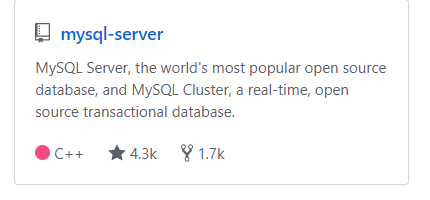
3、git clone https://github.com/mysql/mysql-server.git ./
4、git checkout -b 5.6 origin/5.6			# 切换到 5.6 版(切换到特定分支)

5、可选(有必要的话,还可以进行配置、编译、安装)
   cmake . -DCMAKE_INSTALL_PREFIX=/home/ubuntu/mysql-5.6 -DWITH_INNOBASE_STORAGE_ENGINE=1 -DMYSQL_USER=mysql -DDEFAULT_CHARSET=utf8 -DDEFAULT_COLLATION=utf8_general_ci -DDOWNLOAD_BOOST=1 -DWITH_BOOST=/home/ubuntu/others/boost
   make && make install
懵懵懂懂,难得糊涂!
潜心所向,无关风月!

 浙公网安备 33010602011771号