
pytest allure——allure环境配置搭建 (1)
Allure环境安装
简介
Allure Framework是一种灵活的轻量级多语言测试报告工具,可以添加屏幕截图,日志等。它提供了模块化的体系结构和简洁的Web报告,并能够存储附件,步骤,参数等。基于标准xUnit结果输出,但添加了一些补充数据。任何报告都是通过两个步骤生成的。
第一步, 连接到测试框架的称为适配器的小型库 将有关已执行测试的信息保存到XML文件中。我们已经为流行的Java,Python测试框架提供了适配器。
第二步,XML文件将转换为HTML报告。这可以通过命令行工具,CI插件或构建工具来完成。有关更多详细信息,请参见示例和文档。
环境安装
以下为 2024年8月更新 win10
一、下载Allure
https://github.com/allure-framework/allure2/releases 下载对应版本的zip包 我这里下载allure-2.30.0.zip
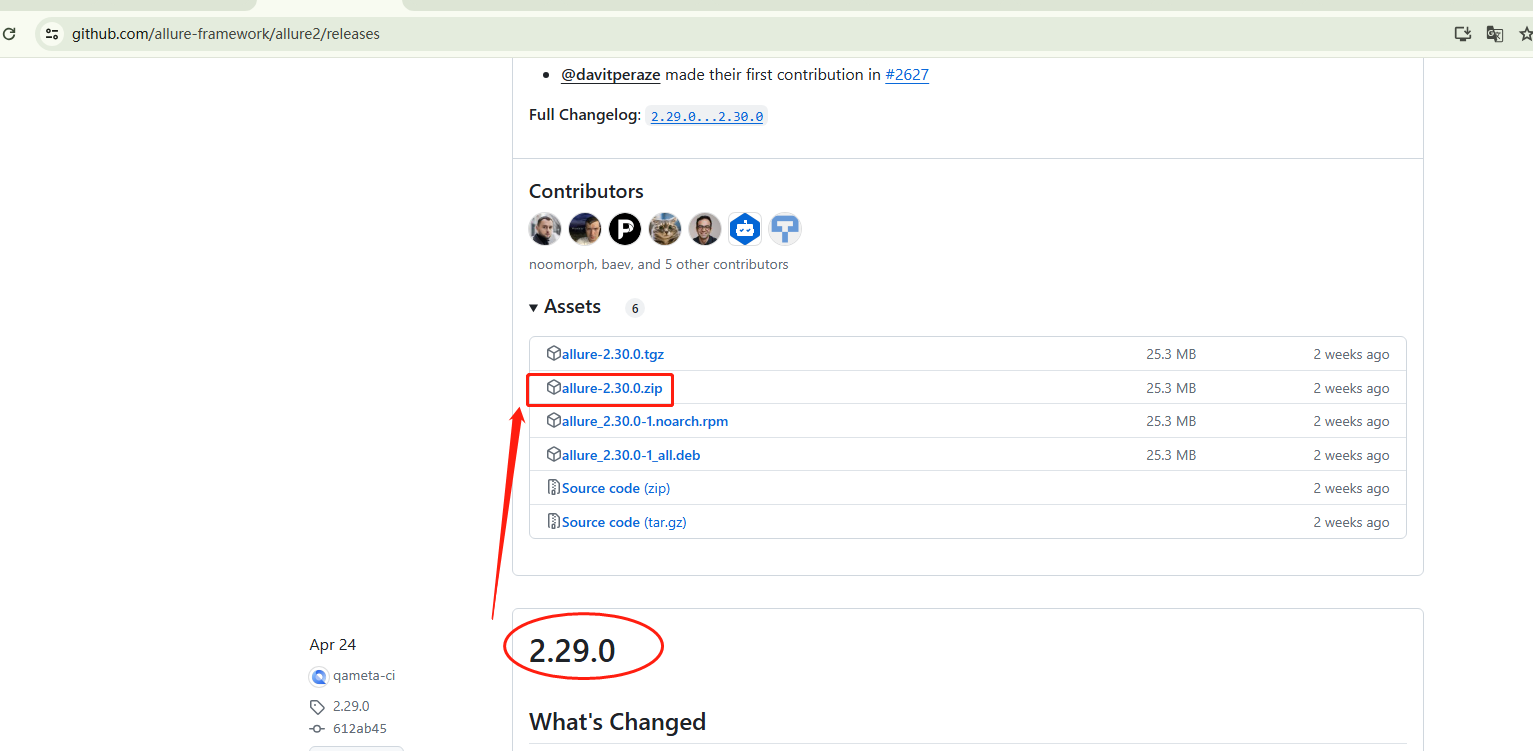
二、解压并配置环境变量:
- 解压下载的zip包到你想安装的路径。建议放到python 的site-packages D:\jenkins\RobotProjects\pypackets\Lib\site-packages
- 将解压后的
bin目录的路径添加到系统环境变量Path中。
三、验证安装:
- 在cmd中输入
allure --version,如果显示版本号,则表示安装成功。
注:以下为2020年编写 win7------------------------------------------------
https://docs.qameta.io/allure/#_installing_a_commandline
本文仅基于windows7, 其他环境查看官网安装说明
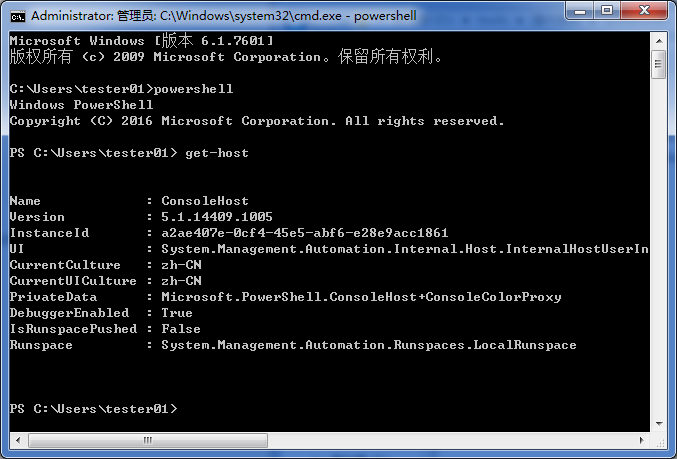
安装allure要求:需要通过scoop安装,安装scoop需要powershell版本在5.0以上,.NetworkFramework4.5以上。打开CMD,运行powershell,get-host查看powershell的版本要在5.0以上。打开控制面板查看.networkFramework4.5
Microsoft Windows [版本 6.1.7601]
版权所有 (c) 2009 Microsoft Corporation。保留所有权利。

C:\Users\tester03>powershell
Windows PowerShell
版权所有 (C) 2009 Microsoft Corporation。保留所有权利。

PS C:\Users\tester03> get-host


Name             : ConsoleHost
Version          : 2.0
InstanceId       : 584ed29b-2ef6-46e1-aa75-1b9251b3f27c
UI               : System.Management.Automation.Internal.Host.InternalHostUserI
                   nterface
CurrentCulture   : zh-CN
CurrentUICulture : zh-CN
PrivateData      : Microsoft.PowerShell.ConsoleHost+ConsoleColorProxy
IsRunspacePushed : False
Runspace         : System.Management.Automation.Runspaces.LocalRunspace
以上结果版本是2.0,下载 https://www.microsoft.com/en-us/download/details.aspx?id=54616
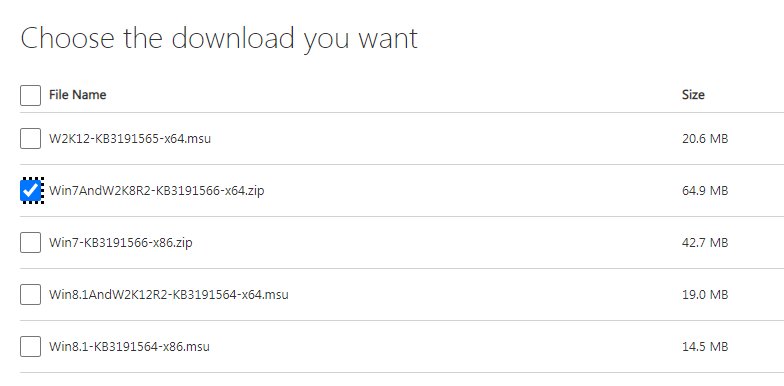
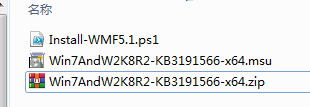
下载之后解压,双击*.msu安装,重启计算机,打开CMD,输入powershell回车,输入get-host回车查看,已成功升级到5.1
安装scoop:
cmd执行
# powershell
# Set-ExecutionPolicy RemoteSigned -scope CurrentUser
# Invoke-Expression (New-Object System.Net.WebClient).DownloadString('https://get.scoop.sh')
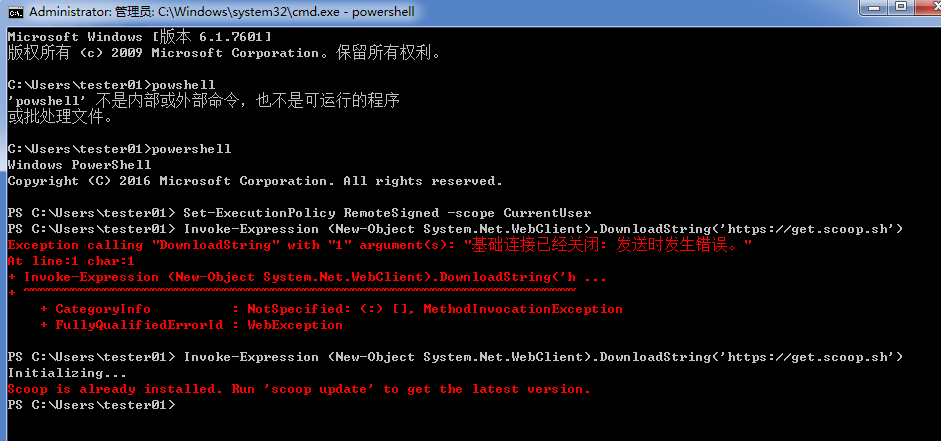
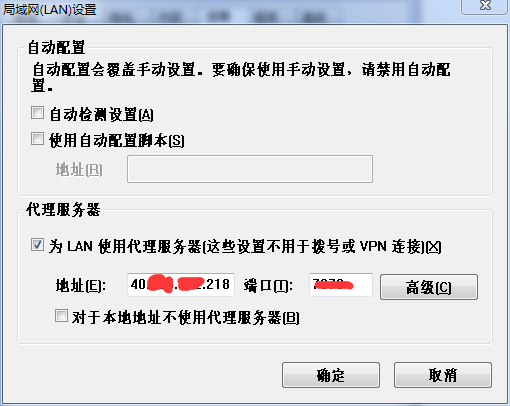
这个原因是无法解析https://get.scoop.sh导致的,打开电脑全局代理。上图最后一次执行成功了,我的已经安装了报already installed,这里不解释。
安装allure, allure --version查看安装版本。
scoop install allure
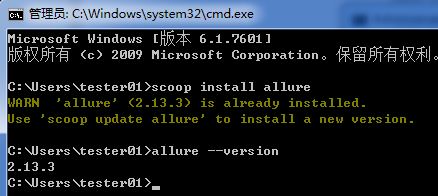
至此allure已经安装成功了。可以继续部署pytest环境了。
下一篇:pytest环境配置搭建 (2)

 浙公网安备 33010602011771号