
echarts图表(三),轴label添加hover高亮及图标
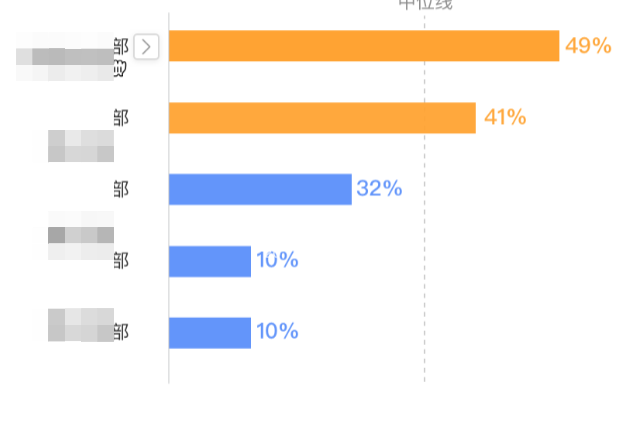
如果,想要做y轴label hover后后面出现图表,文字高亮,主要使用的是yAxis.axisLabel.formatter, yAxis.axisLabel.formatter, 配合echarts实例的mouseover mouseout事件,通过设置hover类目的索引,来给对应类目设置激活状态,上代码:
eChartInstance.current.on('mouseover', function (params) {
      if (params.componentType === 'yAxis') {
        let index = params.dataIndex
        xLabelHover(index)
      }
    })
    eChartInstance.current.on('mouseout', function (params) {
      if (params.componentType === 'yAxis') {
        xLabelHover(null)
      }
    })

yAxis: {
    axisLabel: {
        formatter: function(value, index) {
            if (index === axisHoverIndex) {
                    return [
                      `{c|${value}}`,
                      `{b|}`
                    ].join(' ')
                  } else {
                    return `{a|${value}} `
                  }
        },
        rich: {
                a: {
                  padding: [4, 16, 0, 0,],
                  verticalAlign: 'bottom'
                },
                b: {
                  backgroundColor: {
                    image: clickableImg
                  },
                  height: 16,
                  width: 16
                },
                c: {
                  color: '#6395FA',
                  verticalAlign: 'bottom'
                },
              }
    }
}
需要注意的几点:
1.echarts实例注册mouseover事件后,要注册mouseout事件来控制鼠标离开label取现激活状态,
2.索引axisHoverIndex我是使用useState来控制的,事件触发后设置index值,index一定要触发echart setOption动作。也就是说如果setOption封装了函数,要在依赖数组里面加index

 浙公网安备 33010602011771号