
2025FIC决赛全题解
计算机取证部分
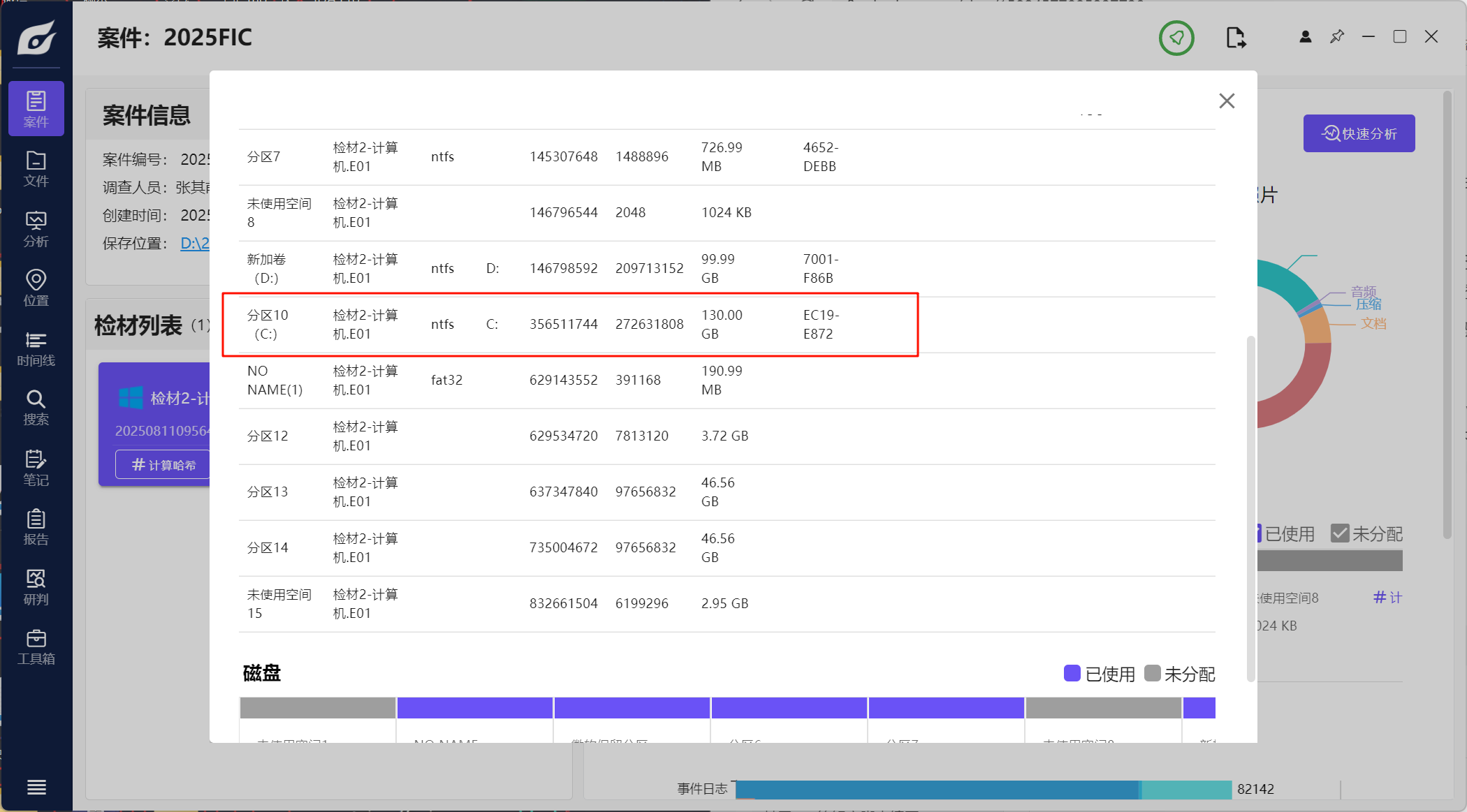
1.请分析检材2,该检材系统中设备名称为neo4chen的系统分区的sha256值为
这里应该指的是计算机,系统分区的话应该就是最大,加密的分区,计算即可
2.请分析检材2,上题系统中,曾被远程控制的ip为
首先看登录信息,发现有一个非本地登录的IP
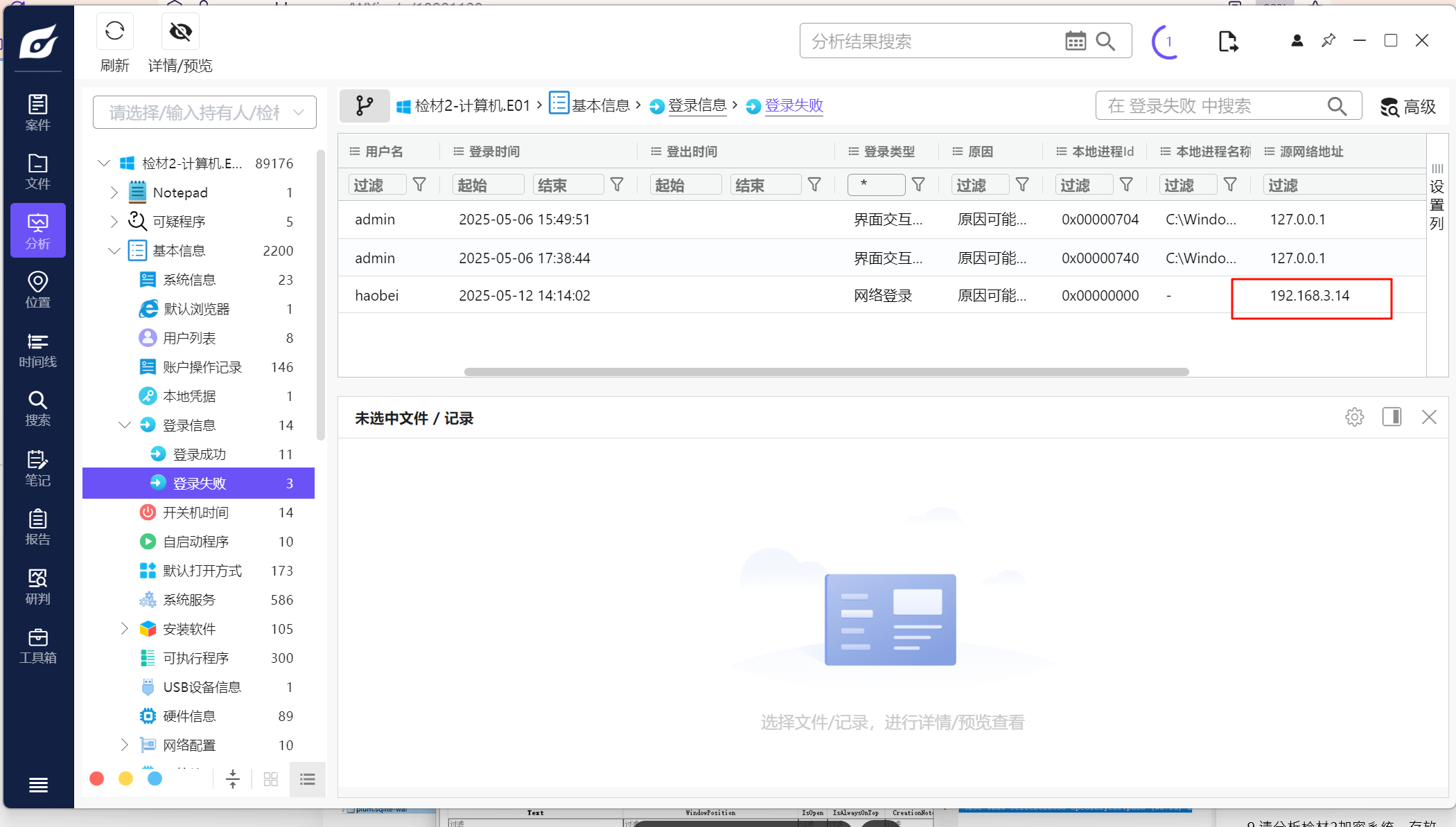
但是这里是登录失败的,看到下面有一个远程桌面的信息
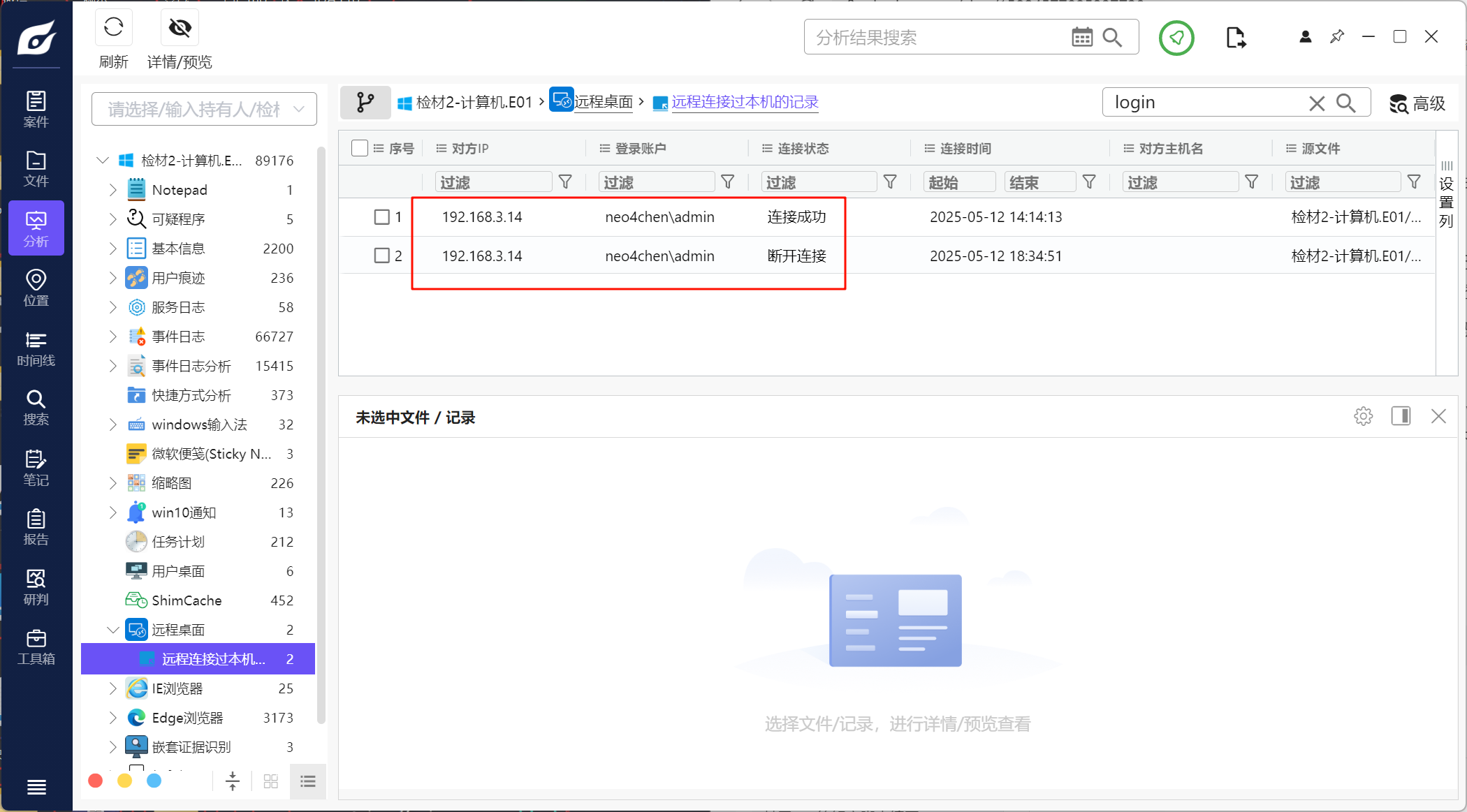
查看后确定是192.168.3.14
3.请分析检材2加密系统,陈某通过物理方式保存助记词的东西名为
看到便签里有密码的格式
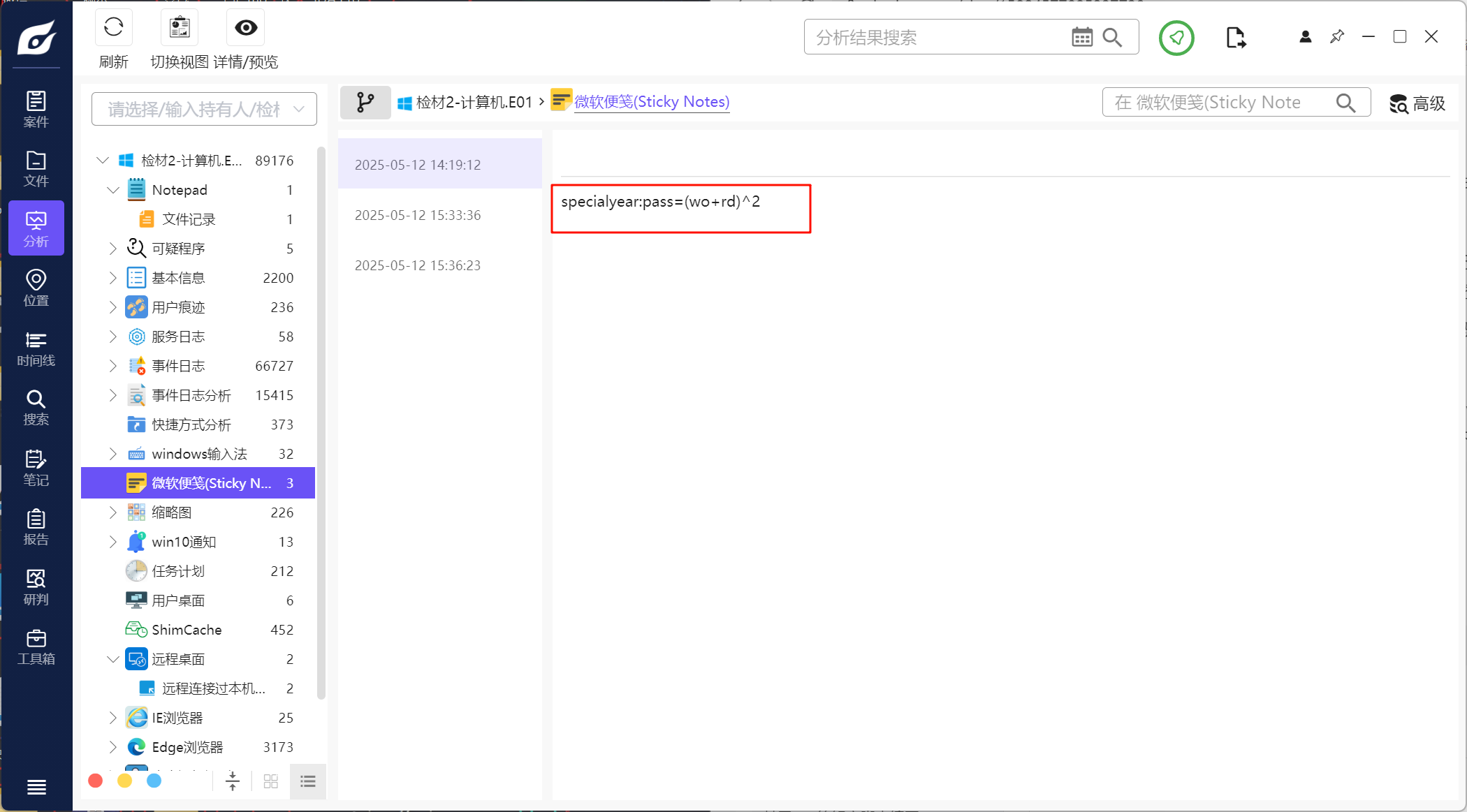
根据这个格式的话应该是2025=(20+25)^2,用这个去解密vc加密的分区,我这里用的是火眼解密。密码用2025=(20+25)^2,PIM这里空着就可以解密了,这里还有别的方法
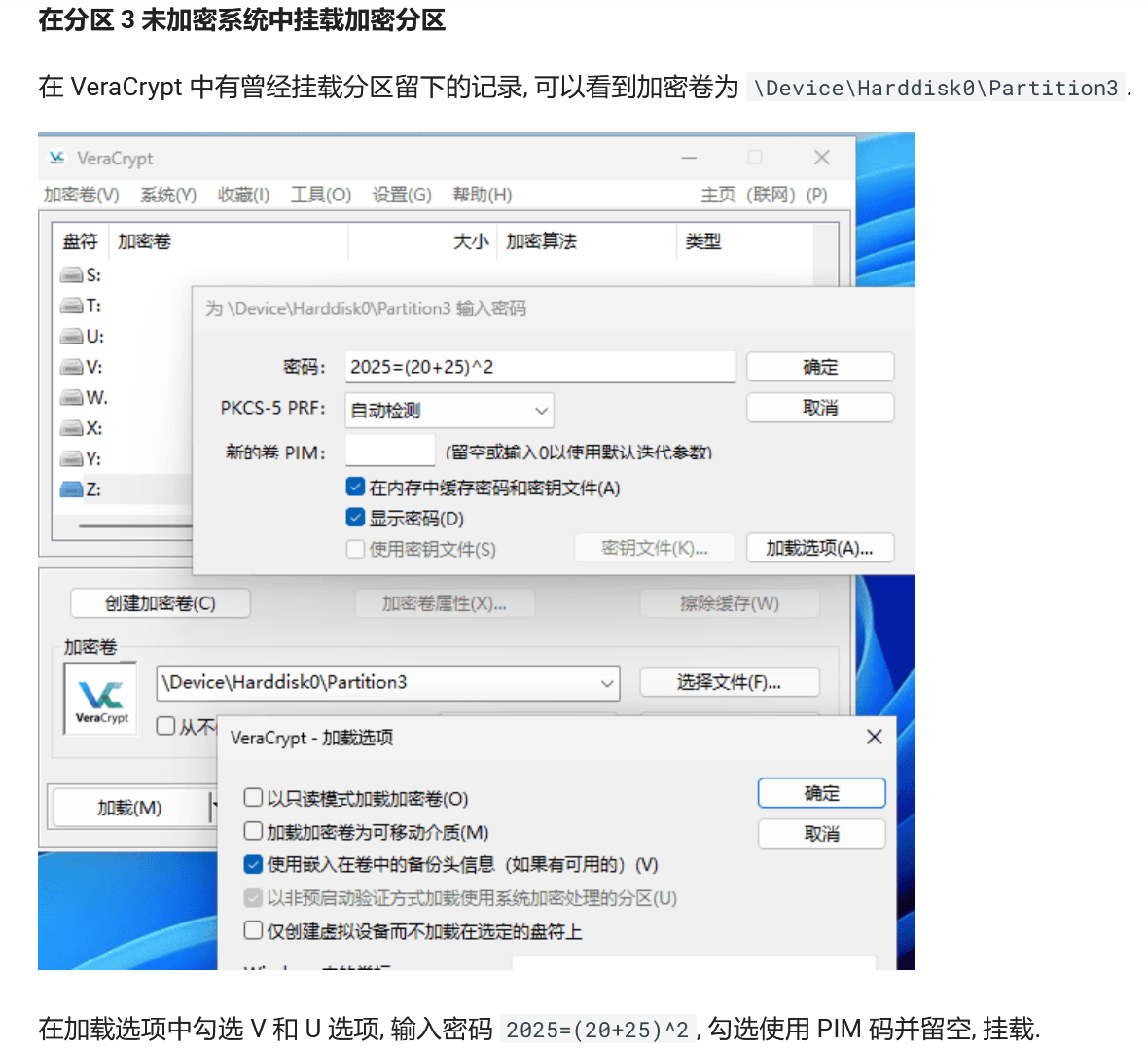
这里参考了xidian大佬的方法,仿真后再用vc挂载物理磁盘 #2025FIC决赛 - XDforensics-Wiki
4.请分析检材2加密系统,陈某保存记录完整助记词的文件的md5值为
先去找助记词的文件。仿真之后登录上去比例有点失调了,用rdp到虚拟机上,系统中关闭屏幕比例的自定义,然后再登上去就行了
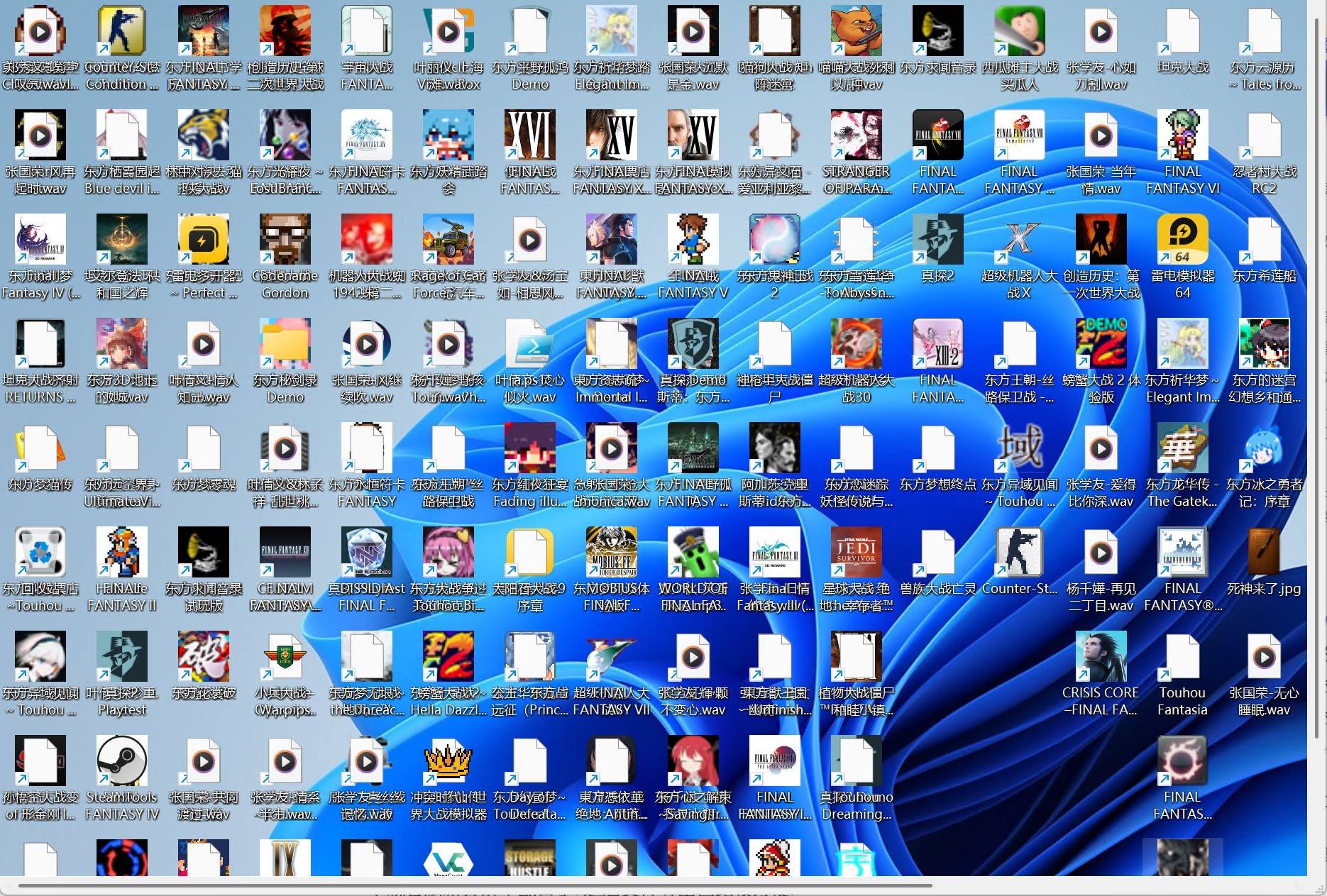
唯一正常的有一个jpg
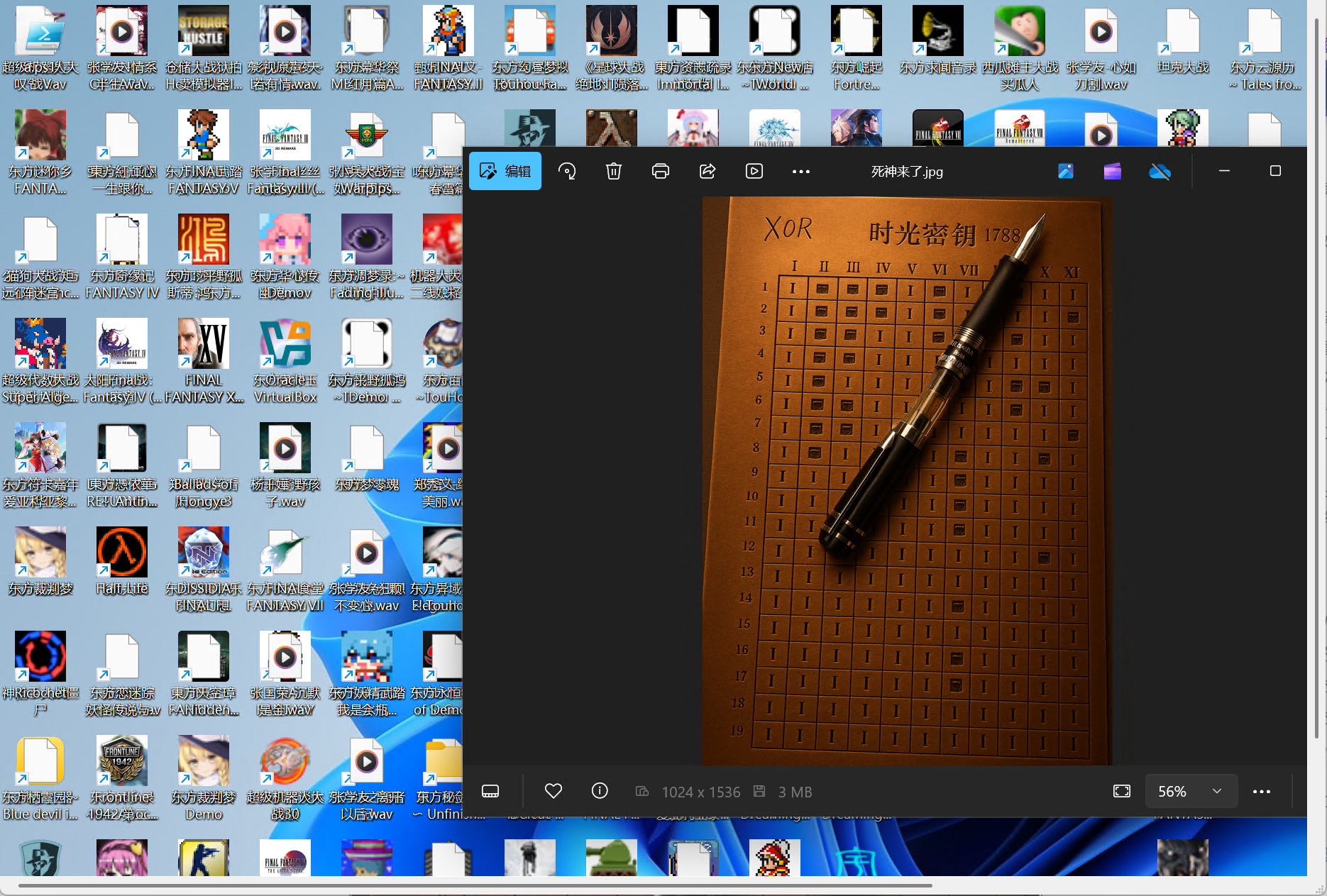
除了这个,在图片文件夹中还有一个,根据其他大佬的wp,这个才是完整文件
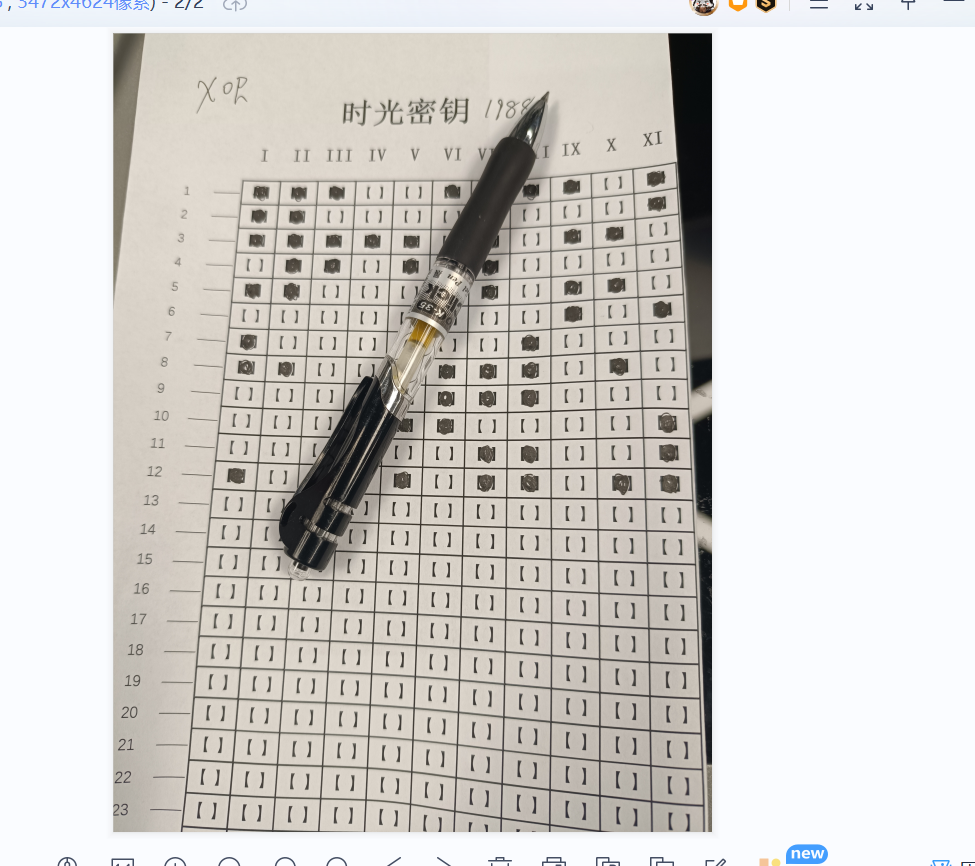
计算它的md5值即可
5.请分析检材2加密系统,陈某交代XI位为2^1,上题文件对应中文助记词不包含一下哪一项
根据图片中的内容,转为二进制再异或1988,转成索引后查表,脚本用的是川佬的
lst = []
lst.append(int("11100111101",2))
lst.append(int("11000000001",2))
lst.append(int("11111010110",2))
lst.append(int("01101010000",2))
lst.append(int("11000110110",2))
lst.append(int("00000000101",2))
lst.append(int("10001001000",2))
lst.append(int("11001111010",2))
lst.append(int("00001111000",2))
lst.append(int("00001100001",2))
lst.append(int("00000011001",2))
lst.append(int("10001011011",2))
with open("bip39_chinese_simplified.txt",'r',encoding='utf-8') as f:
    lines = f.readlines()
    for v in lst:
        print(lines[(v^1988)-1].strip(),end="")
6.请分析检材2加密系统,该检材加密系统中陈某自白的录音最后修改时间为
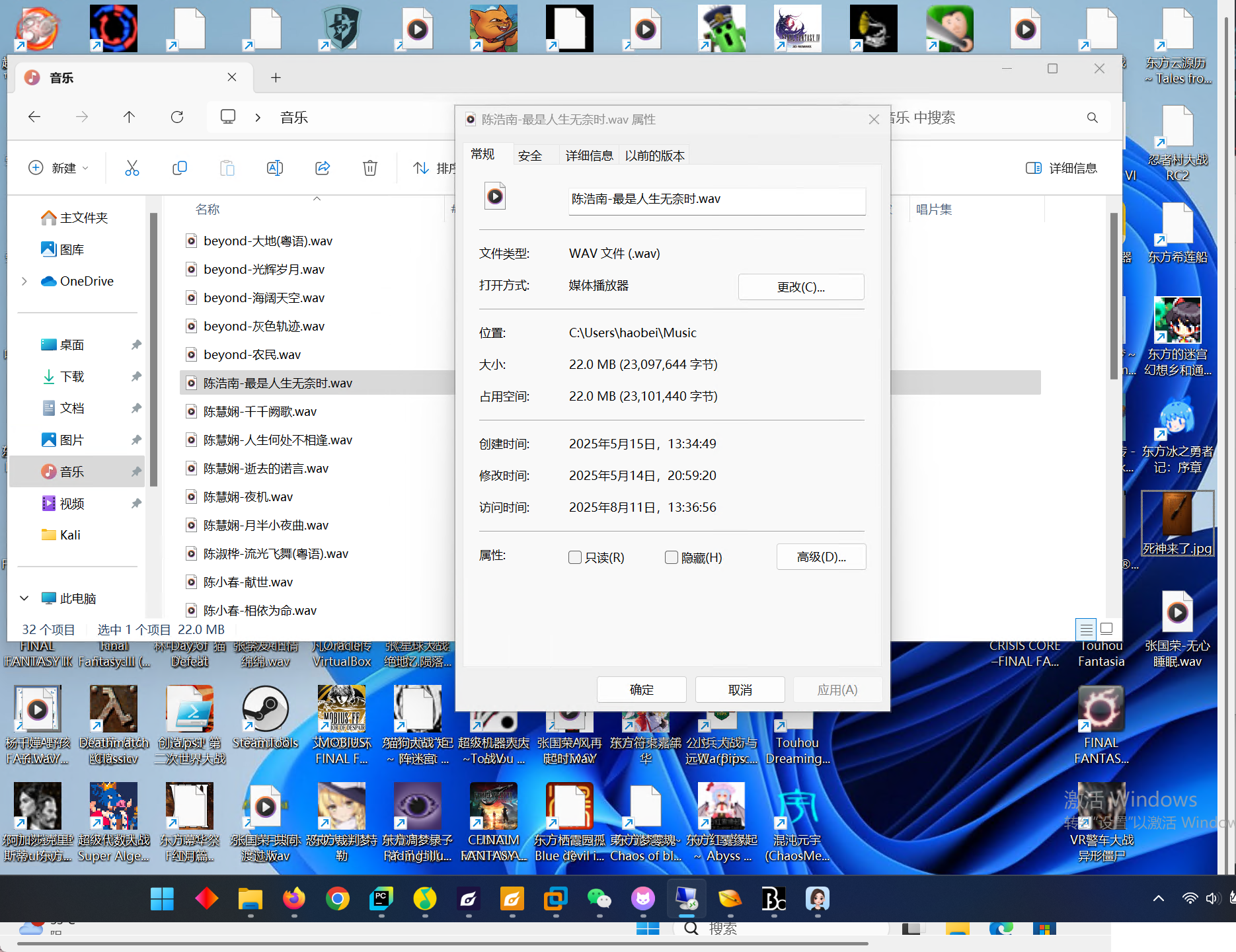
就是这个,音频听一下发现是独白,主要是得找到音频,一个个听吧,而且还听到了morse,下面会用到的
7.请分析检材2加密系统,陈某和李某共同出行的户外活动为
听音频可以知道,钓鱼
8.请分析检材2加密系统,陈某自白中的隐藏的“学习资料”所在服务器ip地址为
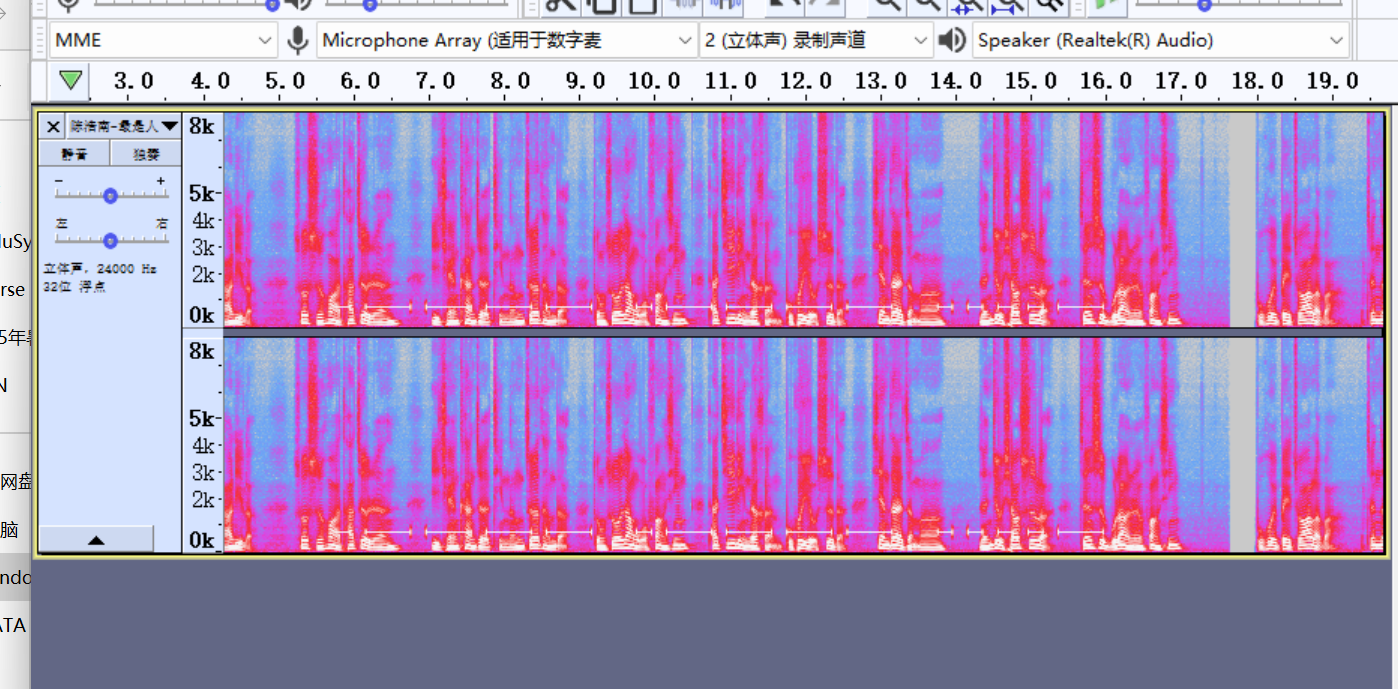
在音频里,可以发现morse的特征,提取出来解码就能得到114.51.41.91
9.请分析检材2加密系统,存放欠条的加密容器文件名为
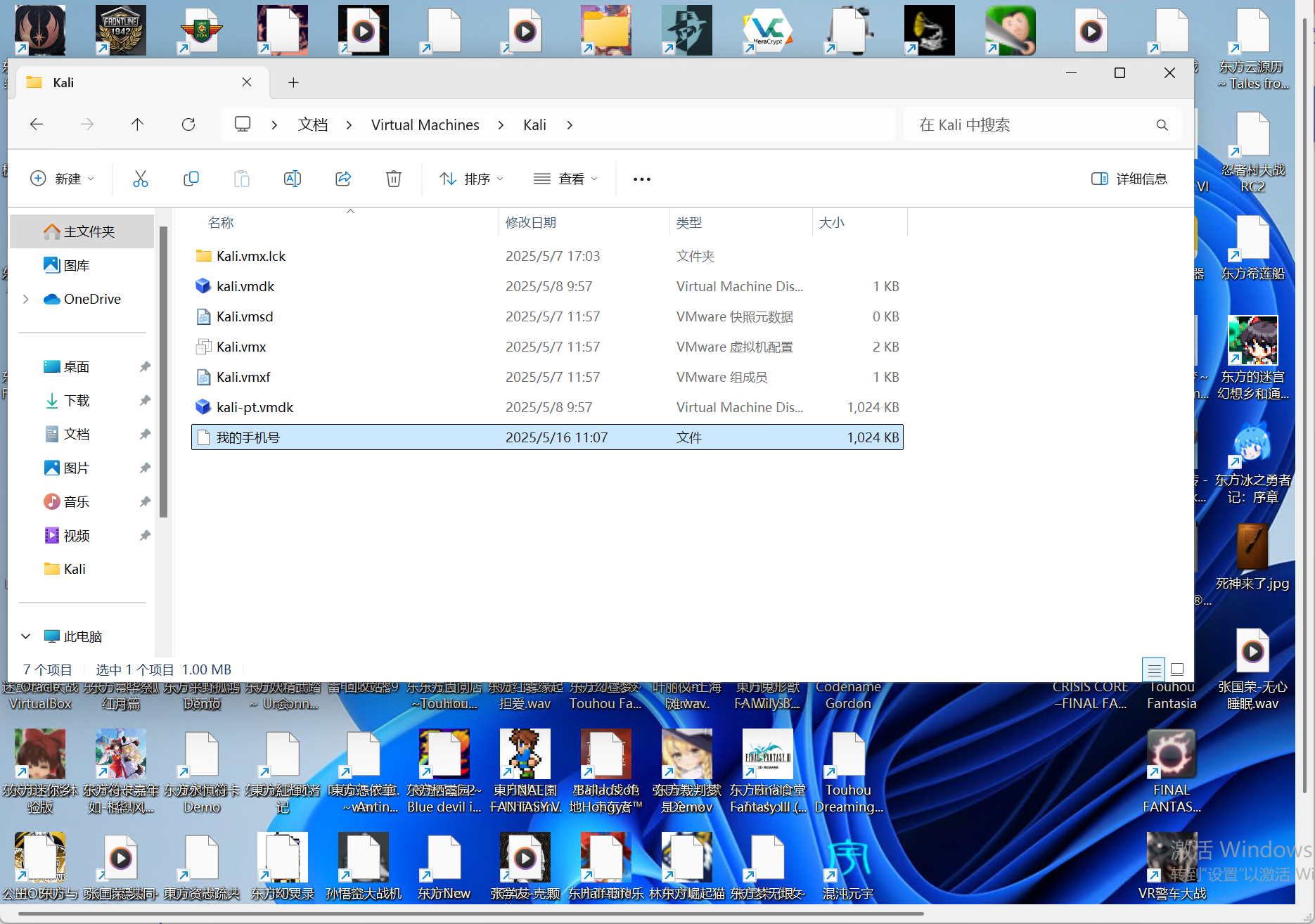
有一个可疑的kali文件夹,里面有一个1024大小的文件:我的手机号,猜测这就是容器,猜测密码就是手机号
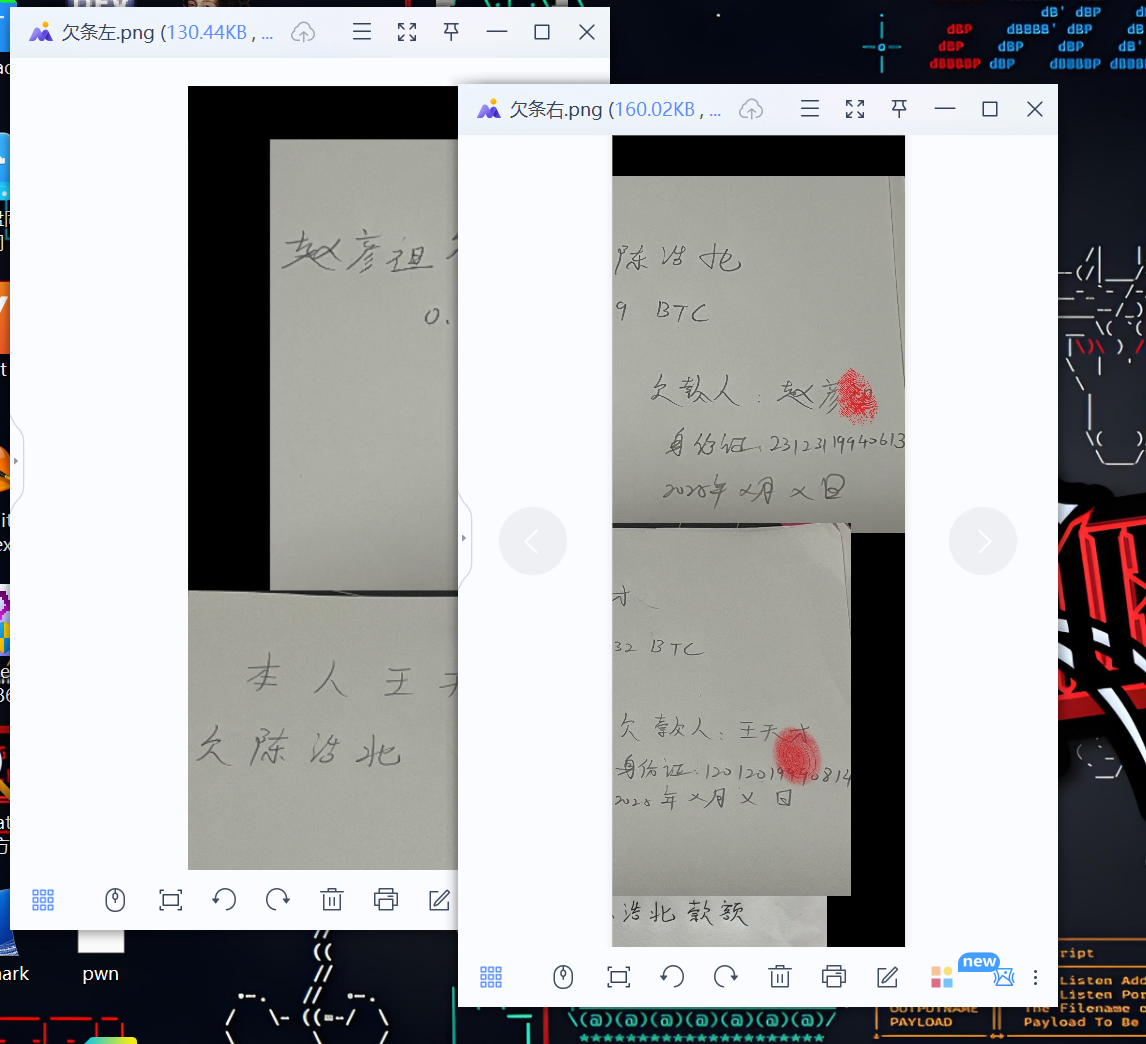
10.请分析检材2加密系统,该容器欠条中赵某欠陈某多少虚拟币
根据手机号的提示,用到初赛的那两个手机号,3170010703和13170010703,能解出两个内容,拼在一起就是全部
11.请分析检材2加密系统,该检材中ubuntu光盘文件的系统内核版本号为
在下载中有一个ubuntu的iso文件,双击一下装载到机器上,可以查看文件信息
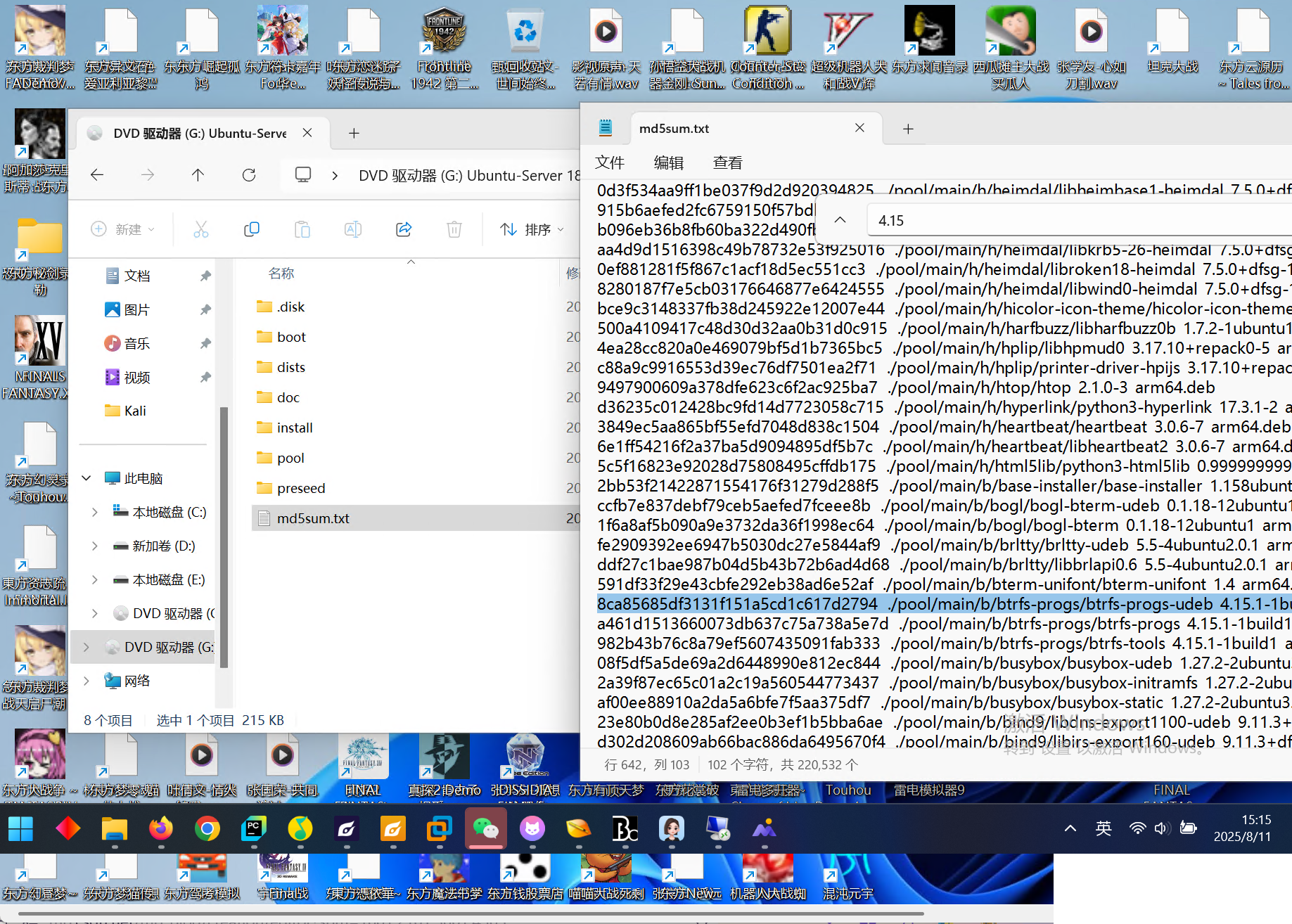
可以在这里看到是4.15.0,或者在lib/firmware文件夹中也可以看到
12.请分析检材2Linux系统,该系统的当前状态为
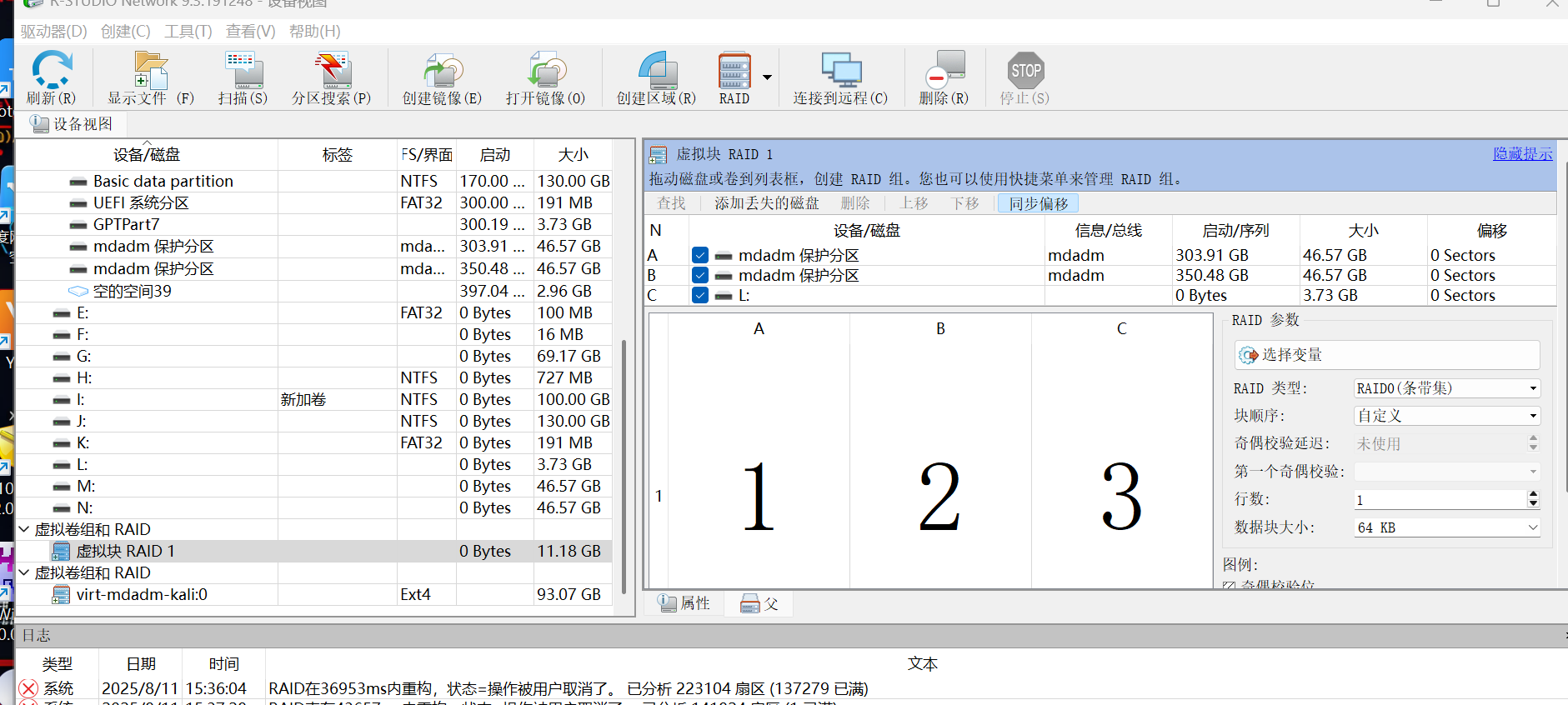
重组RAID后,可以看到这里检测出来是RAID0,用ufs重组导出,这里不赘述了,可以查其他文章
答案是休眠状态,第一点可以从开关机状态看
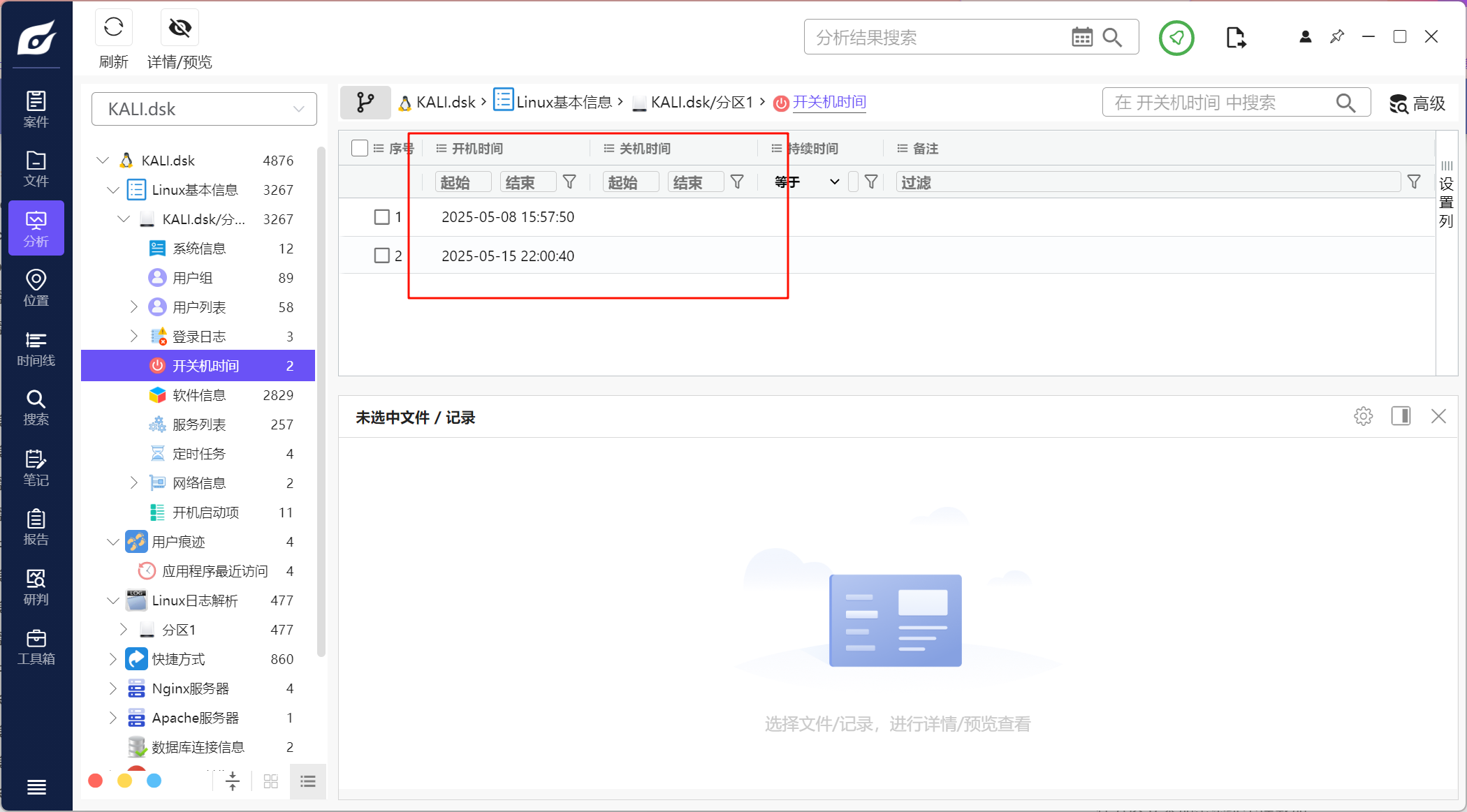
开机后没有关机,说明可能休眠状态
或者可以仿真进去看登录信息
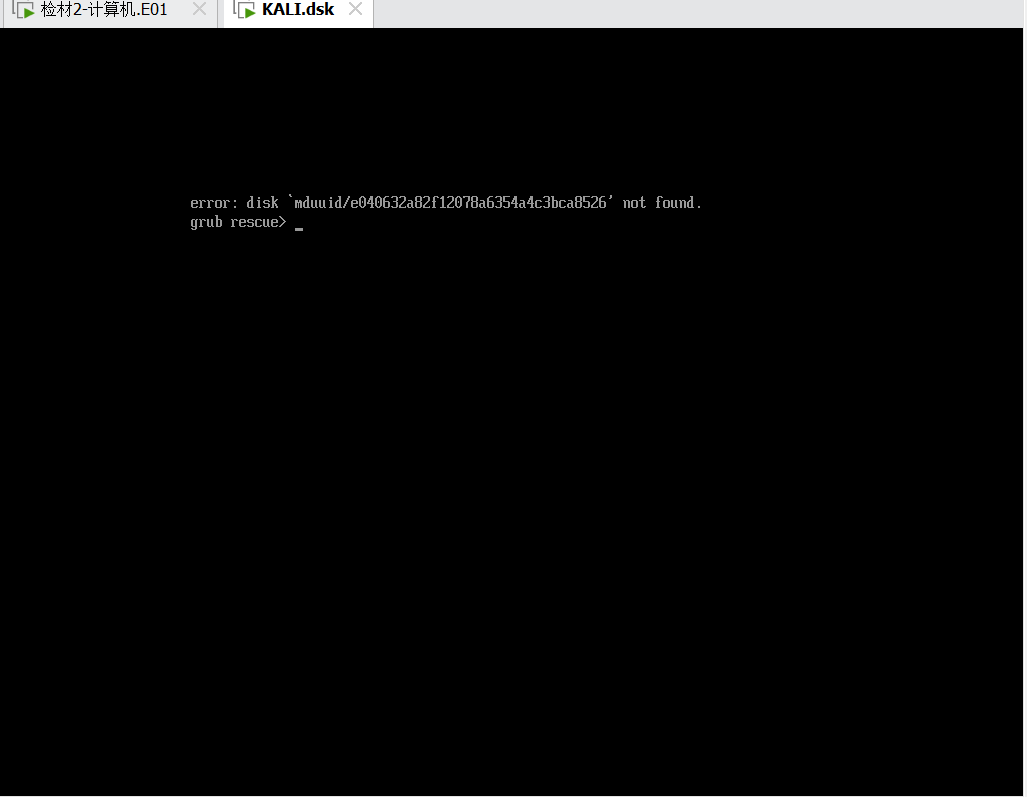
火眼仿真进去后会报错,因为重组之后uuid改变了,导致不能读到硬盘,grub 找不到 boot
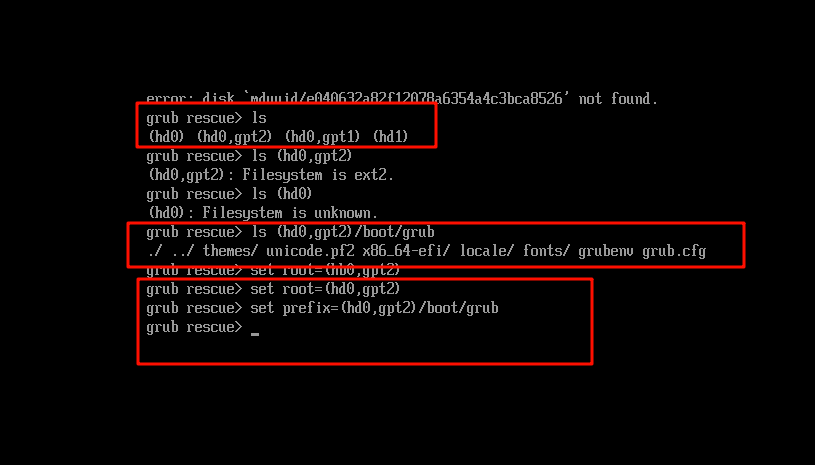
这样重新修复好后输入
insmod normal
normal
就可以进入kali界面了
进入后last查看一下登录信息
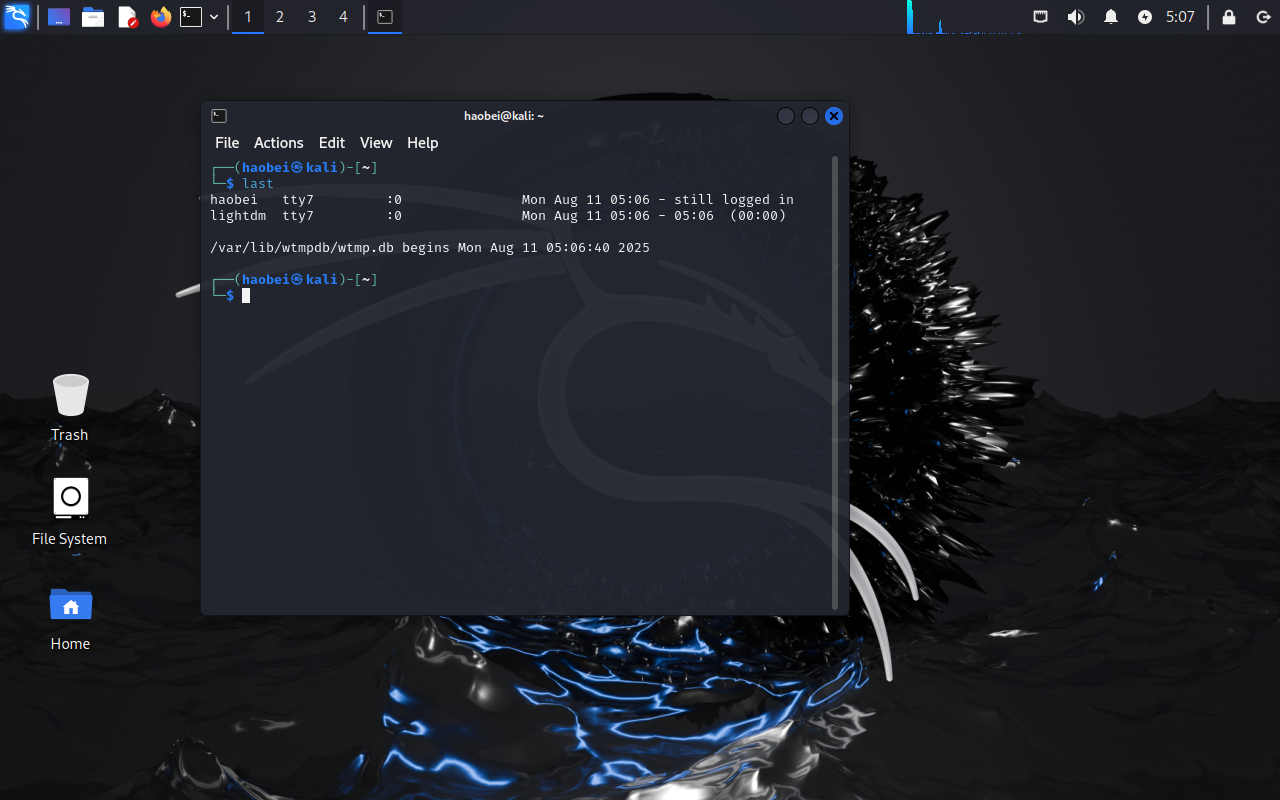
发现登录后就没有登出信息了,猜测没有关机,所以是休眠状态
13.请分析检材2Linux系统,该系统使用了什么阵列
可以看到这里检测出来是RAID0
14.请分析检材2Linux系统,系统自带记事本软件中记录的密码的未知位数有几位
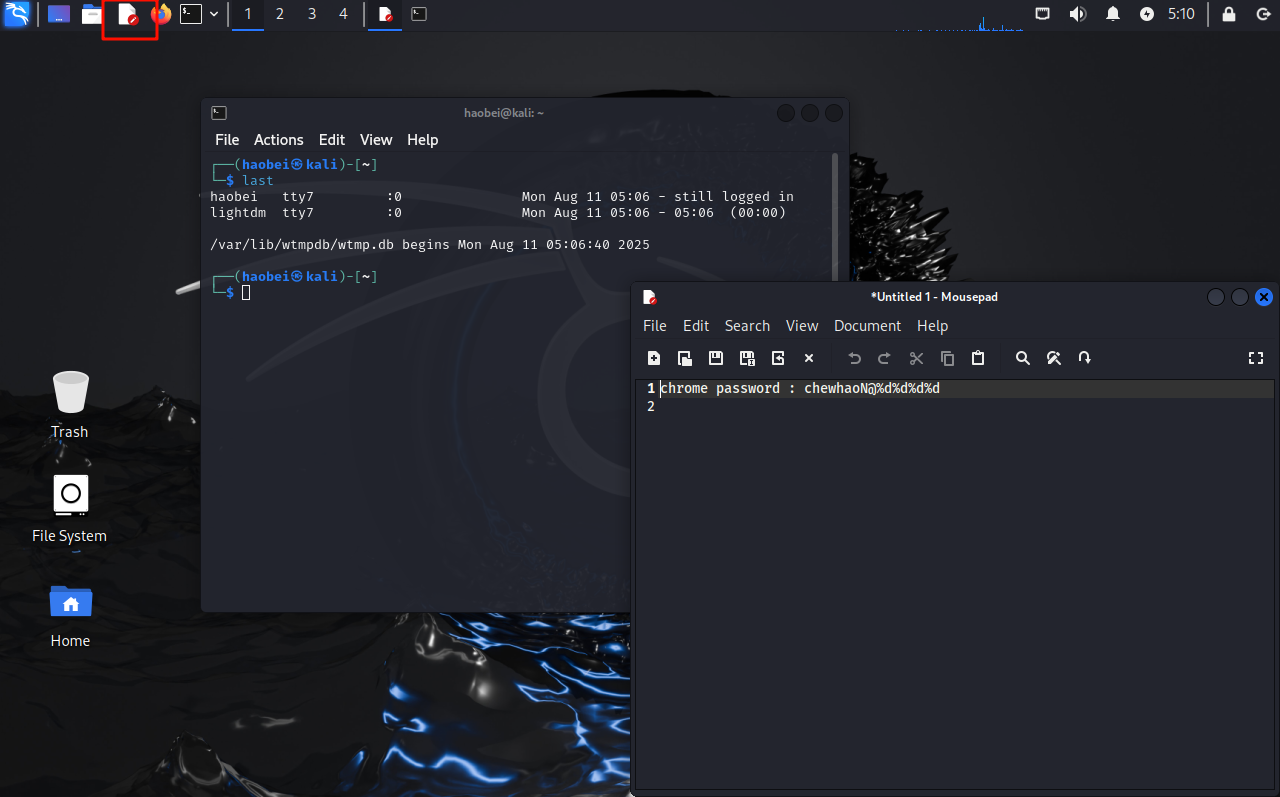
点击记事本,会问你是否继续之前的操作,yes之后就能看到了
15.请分析检材2Linux系统,系统自带记事本内容缓存在重组后逻辑分区中的起始偏移地址为
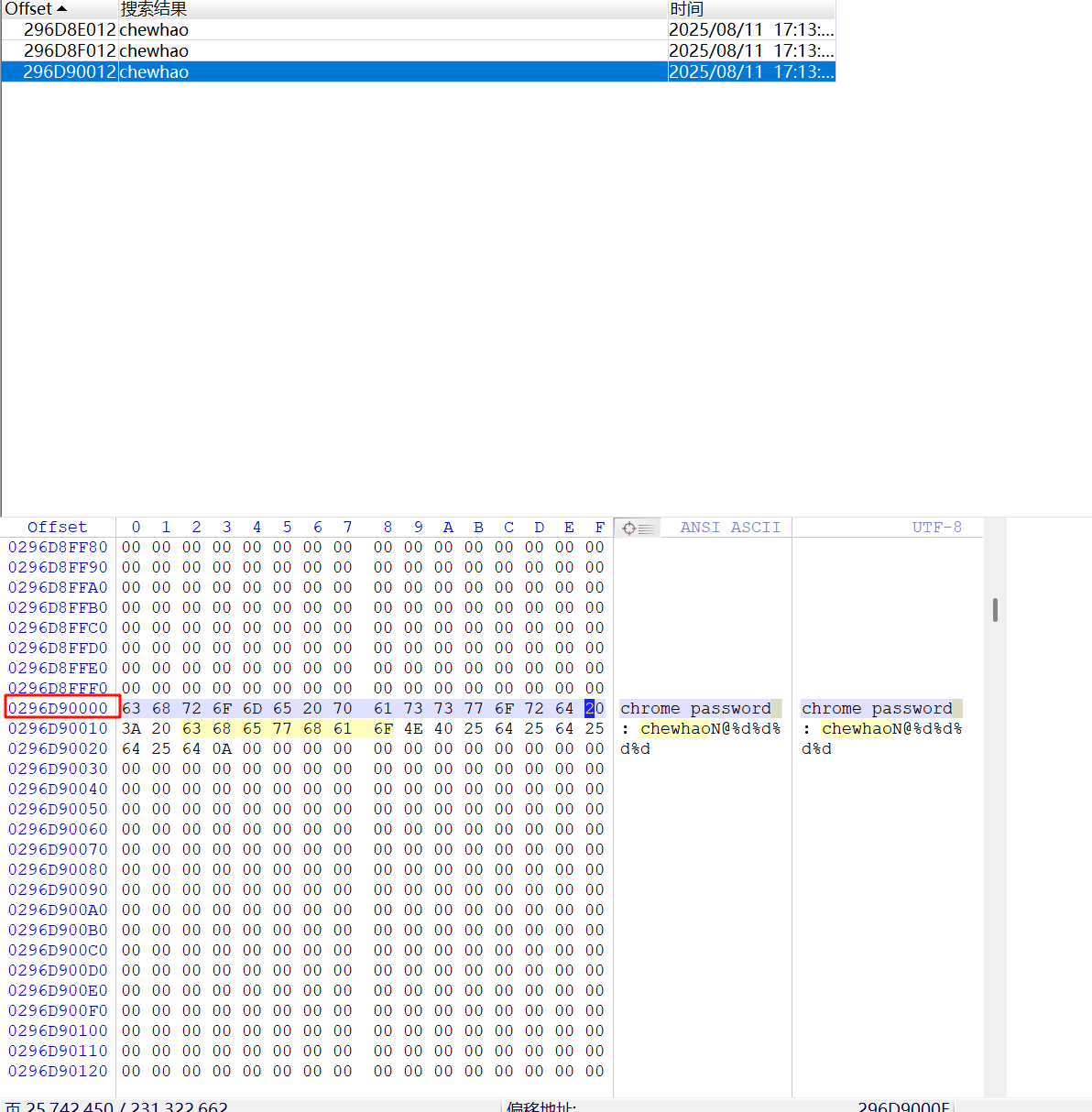
爆搜找到了,前面的296D90000就是起始偏移地址
16.请分析检材2Linux系统,chrome浏览器插件的保护密码为
进入后发现有个插件被禁用了
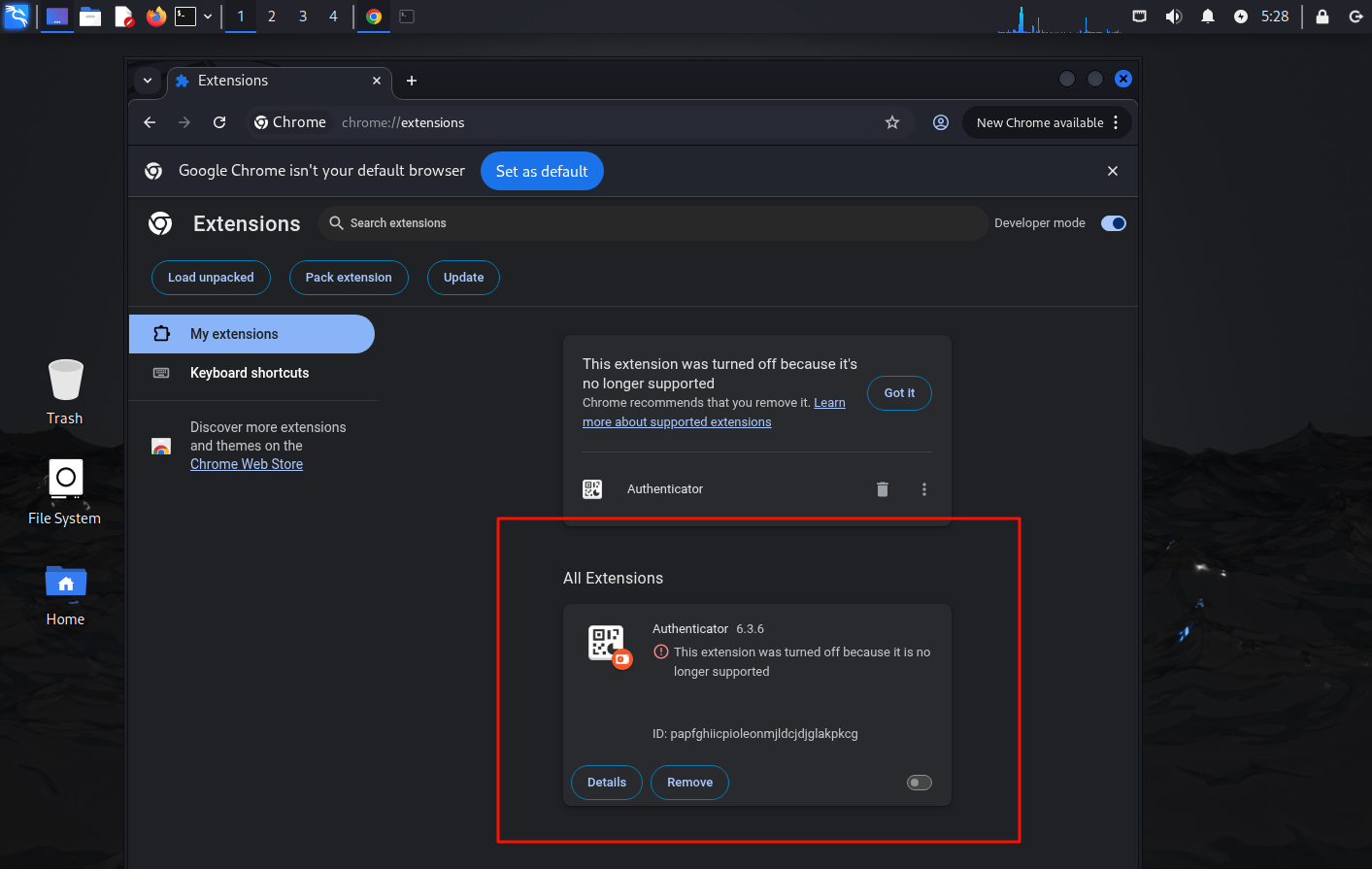
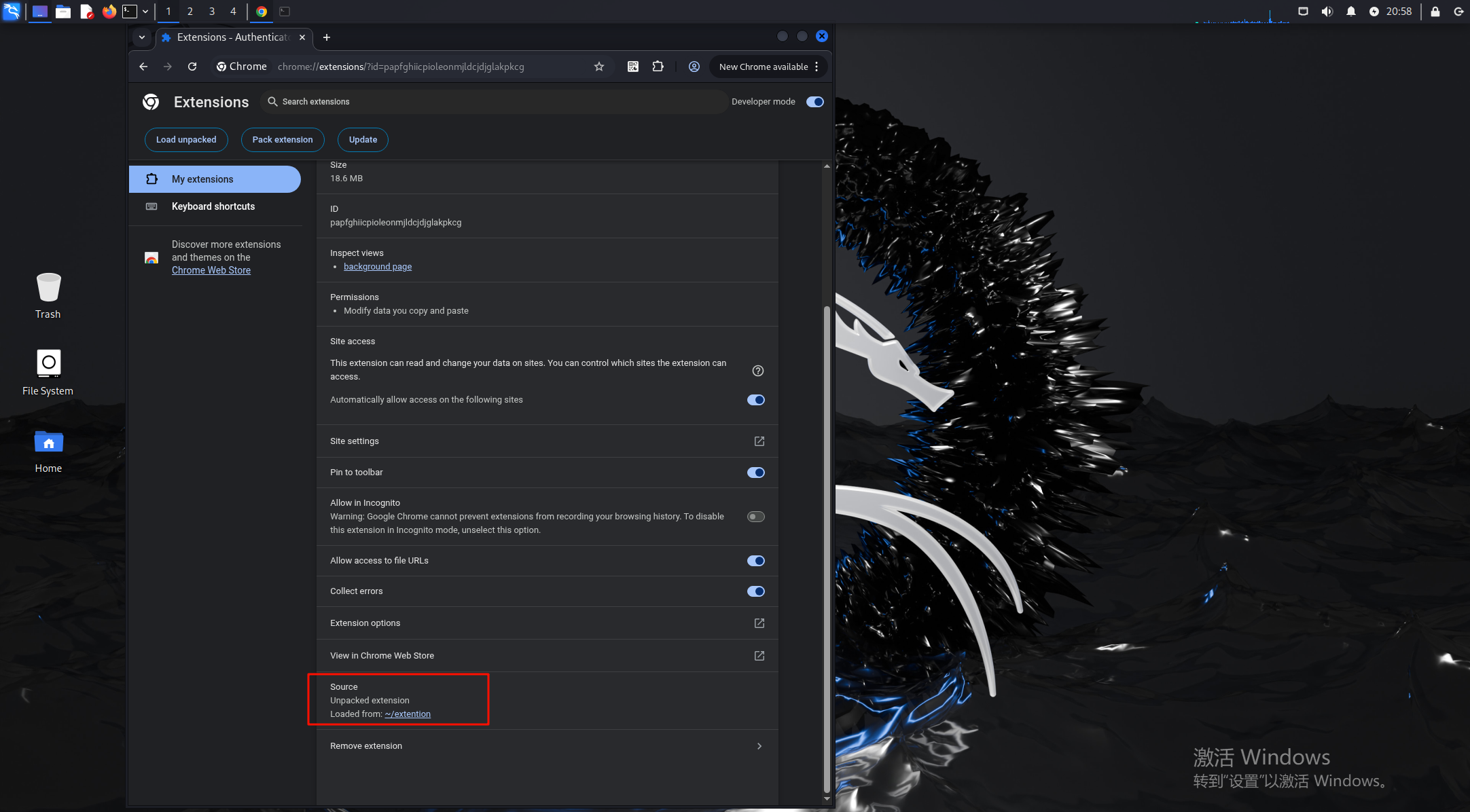
这里可以找到插件的源码位置/home/haobei/extention/,运行插件后可以右键inspect来查看他的运行情况,断点调试
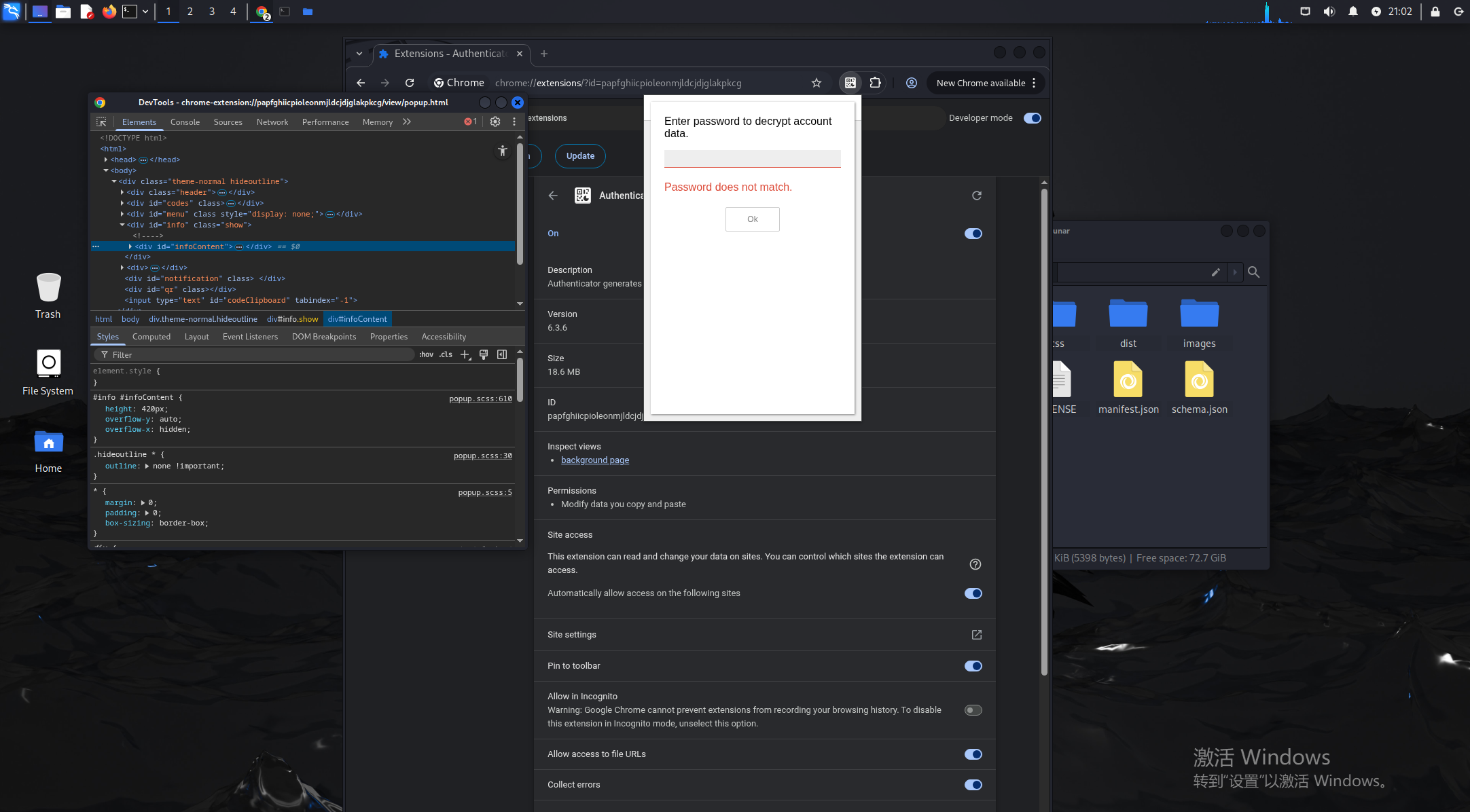
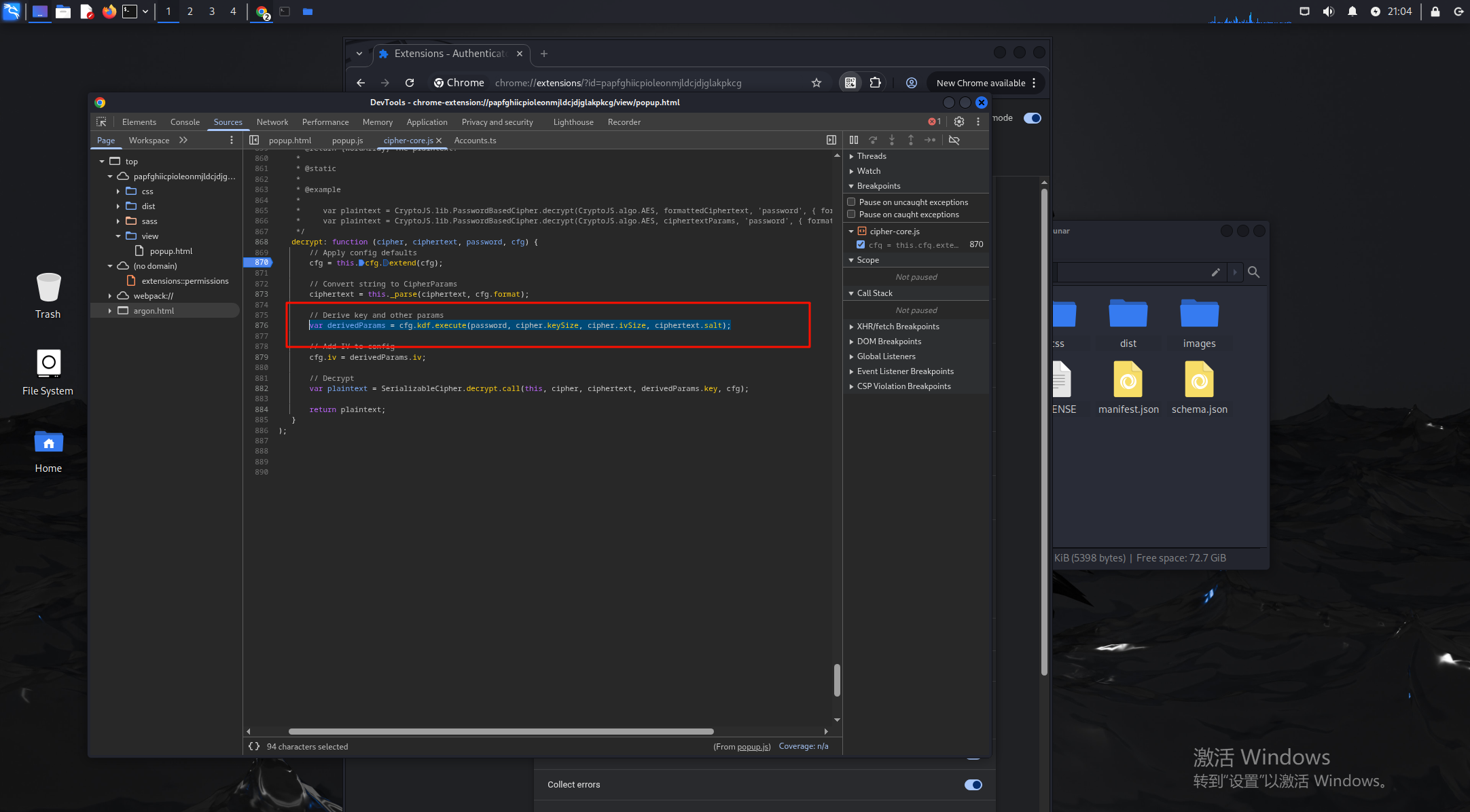
在这里看到有passwd和salt的字眼,丢给ai分析一下
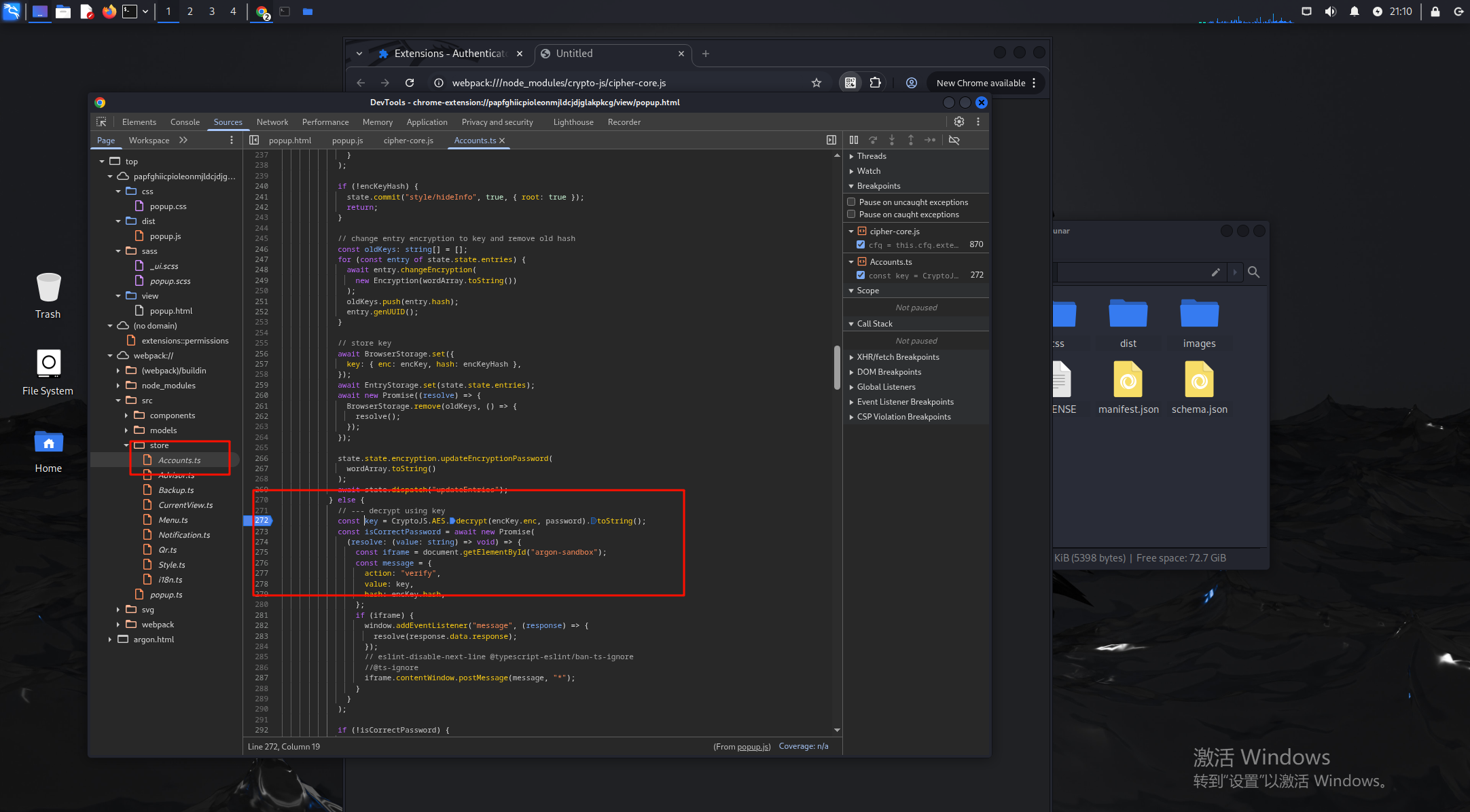
在这里找到了解密逻辑的代码
打下断点后输入123456,会停在解密的最后部分,获得enc的内容,这里就是用我们输入的密码来爆破encKey.enc,然后再验证,根据enc和hash可以尝试爆破出正确的密码
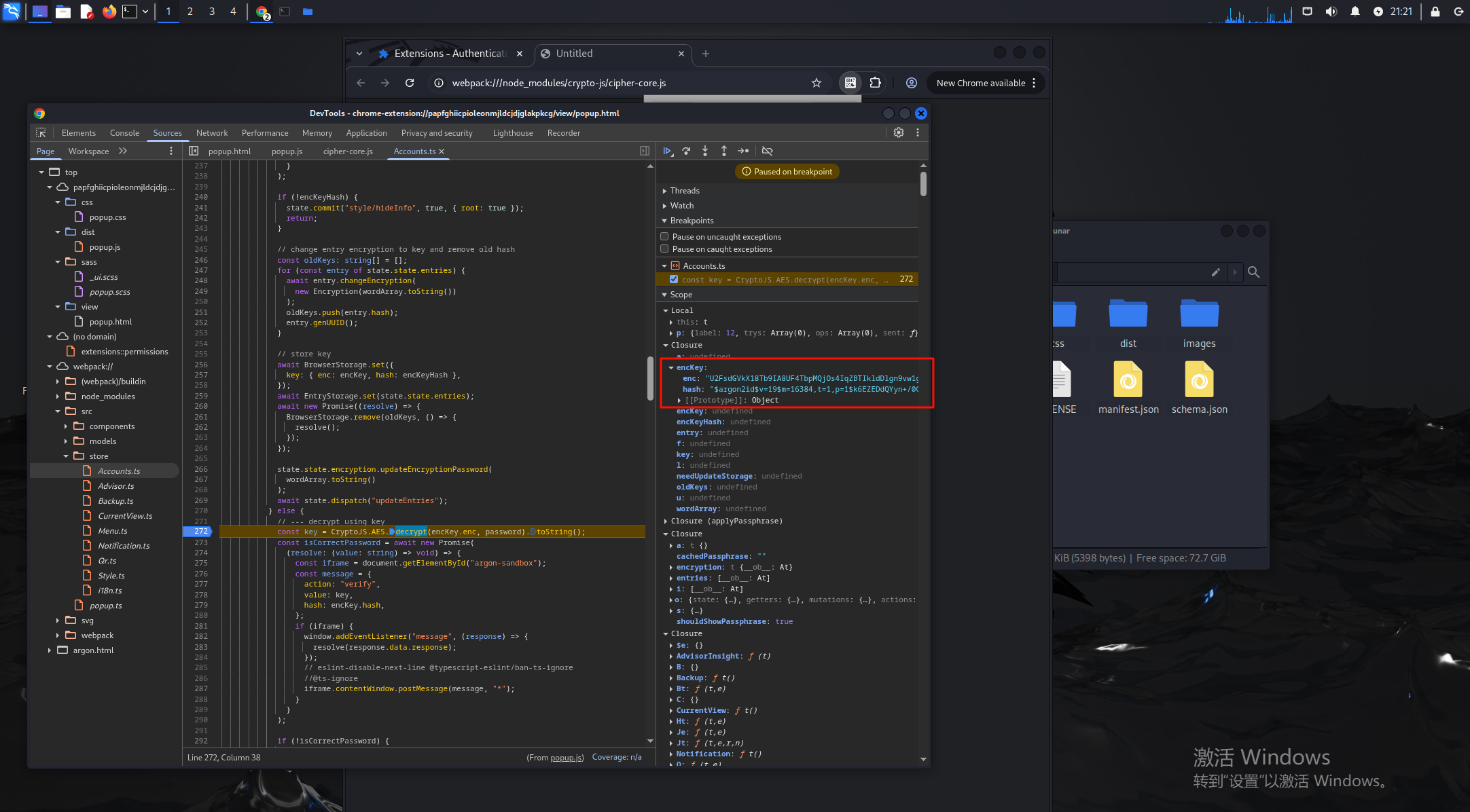
用脚本爆破值
const CryptoJS = require('crypto-js'); const argon2 = require('argon2');const encrypted = 'U2FsdGVkX18Tb9IA8UF4TbpMQjOs4IqZBTIkldDlgn9vw1gIF9ltOirI/lf1SCGh9hAskbnb7cIsoJL6mNii7pQ1SDSt9R7vzF3Y+/d/fPtKXHMisjbQK/U6t+3wREAuoKQ4yZ24iuw+KZ6CW9bl6ULp3nVx0B8QpueW95sw0KOtmOMpmD19nO6gkFvMohcB';
const hashedPassword = '$argon2id$v=19$m=16384,t=1,p=1$k6EZEDdQYyn+/0GlJtZGpg$hicAuwJorE73Moj+Po2Txda8hyoPPGYa';
const prefix = 'chewhaoN@';
(async () => {
for (let i = 0; i <= 9999; i++){
const password = prefix + i.toString().padStart(4, '0');
try {
const decrypted = CryptoJS.AES.decrypt(encrypted, password).toString();
if (!plaintext || plaintext.length === 0) continue;
if (await argon2.verify(hashedPassword, plaintext)){
console.log('[+] Password Cracked: ', password);
console.log('[+] Plaintext:', plaintext);
break;
}
} catch (e){
continue;
}
}
})();
但是我的node一直有问题报错,修半天还是没能跑出来,所以又看了川佬的python版
import argon2argon2_hasher = argon2.PasswordHasher()
argon2_hash = argon2_hasher.hash(password="password")调试拿到哈希
hash = "$argon2id$v=19$m=16384,t=1,p=1$k6EZEDdQYyn+/0GlJtZGpg$hicAuwJorE73Moj+Po2Txda8hyoPPGYa"
with open("output.txt","r",encoding="utf-8") as file:
lines = file.readlines()
for line in lines:
line = line.strip()
m = line.split(" ")[0]
try:
password = line.split(" ")[1]
verify = argon2_hasher.verify(hash, password)
if verify:
print(f"Password: {m} matches the hash.")
break
except:
continue
———————————————————————————————————————————————
作者:WXjzc
原文链接:https://www.cnblogs.com/WXjzc/p/18901128
最后的结果是chewhaoN@6087
17.请分析检材2Linux系统,chrome浏览器插件存放的令牌的名称为
输入密码即可,chenhaoren
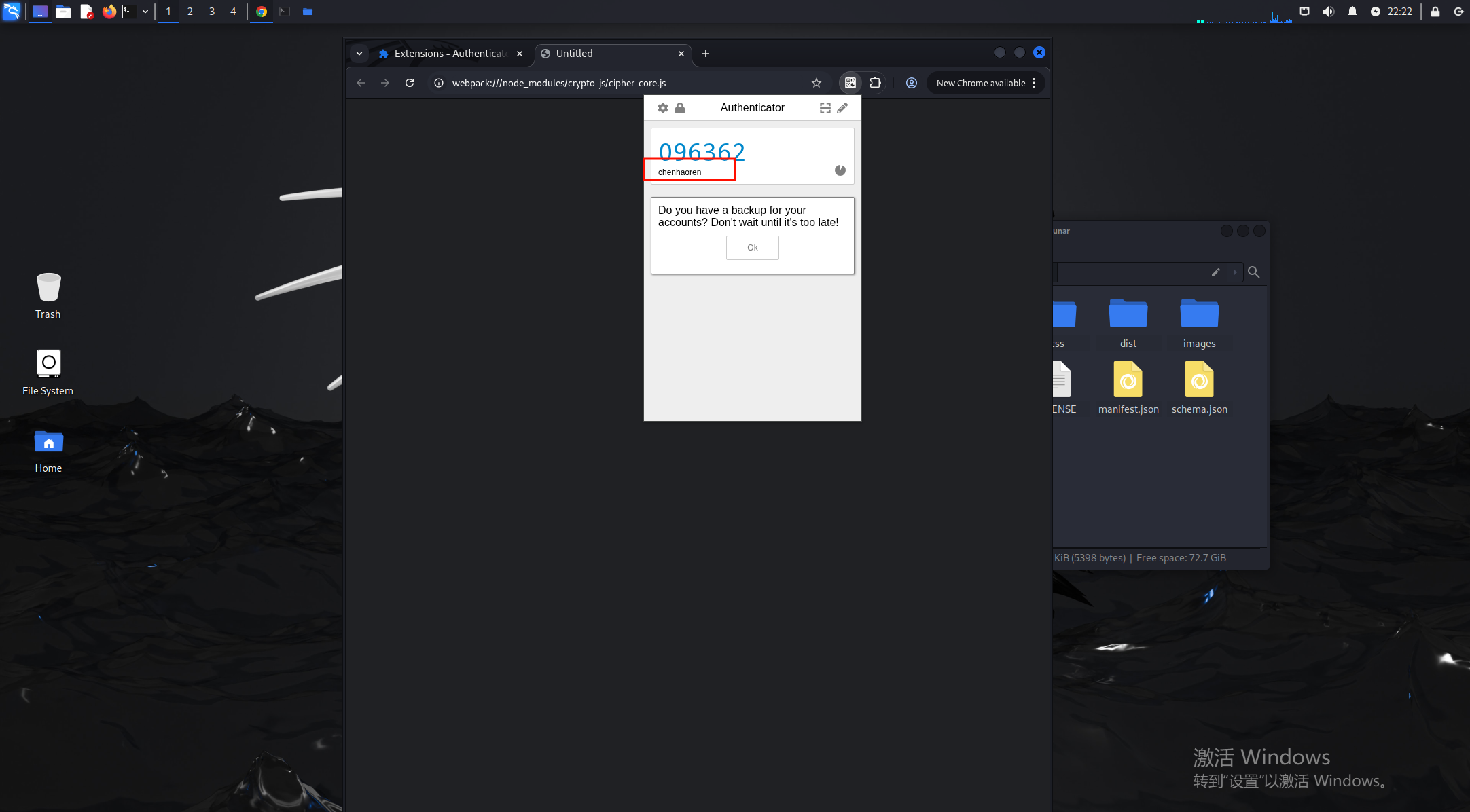
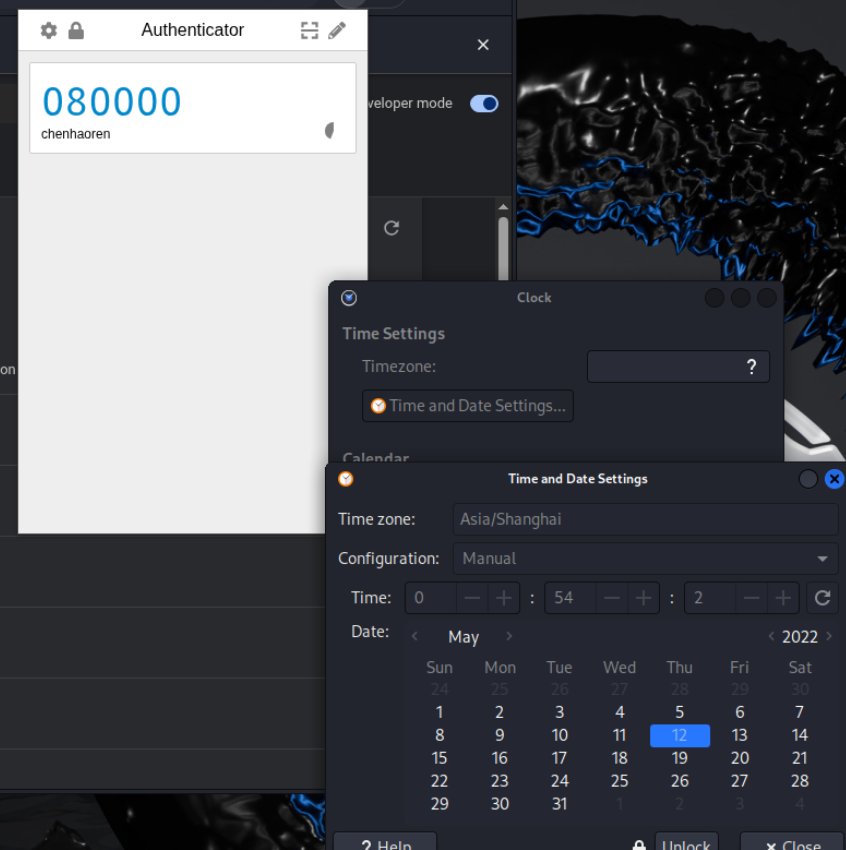
18.请分析检材2Linux系统,该检材Linux系统浏览器插件存放的令牌在2022-05-12 00:54:10时的令牌为
可以发现这个令牌是会随机变换的,所以可以调整虚拟机时间来看当时的令牌,
注意时间对应好后把地区改成亚洲/上海,不然时区对应不上,是080000
手机部分取证
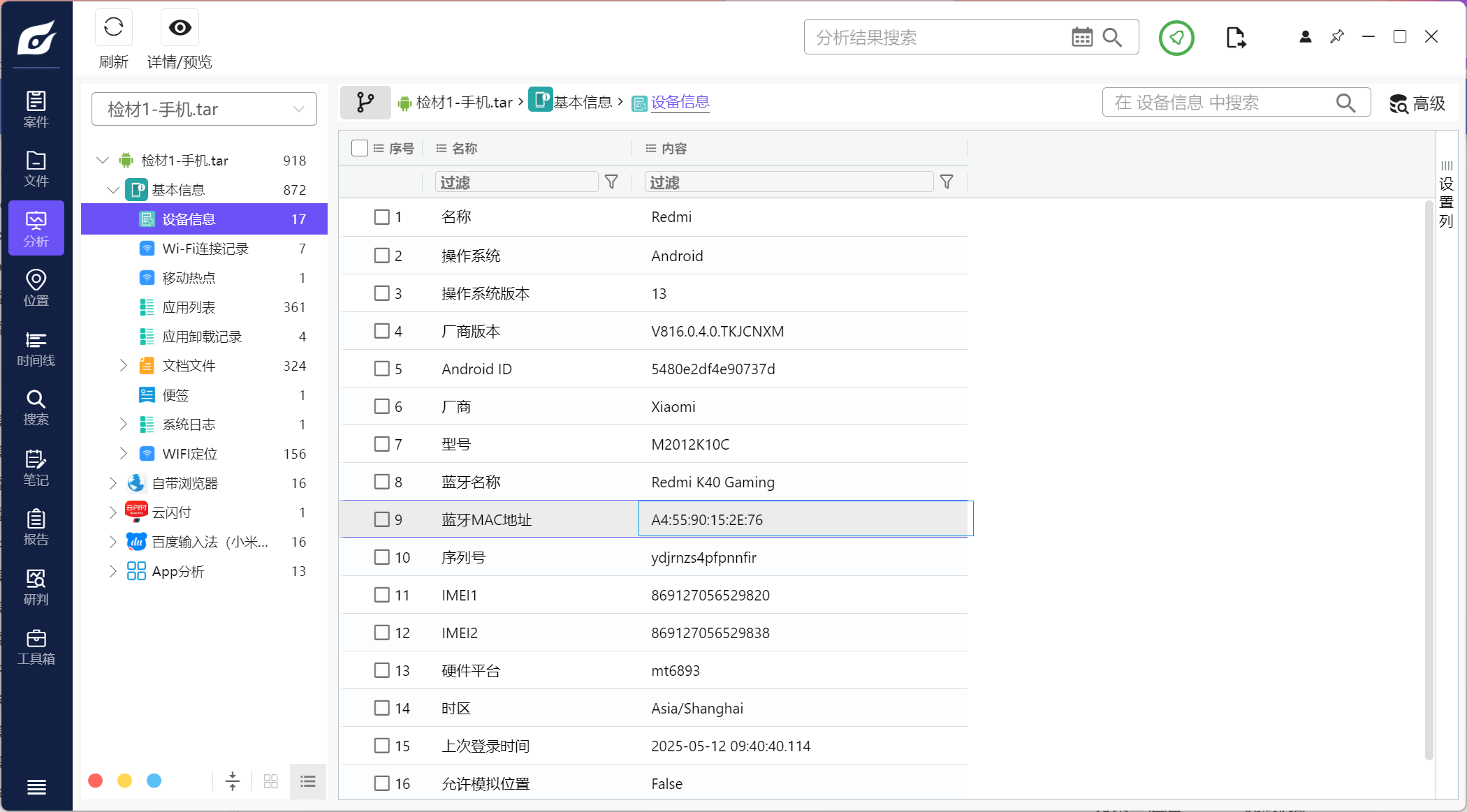
1.请分析检材1,该检材的蓝牙mac地址为
看火眼的分析即可
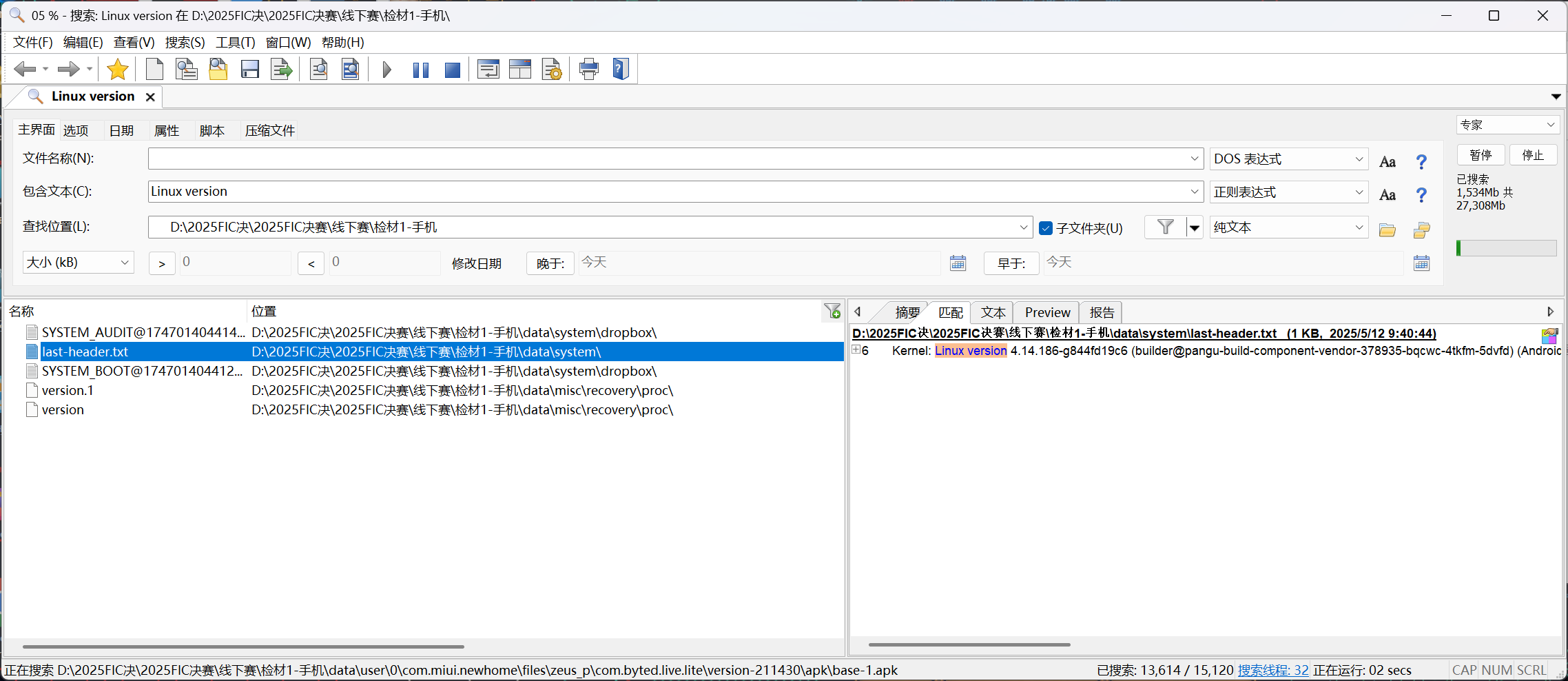
2.请分析检材1,该检材的系统Linux内核版本号为
这里分析的是手机的版本号,linux的可以全检材爆搜Linux version,发现是4.14.186
3.请分析检材1,该检材中实际使用的密码管理软件的软件包包名为
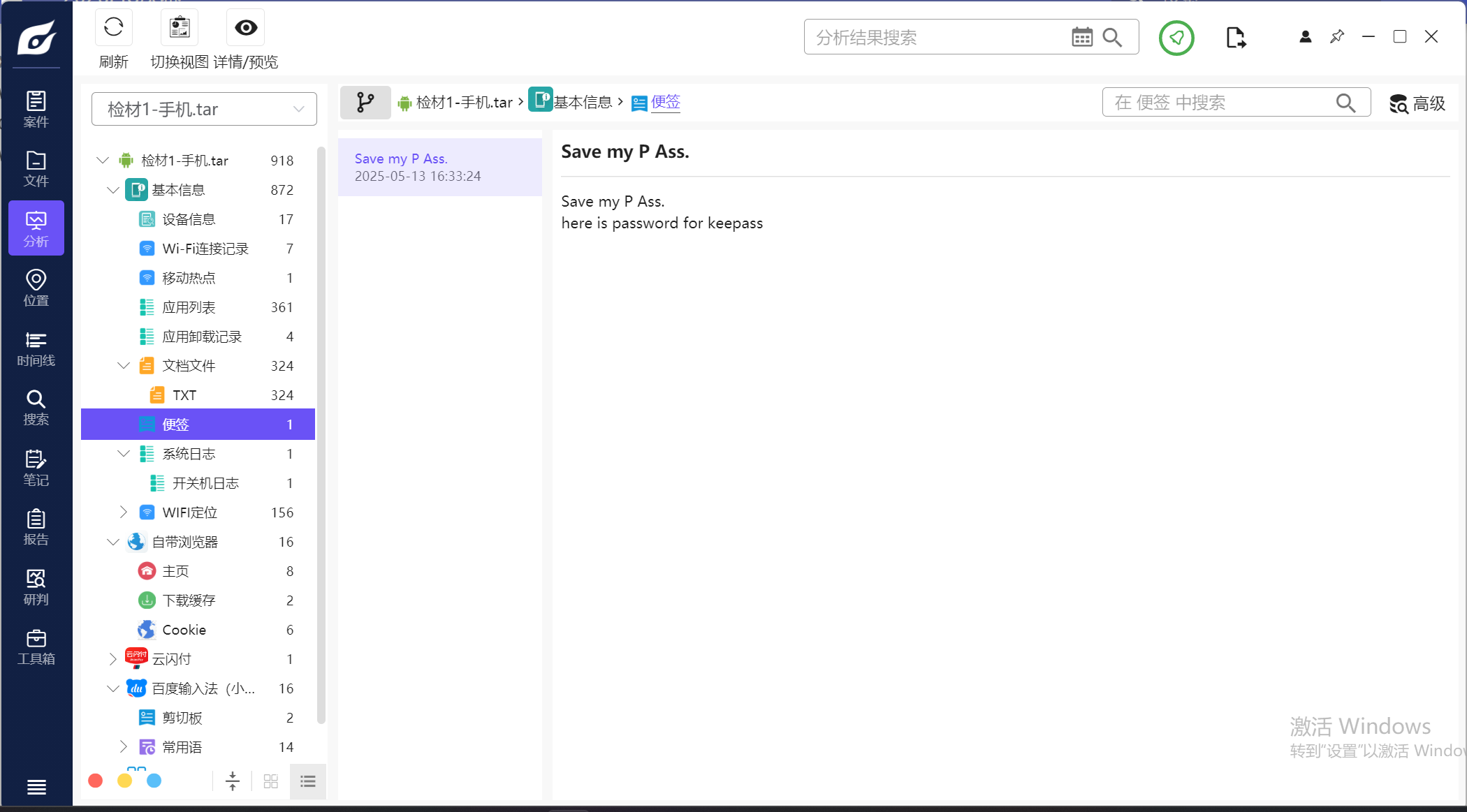
在便签可以看到这里的密码提示,所以用的是keepass的数据库,筛选一下看看手机上的应用
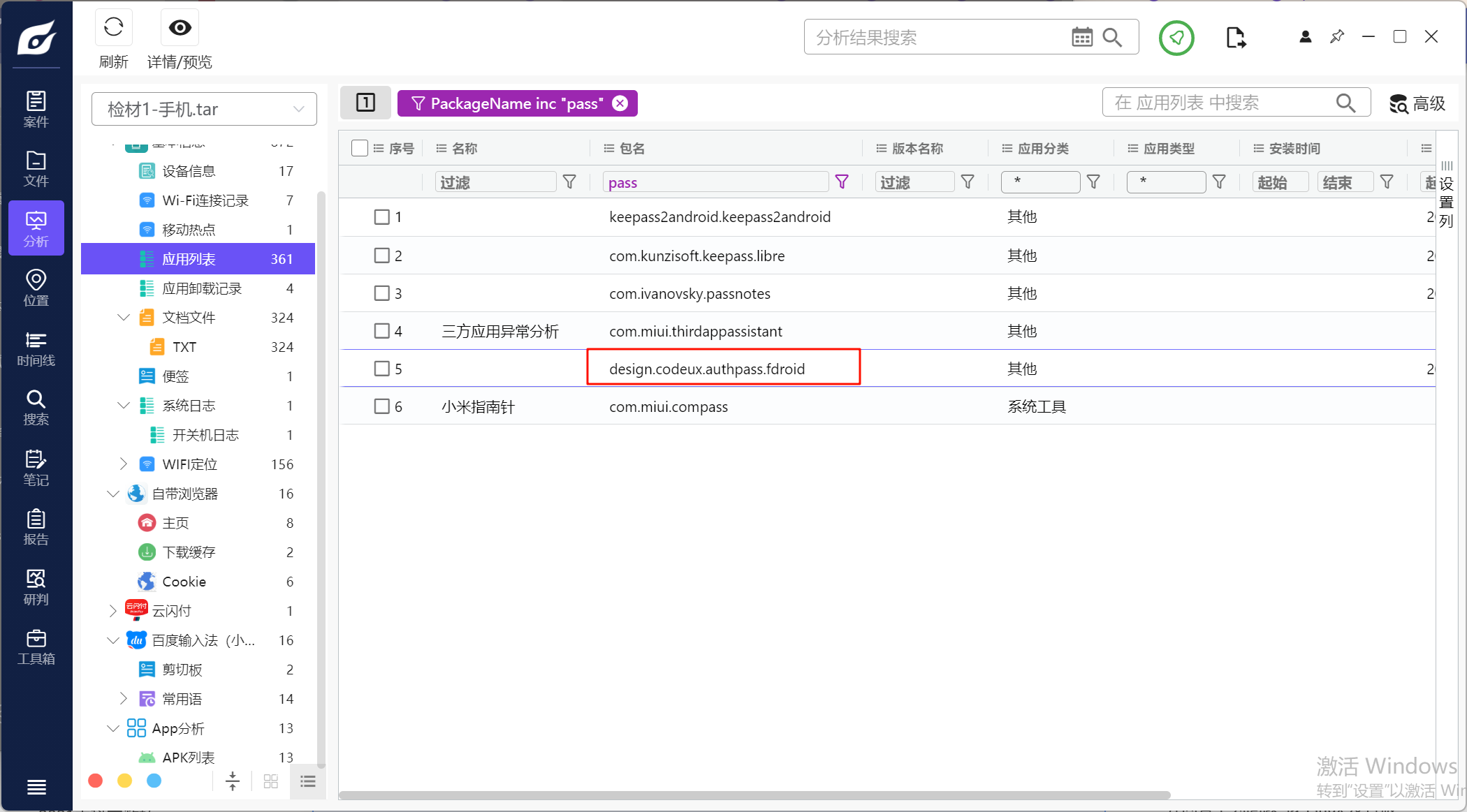
最后在design.codeux.authpass.fdroid包中找到有数据库内容,是我的密码.kdbx
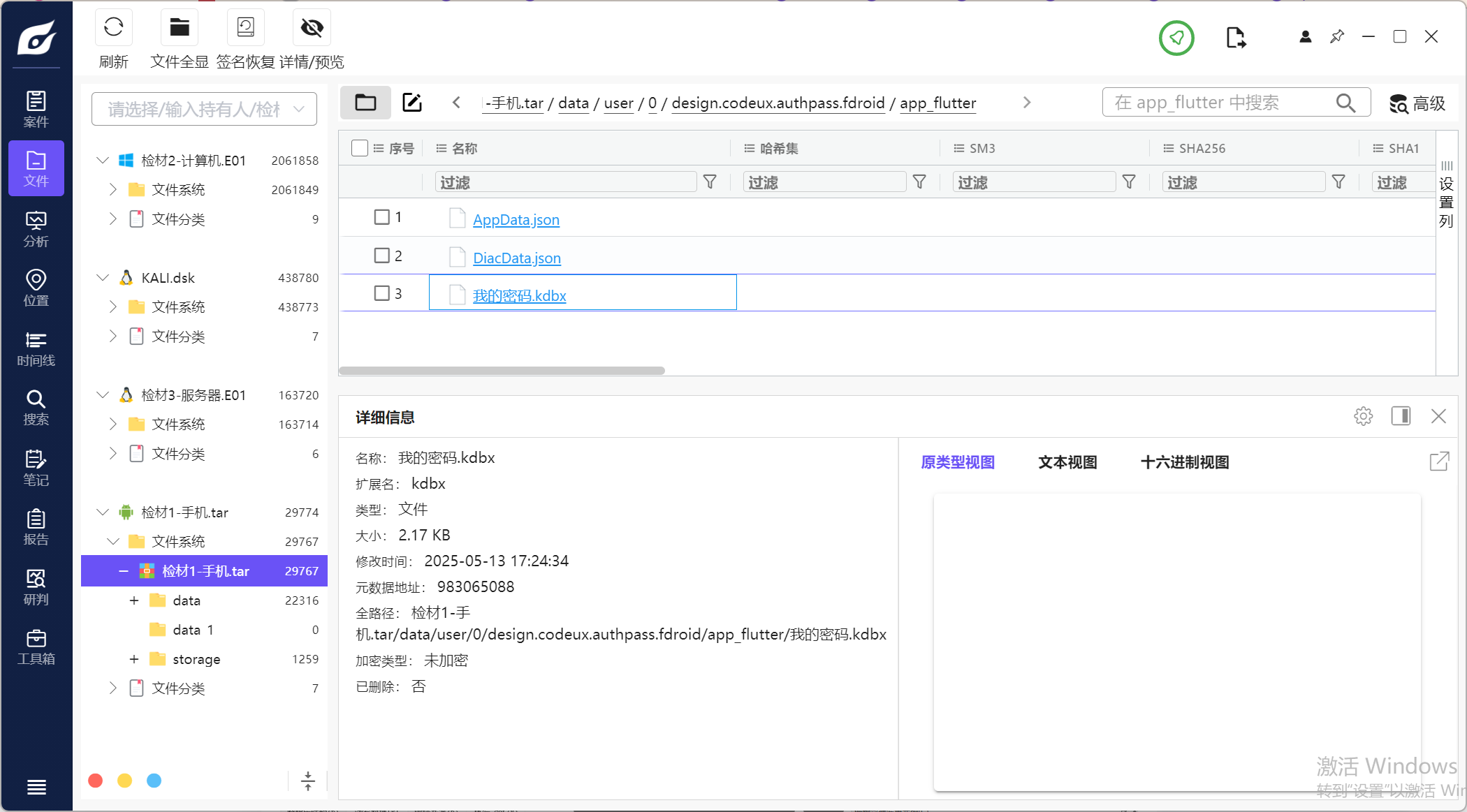
密码用的是便签里的Save my P Ass.
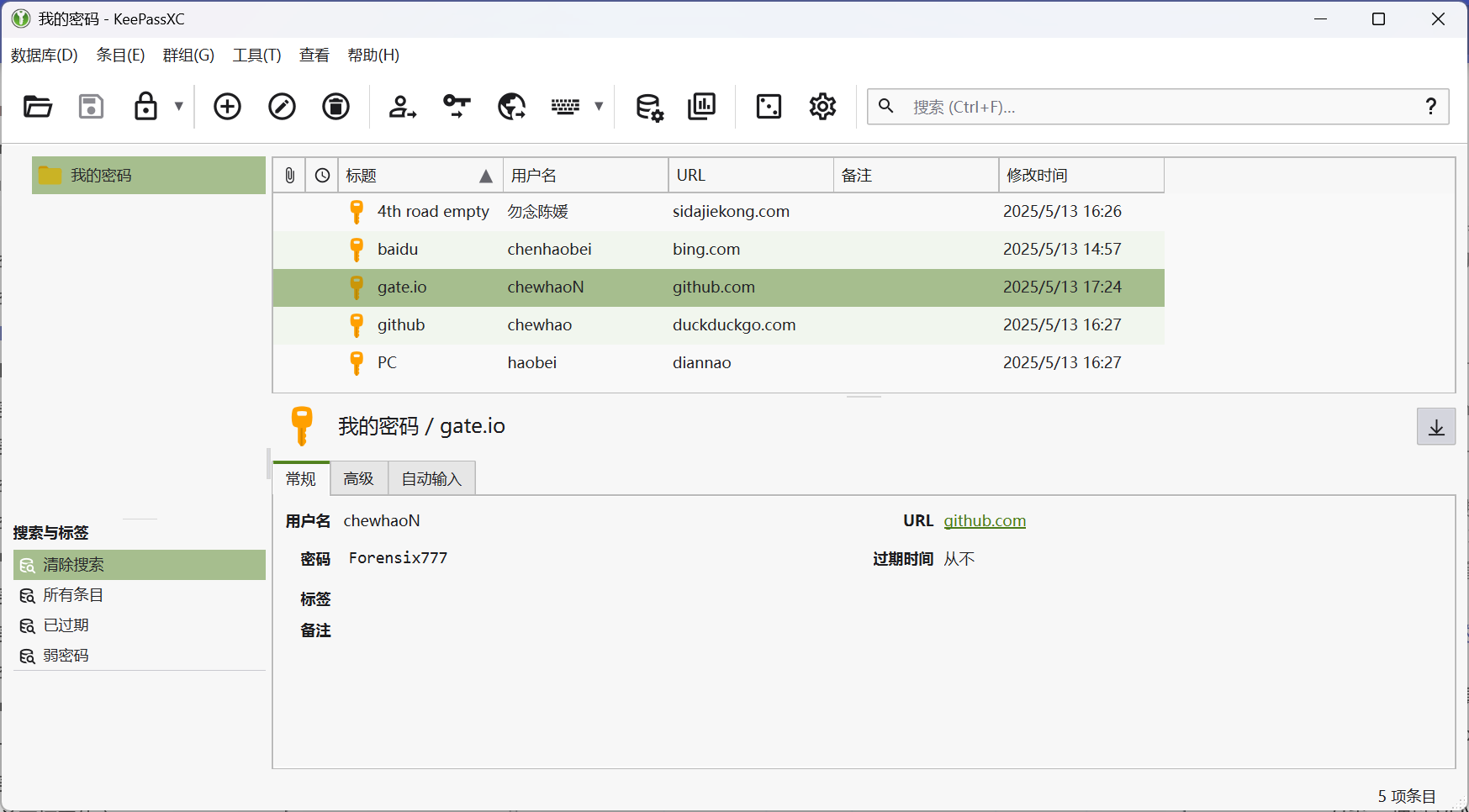
我用的是github上的keepass来解密的#https://github.com/keepassxreboot/keepassxc/releases/tag/2.7.10
4.请分析检材1,该检材中密码管理软件的主密钥为
Save my P Ass.
5.请分析检材1,该检材中保存的github.com密码为
数据库中有很多关于github的,但是根据URL来看,最符合应该是777
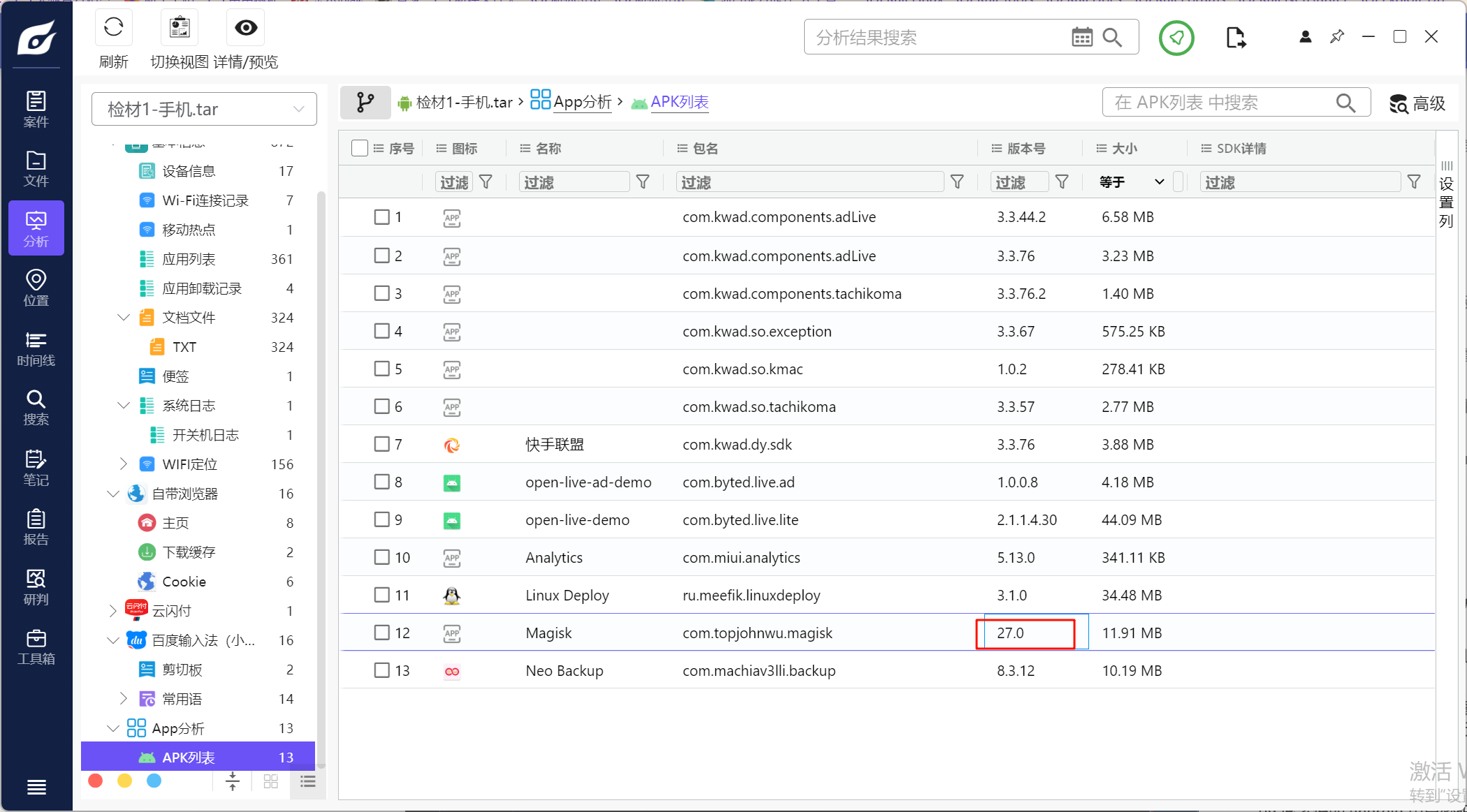
6.请分析检材1,该检材root工具的版本为
有Magisk的提取信息
下面的题我采用的是直接做,没有仿真来做,仿真的话可以参考#2025FIC决赛 - XDforensics-Wiki
本人不太熟练这个仿真过程,所以还没复现
7.请分析检材1,找到该手机上的Linux容器,并回答下列问题,该Linux发行版名称为
找到“检材1-手机\data\user\0\ru.meefik.linuxdeploy\shared_prefs\properties_conf.xml”
根据该文件来找linux容器的信息
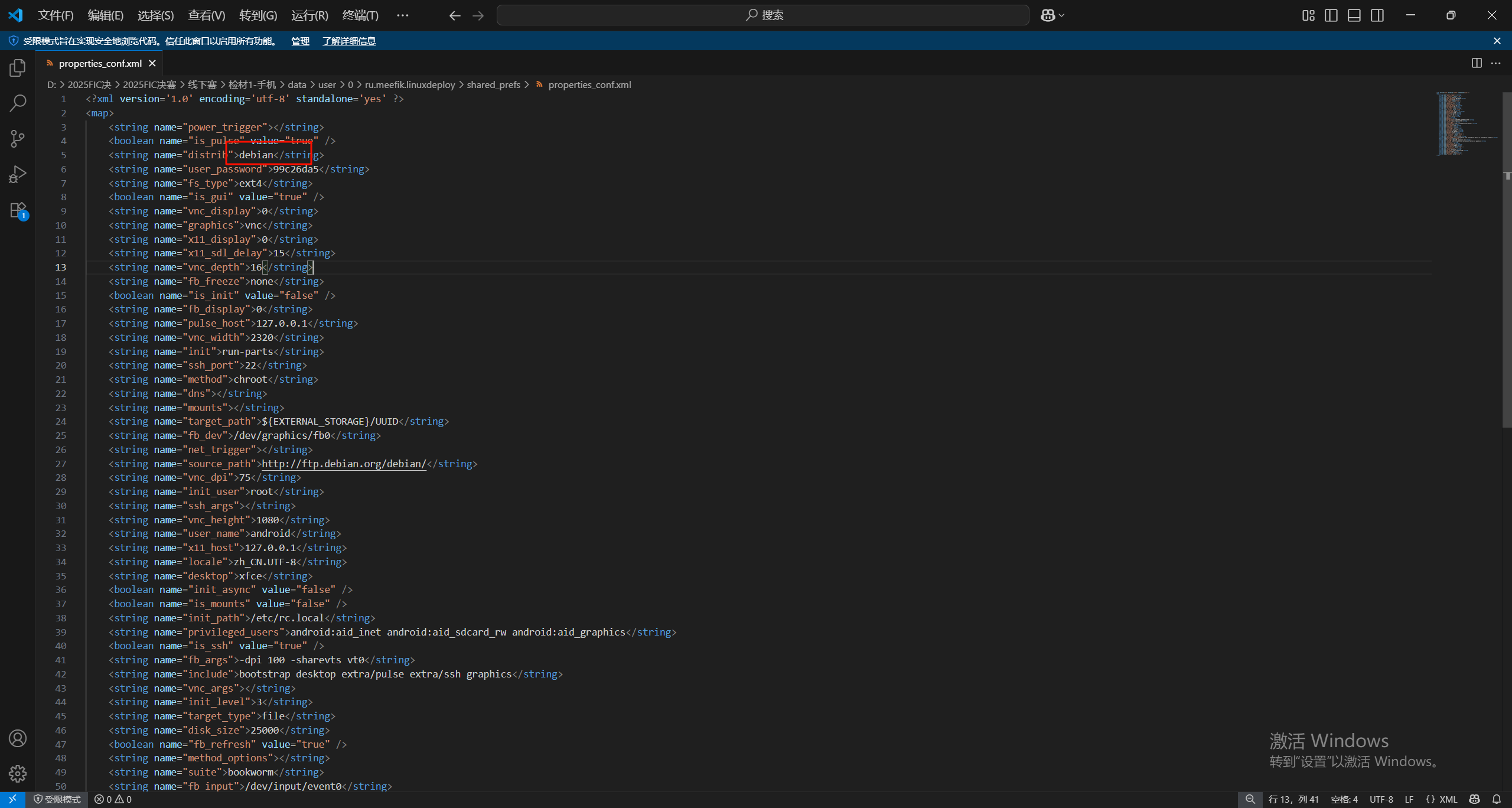
debian
8.请分析检材1容器,该系统默认桌面环境为
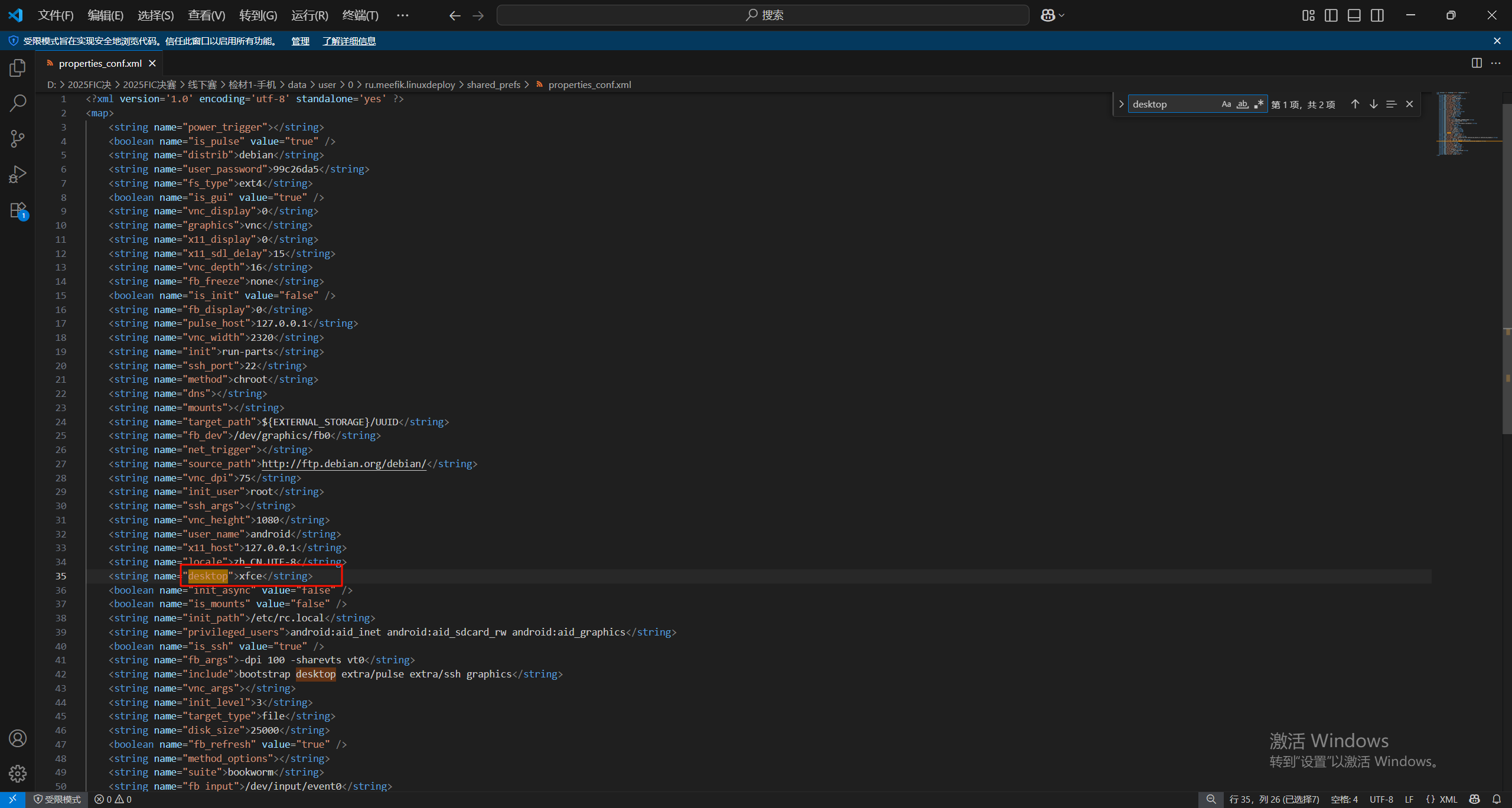
xfce
9.请分析检材1容器,该系统的android用户密码为
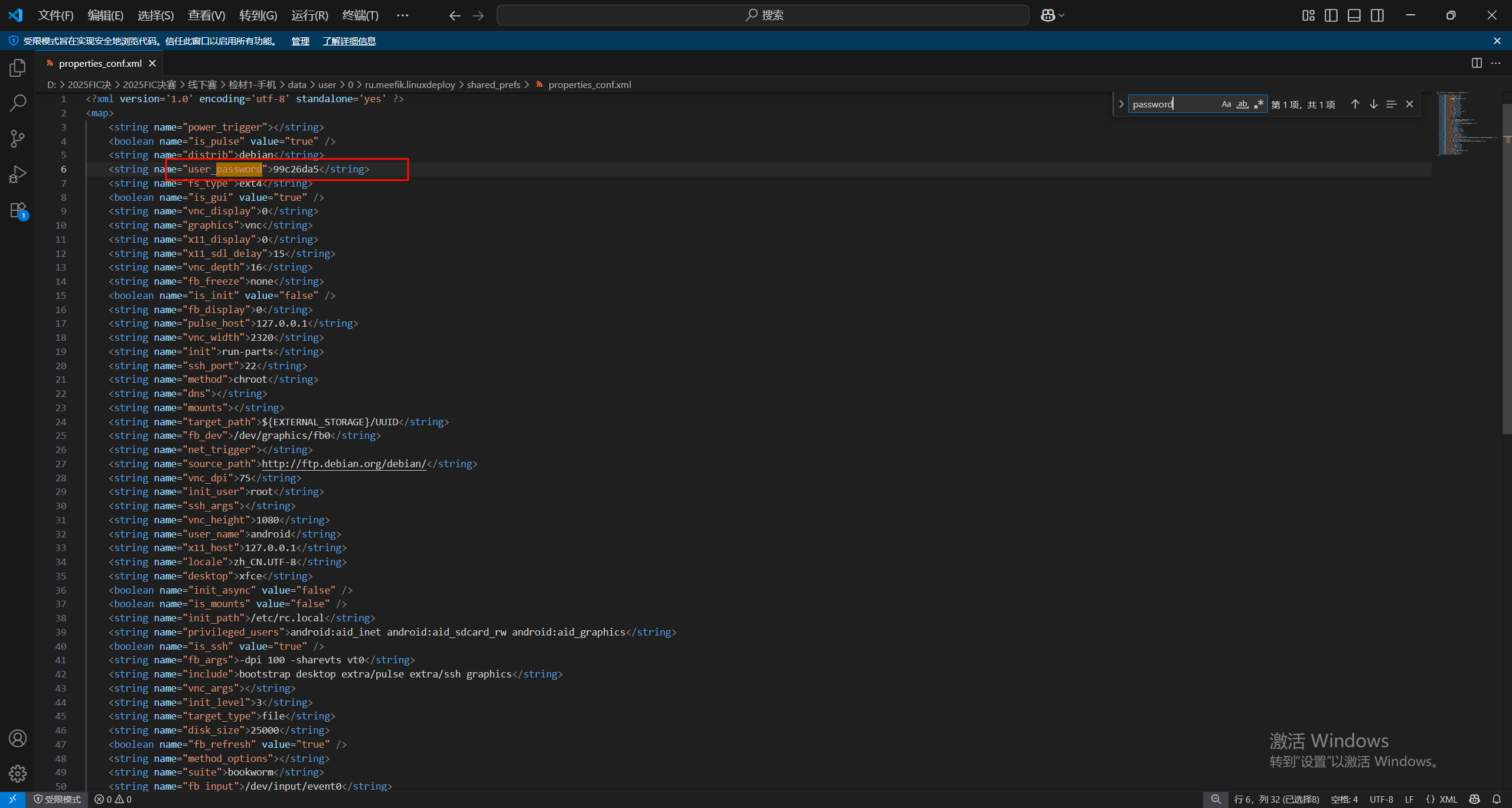
搜索password也可以找到密码99c26da5
10.请分析检材1容器,浏览器下载的文件名为
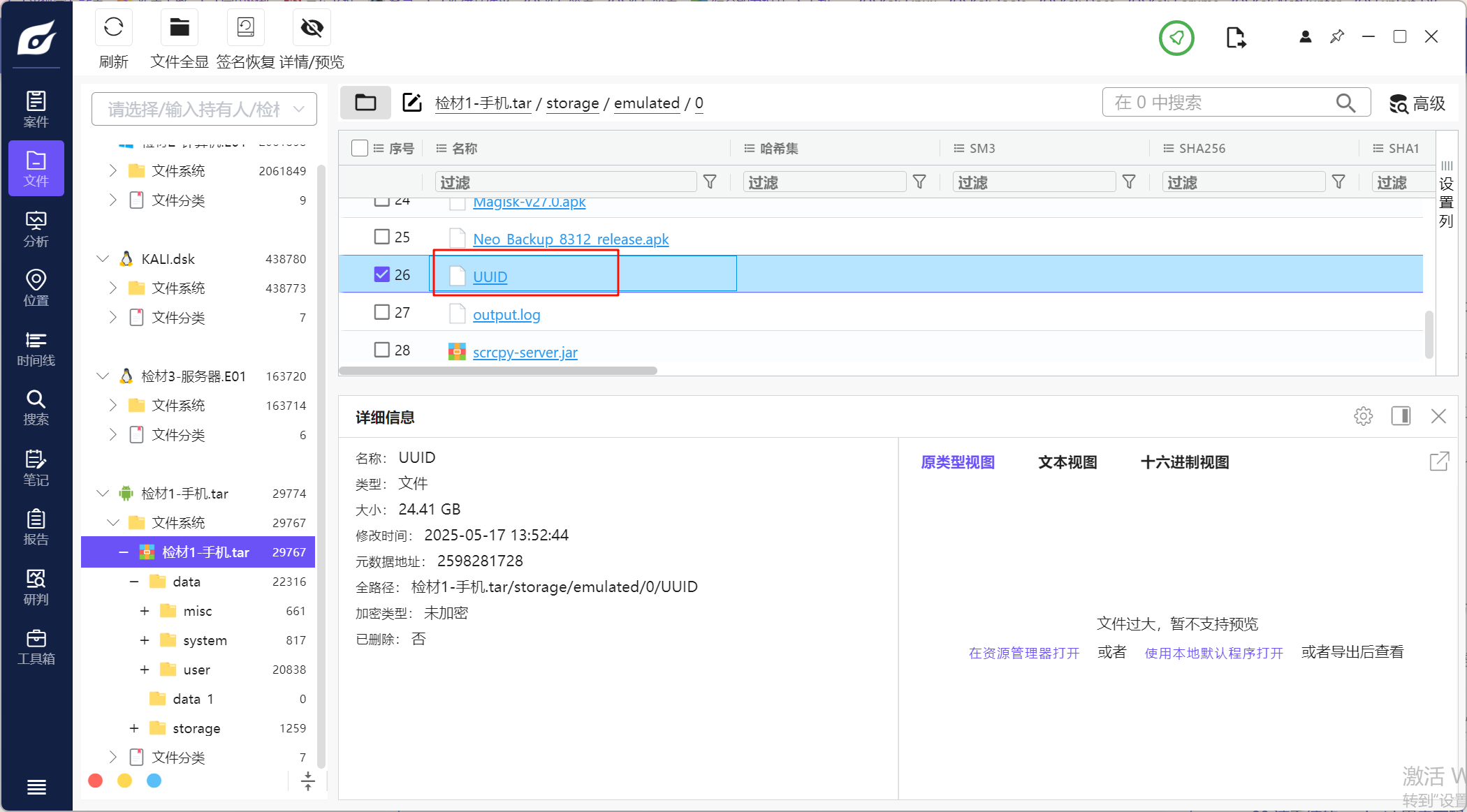
这是linux的容器,把这个重新分析查看一下
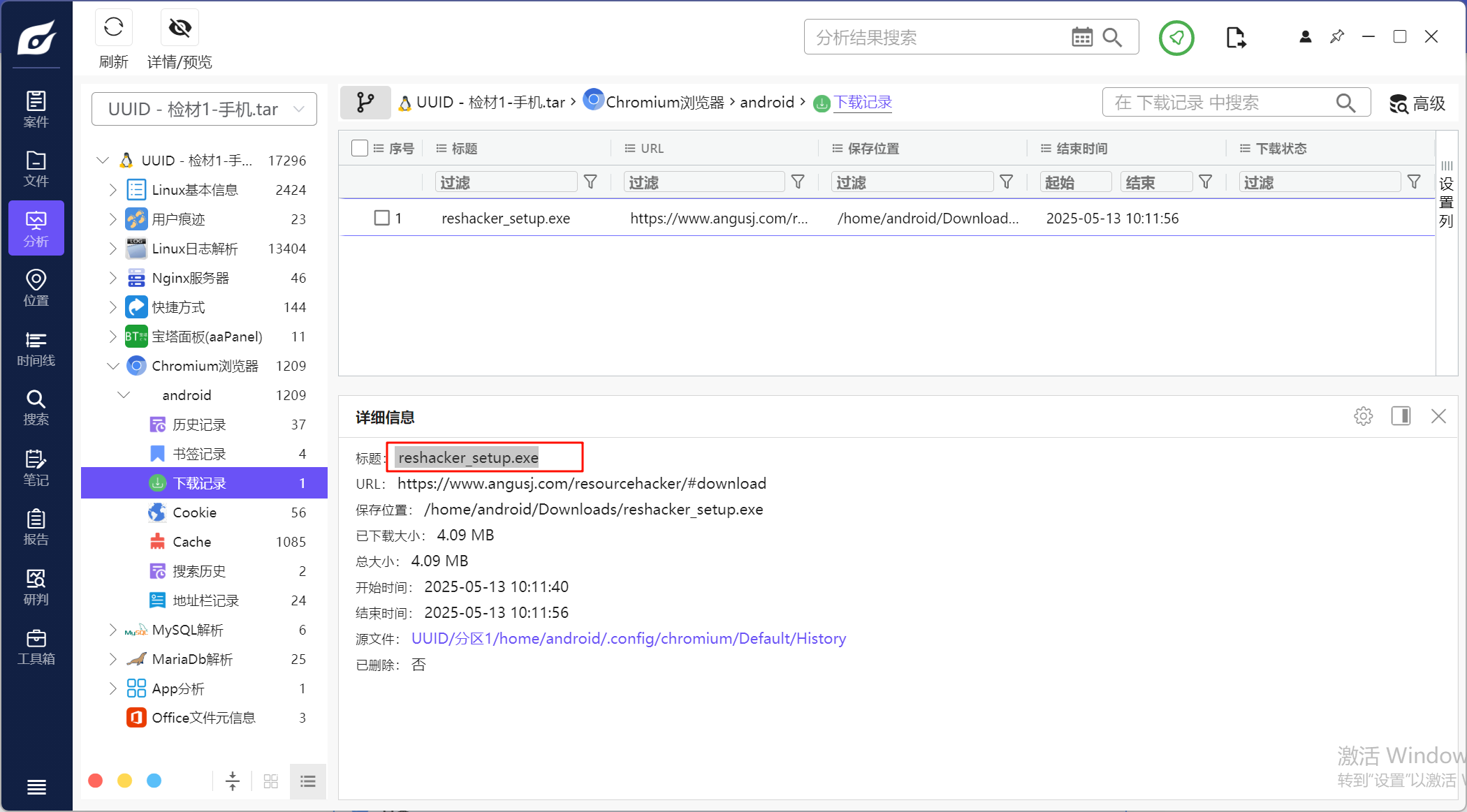
reshacker_setup.exe
11.请分析检材1容器,陈某使用过的github代理的域名为
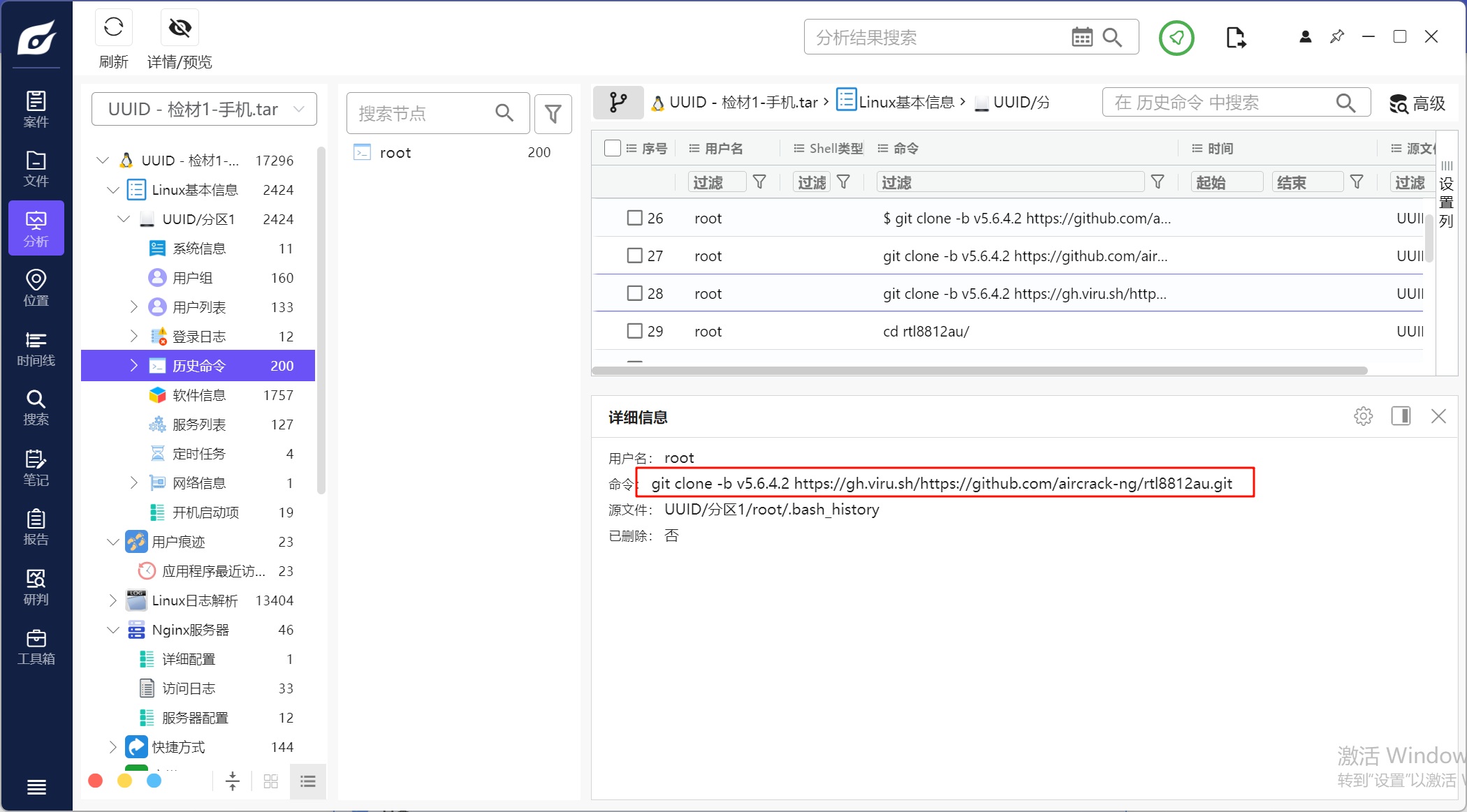
在历史命令中可以看到这里利用代理在下载项目
12.请分析检材1容器中助记词程序recphrase,其使用的壳类型为
利用火眼搜索可以找到这个程序的位置
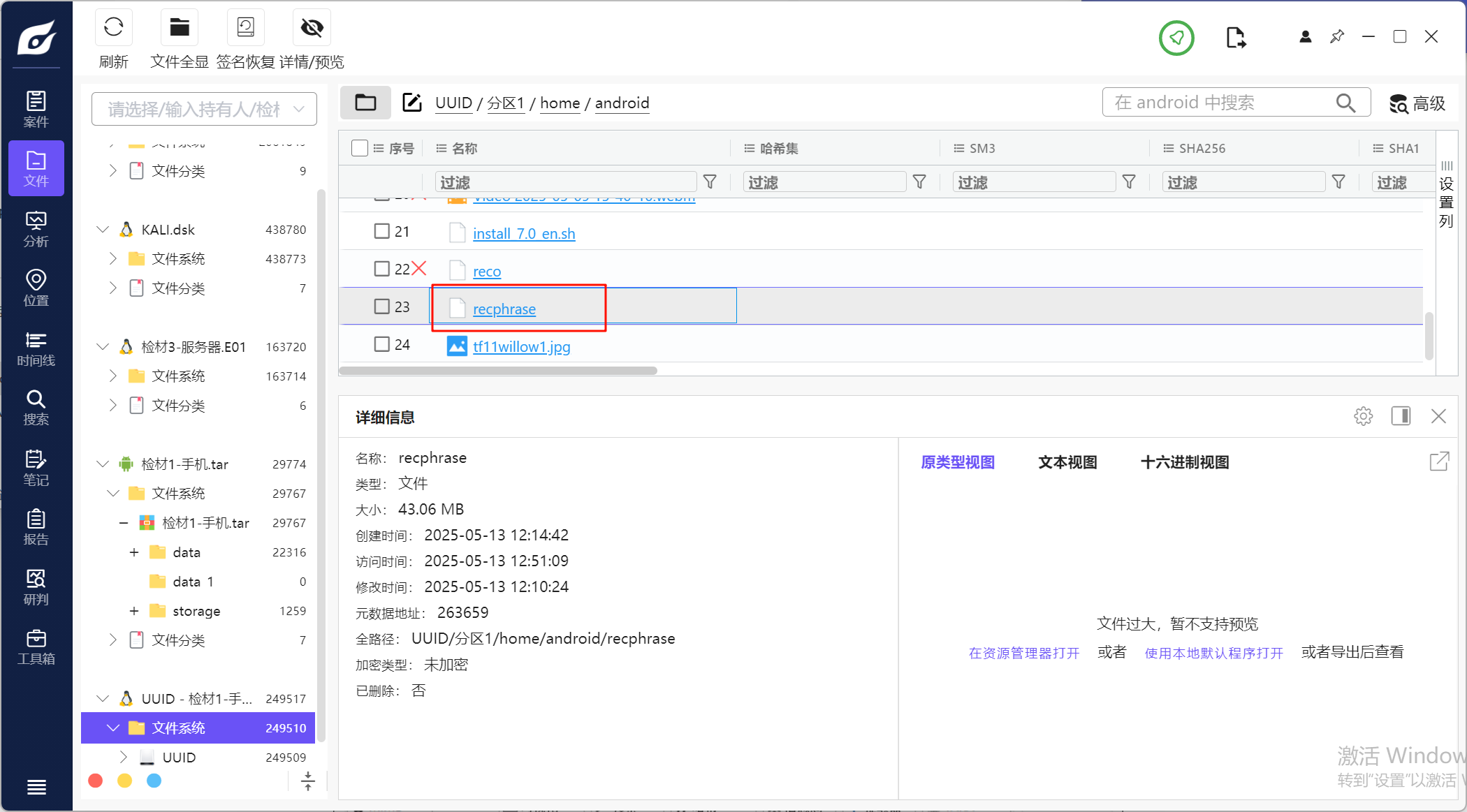
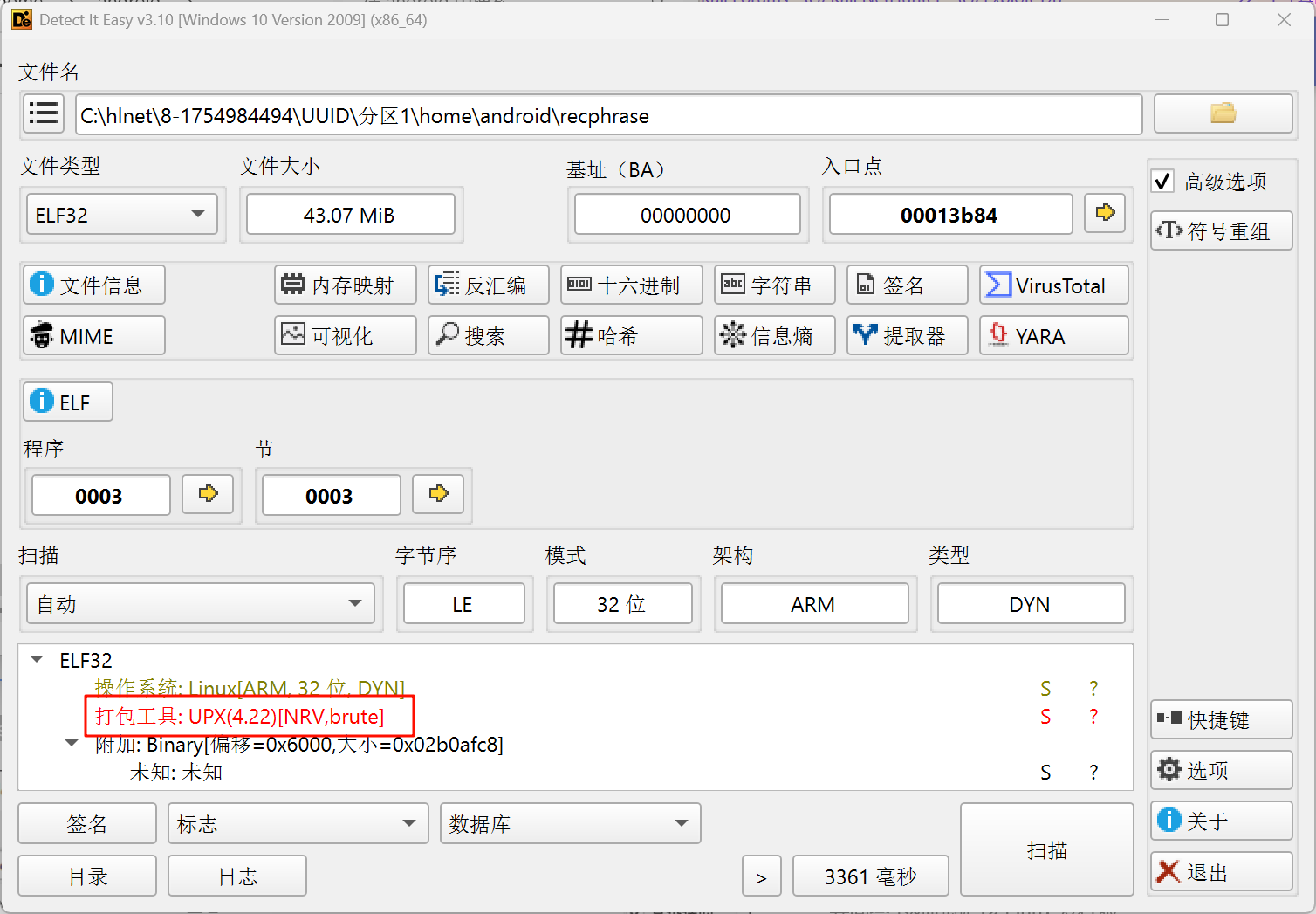
用die去分析一下发现是UPX
13.请分析上题程序,程序运行后第2列第3行助记词为
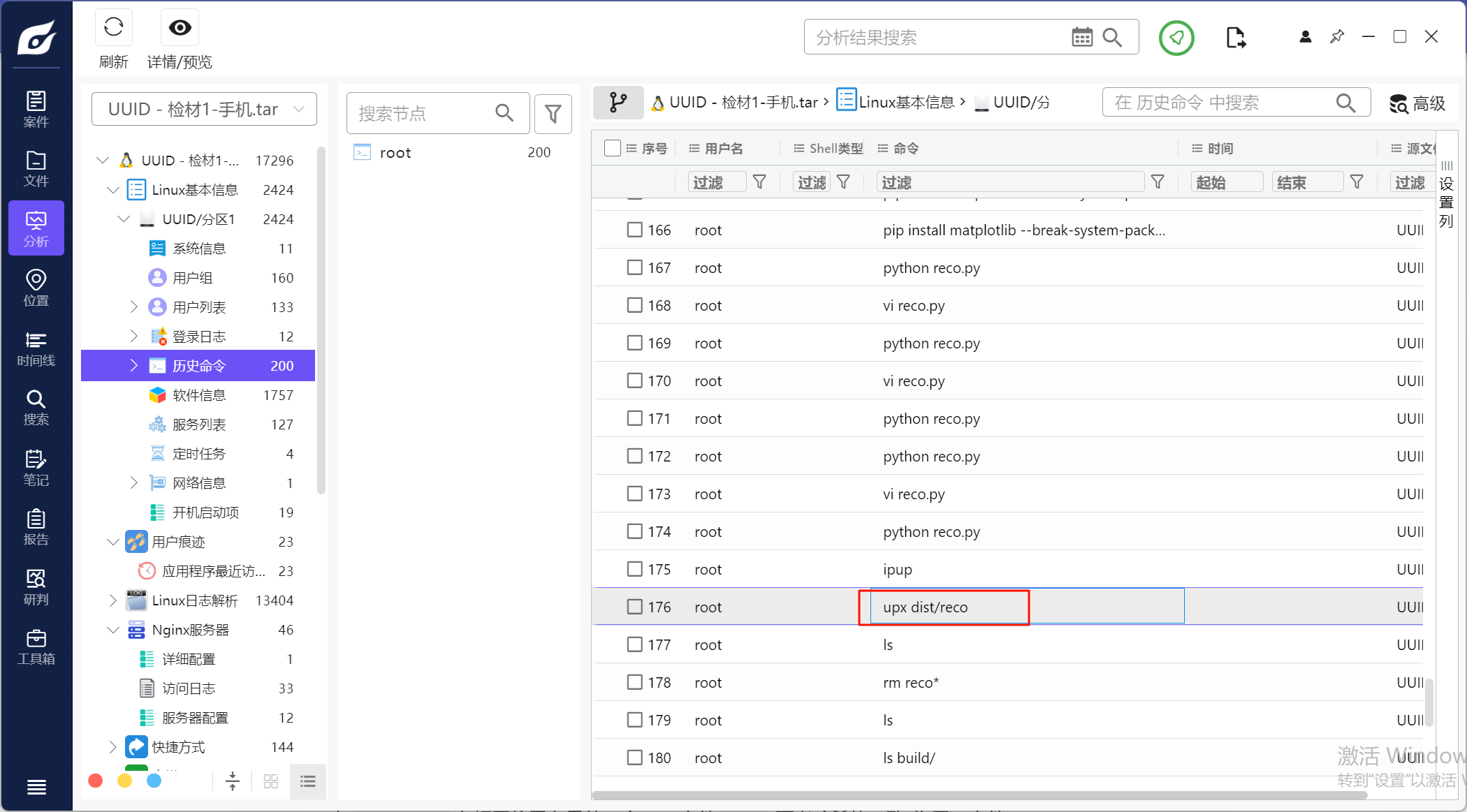
观察这里的reco文件,这个存在同一目录下,可以被火眼恢复,而且两个文件是一样的
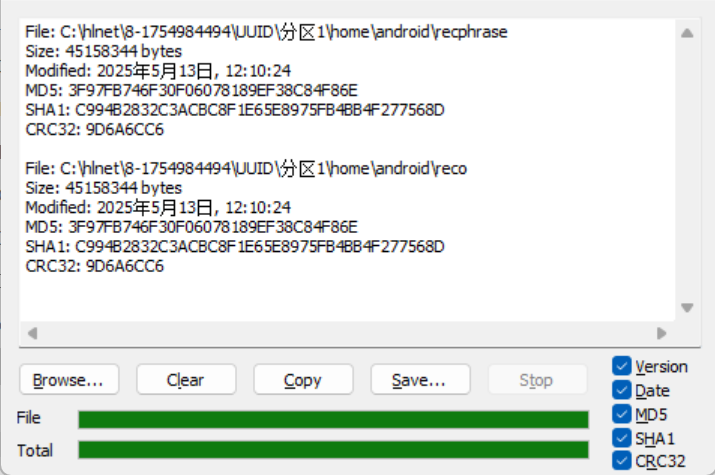
我们可以尝试逆向分析,upx解壳之后发现这是一个python写的,那就用pyinstxtractor-ng解包
然后吧reco.pyc反编译
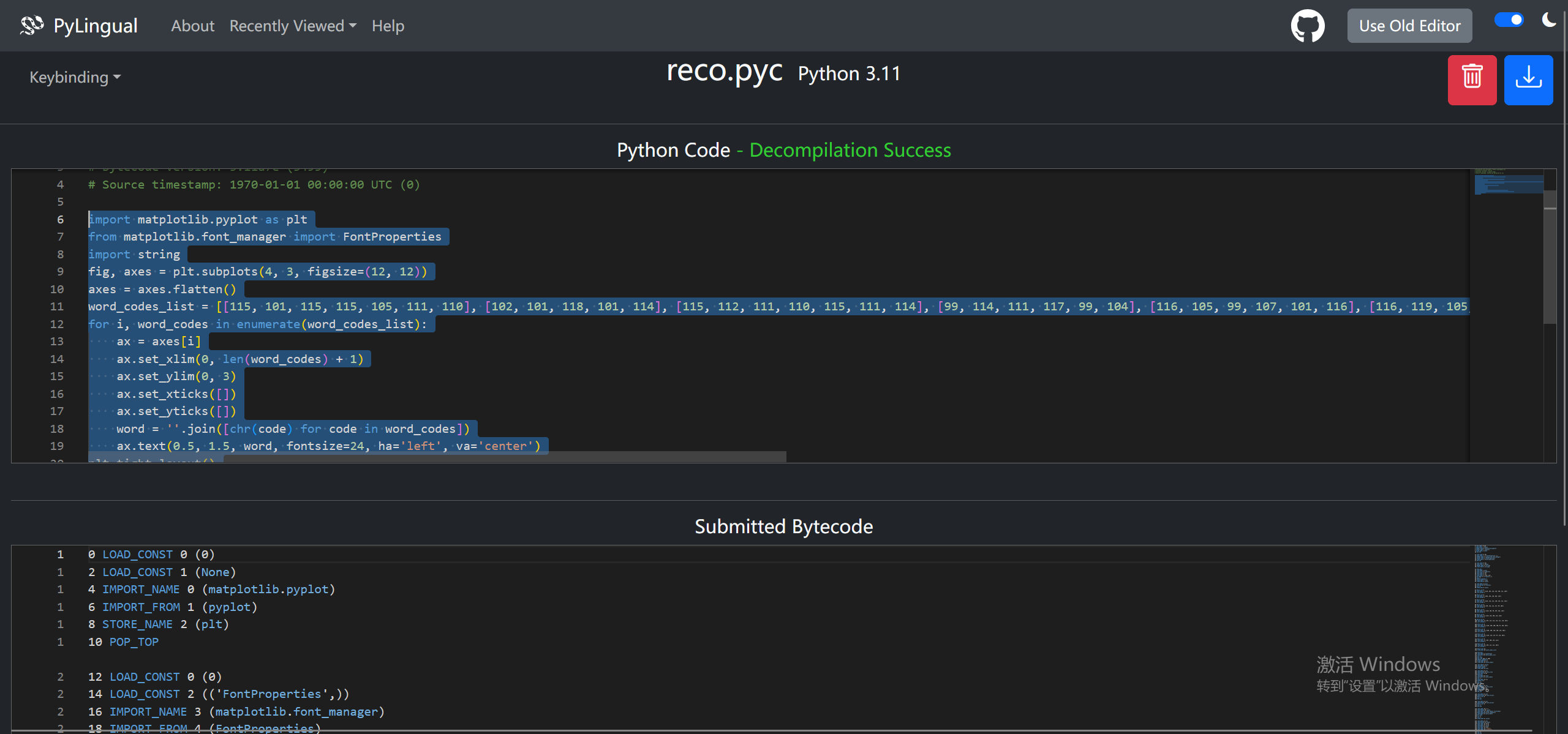
拿下来的源码基本就是完整的,所以直接运行看看,可以得到助记词
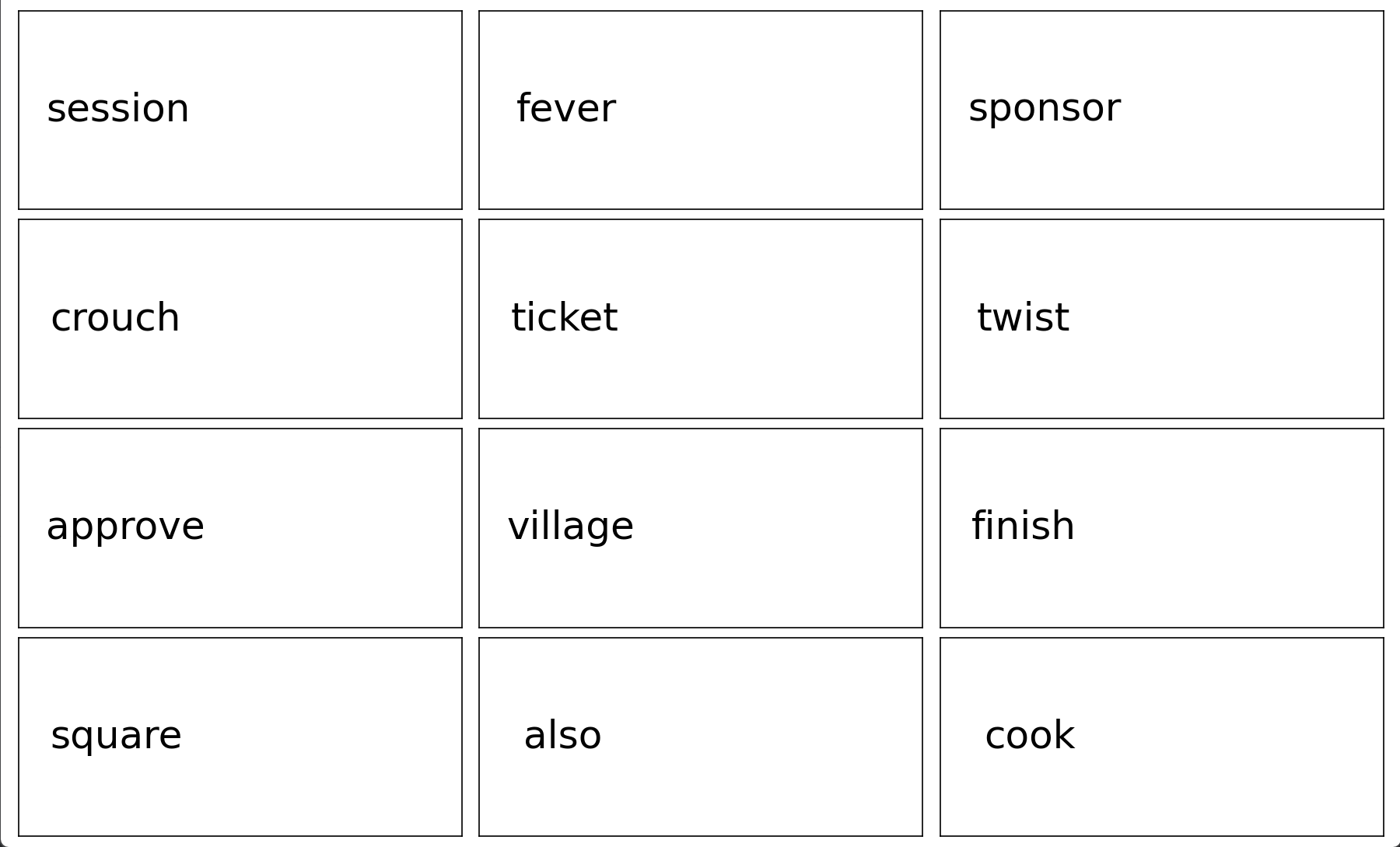
第二列第三行 village
14.请分析上题程序,该组助记词对应的钱包种子前8位为
session fever sponsor crouch ticket twist approve village finish square also cook
把助记词用bip39算一下,前八位是e08478b0

15.请分析检材1容器,钓鱼网站(phishing)的后台用户密码加密算法为
找到网站的源码位置
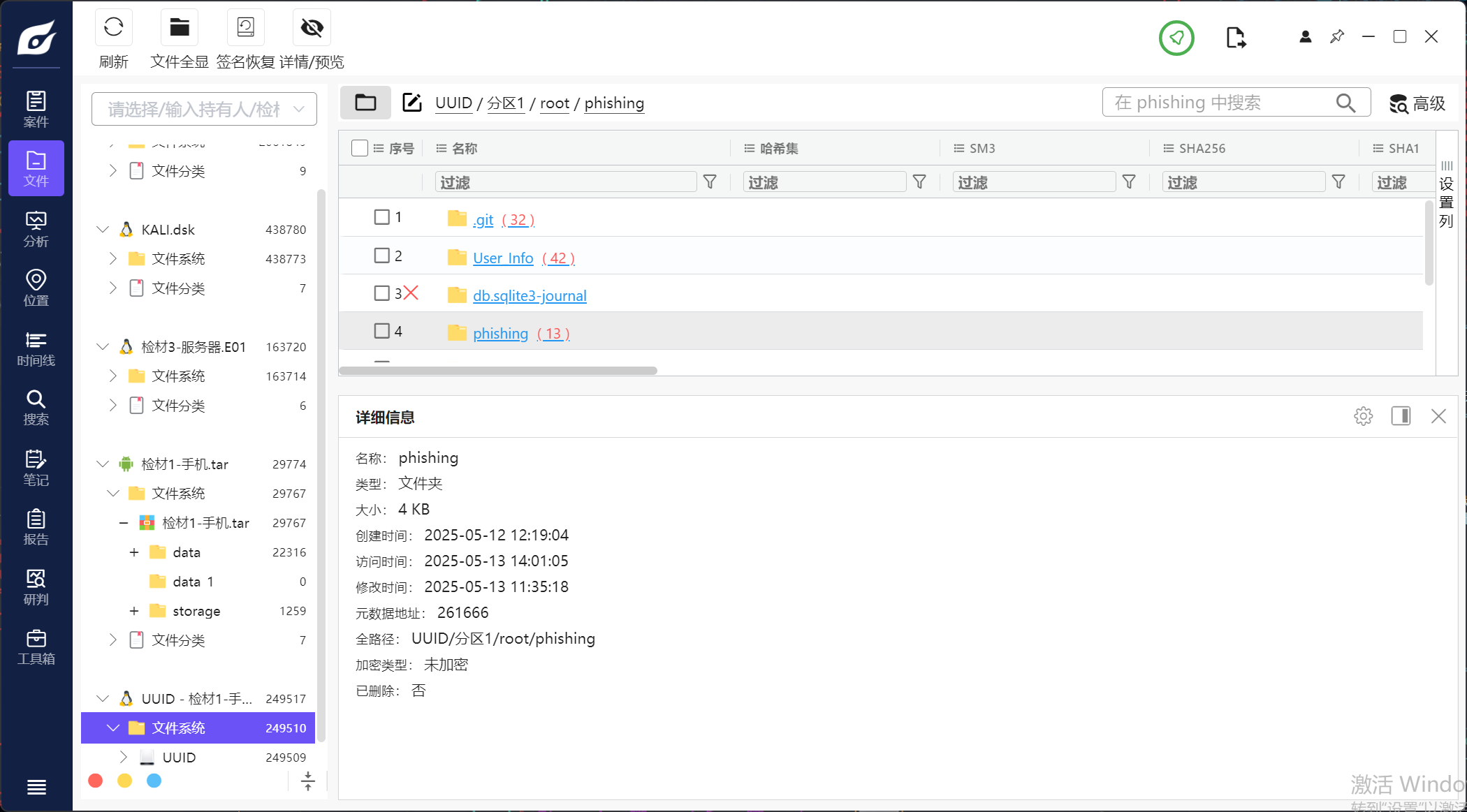
直接看保存密码的位置,确定格式是pbkdf2_sha256
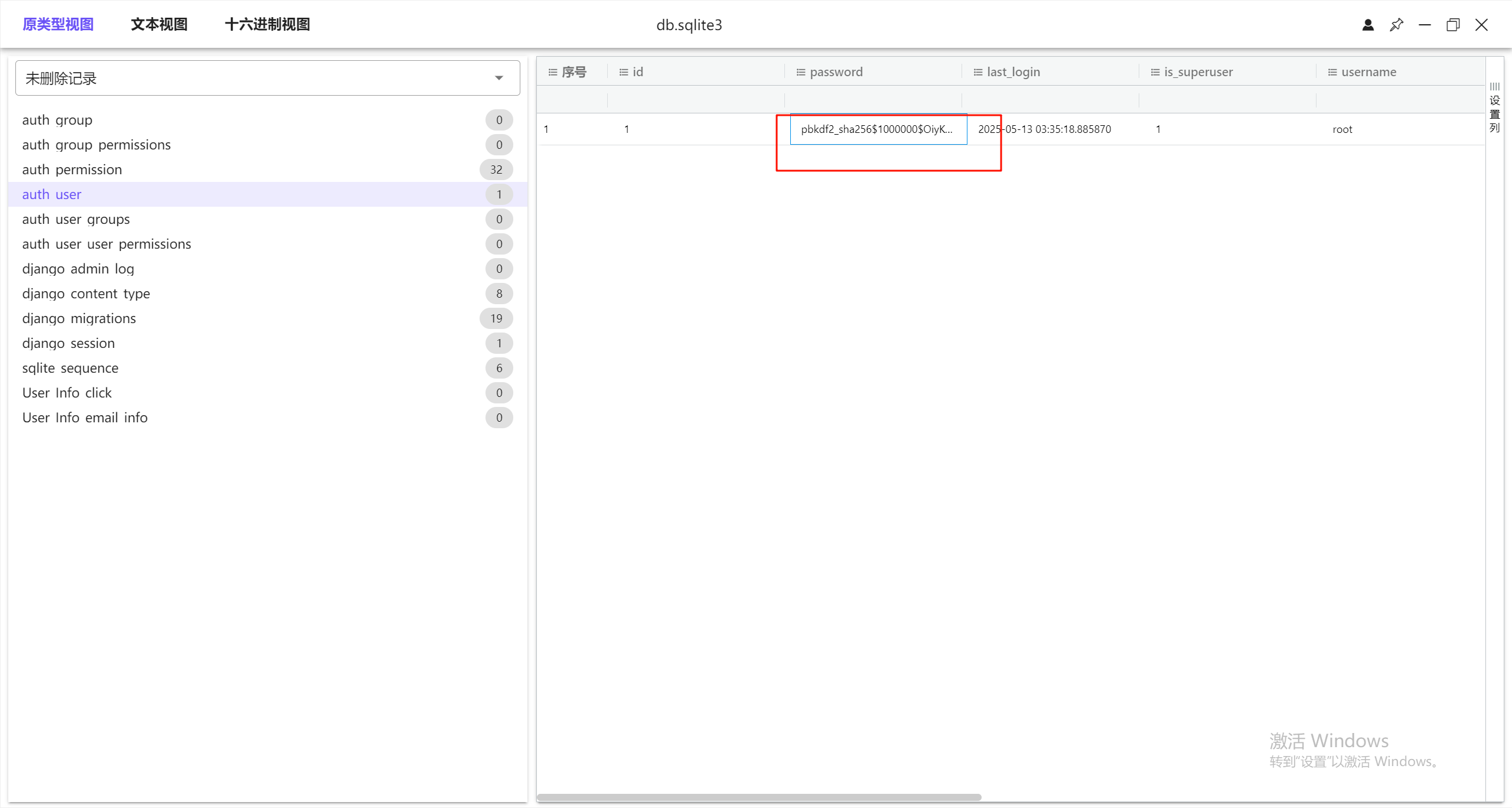
16.请分析检材1容器,钓鱼网站超管用户的弱口令为
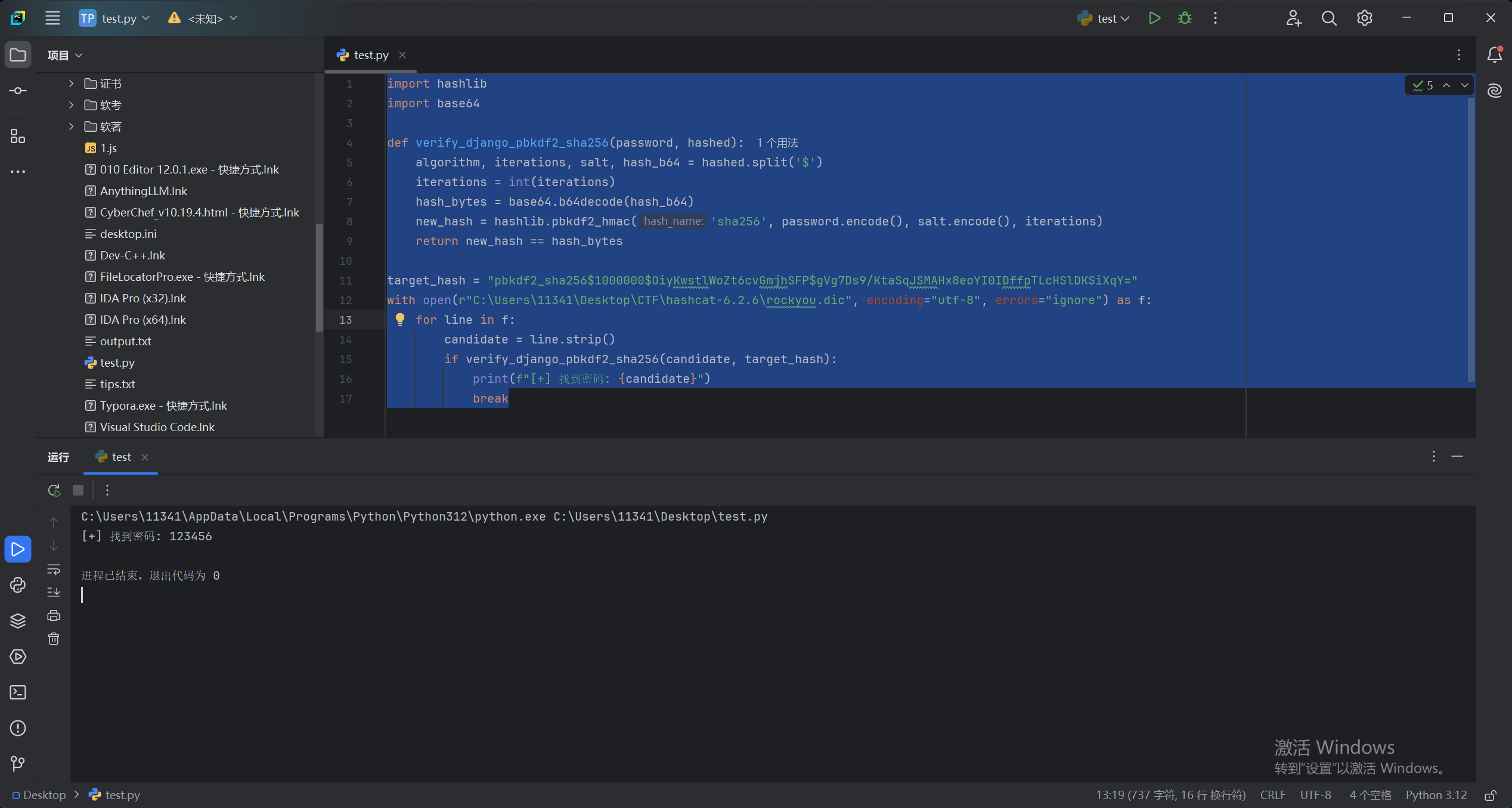
这里用的xidian的脚本来爆破,但是好像可以仿真网站然后123456就可以登录进去了,我仿真之后看还要新搞网卡之类的,没有直接仿起来,所以就用爆破的方法,如果可以仿真起来的话应该bp发包爆破也可以
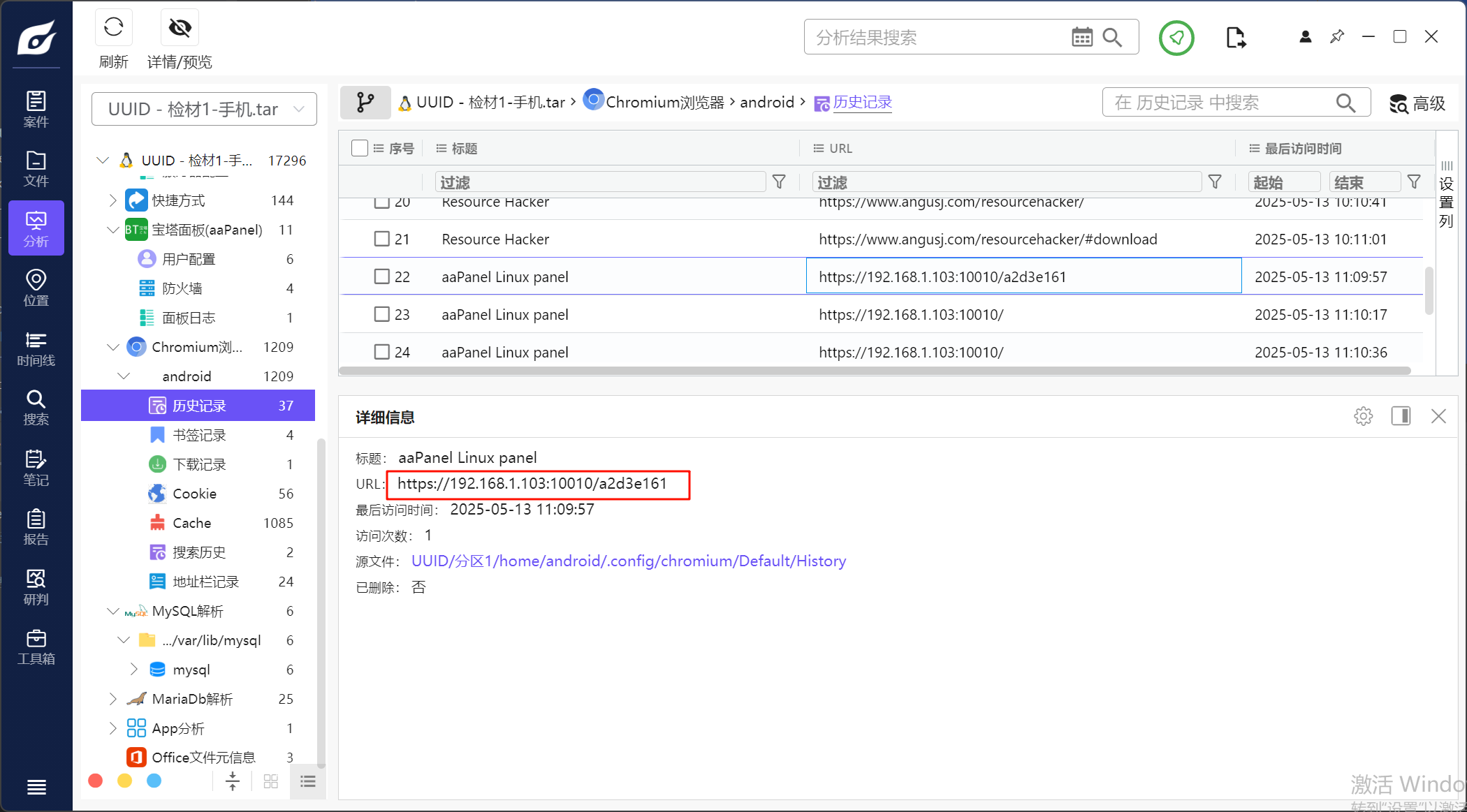
17.请分析检材1容器,宝塔面板的入口为
根据浏览器记录可以找到
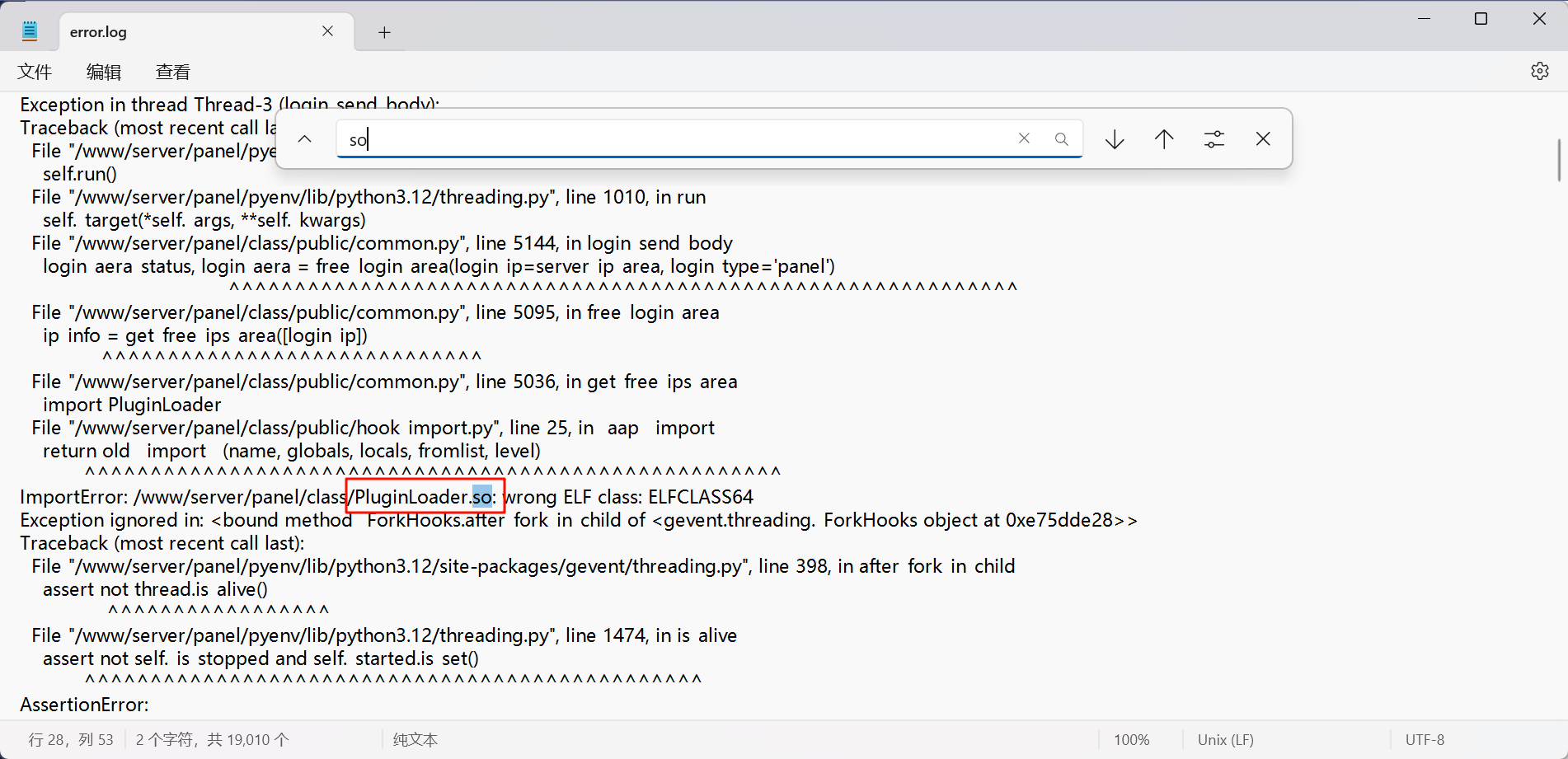
18.请分析检材1容器,宝塔面板运行在aarch64内核时报错的so文件为
去找面板的报错日志
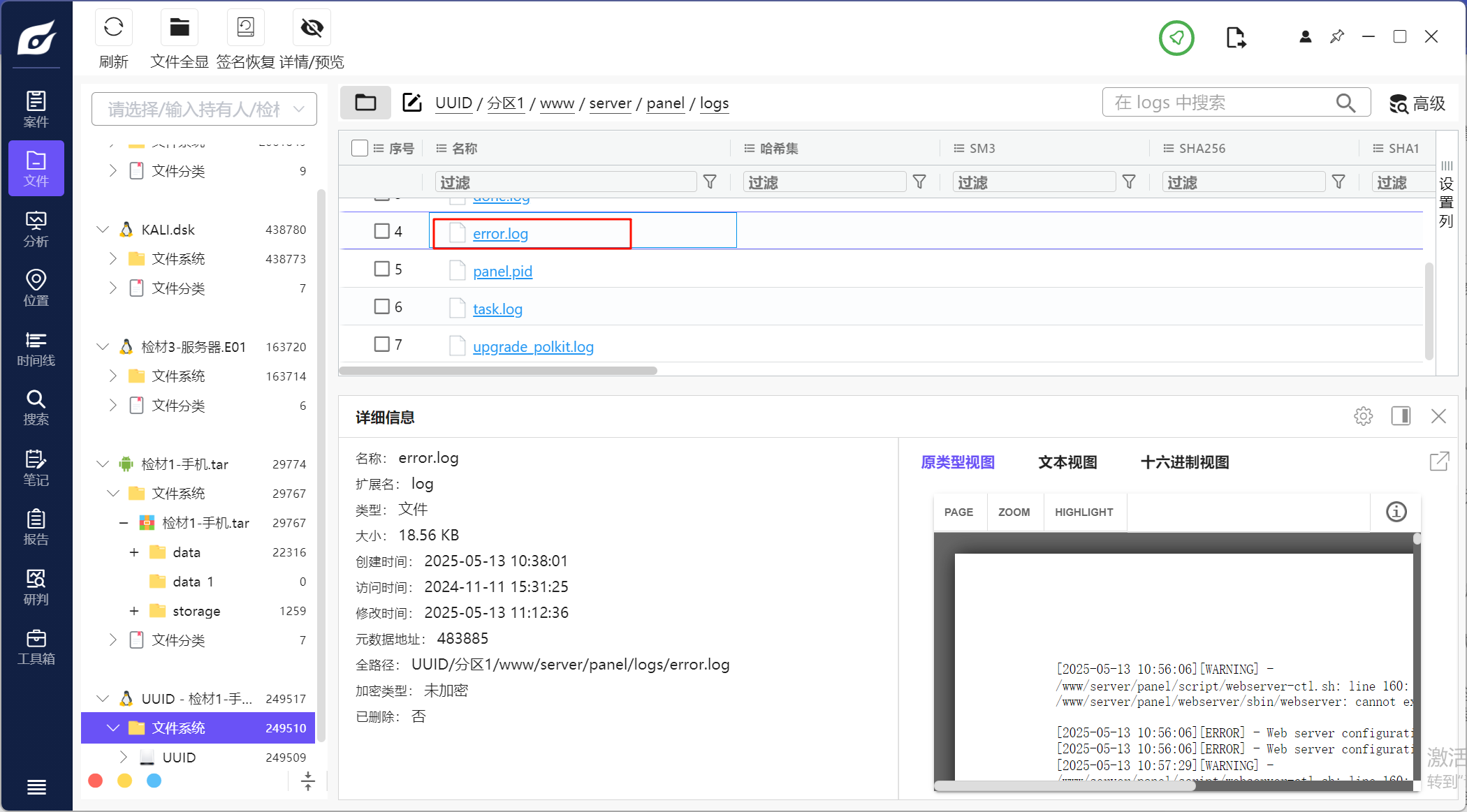
搜索so第一个就能看到
服务器取证部分
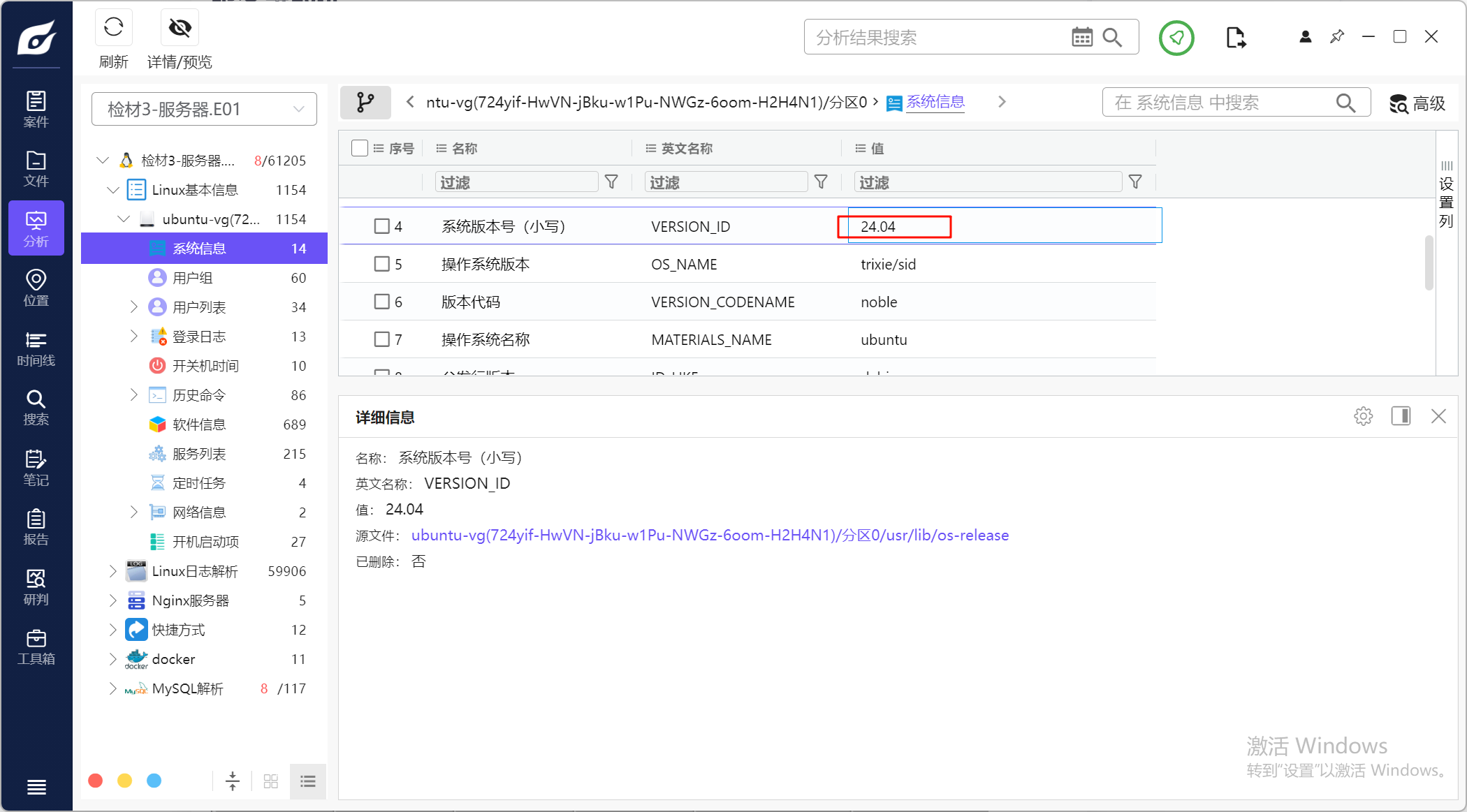
1.请分析检材3,该操作系统版本号为
直接看火眼分析结果
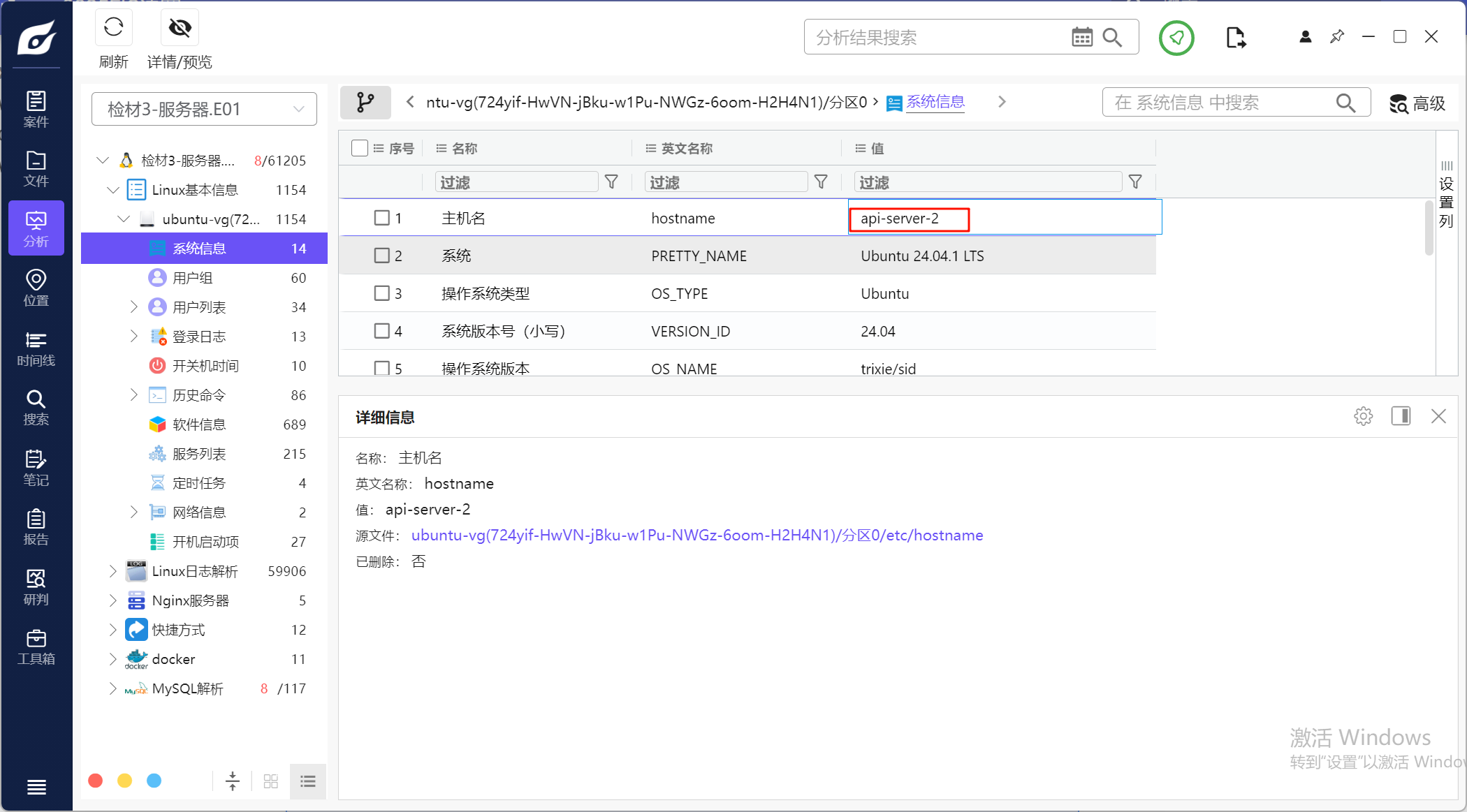
2.请分析检材3,该主机名为
同上
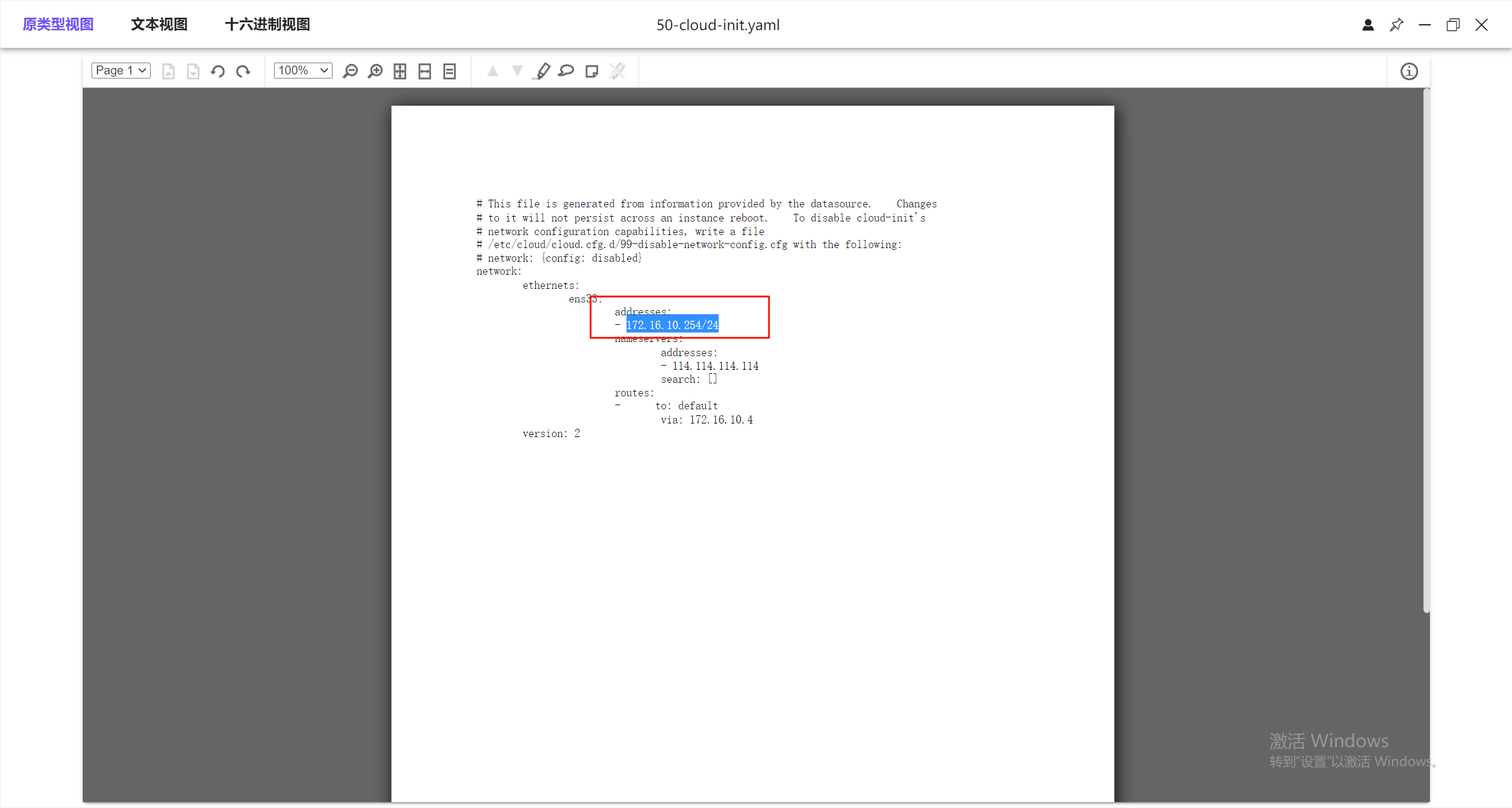
3.请分析检材3,该ens33网卡IP地址为
这里没有直接分析出来,但是高版本的ubuntu的网卡配置放在/etc/netplan里,看一下文件
4.请分析检材3,操作系统登录使用了第三方身份验证,该技术为
这是个选择题,可以从选项入手
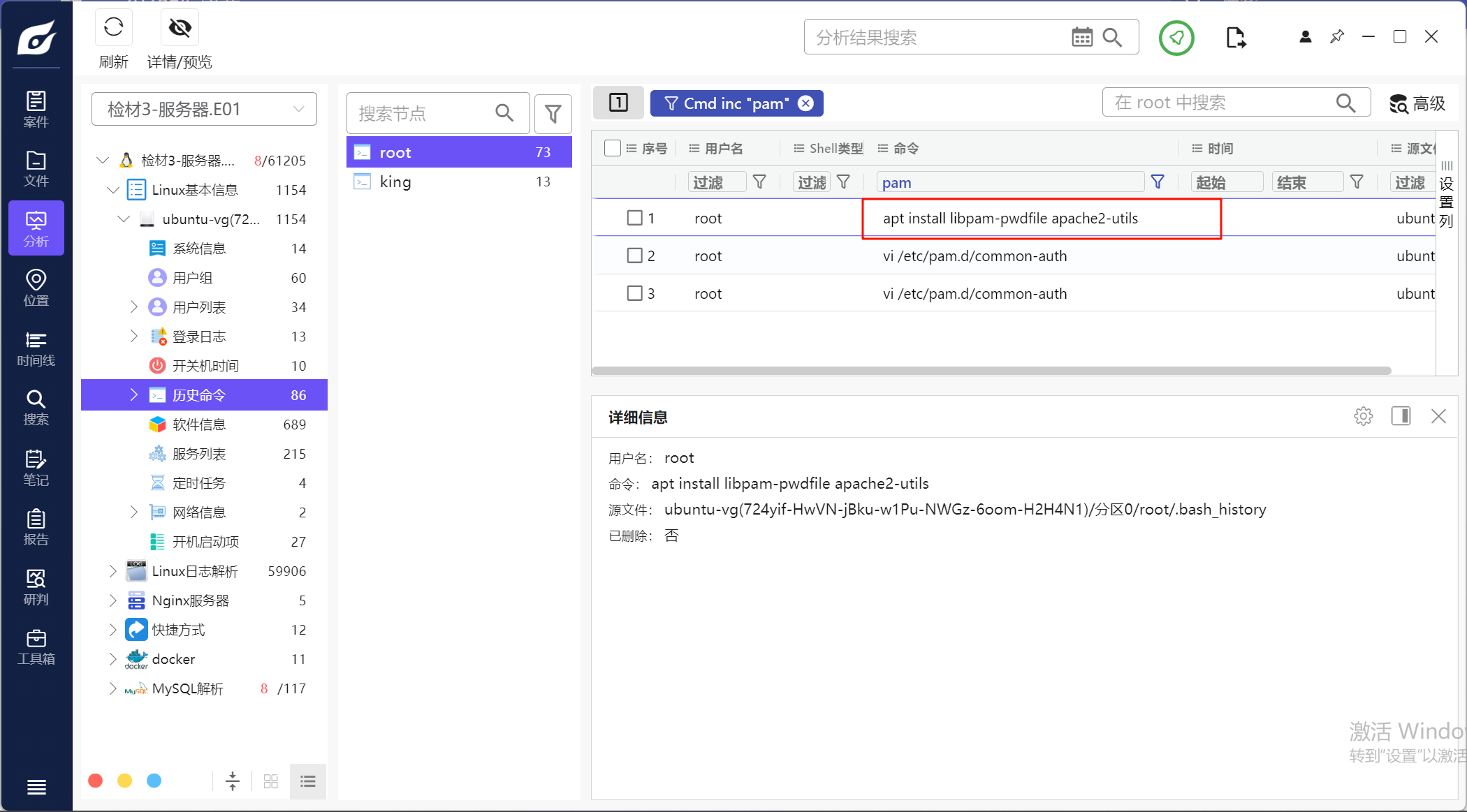
根据这个可以确定是用了pam_pwdfile
5.请分析检材3,该身份验证的加密算法为?
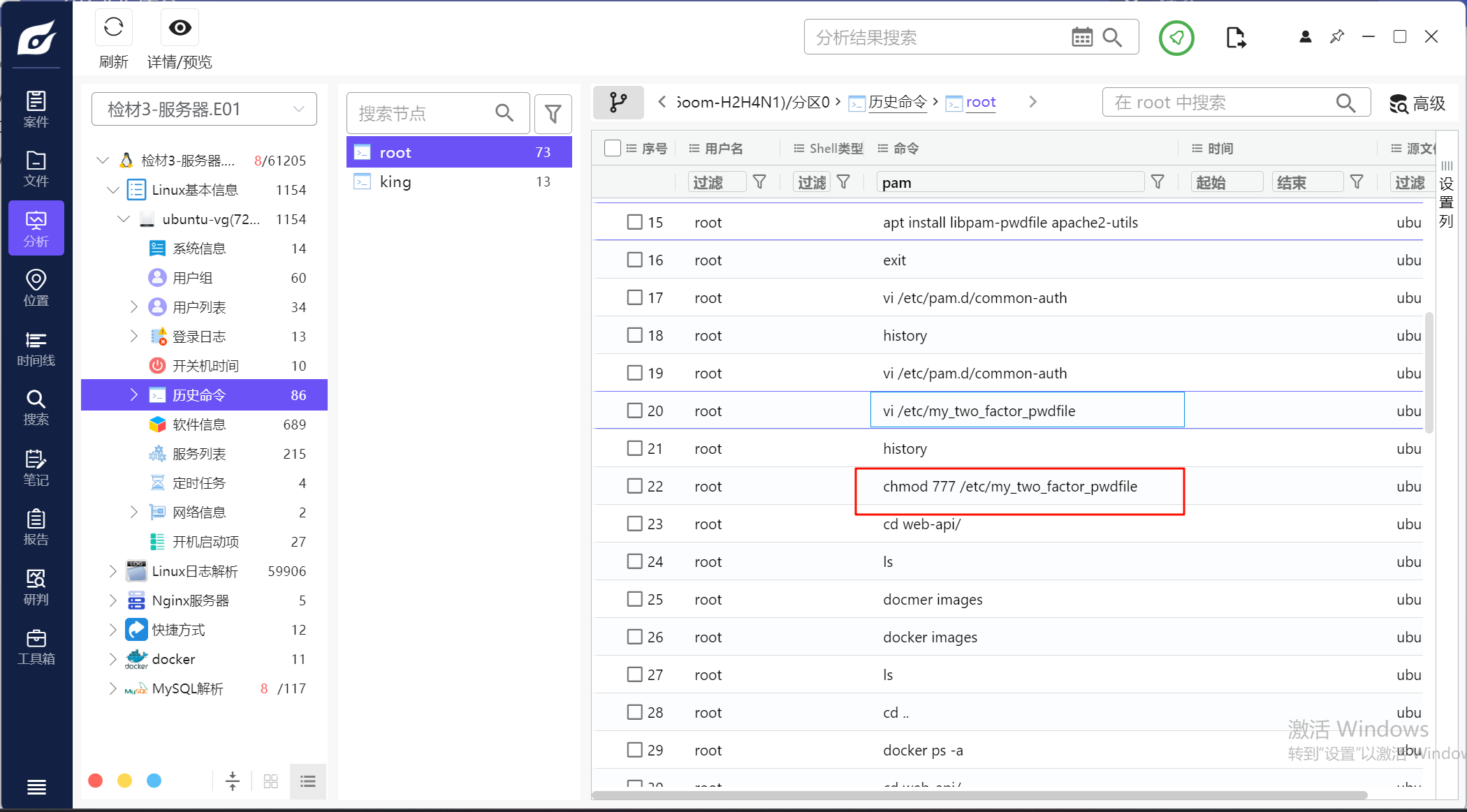
去看这个pwd文件,一看就知道是bcrypt的加密算法
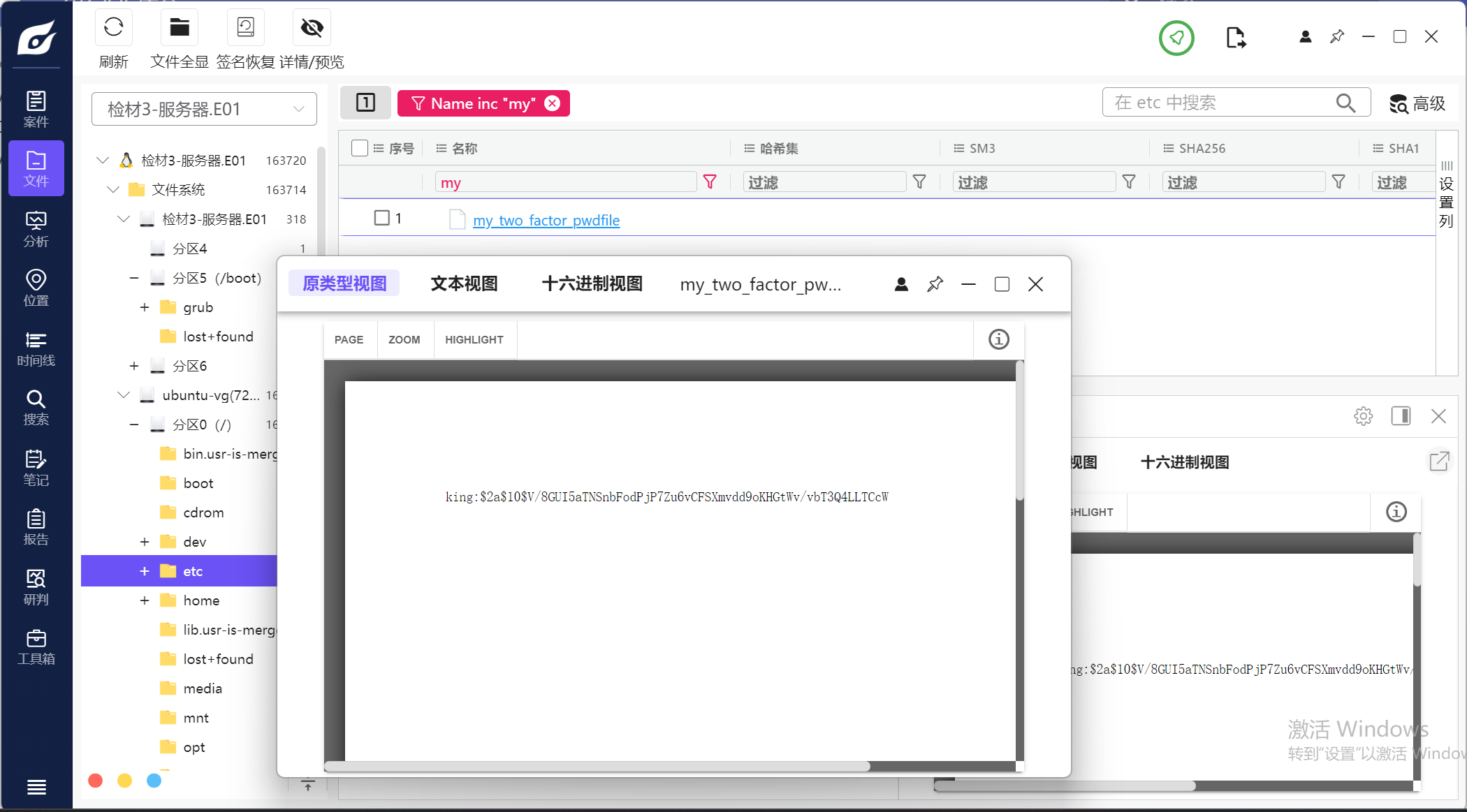
6.请分析检材3,该保存king用户密码的文件名为?
my_two_factor_pwdfile,同上
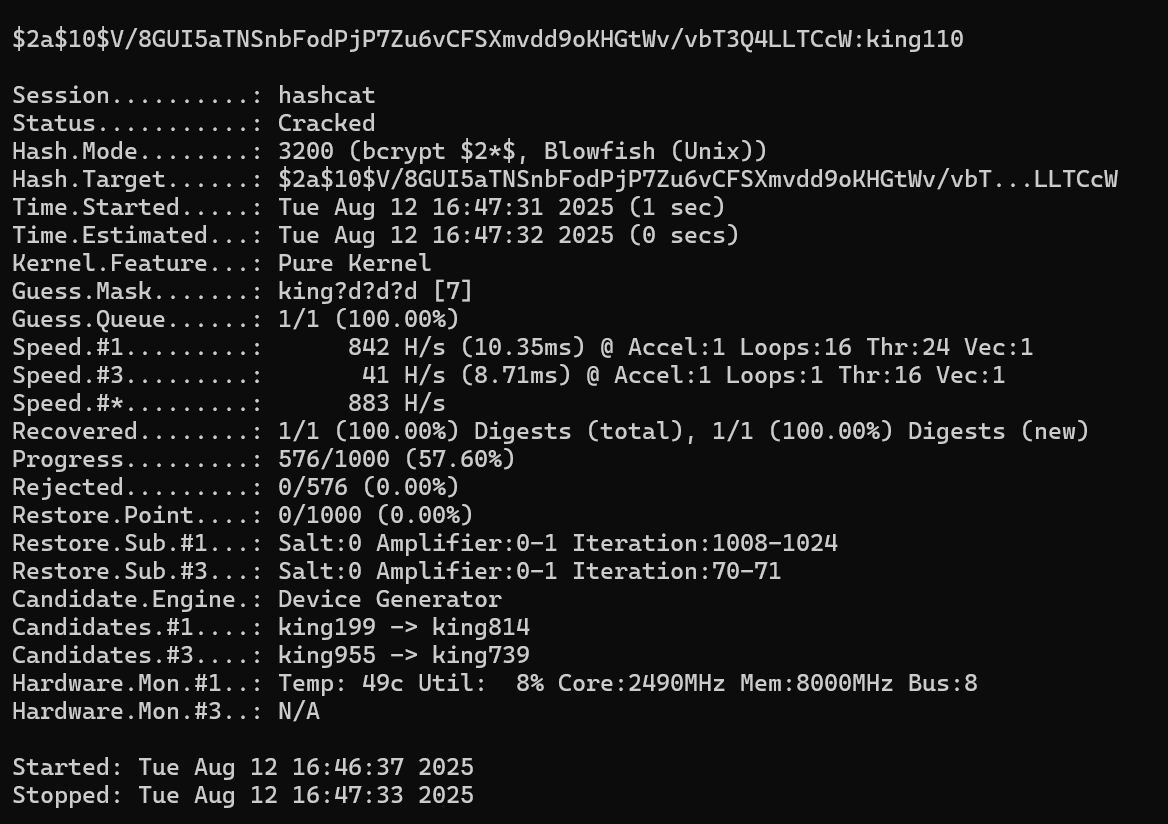
7.请分析检材3,尝试爆破king用户,其密码为(king字母加3个数字)?
hashcat去爆破,hashcat -m 3200 -a 3 "$2a$10$V/8GUI5aTNSnbFodPjP7Zu6vCFSXmvdd9oKHGtWv/vbT3Q4LLTCcW" king?d?d?d
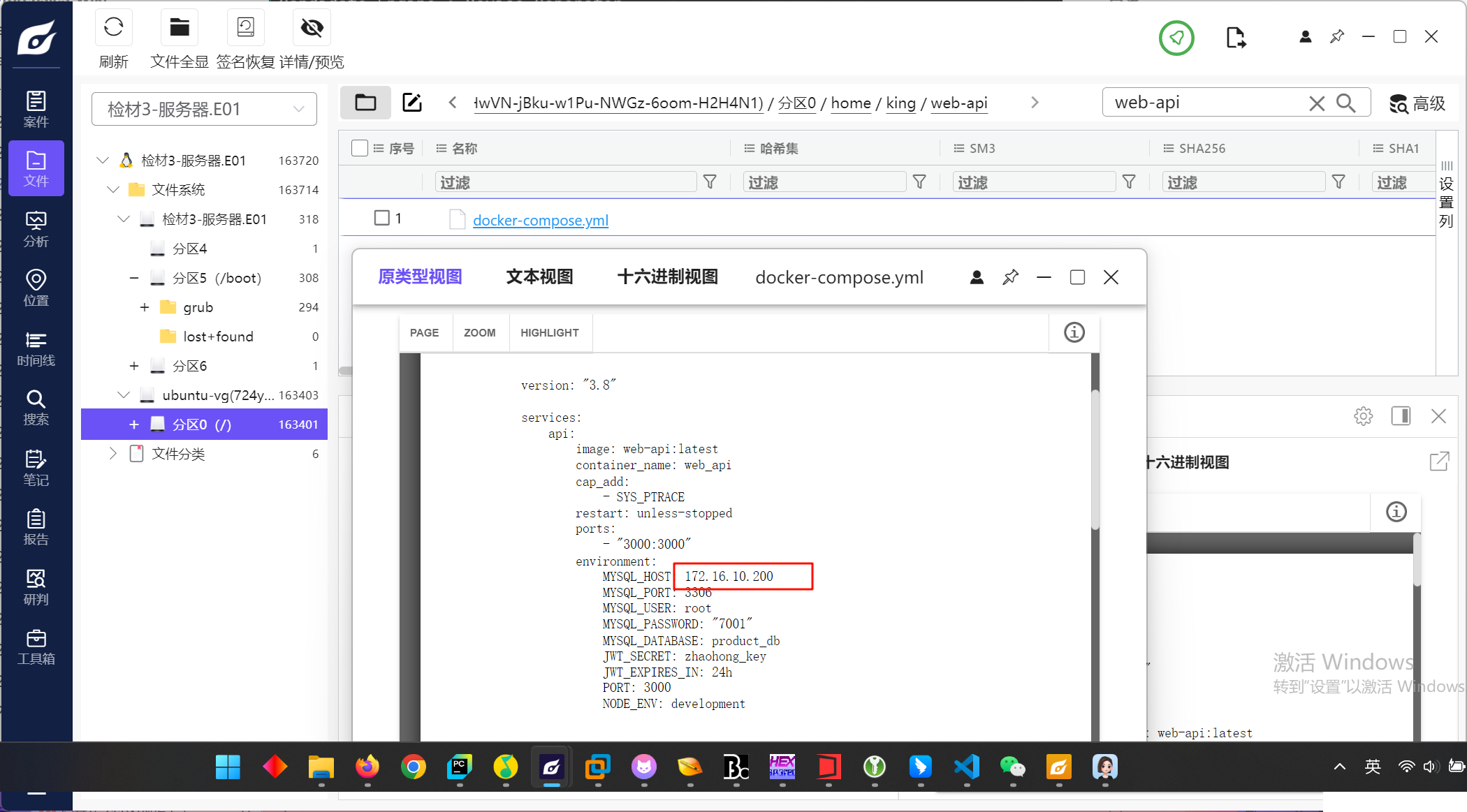
8.请分析检材3,该WEB-API配置的 MySQL 数据库服务器地址为
找到docker的配置文件
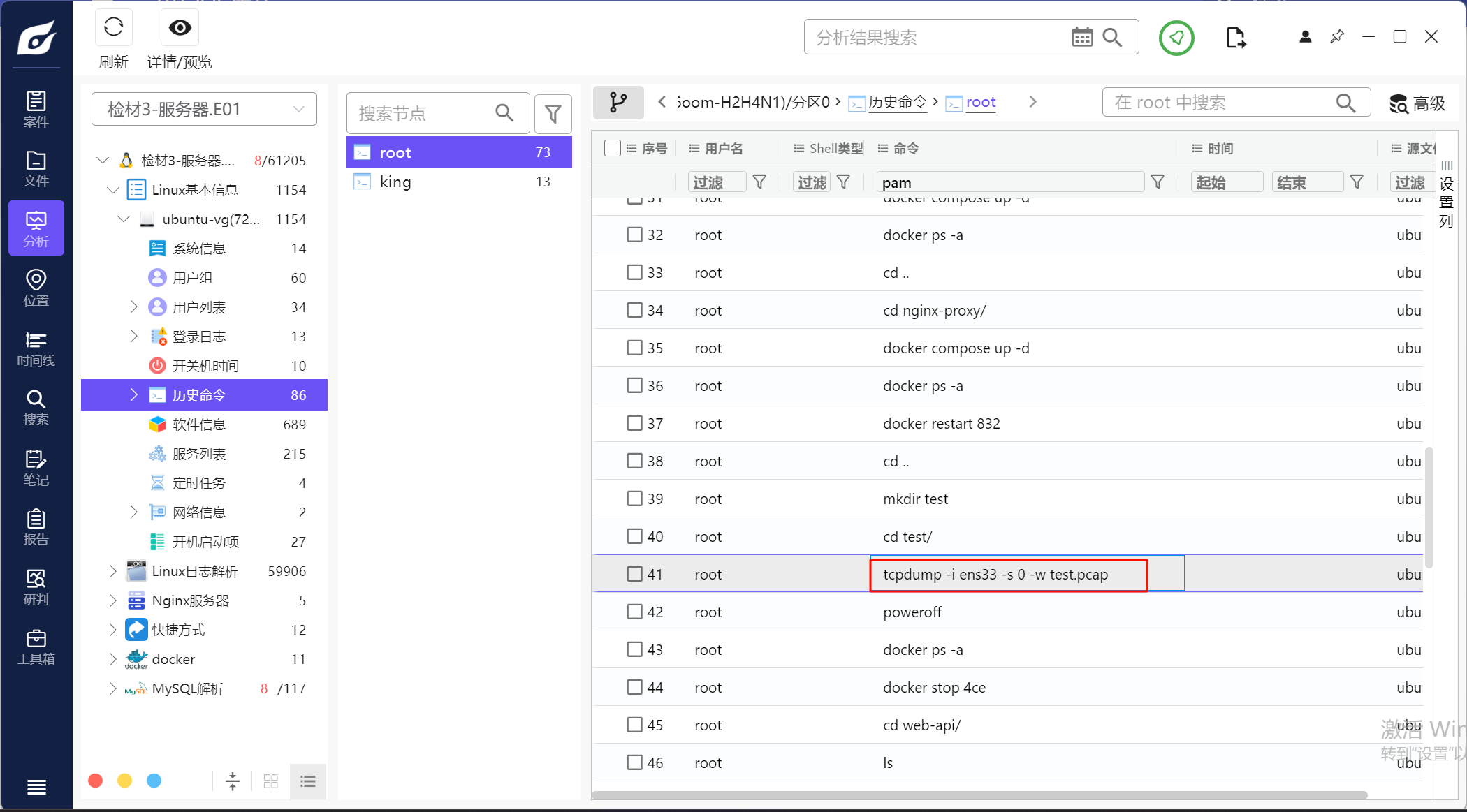
9.请分析检材3,其中用于 WEB-API 测试的流量包文件名为
看历史命令就能看见将ens33网卡的流量导到test.pcap中
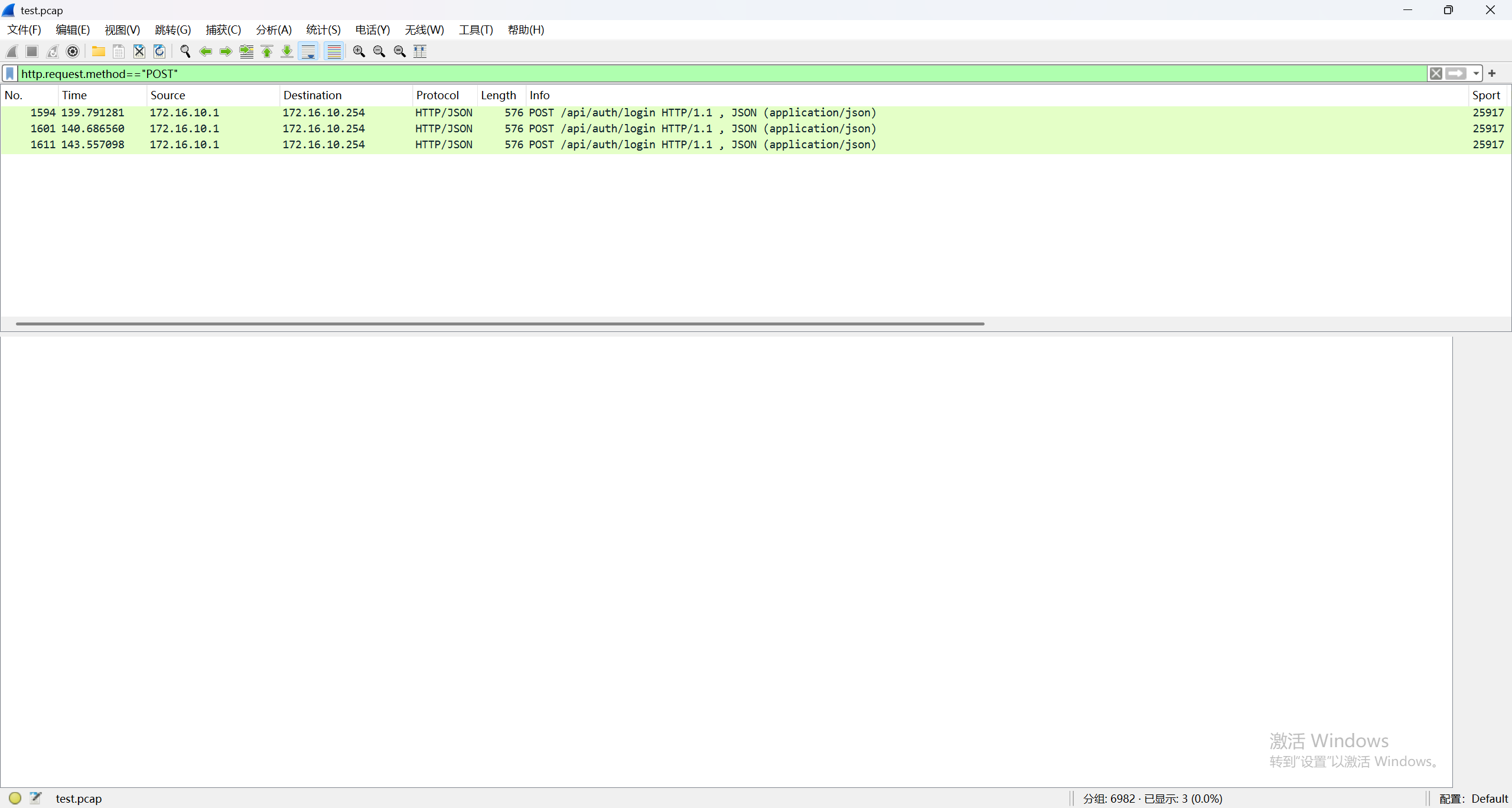
10.请分析检材3流量包,统计其中 admin 用户成功登录的次数为
过滤一下,只有三个包
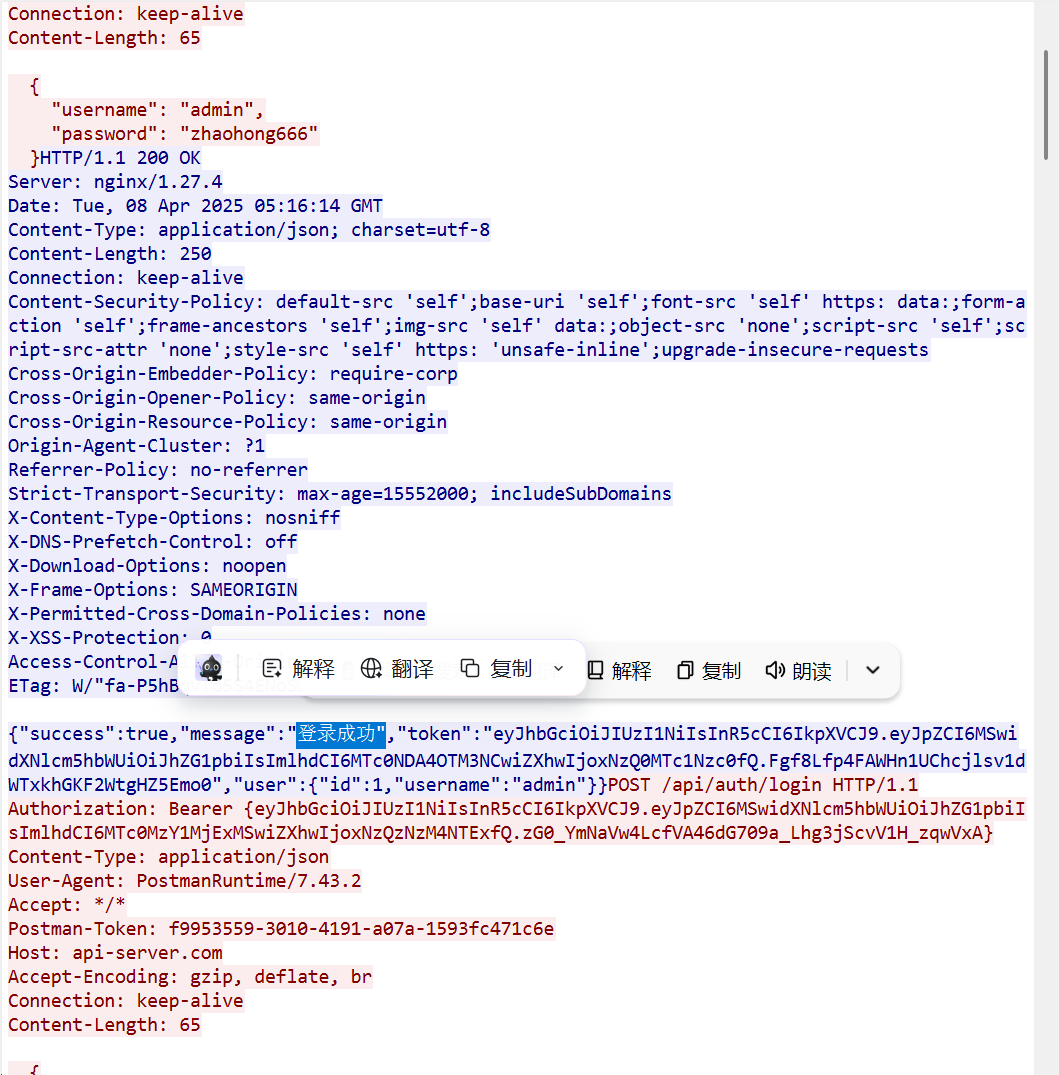
最后看返回包的内容,也只有三个成功
11.请分析检材3流量包,找出用户最后一次查看的商品型号为
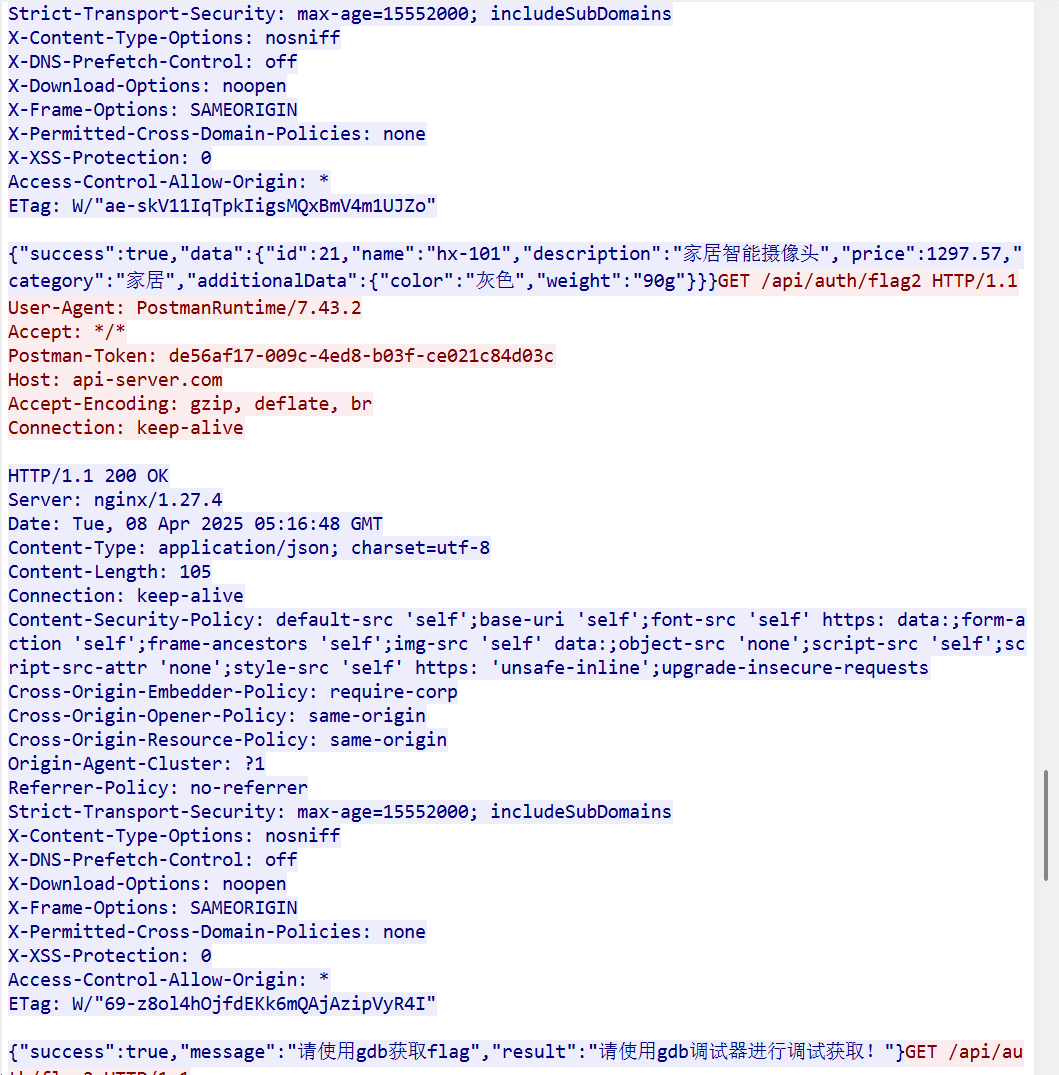
最后这里后面都是一些攻击行为的内容,这里的摄像头应该就是最后看的商品,所以是hx-101
12.请分析检材3WEB-API,该容器镜像ID为(前六位)
这里需要仿真服务器,这里因为用了第三方的身份验证,所以火眼不能直接绕过密码,直接用king110即可,同时这里的网卡也有问题,需要打开dhcp
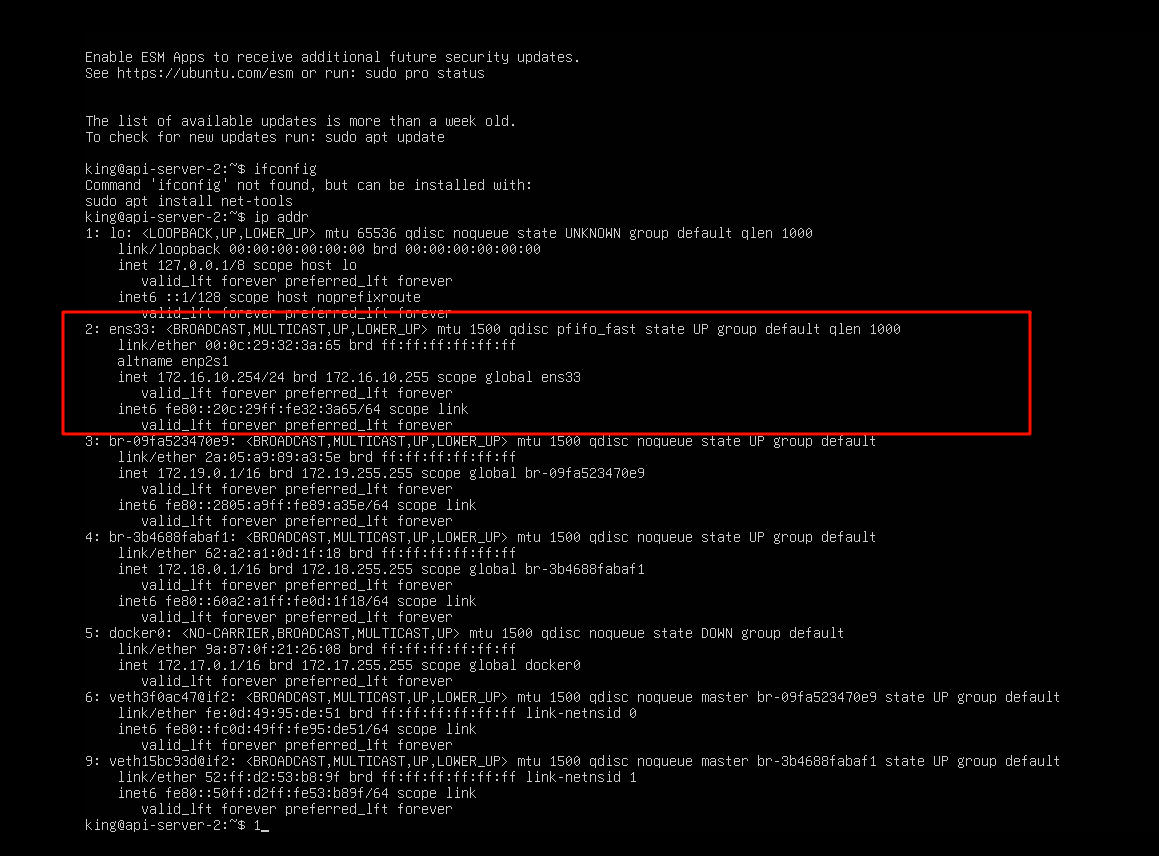
这里可以看到没有自动获取nat模式的地址
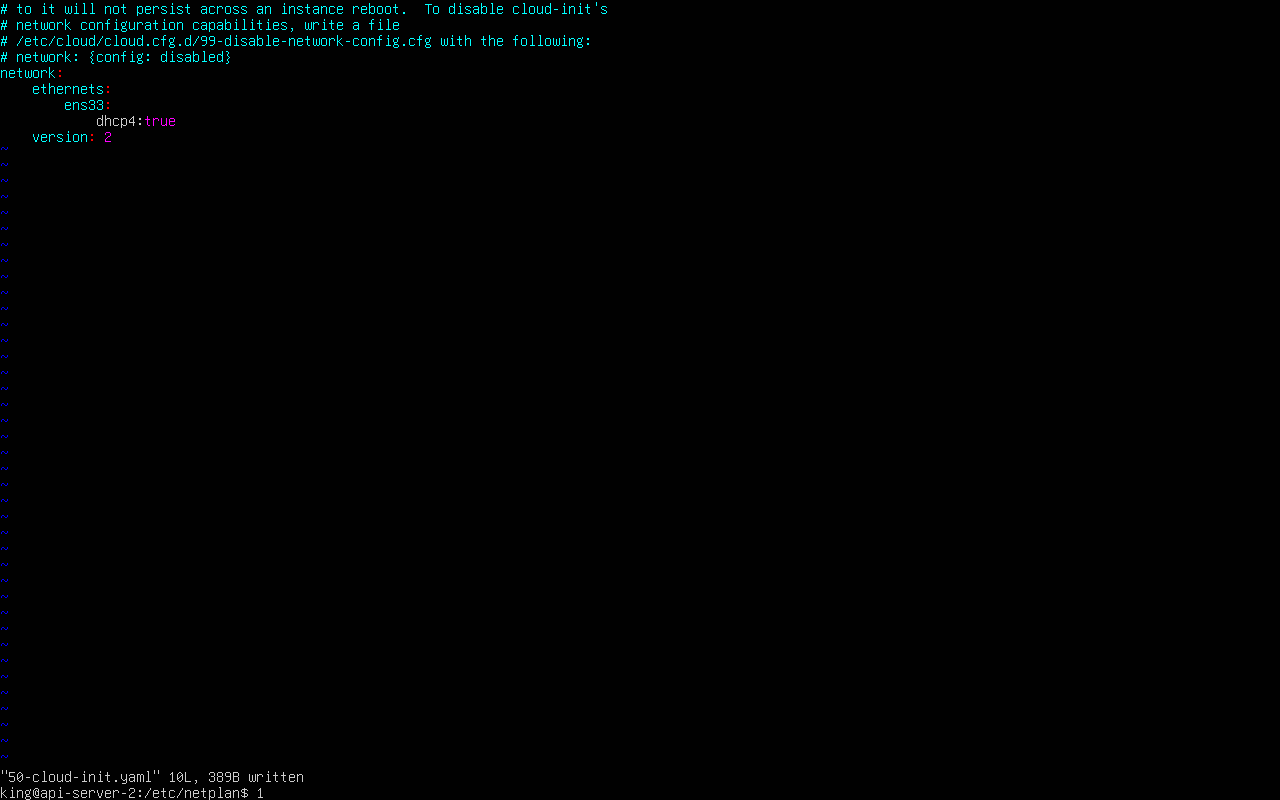
改为dhcp后重启一下
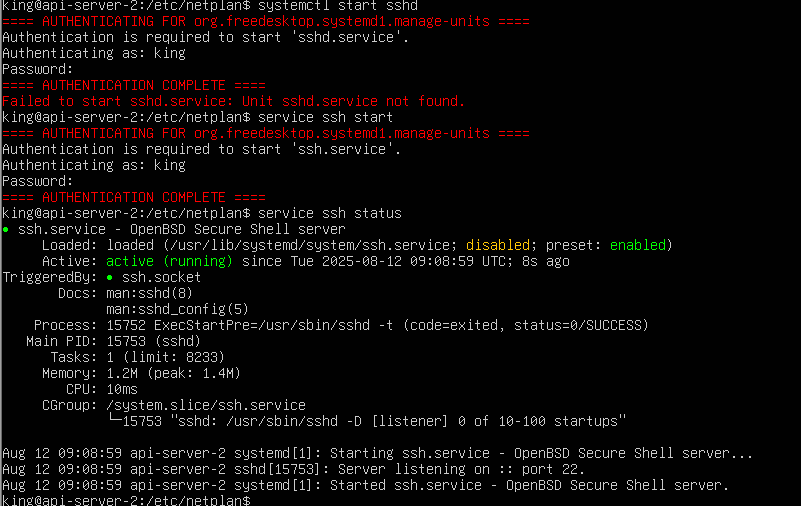
sudo netplan apply然后就能看到ens33网卡已经改成本地的了
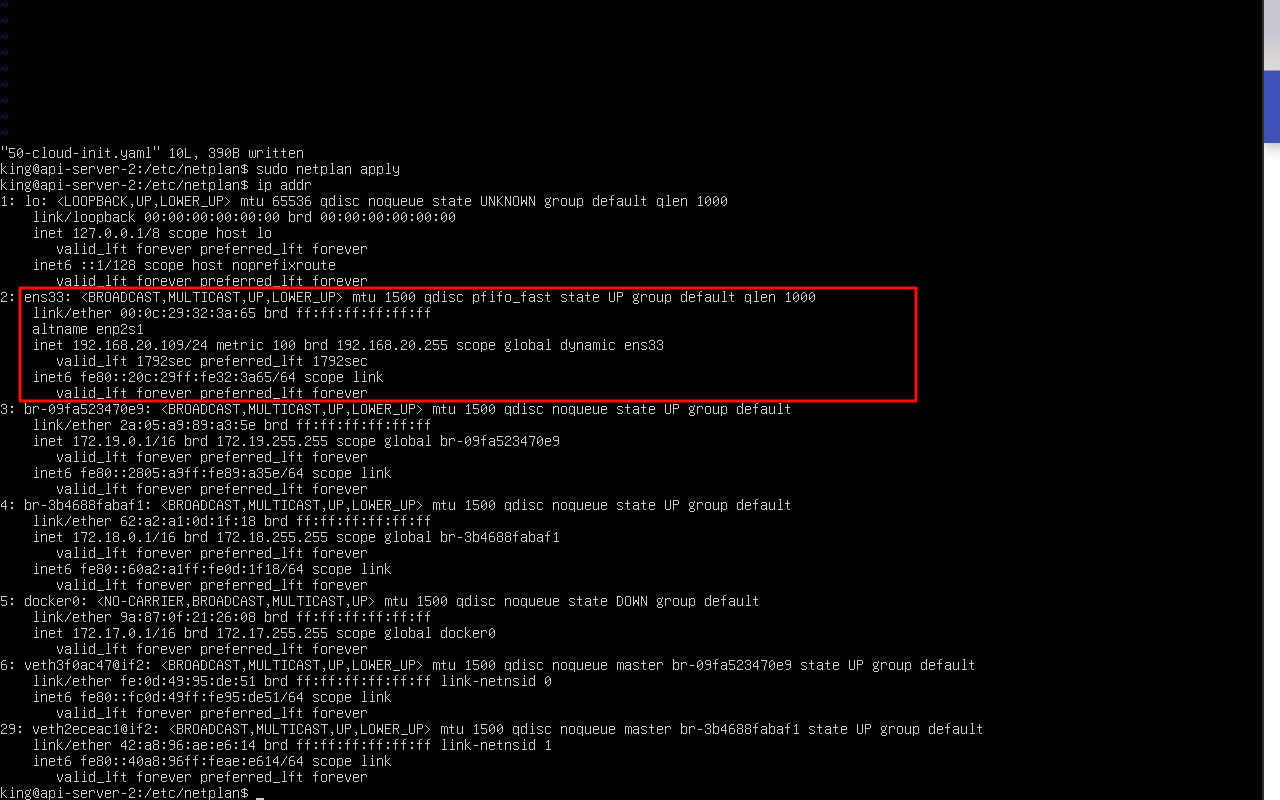
为了方便操作,再把ssh服务打开,用windterm连接方便打命令行
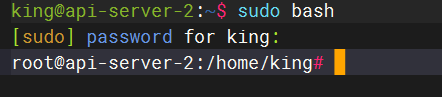
先sudo bash进入root用户
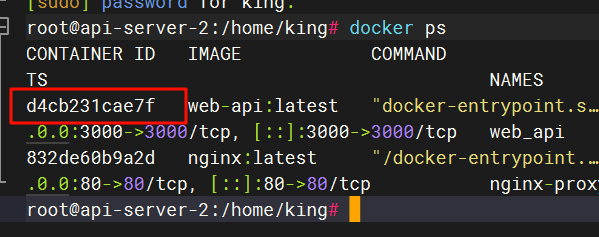
docker ps得到容器的信息
13.请分析检材3WEB-API,该容器的核心服务编程语言为
这里尝试进入容器,但是报错了,因为他的配置信息中数据库的地址是外部地址,需要修改一下
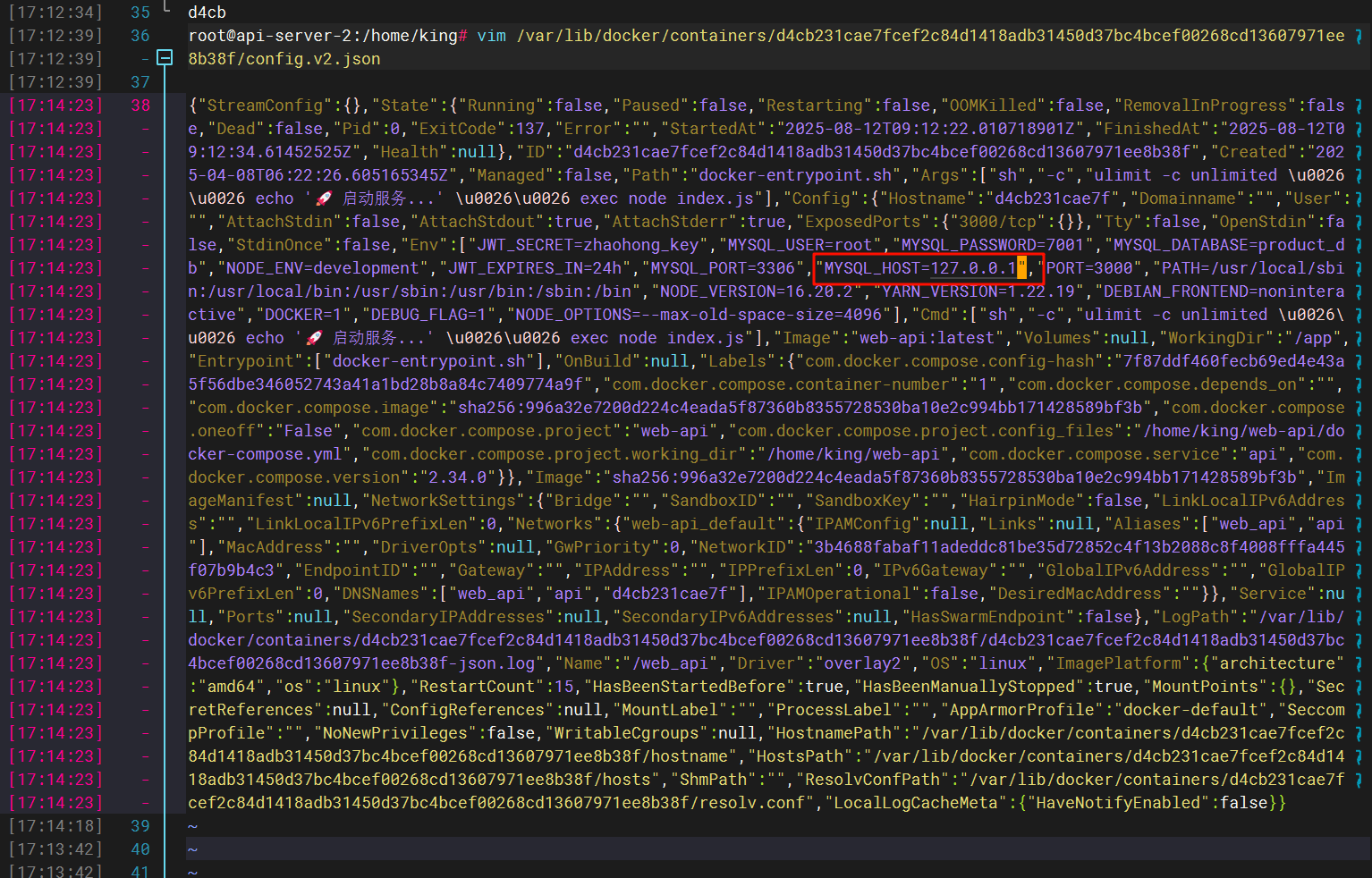
修改之后重启docker容器
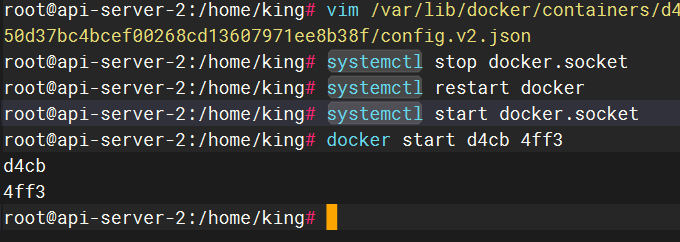
sudo docker exec -it d4cb /bin/bash进入docker内部
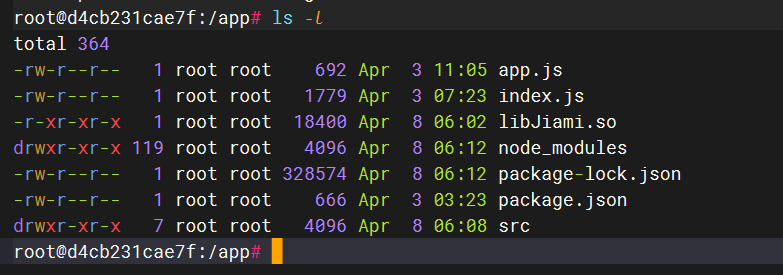
符合选项中的nodejs,但是根据其他大佬的wp看到,NodeJS 并非编程语言, 而是基于 JavaScript 语言的后端开发框架.
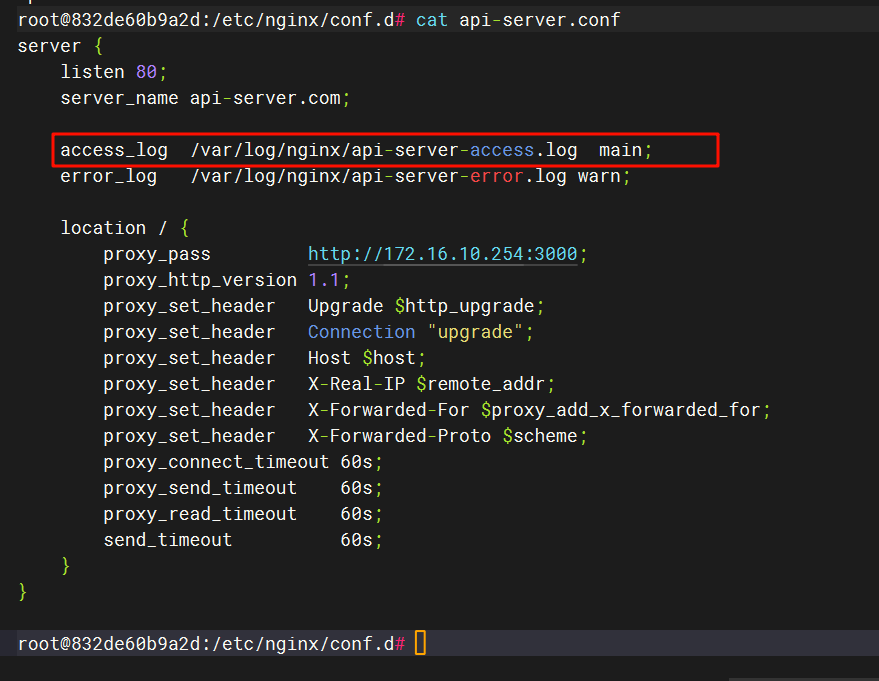
14.请分析检材3WEB-API,该容器所用域名为
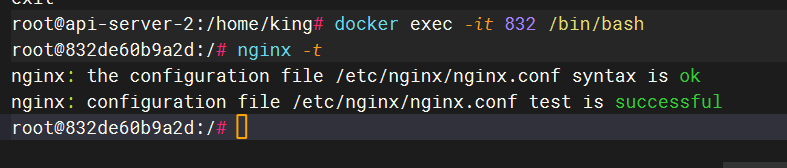
进入nginx容器看一下配置信息
找到有关api-server的配置
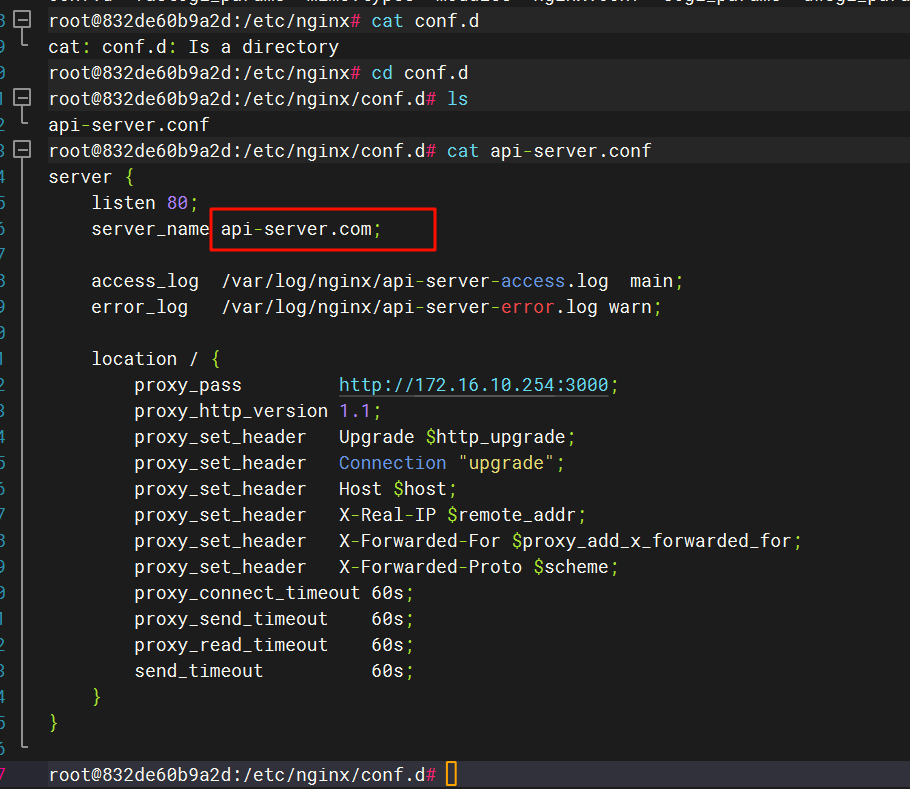
15.请分析检材3WEB-API,该容器日志文件名(access_log)为
见上题
16.请分析检材3WEB-API,该容器的FLAG2的接口URL为
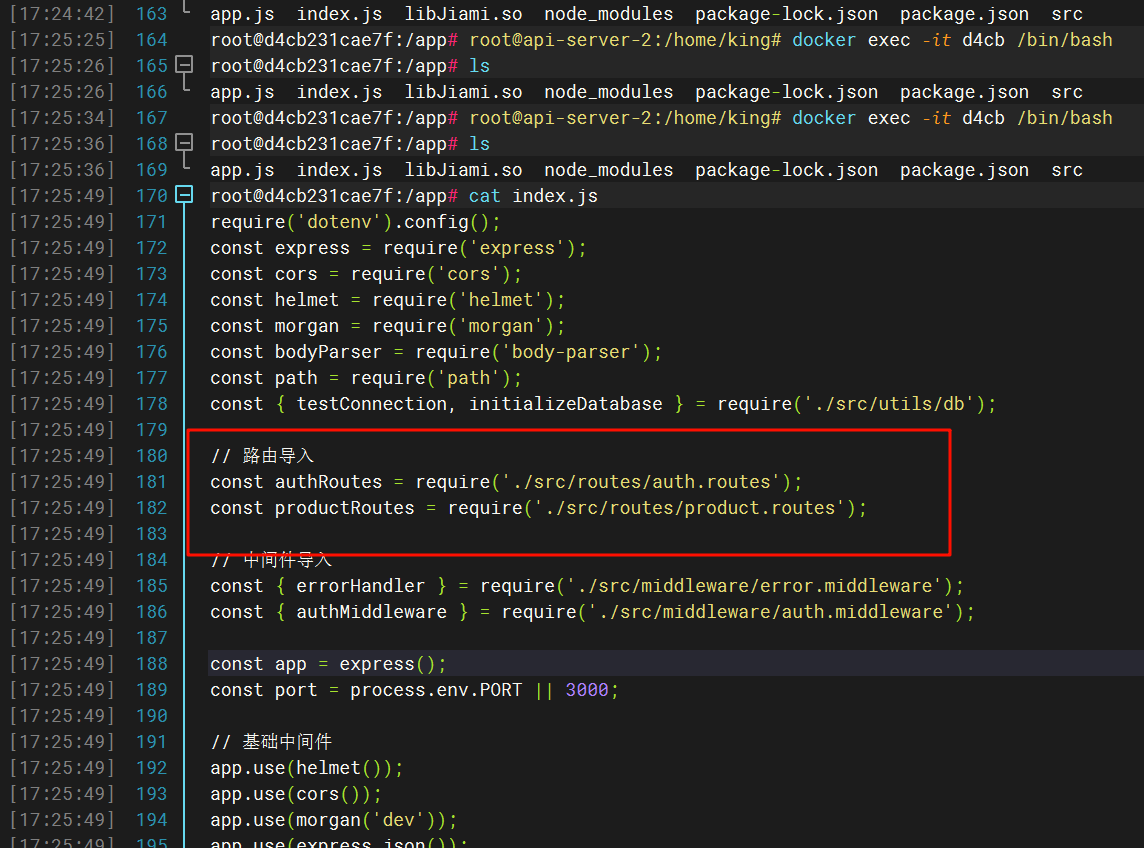
显示有新的第二级路由导入,那就去爆搜一下
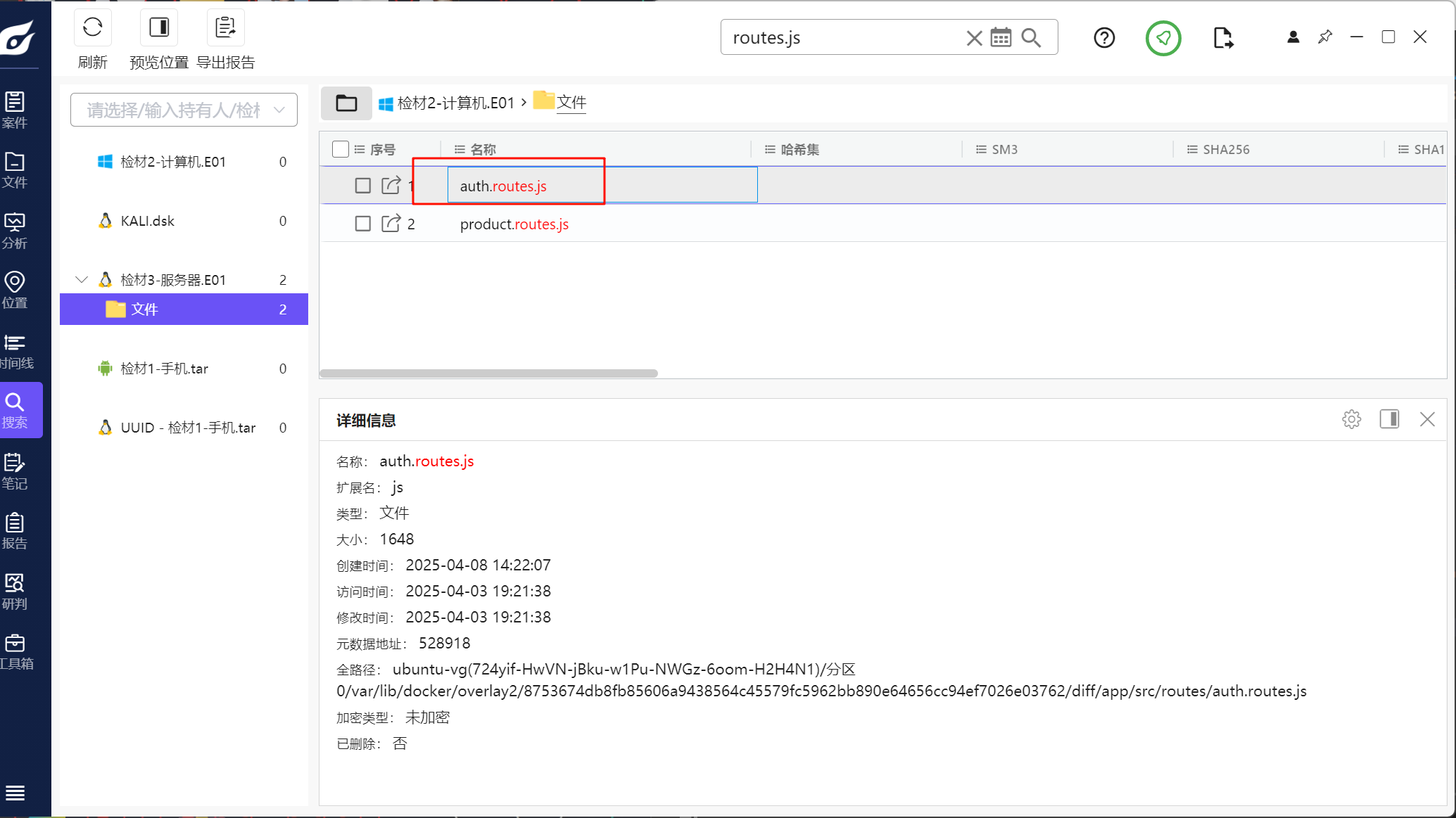
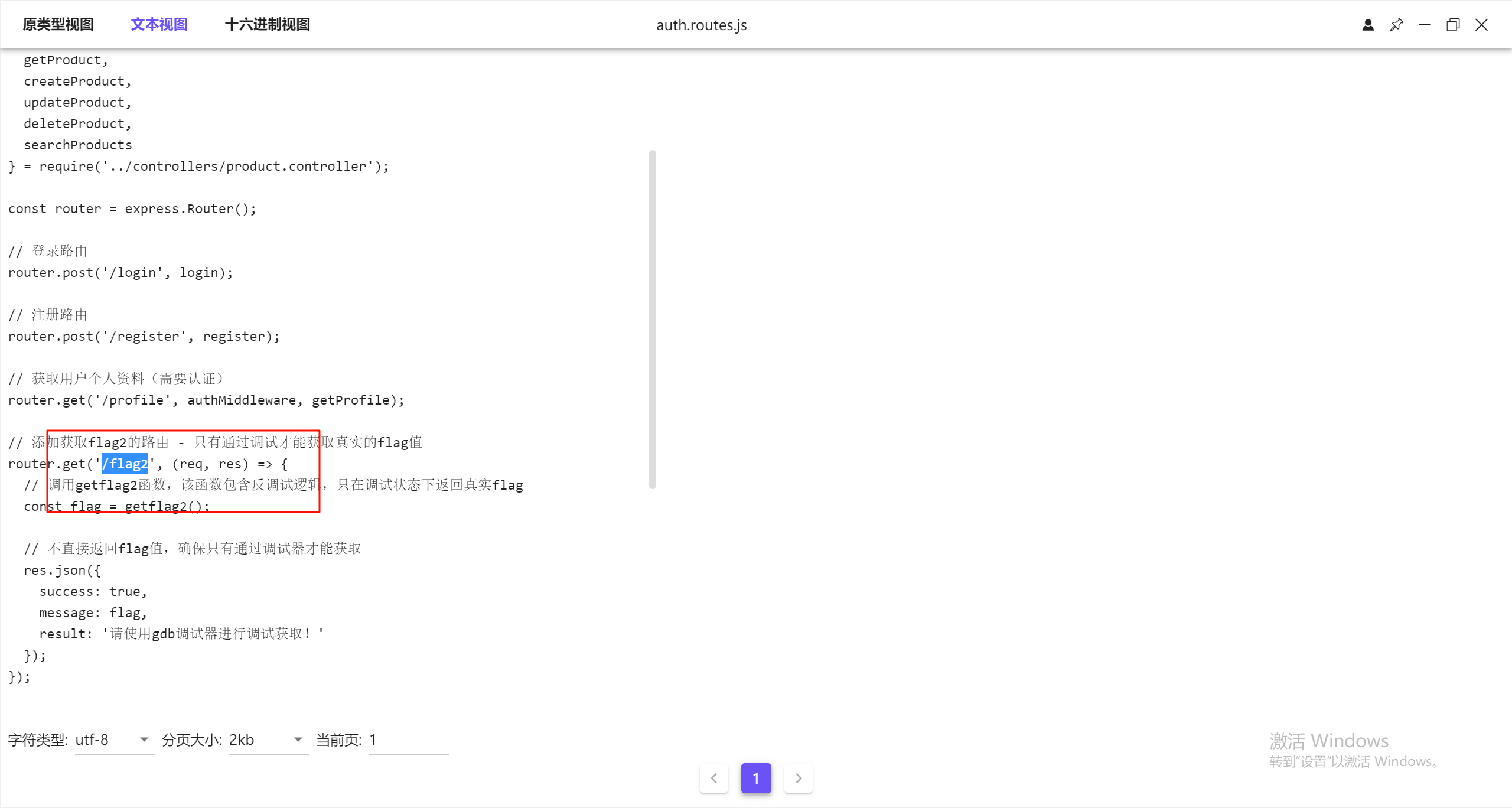
这里看到后半部分的路由是/flag,但还要拼接前半部分
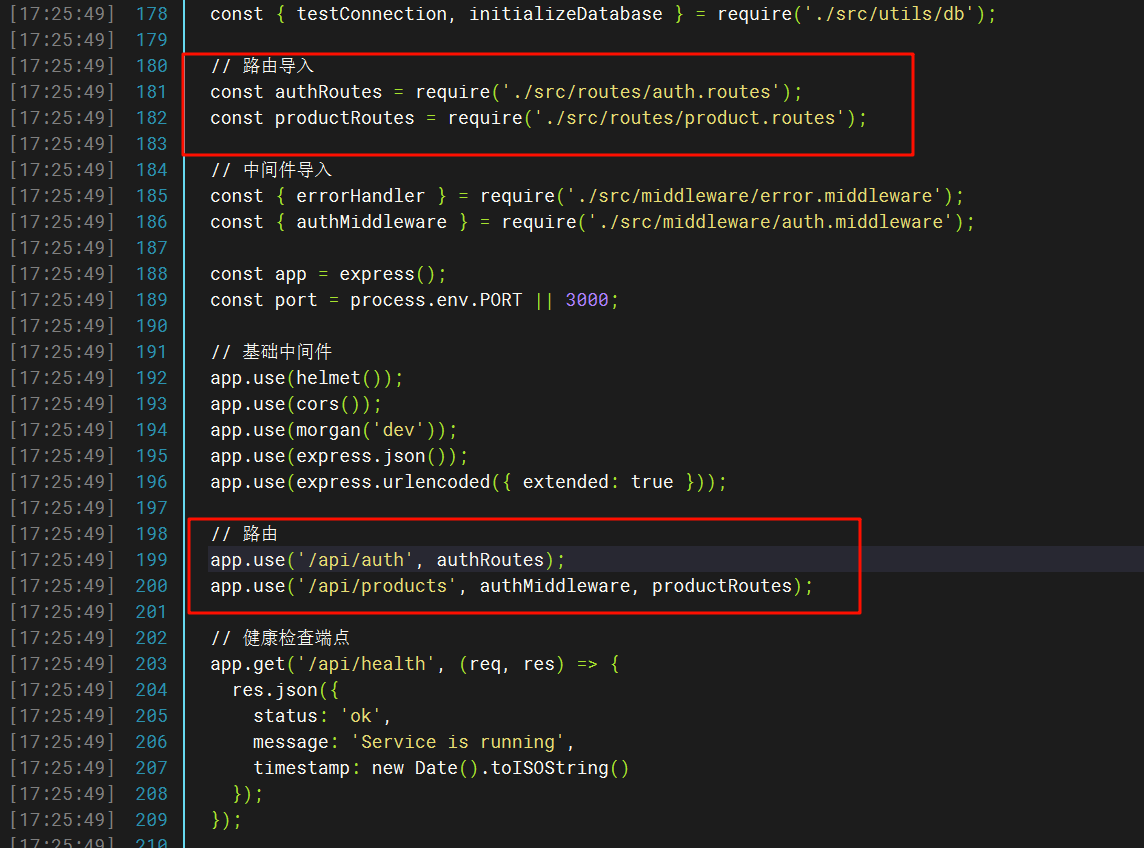
所以完整的是/api/auth/flag2
17.请分析检材3WEB-API,该容器的服务运行状态的接口URL为
在容器内的index.js可以看到
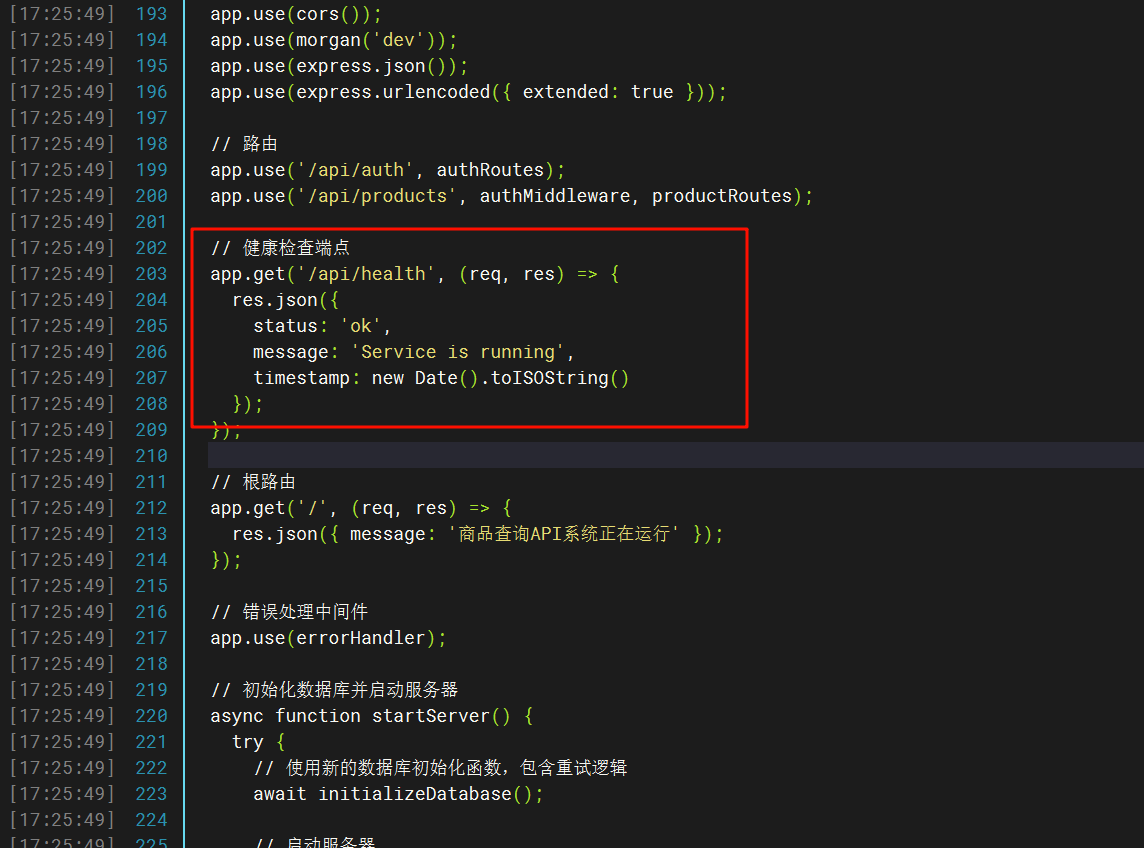
18.请分析检材3WEB-API,该容器中访问FLAG2接口后,会提示需要在什么调试器下运行
在刚刚的js文件里就能看到
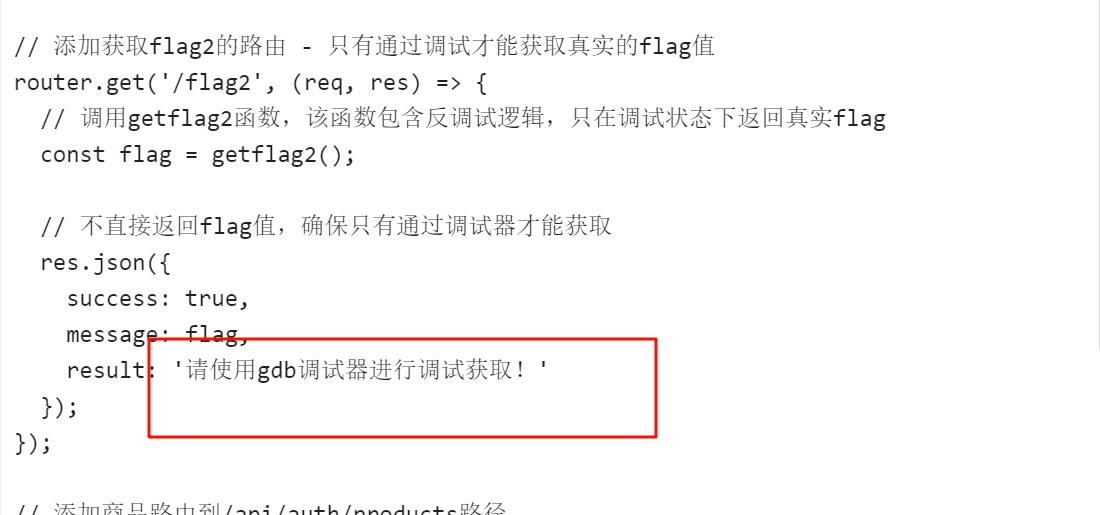
19.请分析检材3WEB-API,该容器的admin用户的登录密码为
可以直接看流量包
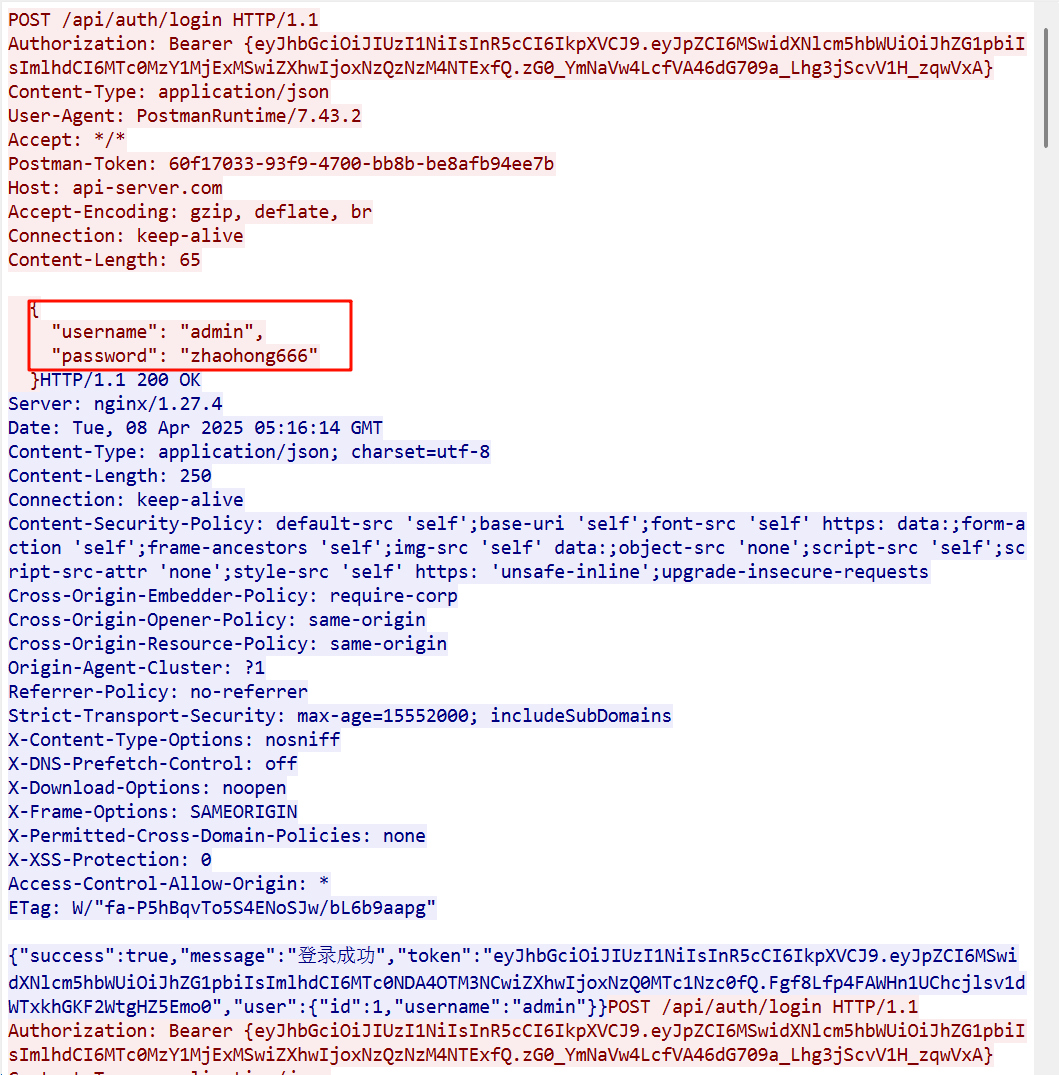
20.请分析检材3WEB-API,该容器的数据库内容被SO所加密,该SO文件名为
一共只有一个so文件,而且还是以jiami(加密)命名的,猜测得到是题目要求的

21.请继续分析上题SO文件,该文件的编译器类型为
下面开始时需要逆向的部分,本人不太会,所以跟着其他大佬的wp复现的
首先找到so文件然后导出到本地分析编译器类型是GCC
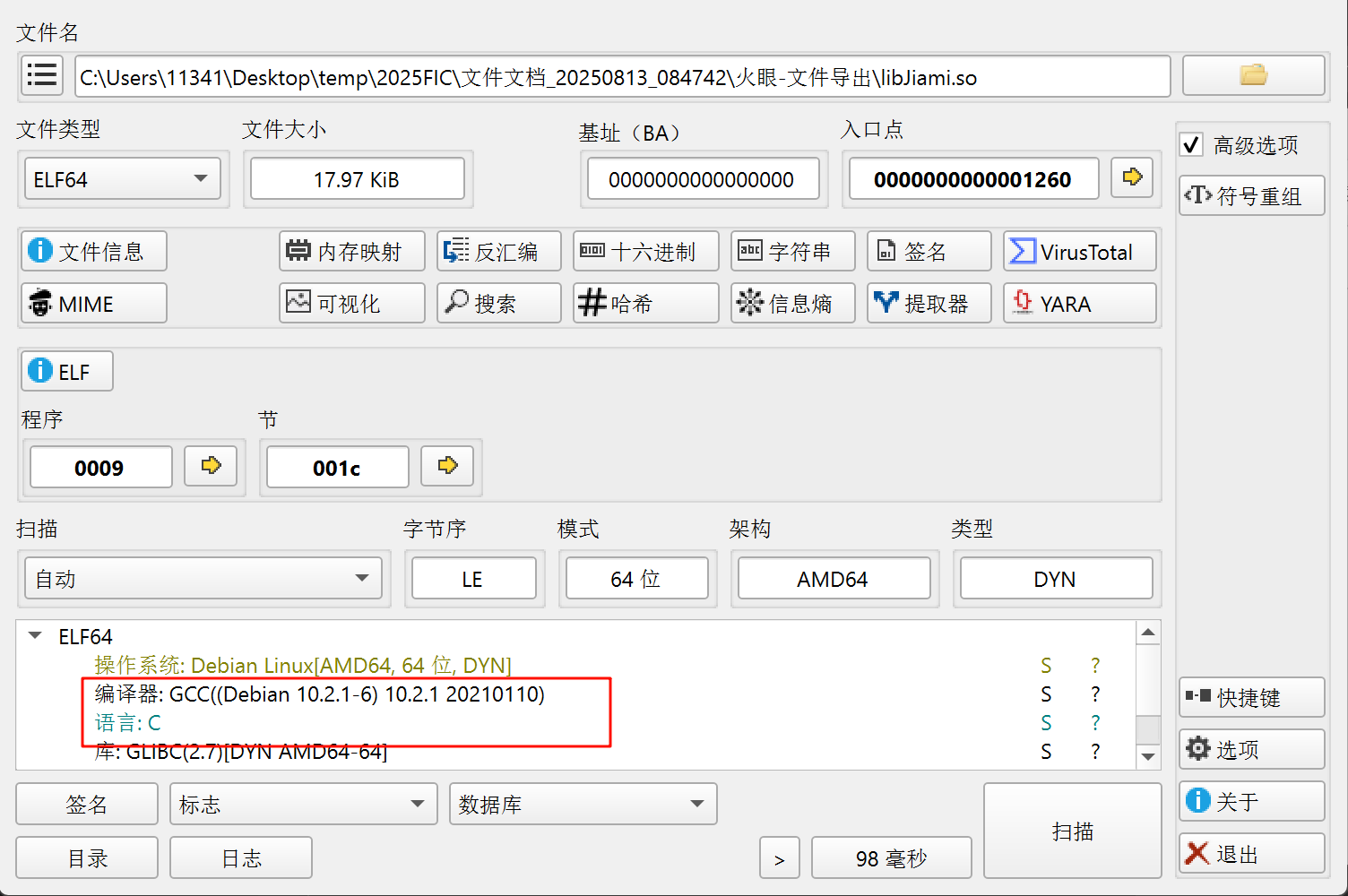
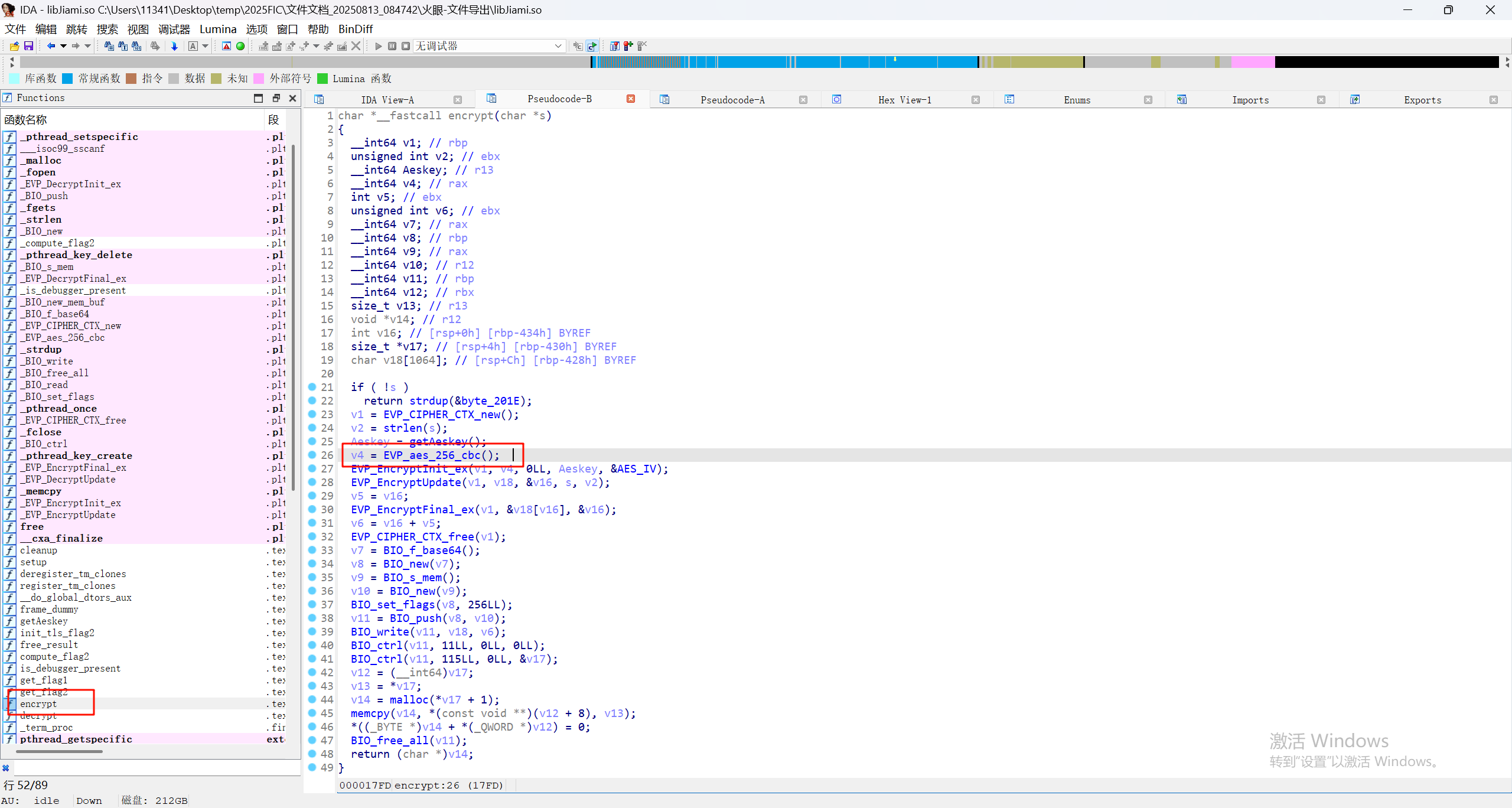
22.请继续分析上题SO文件,在SO文件的encrypt函数中,该加密算法为
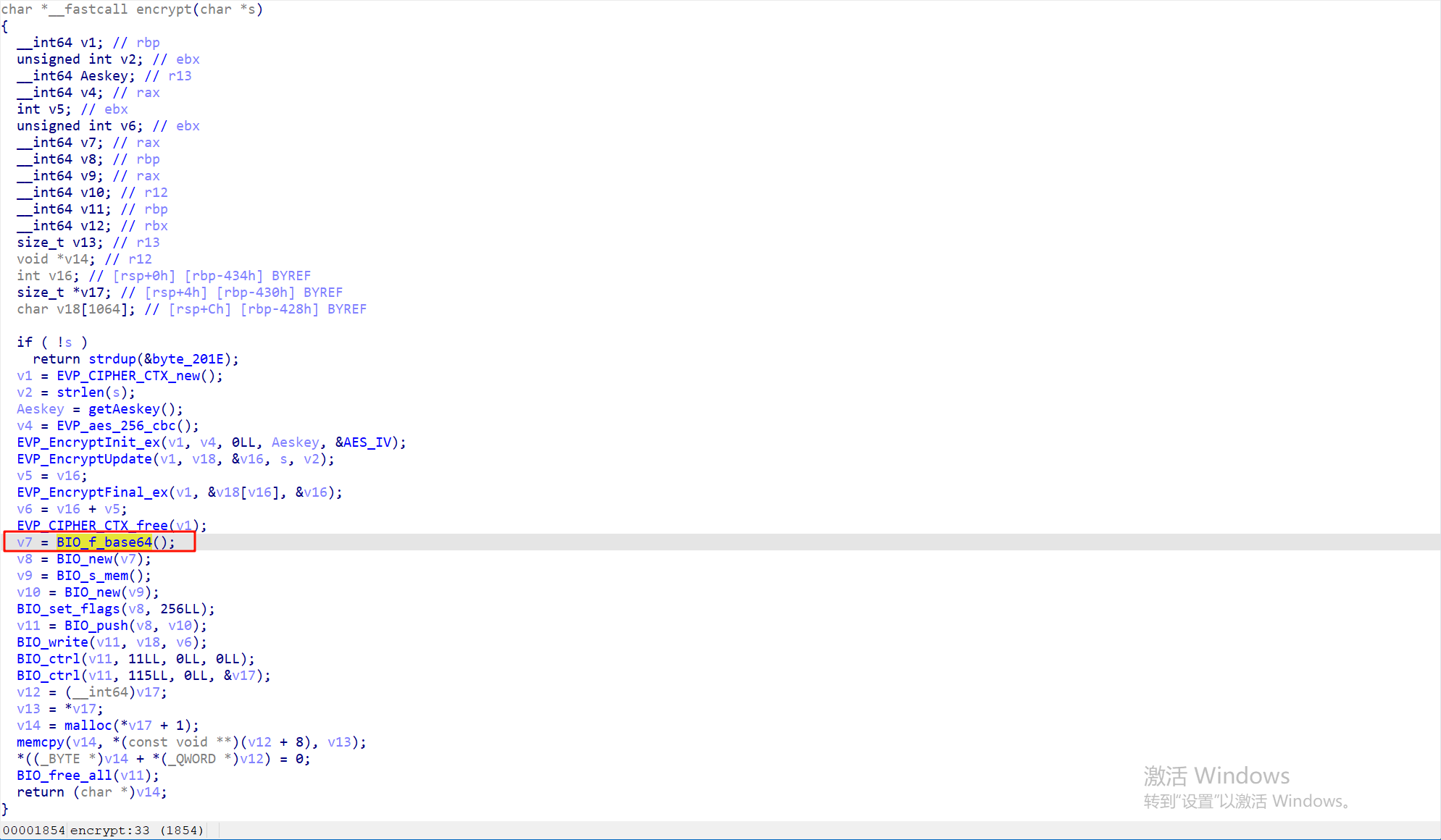
用ida分析找到encrypt函数即可看到有aes_256_cbc加密
23.请继续分析上题SO文件,尝试分析getAeskey函数,该KEY值为
这里用AI重写的函数的代码,用的是xidian大佬的代码,别的ai没试过
# prompt: Analyze the following C language pseudocode and restore it with python3 code. <code>pseudocode</code> import sys--- Global variables mimicking memory locations ---
These would be analogous to data segment variables in C, or static variables.
aeskey_0: Stores the first 16 bytes of the generated AES key.
Initialized as a 16-byte zeroed bytearray. It's modified by getAeskey().
aeskey_0 = bytearray(16)
xmmword_4190: Stores the second 16 bytes of the generated AES key.
Initialized as a 16-byte zeroed bytearray. It's modified by getAeskey().
xmmword_4190 = bytearray(16)
byte_41A0: A single byte, likely a status flag or similar.
Initialized to 0. It's modified by getAeskey().
byte_41A0 = 0
xmmword_2050: A 128-bit (16 byte) constant used in the key generation.
Its actual value is not provided in the C pseudocode snippet.
For this restoration, it's defined as a placeholder.
To get the specific key the original C code would produce,
this variable must be set to the correct 16-byte value.
Example: xmmword_2050 = b'\xDE\xAD\xBE\xEF' * 4
xmmword_2050 = bytes(range(16)) # Default placeholder: b'\x00\x01\x02...\x0f'
def getAeskey():
"""
Restores the C pseudocode function getAeskey in Python.This function computes a 256-bit AES key which is stored in the global
variablesaeskey_0(first 128 bits) andxmmword_4190(second 128 bits).
The function itself returns the first 128 bits (the value ofaeskey_0).Key Assumptions Made During Restoration:
xmmword_2050: This global 16-byte constant's value is crucial for the
key generation. It must be defined externally to this function.
A placeholder value is used by default if not set otherwise.- Uninitialized Stack Variables in C:
The C pseudocode declares_DWORD v11[9]on the stack.
-v11[0]throughv11[7]are not explicitly initialized beforev11[0..3]
(16 bytes) are loaded to formv7(which becomesxmmword_4190).
These are assumed to be 0 for deterministic behavior in this Python restoration.
-v11[8]is also not explicitly initialized before being used as an index
source in the permutation logic. This is also assumed to be 0.
If these C stack variables had different values (e.g., non-zero garbage
from previous stack frames, or specific values set by a caller in a
larger context), the generated key would differ.
"""
global aeskey_0, xmmword_4190, byte_41A0, xmmword_2050--- Stack variable setup phase ---
The C code uses a stack region starting with
v11[9]followed by constantsv12tov27.This region is treated as an array of DWORDs for indexing purposes.
mem_region_v11_partsrepresentsv11[0..8]. Assuming 0 based on analysis.mem_region_v11_parts = [0] * 9 # Corresponds to _DWORD v11[9]
Constants
v12throughv27are defined next.
__int64values are split into two_DWORDs (low part, then high part).This matches little-endian representation where the low DWORD is at the lower address.
constants_as_dwords = []
int64_constant_values = [
0xF00000002, # v12
0x1C00000000, # v13
0x900000005, # v14
0xC0000001F, # v15
0x300000014, # v16
0x1000000019, # v17
0xE00000008, # v18
0x1600000001, # v19
0x60000001B, # v20
0x120000000D, # v21
0x40000001E, # v22
0xA00000018, # v23
0xB0000001A, # v24
0x110000001D, # v25
0x1700000015 # v26
]for val64 in int64_constant_values:
constants_as_dwords.append(val64 & 0xFFFFFFFF) # Lower DWORD
constants_as_dwords.append((val64 >> 32) & 0xFFFFFFFF) # Upper DWORD
v27_val = 19 # int v27
constants_as_dwords.append(v27_val & 0xFFFFFFFF)
full_dword_viewrepresents the contiguous memory region starting at&v11[0]and including the subsequent constants. Accesses like
v11[idx]in Cmap to
full_dword_view[idx]here.full_dword_view = mem_region_v11_parts + constants_as_dwords
Total length: 9 (for v11[0..8]) + 15*2 (for v12-v26) + 1 (for v27) = 40 DWORDs.
Max index accessed is 39 (e.g.,
v1 + 8wherev1is 31).
v9: Represents_OWORD v9[6], which is 6 * 16 = 96 bytes.Stored as a single bytearray for convenient byte-level access.
v9_data = bytearray(96)
Initialize v9[0] and v9[1]
v9[0] = _mm_load_si128((const __m128i *)&xmmword_2050);
v9[1] = v9[0];
if not isinstance(xmmword_2050, bytes) or len(xmmword_2050) != 16:
raise ValueError("Global xmmword_2050 must be a 16-bytebytesobject.")
v9_data[0:16] = xmmword_2050 # v9[0] (bytes 0-15 of v9_data)
v9_data[16:32] = xmmword_2050 # v9[1] (bytes 16-31 of v9_data)--- First Loop: Scrambled fill of v9[2] and v9[3] ---
This loop populates bytes 32-63 of
v9_data.
v0in C is a char,v1is its loop counter.v0_current_byte = 35 # Initial value for
v0(char)
v1_loop_idxcorresponds tov1before thev1++operation.for v1_loop_idx in range(32): # v1 goes from 0 up to 31
# C: *((_BYTE *)&v9[2] + v1++) = v0;
#&v9[2]corresponds to offset 32 inv9_data.
v9_data[32 + v1_loop_idx] = v0_current_byte & 0xFF # Store as byte
v1_after_incrementisv1afterv1++for the rest of the C loop bodyv1_after_increment = v1_loop_idx + 1
if v1_after_increment == 32: # Loop termination condition
break
# C: v0 = *((_BYTE *)v9 + (int)v11[v1 + 8]);
#v1here isv1_after_increment.
idx_for_v11_access = v1_after_increment + 8
v9_lookup_offset = full_dword_view[idx_for_v11_access]
if not (0 <= v9_lookup_offset < len(v9_data)):
raise IndexError(f"v9_lookup_offset {v9_lookup_offset} (from full_dword_view[{idx_for_v11_access}]) is out of bounds for v9_data.")
v0_current_byte = v9_data[v9_lookup_offset]--- Second Loop: Populate permutation array
v28---
v28_py_indicescorresponds to_DWORD v28[34]in C.Indices 0-31 are written to, based on values from
full_dword_view. Max value is 31.v28_py_indices = [-1] * 32 # Sufficient for indices 0-31.
v2_countercorresponds tov2in C (0-31).
current_idx_for_v28_arraycorresponds toiin C.v2_counter = 0
current_idx_for_v28_array = 7 # Initial value fori
while True:
# C: v28[i] = v2++;
if not (0 <= current_idx_for_v28_array < len(v28_py_indices)):
raise IndexError(f"current_idx_for_v28_array {current_idx_for_v28_array} is out of bounds for v28_py_indices.")
v28_py_indices[current_idx_for_v28_array] = v2_counter
v2_counter += 1 # v2 is incremented
if v2_counter == 32: # Loop termination
break
# C: i = (int)v11[v2 + 8];
#v2for this lookup isv2_counter(already incremented).
idx_for_v11_access_v28loop = v2_counter + 8
current_idx_for_v28_array = full_dword_view[idx_for_v11_access_v28loop]--- Third Loop: Permute bytes from v9[2]/v9[3] into v9[4]/v9[5] ---
Source region:
v9_data[32:64](conceptually&v9[2], 32 bytes)Destination region:
v9_data[64:96](conceptually&v9[4], 32 bytes)
j_loop_idxcorresponds tojin C (0-31).for j_loop_idx in range(32):
# C: *((_BYTE *)&v9[4] + j) = *((_BYTE *)&v9[2] + (int)v28[j]);
# Get permutation source index fromv28_py_indices. This index is relative to start of v9[2] block.
permutation_source_offset_in_v9_2_block = v28_py_indices[j_loop_idx]
if not (0 <= permutation_source_offset_in_v9_2_block < 32): # Max offset in 32-byte block is 31
raise IndexError(f"Permutation source offset {permutation_source_offset_in_v9_2_block} is out of bounds for a 32-byte block.")byte_to_permute = v9_data[32 + permutation_source_offset_in_v9_2_block] # Read from v9[2] block
v9_data[64 + j_loop_idx] = byte_to_permute # Write to v9[4] block--- Fourth Loop: XOR bytes from v9[4]/v9[5] into
v10_buffer---
v10in C is__m128i(16 bytes), butv10.m128i_i8[k]access up tok=31implies it's used as a 32-byte buffer on the stack.
v10_buffer = bytearray(32)
Source for XOR:
v9_data[64:96](conceptually&v9[4])
k_loop_idxcorresponds tokin C (0-31).for k_loop_idx in range(32):
# C: v10.m128i_i8[k] = *((_BYTE *)&v9[4] + k) ^ 0x44;
byte_from_permuted_v9_block = v9_data[64 + k_loop_idx]
v10_buffer[k_loop_idx] = byte_from_permuted_v9_block ^ 0x44--- Finalizing Key Parts ---
C: v6 = _mm_loadu_si128(&v10);
This loads the first 16 bytes of
v10_buffer.v6_loaded_16_bytes = v10_buffer[0:16]
C: v7 = _mm_loadu_si128((const __m128i *)v11);
This loads the first 16 bytes from memory starting at
&v11[0].This corresponds to
full_dword_view[0]throughfull_dword_view[3].These were assumed to be 0 (from
mem_region_v11_parts).v7_loaded_16_bytes_source_buffer = bytearray(16)
for i in range(4): # 4 DWORDs form 16 bytes
dword_val = full_dword_view[i]
# Pack DWORD into 4 bytes (little-endian) into the buffer
v7_loaded_16_bytes_source_buffer[i4 + 0] = (dword_val >> 0) & 0xFF
v7_loaded_16_bytes_source_buffer[i4 + 1] = (dword_val >> 8) & 0xFF
v7_loaded_16_bytes_source_buffer[i4 + 2] = (dword_val >> 16) & 0xFF
v7_loaded_16_bytes_source_buffer[i4 + 3] = (dword_val >> 24) & 0xFF
v7_loaded_16_bytes = bytes(v7_loaded_16_bytes_source_buffer) # Convert to immutable bytesC: byte_41A0 = 0;
This assignment modifies the global variable
byte_41A0.byte_41A0 = 0 # Python's global scope handles this.
C: aeskey_0 = (__int128)v6;
This assigns the 128-bit value from
v6to the globalaeskey_0.aeskey_0[:] = v6_loaded_16_bytes # Update global bytearray in-place
C: xmmword_4190 = (__int128)v7;
This assigns the 128-bit value from
v7to the globalxmmword_4190.xmmword_4190[:] = v7_loaded_16_bytes # Update global bytearray in-place
The C function returns
&aeskey_0(a pointer to the first key part).This Python function returns the value of
aeskey_0as immutablebytes.return bytes(aeskey_0)
--- Helper to print byte arrays in hex for debugging/verification ---
def _print_bytes_hex(name, byte_data):
hex_string = ''.join(f'{b:02x}' for b in byte_data)
print(f"{name}: {hex_string}")if name == 'main':
print("Running AES key generation (Python restoration)...")
custom_xmmword_2050_val = int(46741931963535420569491455081441471550).to_bytes(16, 'little')
if len(custom_xmmword_2050_val) == 16:
xmmword_2050 = custom_xmmword_2050_val
else:
print(f"Error: Custom key material '{custom_xmmword_2050_val}' is not 16 bytes. Sticking to default for run 2.")_print_bytes_hex("Input xmmword_2050", xmmword_2050)
To ensure a clean state for globals if the function relied on their prior state
(though this one overwrites them fully), re-initialize them:
aeskey_0 = bytearray(16)
xmmword_4190 = bytearray(16)
byte_41A0 = 0 # Reset as per C behavior before function call typicallykey1_part1_custom = getAeskey()
print("\nGenerated Key Components (Custom Run)😊
print("\nGenerated Key Components (Custom Run):", key1_part1_custom)
_print_bytes_hex("aeskey_0 (Key Part 1)", key1_part1_custom)
_print_bytes_hex("xmmword_4190 (Key Part 2)", xmmword_4190)
print(f"byte_41A0: {byte_41A0}")
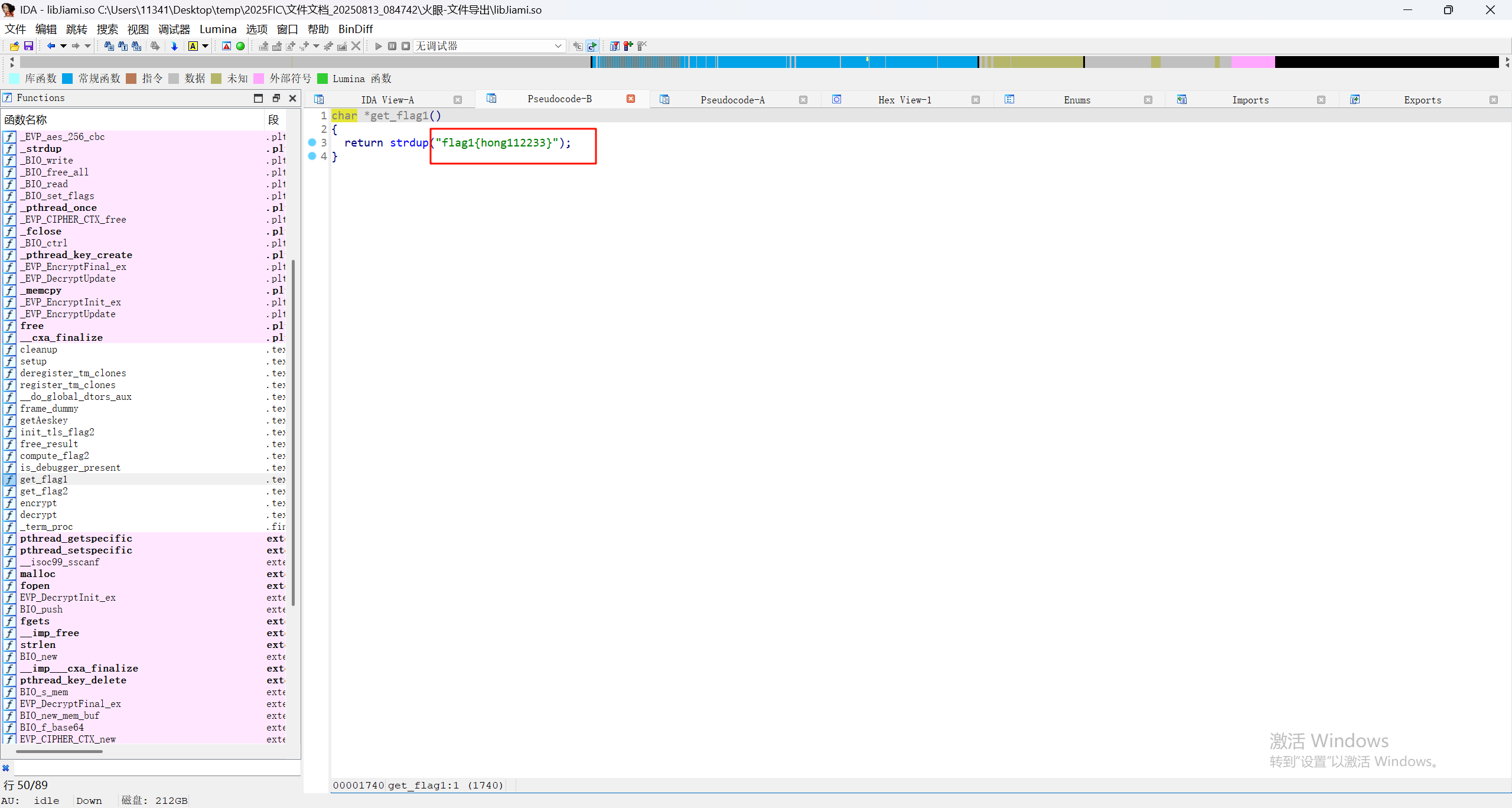
24.请继续分析上题SO文件,尝试分析get_flag1函数,该返回值为
可以直接在代码中看到
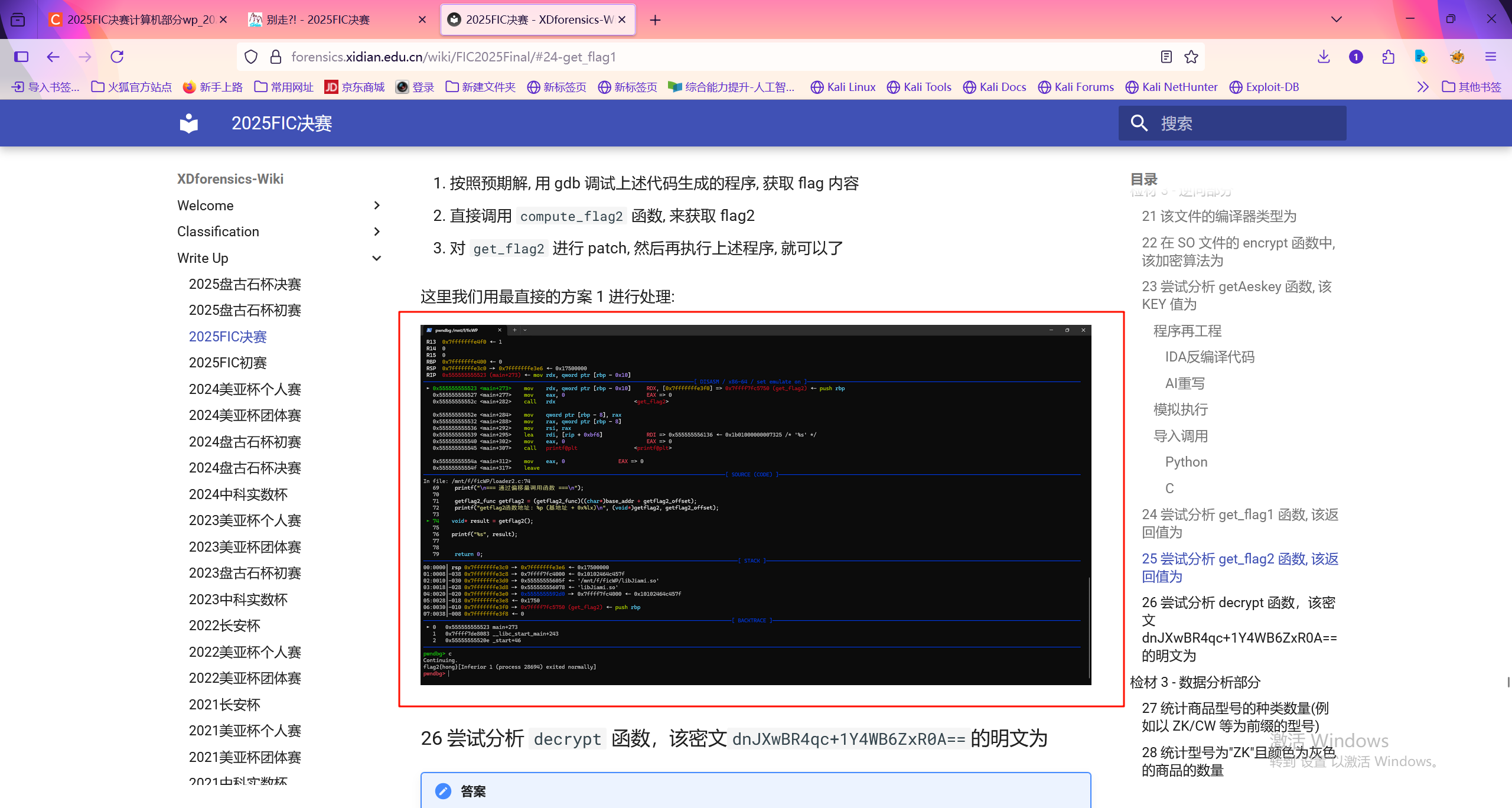
25.请继续分析上题SO文件,尝试分析get_flag2函数,该返回值为
如果按照检材的设定,直接用gbd调试,直接调用flag2函数来得到flag。但是我没有gbd的环境……裂
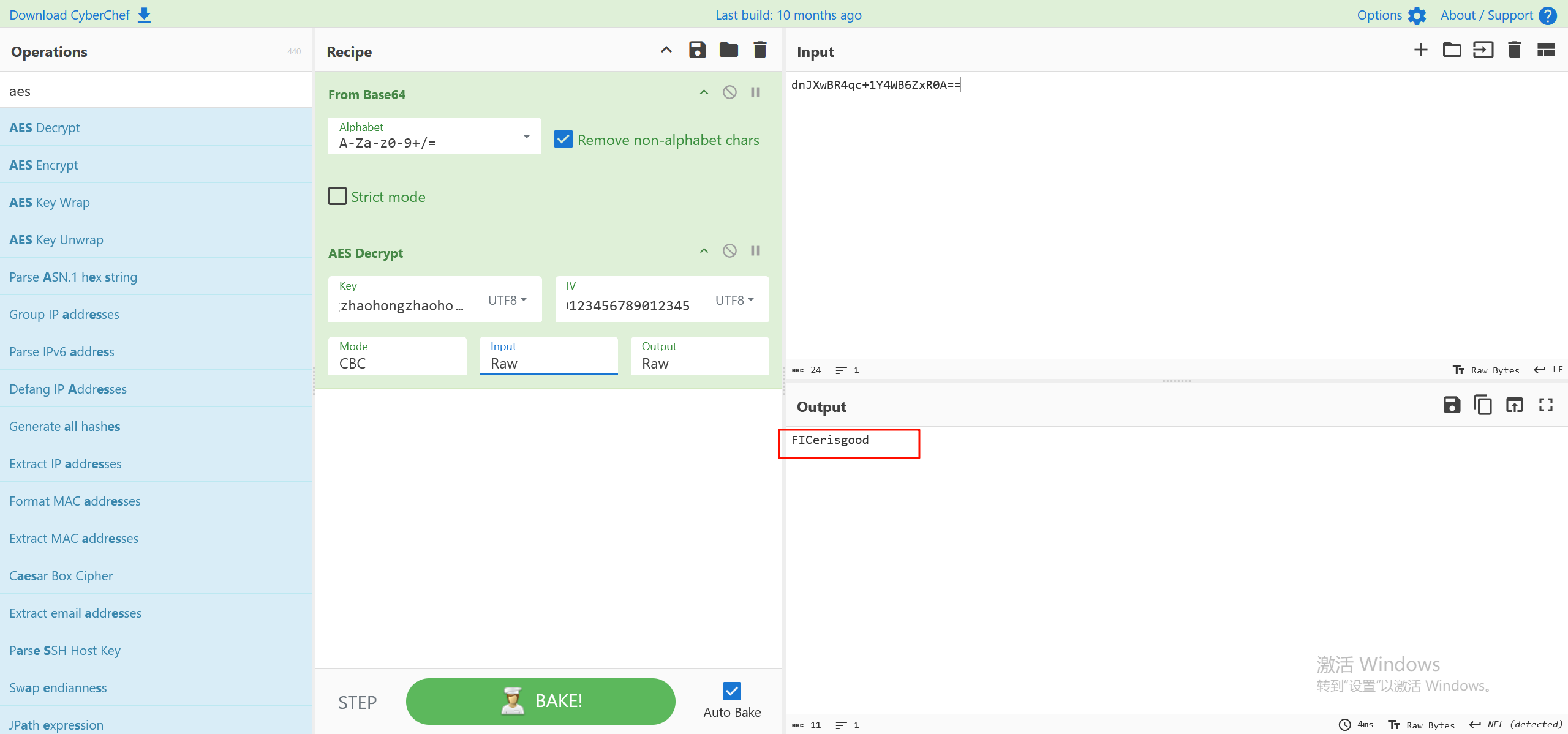
26.请继续分析上题SO文件,尝试分析decrypt函数,该密文dnJXwBR4qc+1Y4WB6ZxR0A==的明文为
找到iv的值,再加上前面的key,可以直接用cyberchef来解
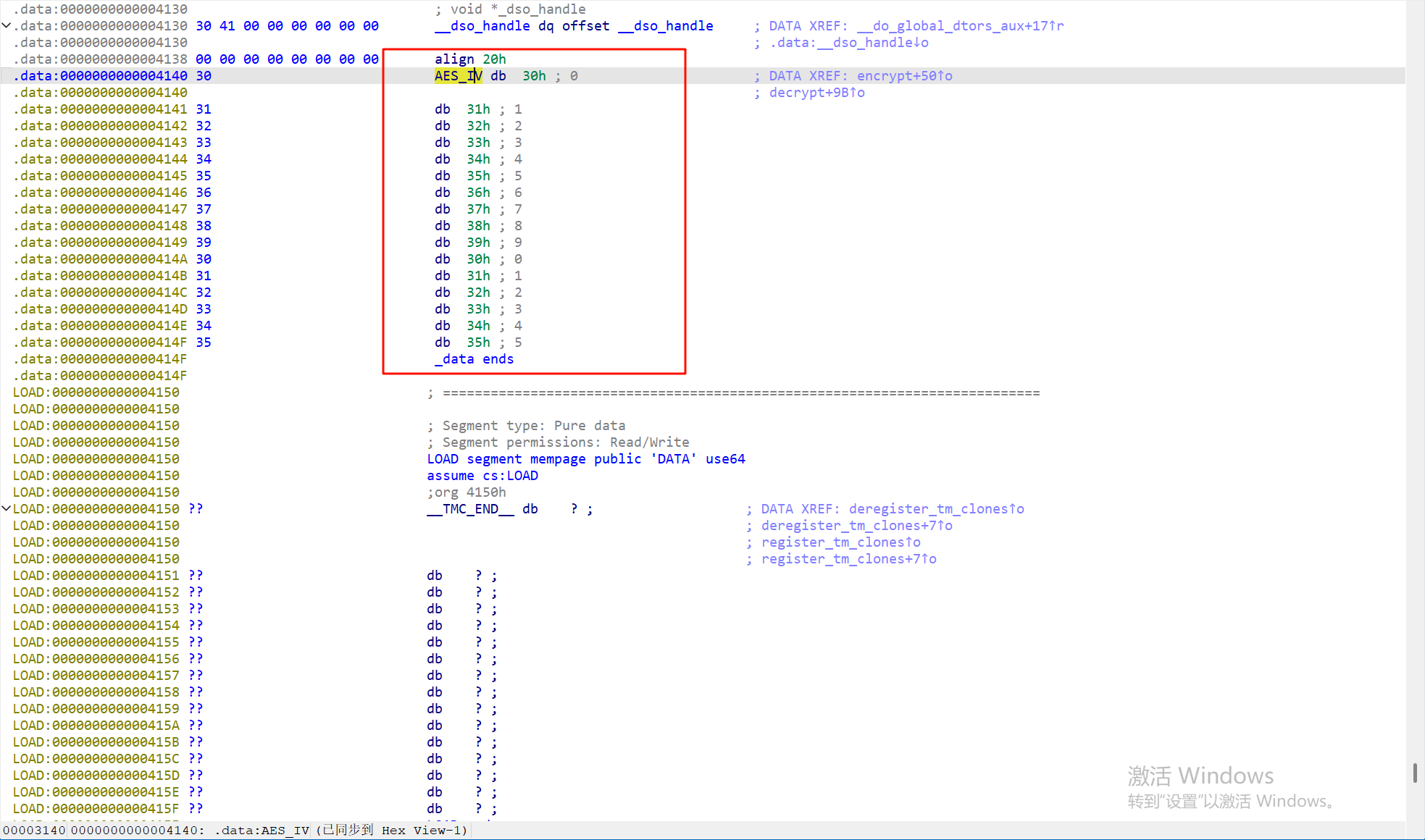
注意这里要先base64解码一下,然后改为原始数据来解密,根据代码中,最后还有一步是base64加密
最后完整的解密过程如下
27.请分析检材3数据库,在 products 表中,统计商品型号的种类数量(例如以 ZK、CW 等为前缀的型号)
根据之前找到的数据库的账号密码root 7001.连接后导出csv,接着写一个python脚本来解密密文
import base64 import pandas as pd from Crypto.Cipher import AES from Crypto.Util.Padding import unpad from Crypto import RandomKEY_HEX = "7a68616f686f6e677a68616f686f6e677a68616f686f6e677a68616f686f6e67"
key = bytes.fromhex(KEY_HEX)
iv = b"0123456789012345"def decrypt_data(encrypted_str):
try:
encrypted_bytes = base64.b64decode(encrypted_str)
cipher = AES.new(key, AES.MODE_CBC, iv)
decrypted_padded = cipher.decrypt(encrypted_bytes)
decrypted_data = unpad(decrypted_padded, AES.block_size)
return decrypted_data.decode("utf-8")except Exception as e:
return "[FAILED]"def decrypt_csv(input_file, output_file):
df = pd.read_csv(input_file)
encrypted_columns = [
"name_encrypted",
"description_encrypted",
"price_encrypted",
"category_encrypted",
"additional_data_encrypted"
]for col in encrypted_columns:
if col in df.columns:
new_col_name = col.replace("_encrypted", "")
df[new_col_name] = df[col].apply(decrypt_data)df.to_csv(output_file, index=False, encoding="gbk")
if name == "main":
input_csv = "products.csv"
output_csv = "products_decrypted.csv"
decrypt_csv(input_csv, output_csv)
导出后的结果是这样的
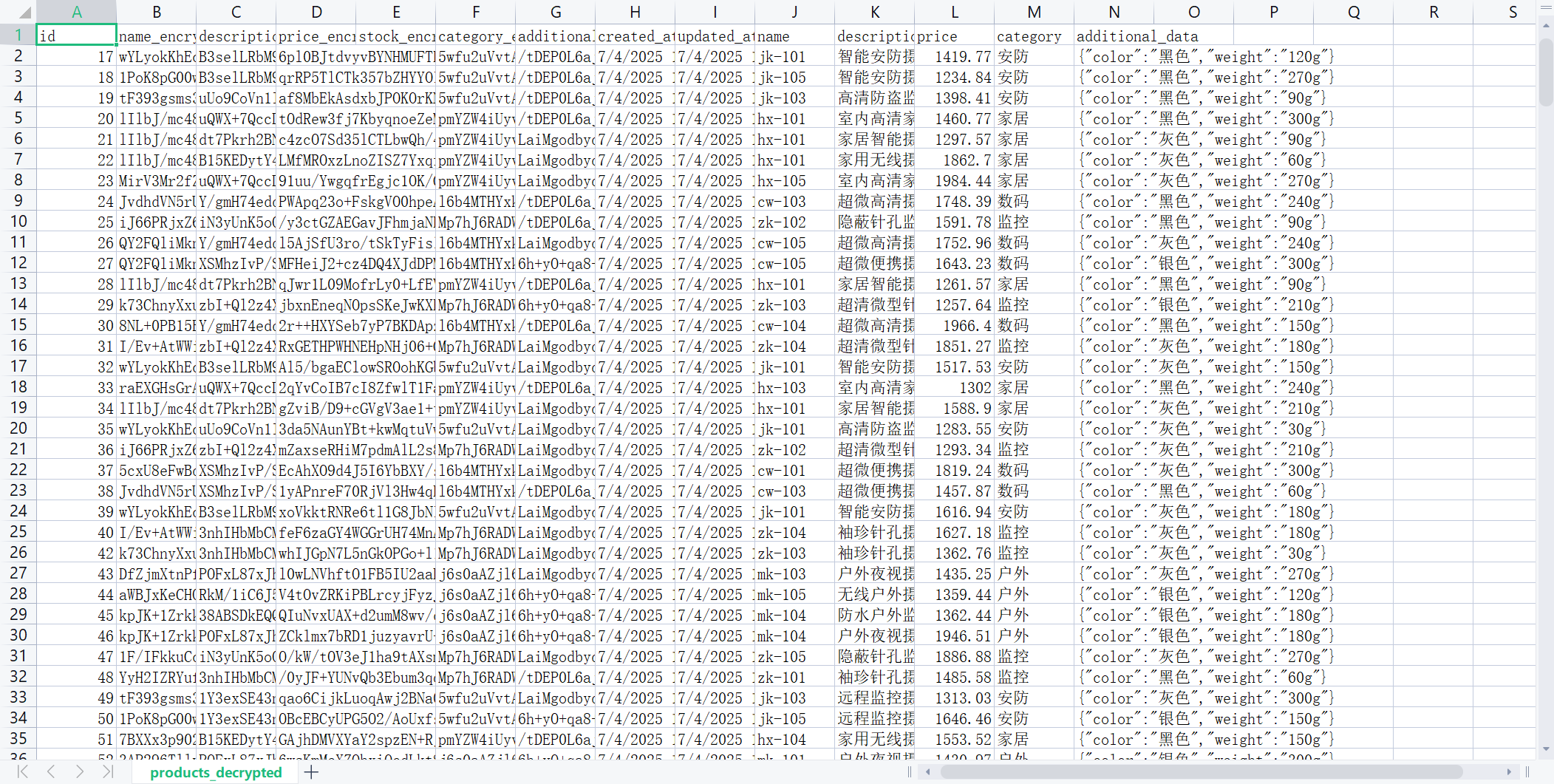
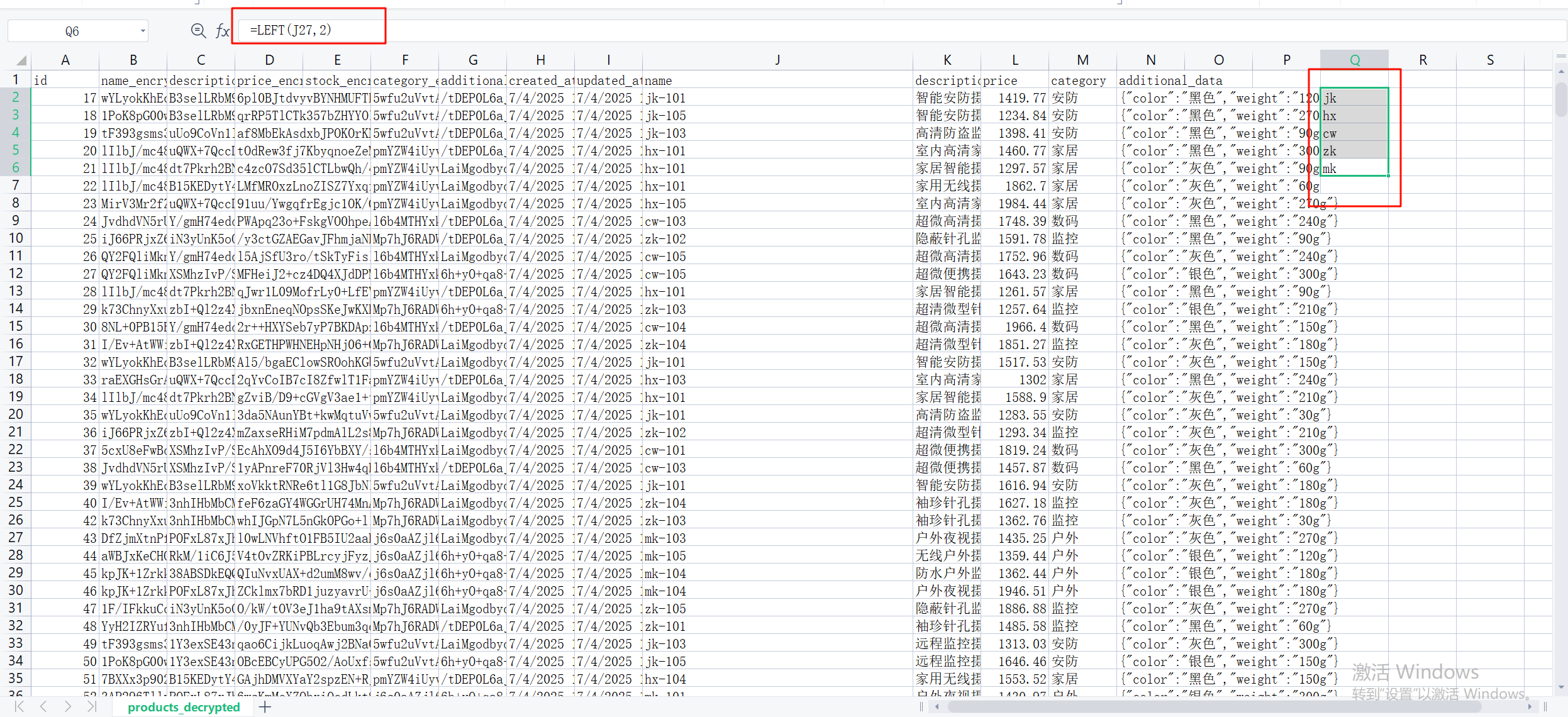
要找商品类型,可以先看name列,这开头的两个字母是分类的关键
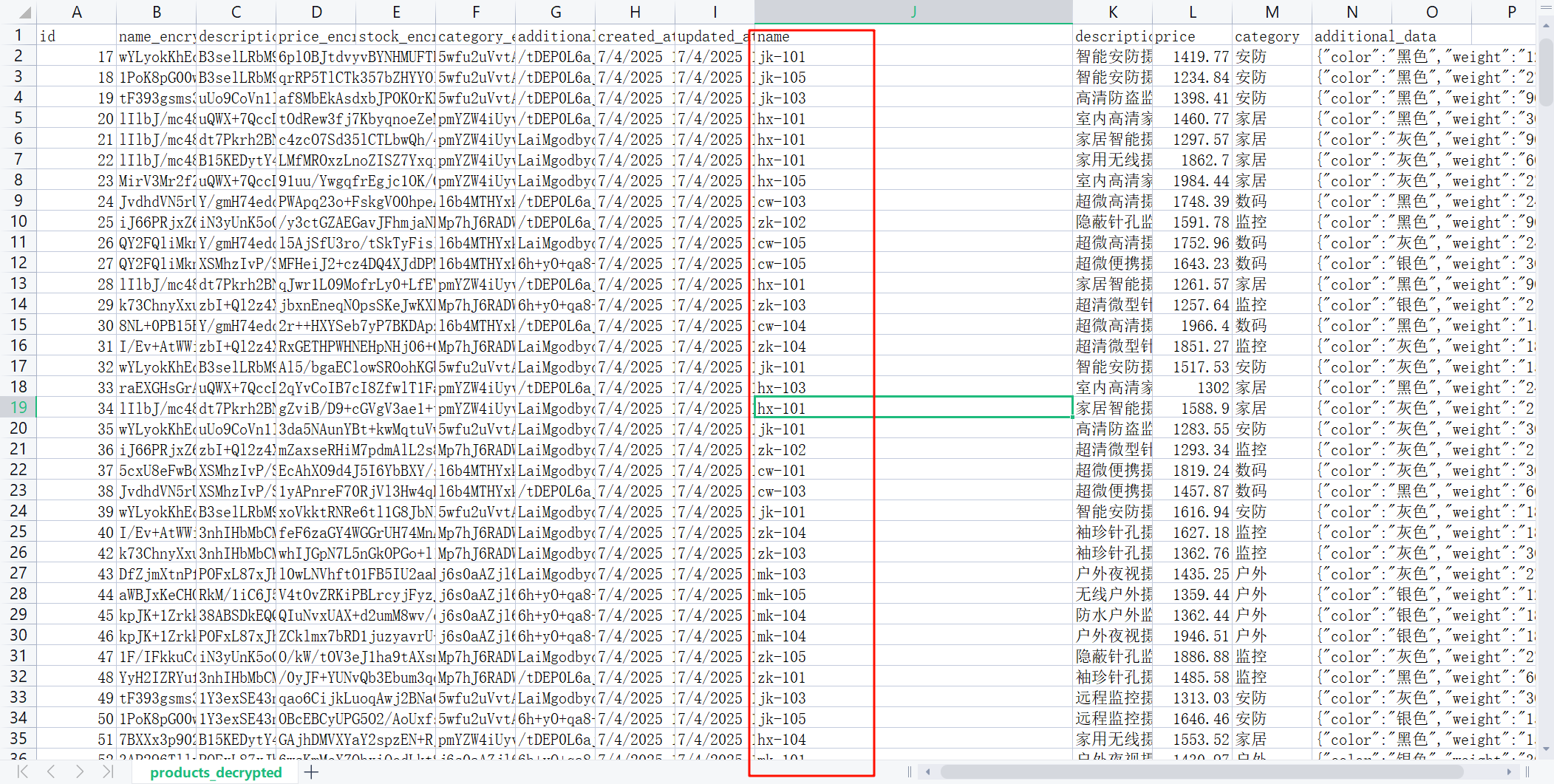
首先用left函数提取前两个字母到新的列中,然后去除重复项后得到5项,即只有5钟
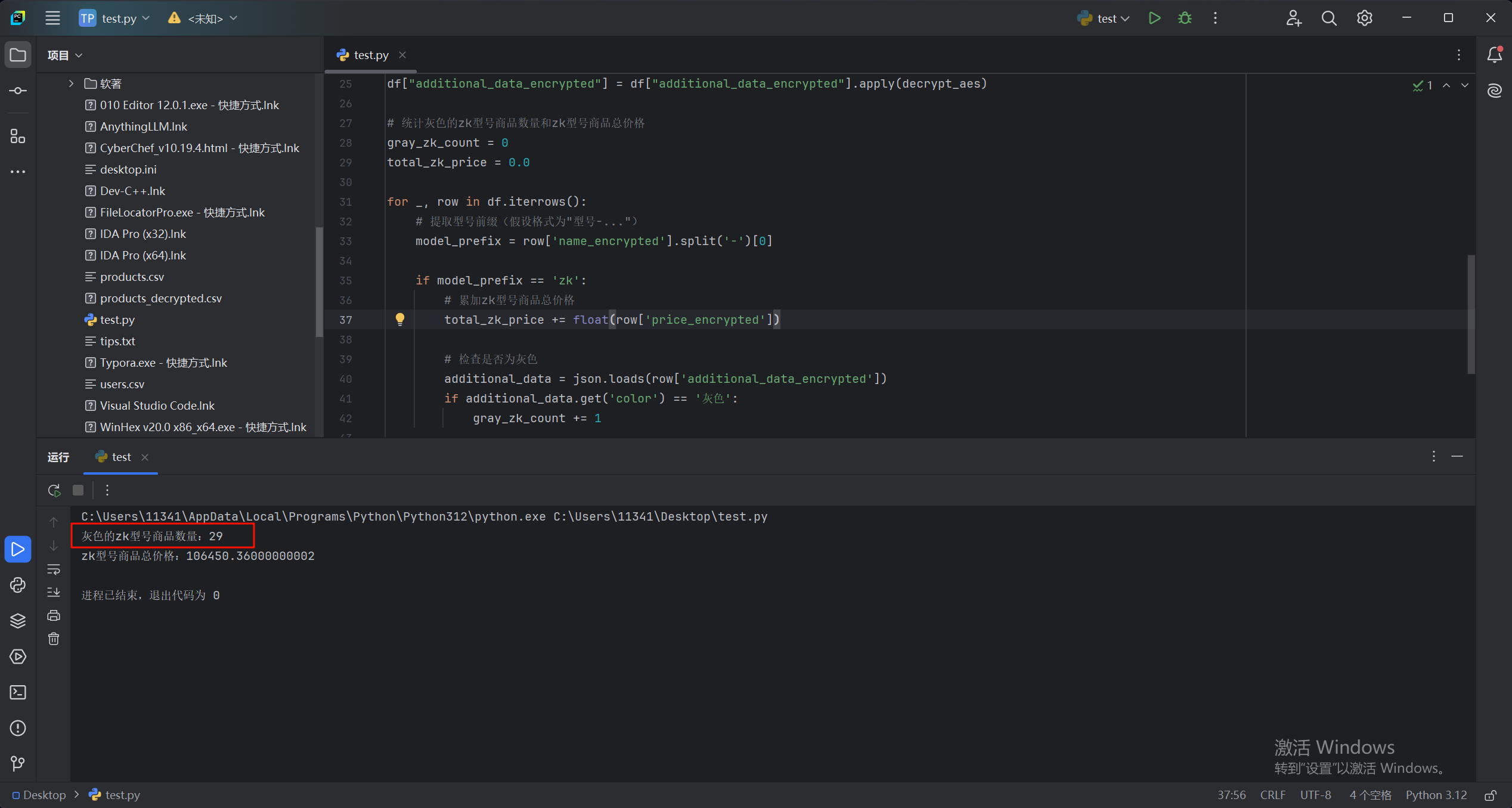
28.请分析检材3数据库,在 products 表中,统计型号为 “ZK” 且颜色为灰色的商品的数量
三种方法,python写脚本,网矩分析,或者sql语句来查询,最后得到29个
import pandas as pd from Crypto.Cipher import AES from Crypto.Util.Padding import unpad import base64 import jsondef decrypt_aes(ciphertext):
ciphertext = base64.b64decode(ciphertext)
key = b'zhaohongzhaohongzhaohongzhaohong'
iv = b'0123456789012345'
cipher = AES.new(key, AES.MODE_CBC, iv)
padded_data = cipher.decrypt(ciphertext)
decrypted = unpad(padded_data=padded_data, block_size=AES.block_size)
return decrypted.decode('utf-8')读取CSV文件(请替换为实际的CSV文件路径)
csv_file_path = 'products.csv' # 这里替换为你的CSV文件路径
df = pd.read_csv(csv_file_path)对加密字段进行解密处理
df["name_encrypted"] = df["name_encrypted"].apply(decrypt_aes)
df["price_encrypted"] = df["price_encrypted"].apply(decrypt_aes)
df["additional_data_encrypted"] = df["additional_data_encrypted"].apply(decrypt_aes)统计灰色的zk型号商品数量和zk型号商品总价格
gray_zk_count = 0
total_zk_price = 0.0for _, row in df.iterrows():
# 提取型号前缀(假设格式为"型号-...")
model_prefix = row['name_encrypted'].split('-')[0]if model_prefix == 'zk':
# 累加zk型号商品总价格
total_zk_price += float(row['price_encrypted'])检查是否为灰色
additional_data = json.loads(row['additional_data_encrypted'])
if additional_data.get('color') == '灰色':
gray_zk_count += 1输出结果
print(f"灰色的zk型号商品数量:{gray_zk_count}")
print(f"zk型号商品总价格:{total_zk_price}")
29.请分析检材3数据库,在 products 表中,统计型号为 "ZK" 的总销售额(金额只保留整数部分,不进行四舍五入)
见上图,zk型号商品总价格:106450.36000000002
物联网取证
1.请分析检材4,该检材的系统版本号为
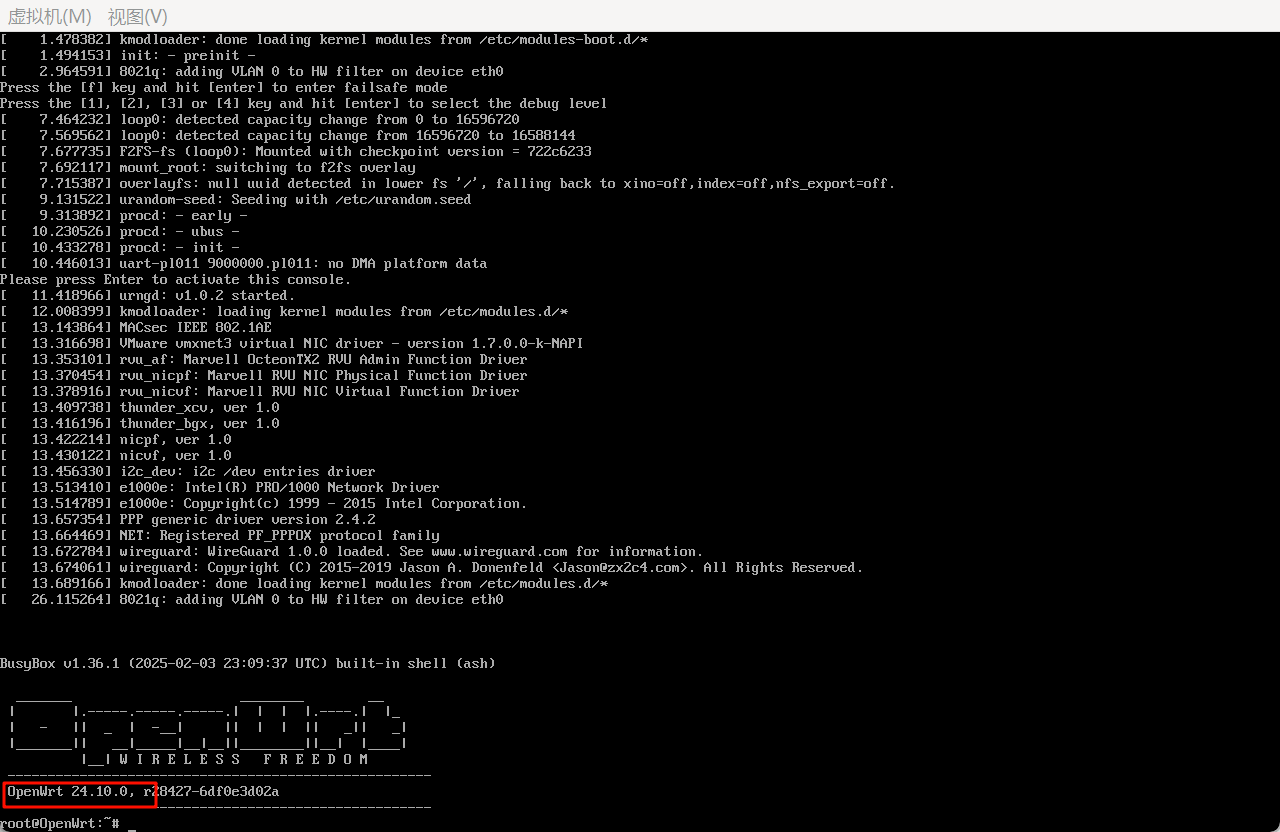
火眼仿真的话,记得用NAT模式
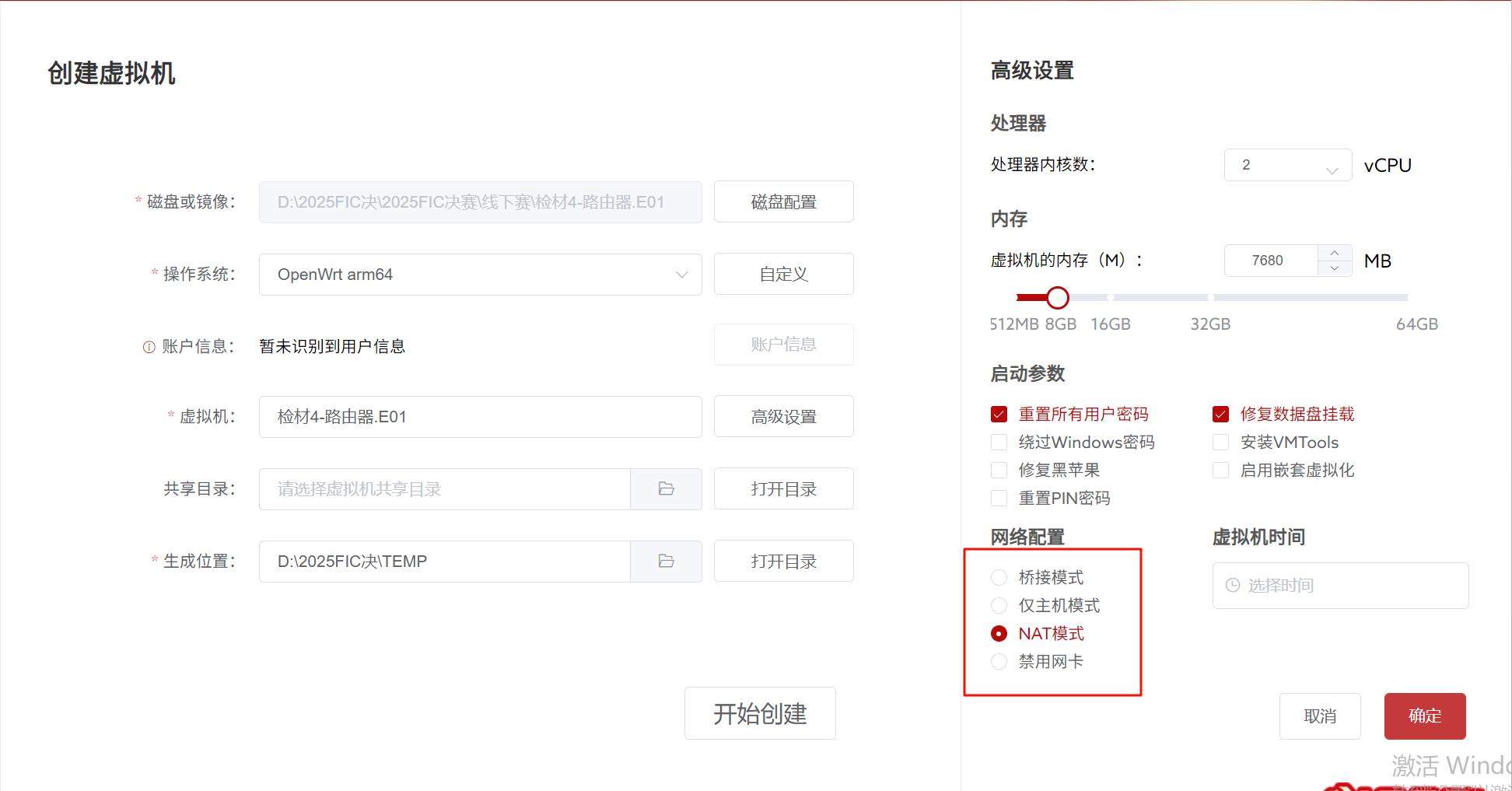
这里可以看到版本号是24.10.0,但是火眼会提醒你内部版本号会更改,但是其实不关系统版本号吧,我不太确定
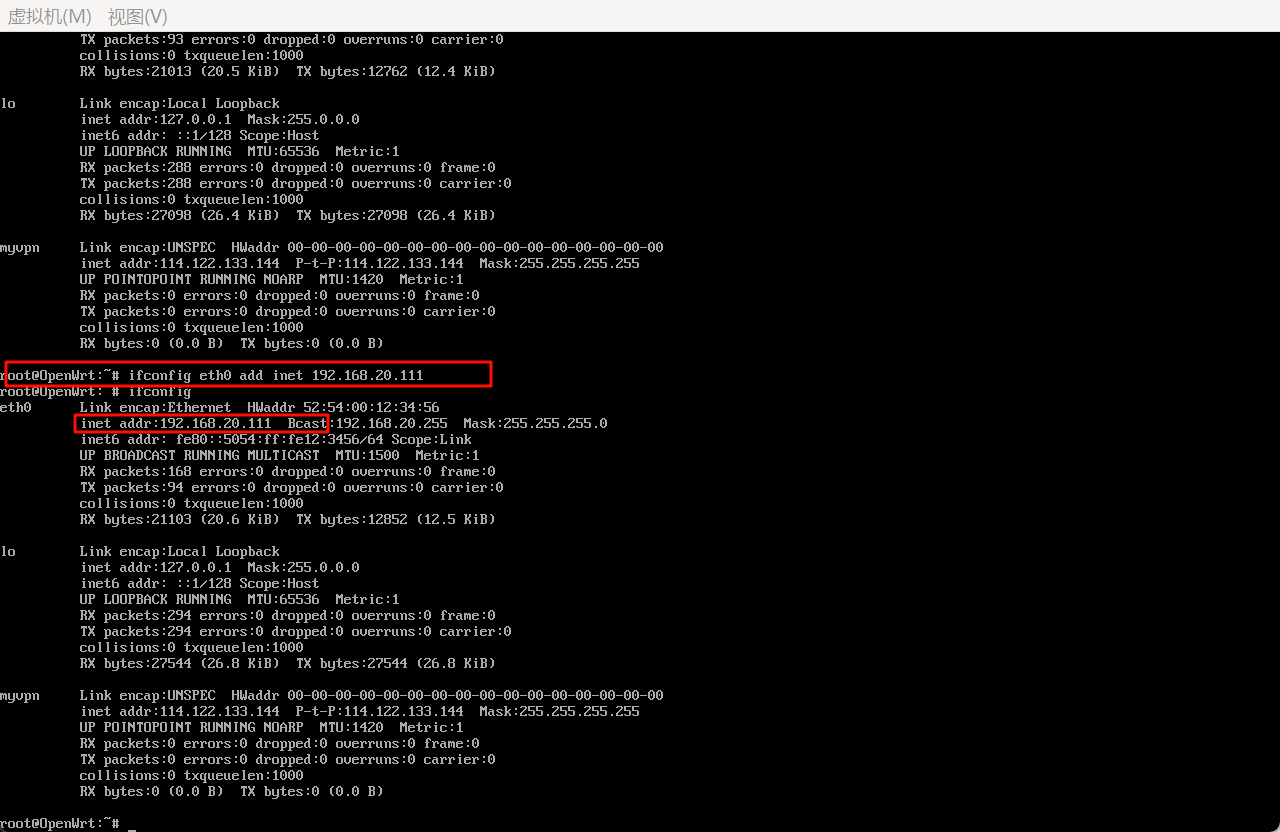
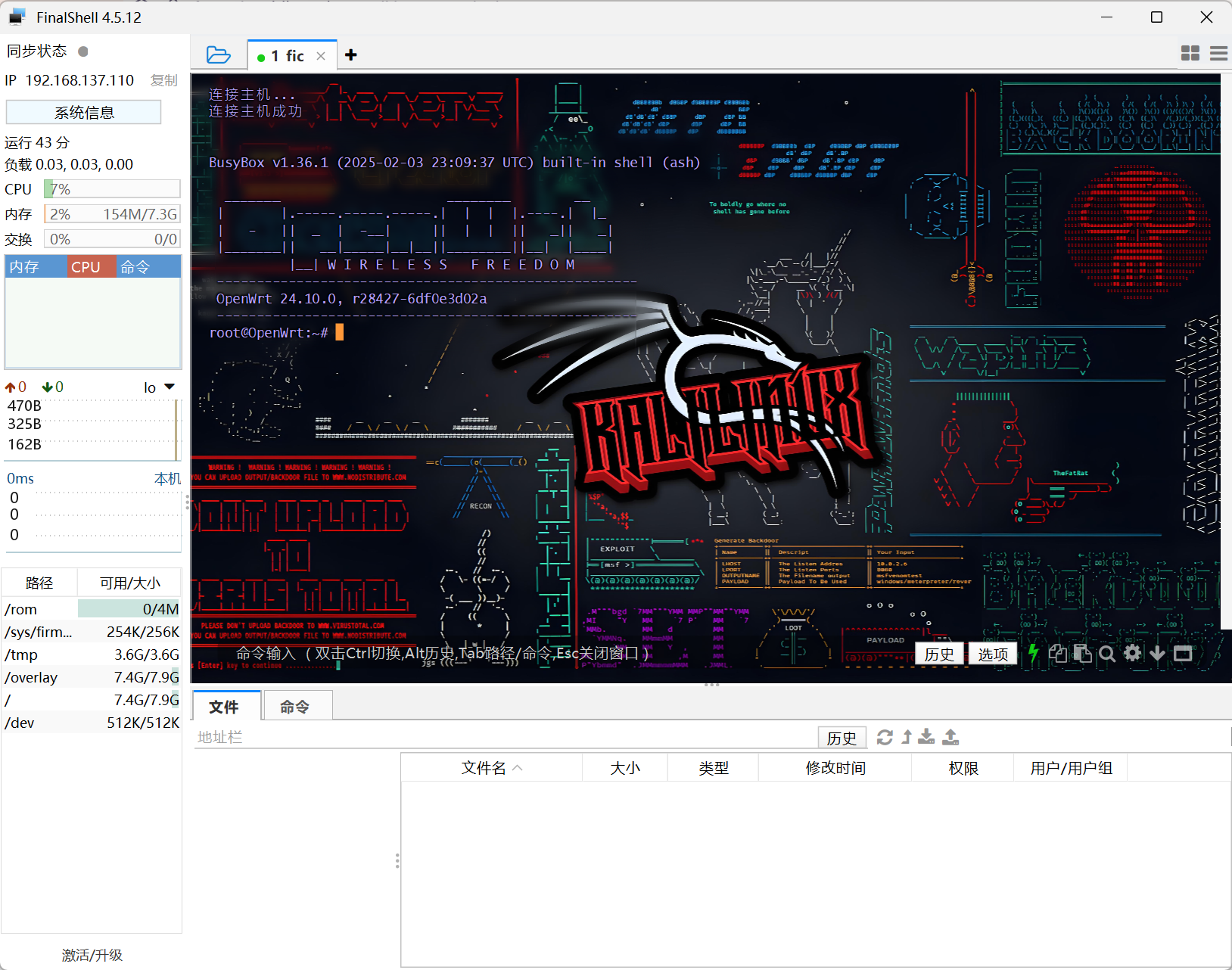
一开始ifconfig是没有eth0的ip的,所以可以给他加个ip,这样就能访问了,然后关掉防火墙就能ssh连接,,根据xidian大佬的文章,OpenWRT 控制 SSH 和 SFTP 连接的组件是 Dropbear, 配置文件位于 /etc/config/dropbear. 不过配置已经开启了 SSH 并允许通过口令登录
2.请分析检材4,该检材的lan口ip为
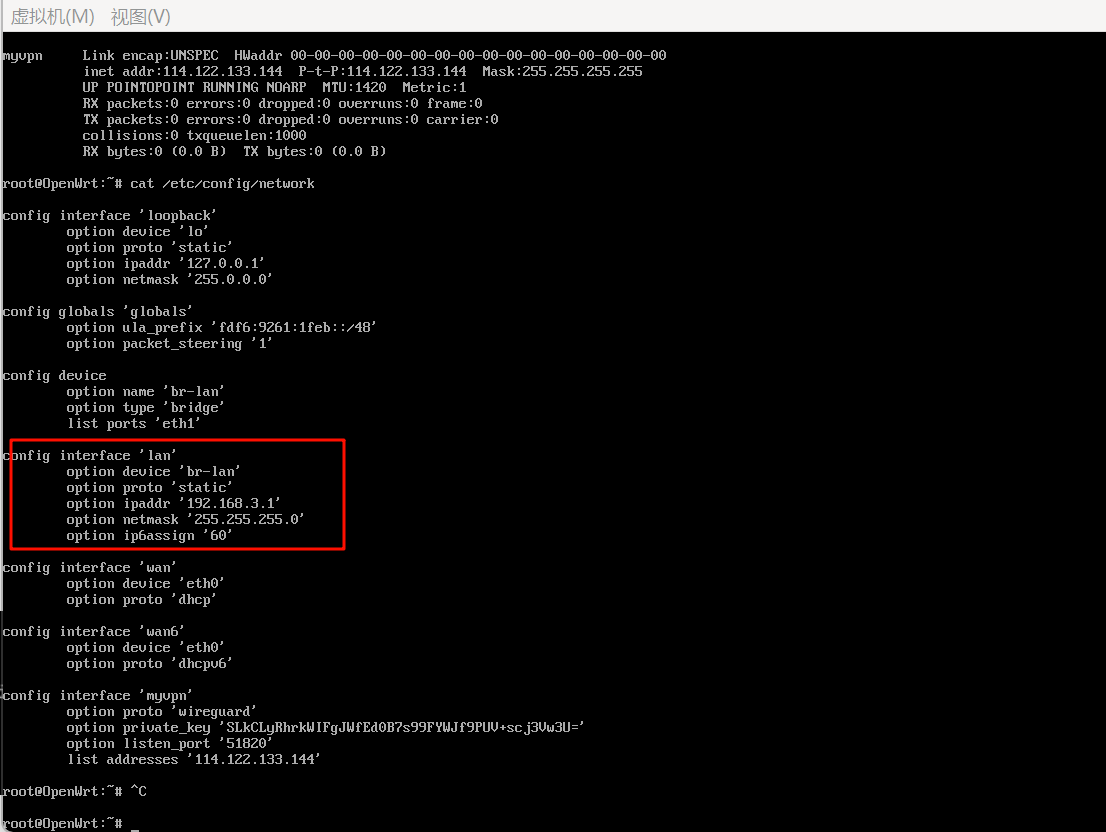
这里找lan的IP,查看/etc/config/network即可
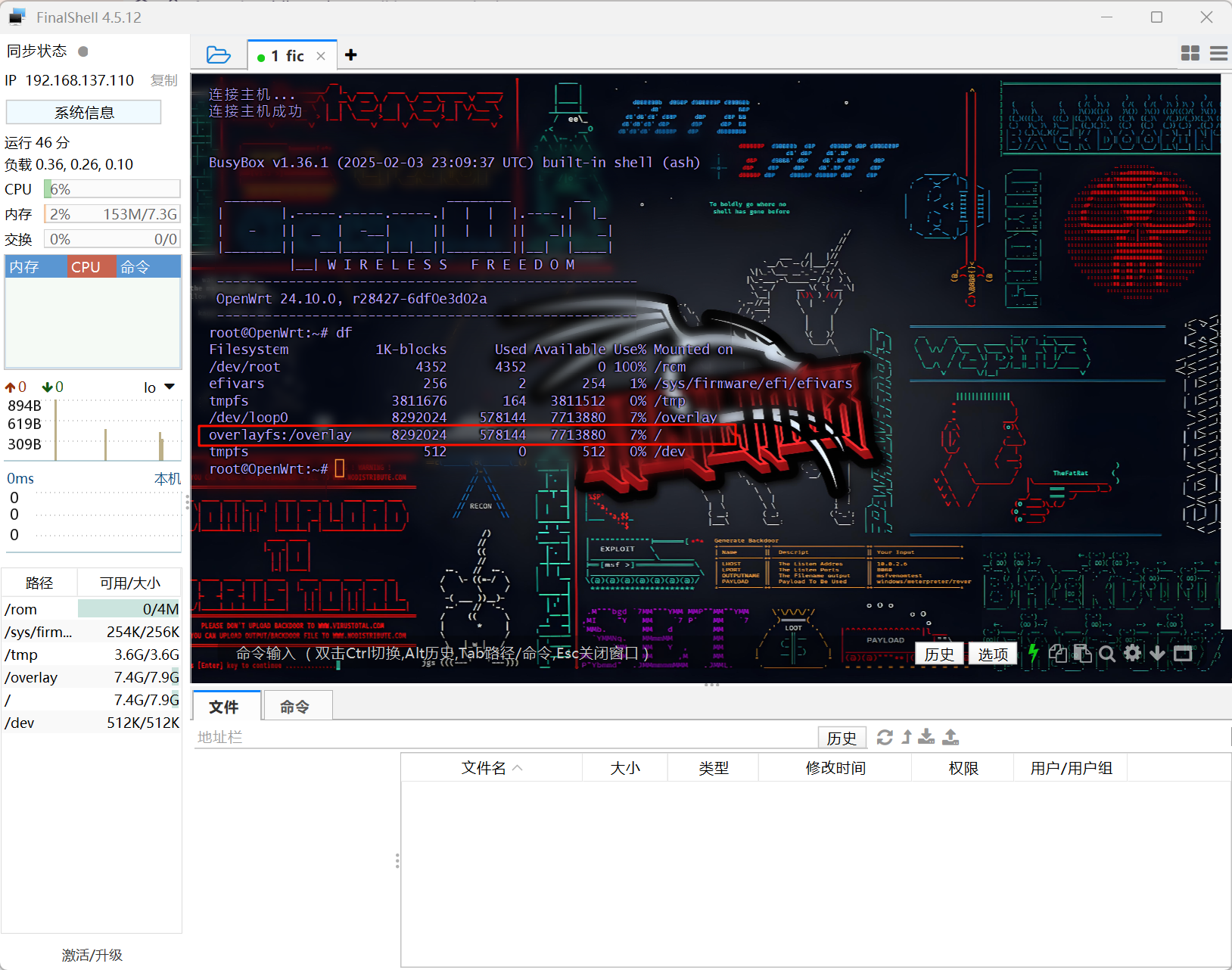
3.请分析检材4,该检材Overlayfs分区的大小为多少KB
查看分区大小,df命令查看即可,8292024kb
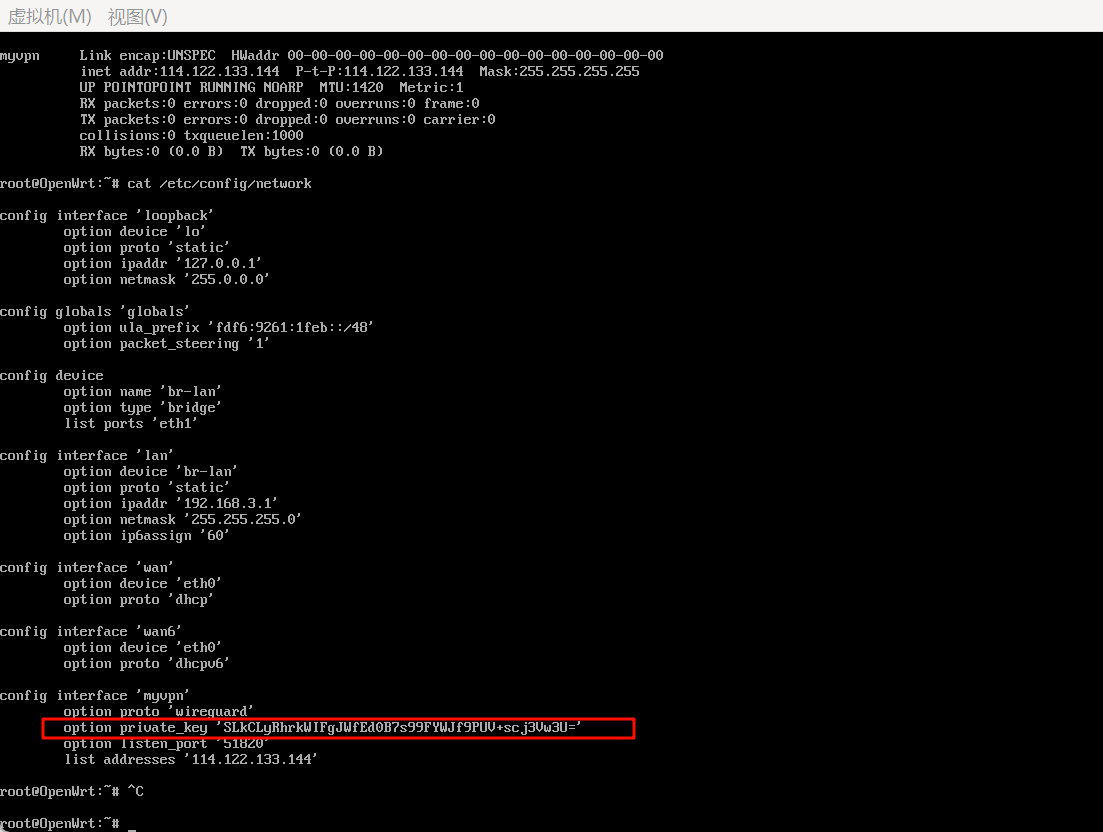
4.请分析检材4,该检材中VPN网络私钥为
前面的文件中就有
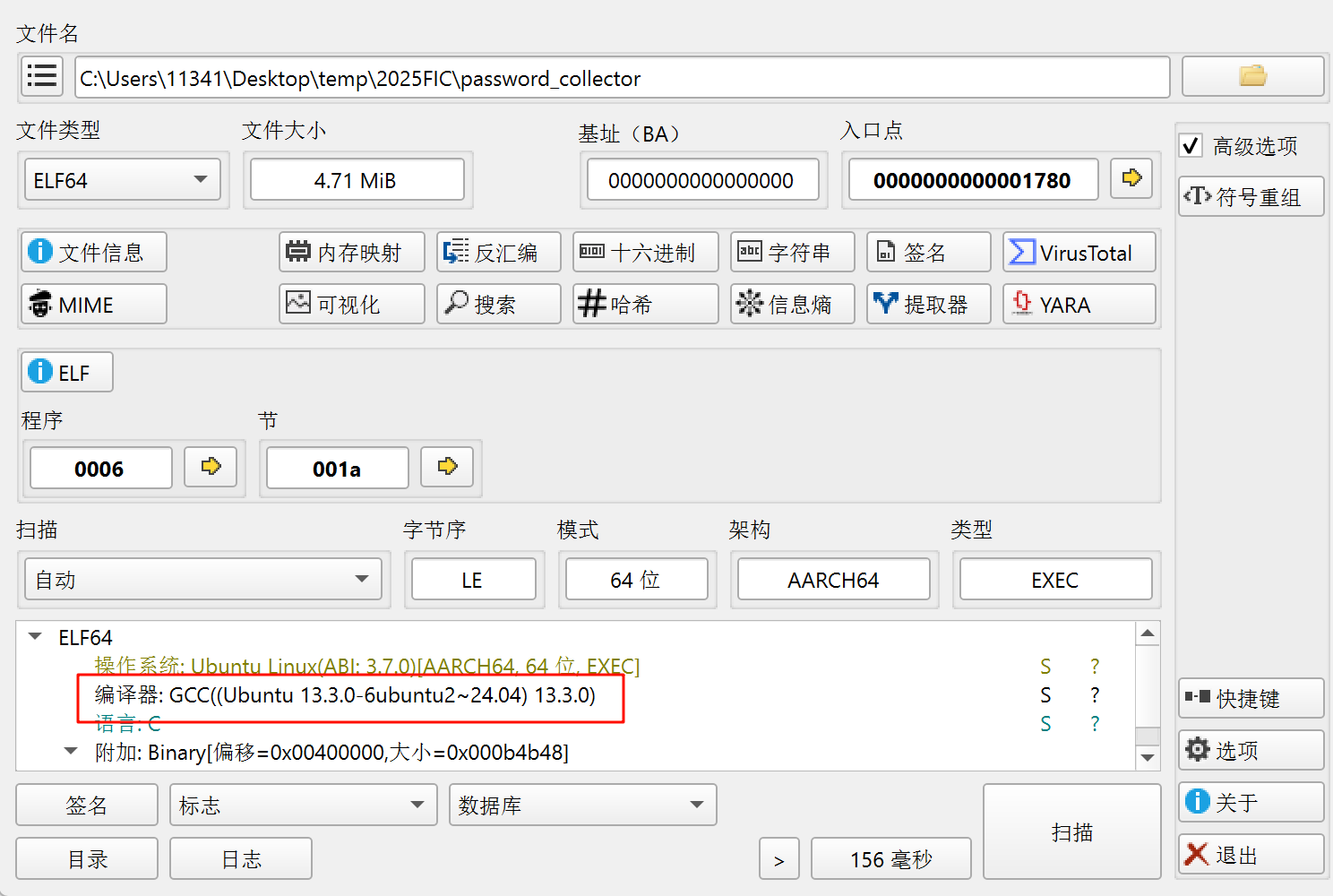
5.请分析检材4,嫌疑人交代其开发了一款专门用于收集其售出摄像头信息的服务程序。请问该摄像头信息收集服务程序编译器版本为?
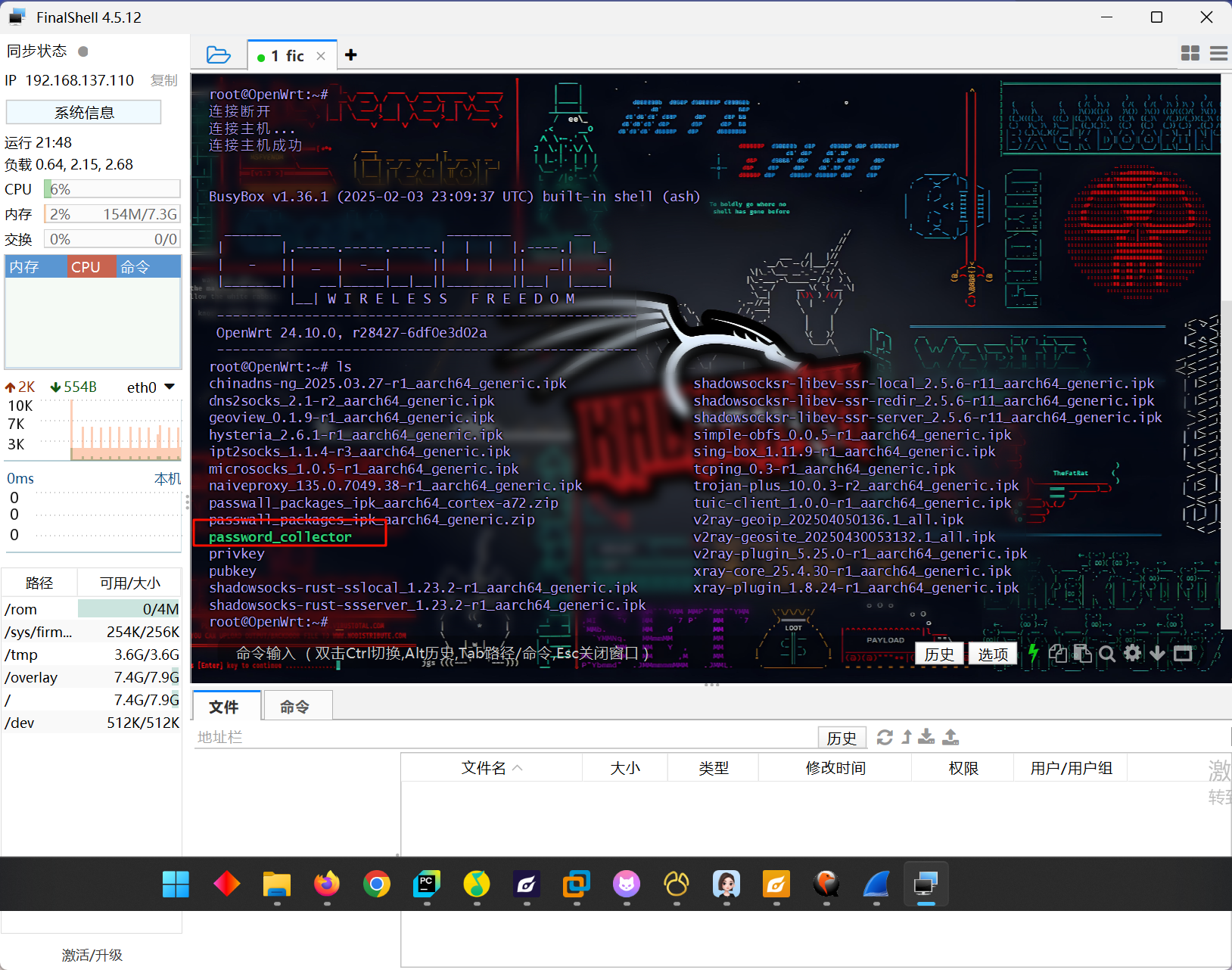
根据名字可以知道我们主要目的是要导出这个password_collector,利用的是uhttpd服务的方法导出
首先
cat /etc/config/uhttpd查看uhttpd服务的网页根目录,默认是在/www下的,这里也是/www下,然后把文件复制过去,cp password_collector /www/,再给文件加上权限,chmod 655 /www/password_collector,最后确认一下服务是否打开了
/etc/init.d/uhttpd status这里是显示running了,我们就可以通过本机来下载文件了
http://192.168.137.200/password_collector
最后用die分析一下即可
6.请分析检材4,该摄像头信息收集程序支持的运行参数(命令行参数)数量为多少
反编译查看可以发现接受两个参数,一个server,一个decrypt
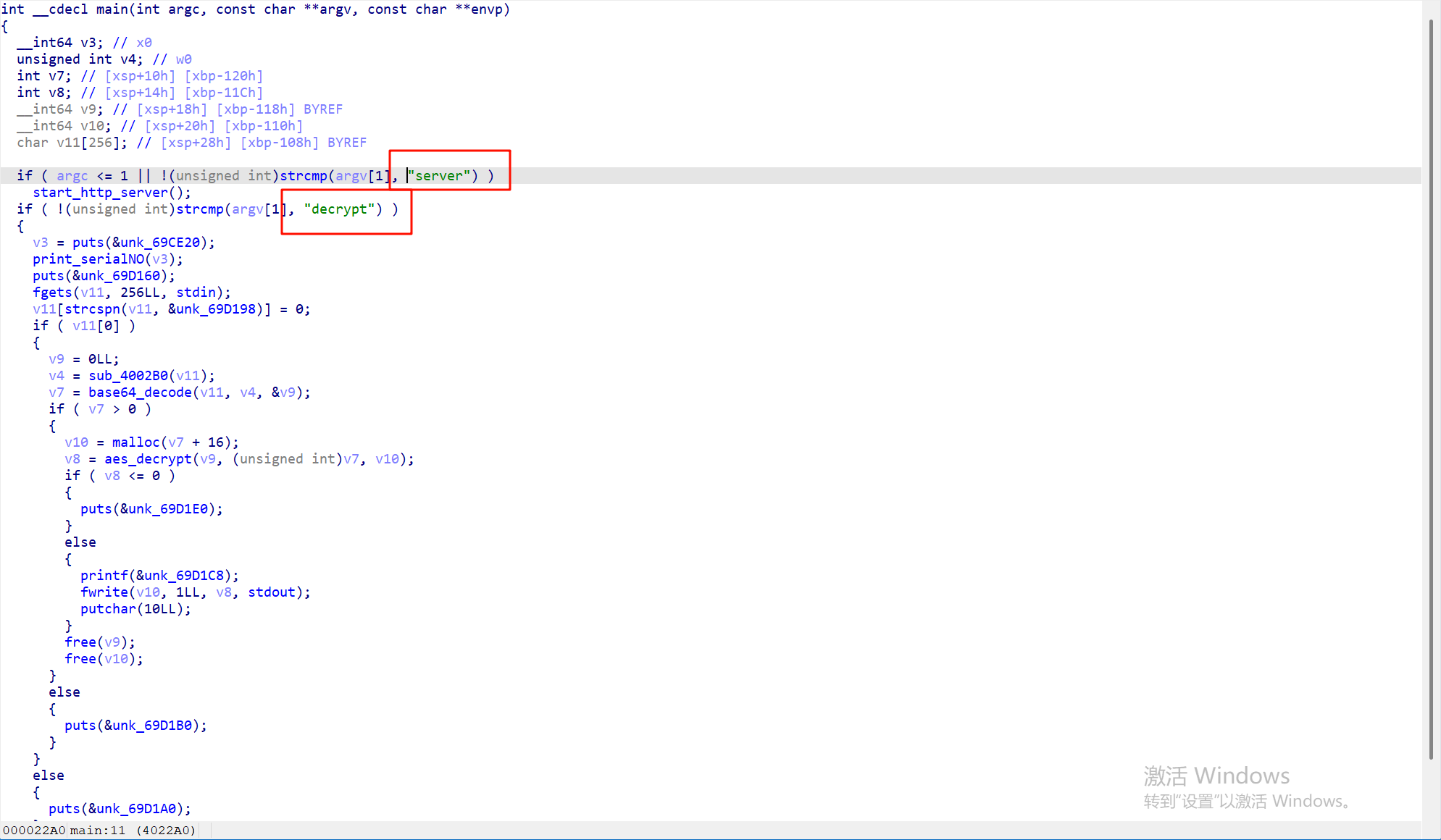
询问AI的结果也是这样
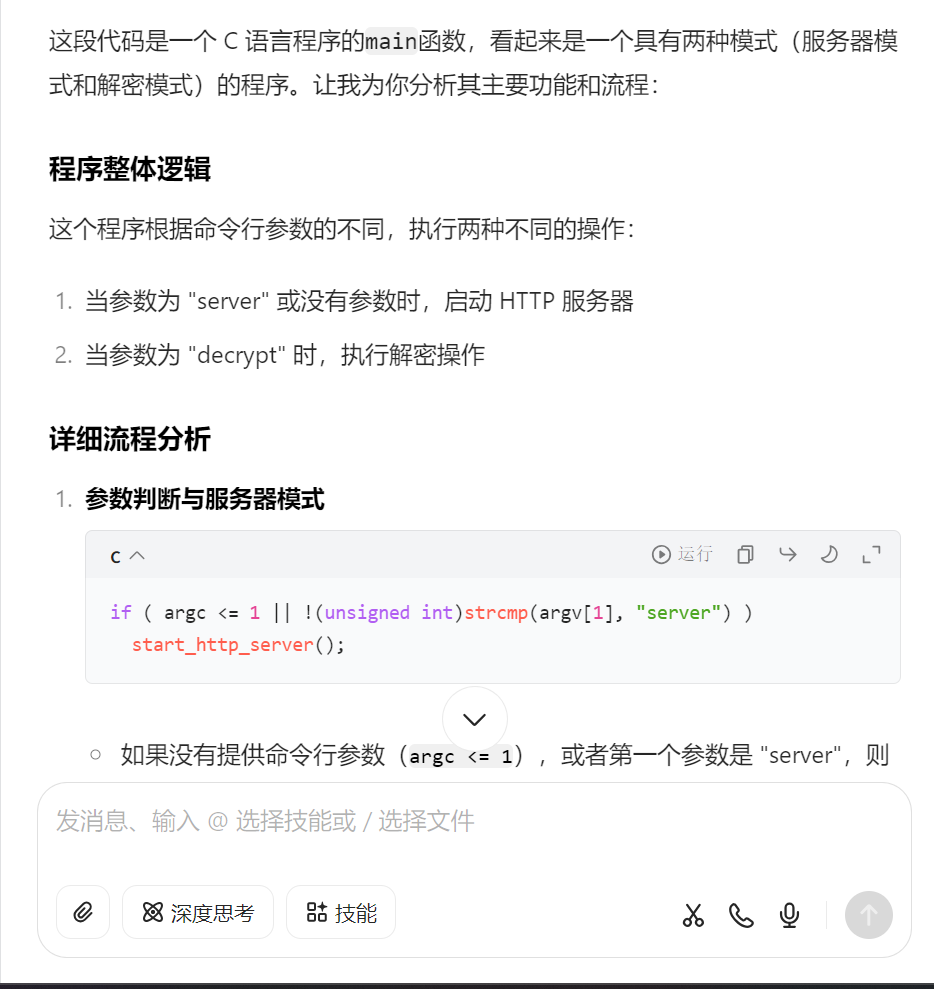
7.请分析检材4,该摄像头信息收集程序使用了什么算法进行加密
看反编译结果有两个,base64和aes
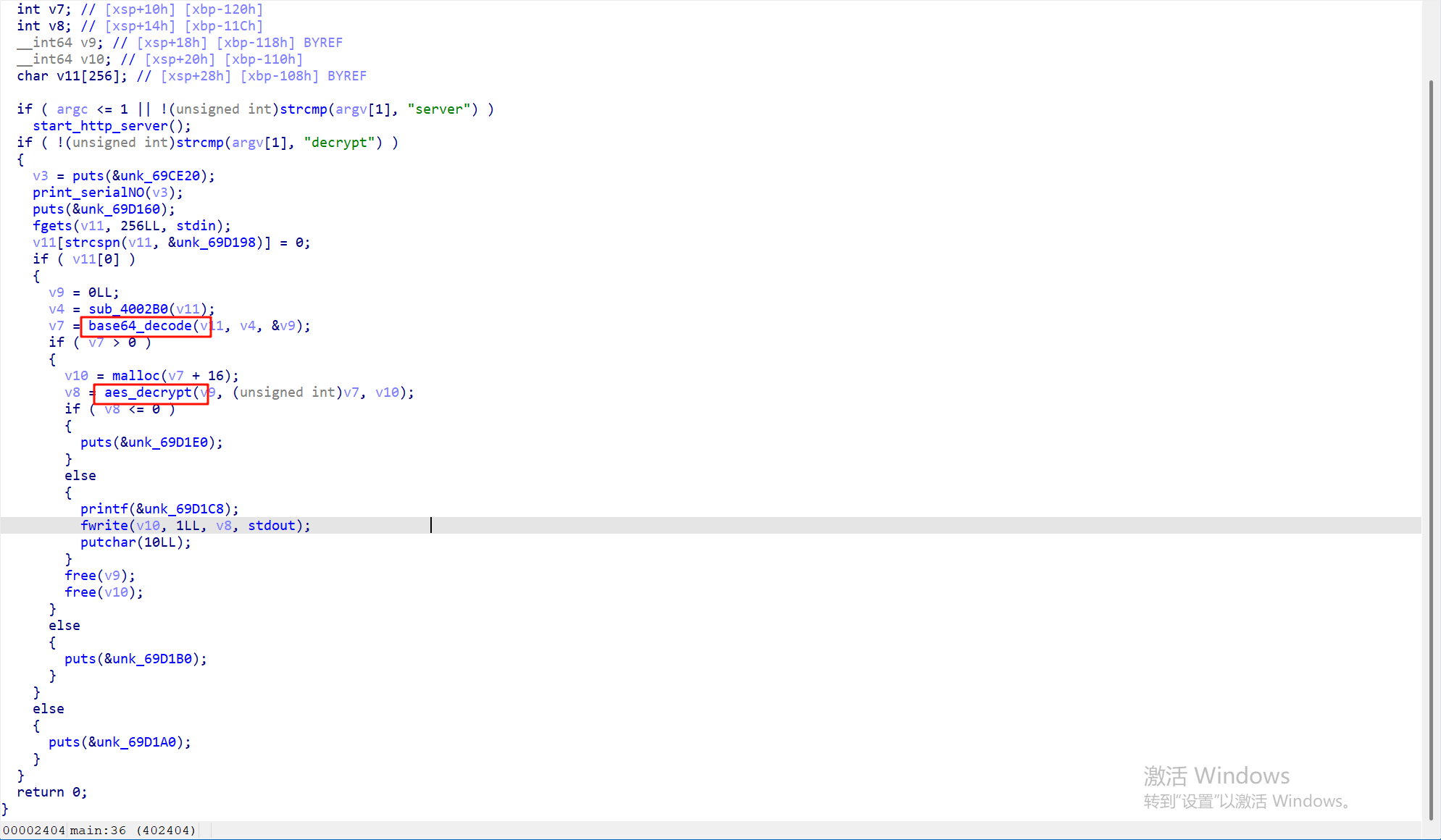
8.请分析检材4,该摄像头信息收集程序所使用的数据库文件名为 *
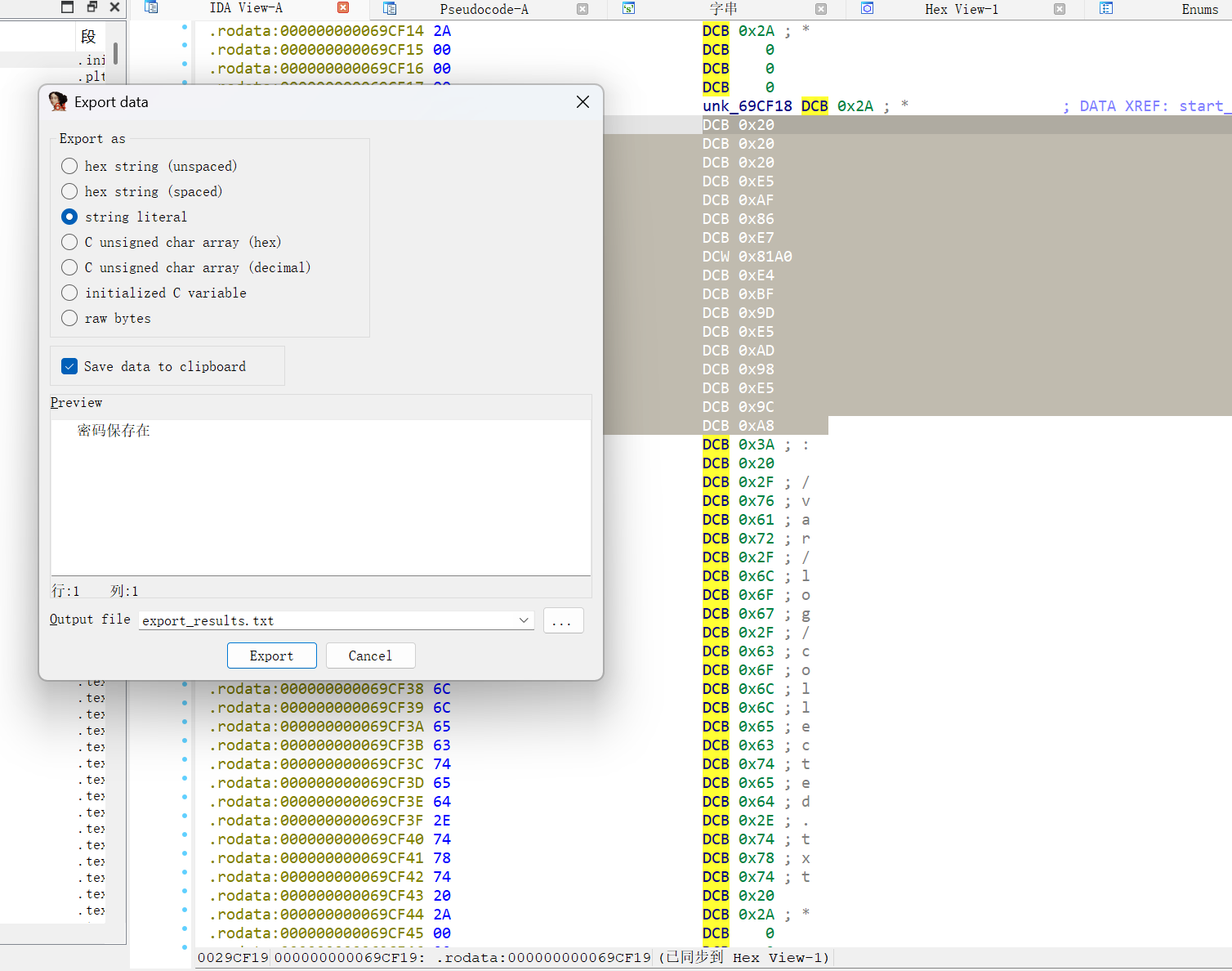
利用查看字符串找到这个collected.txt
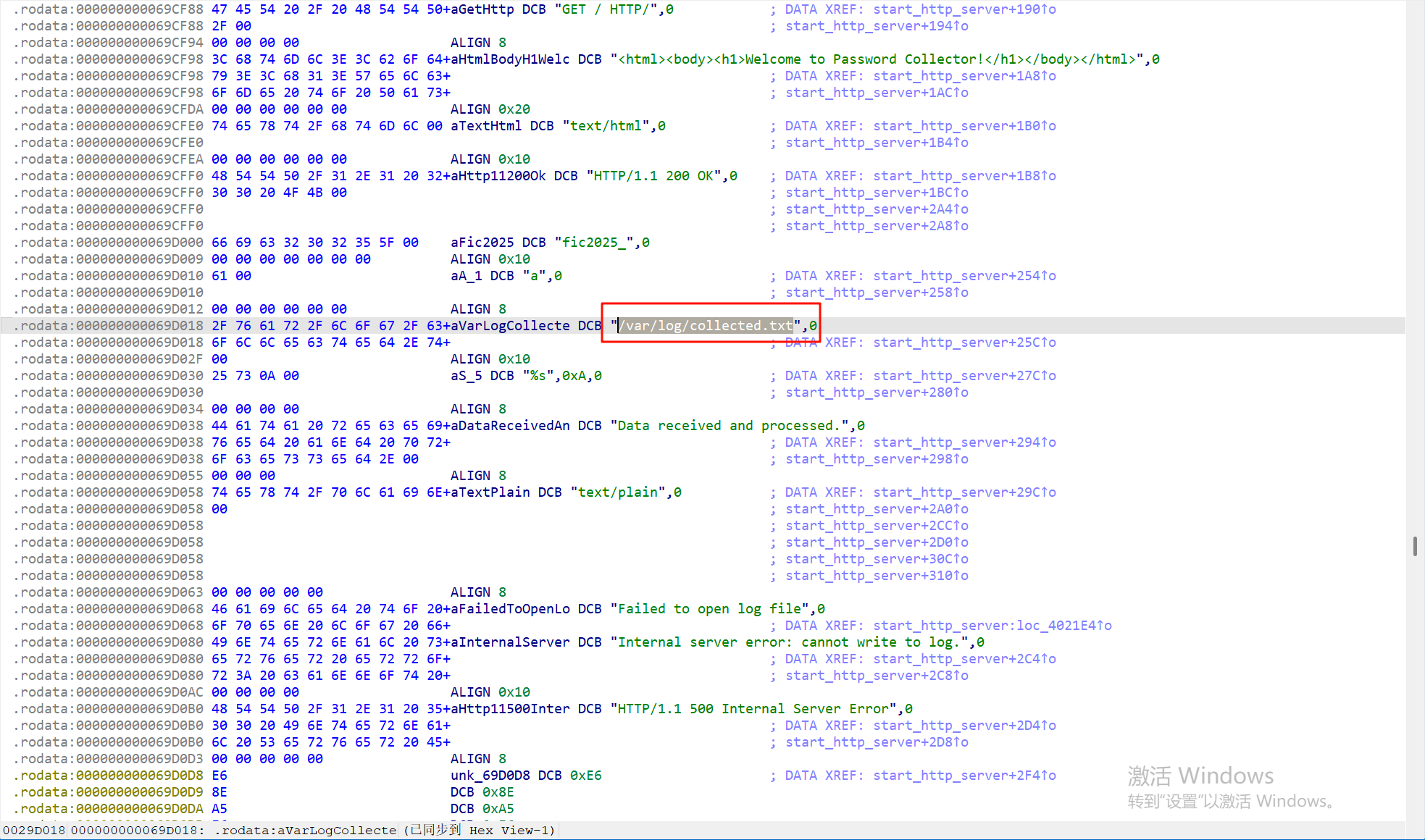
再跟进查看就能得到有密码的提示
9.请分析检材4,该摄像头信息收集程序收集了以下哪些摄像头信息?
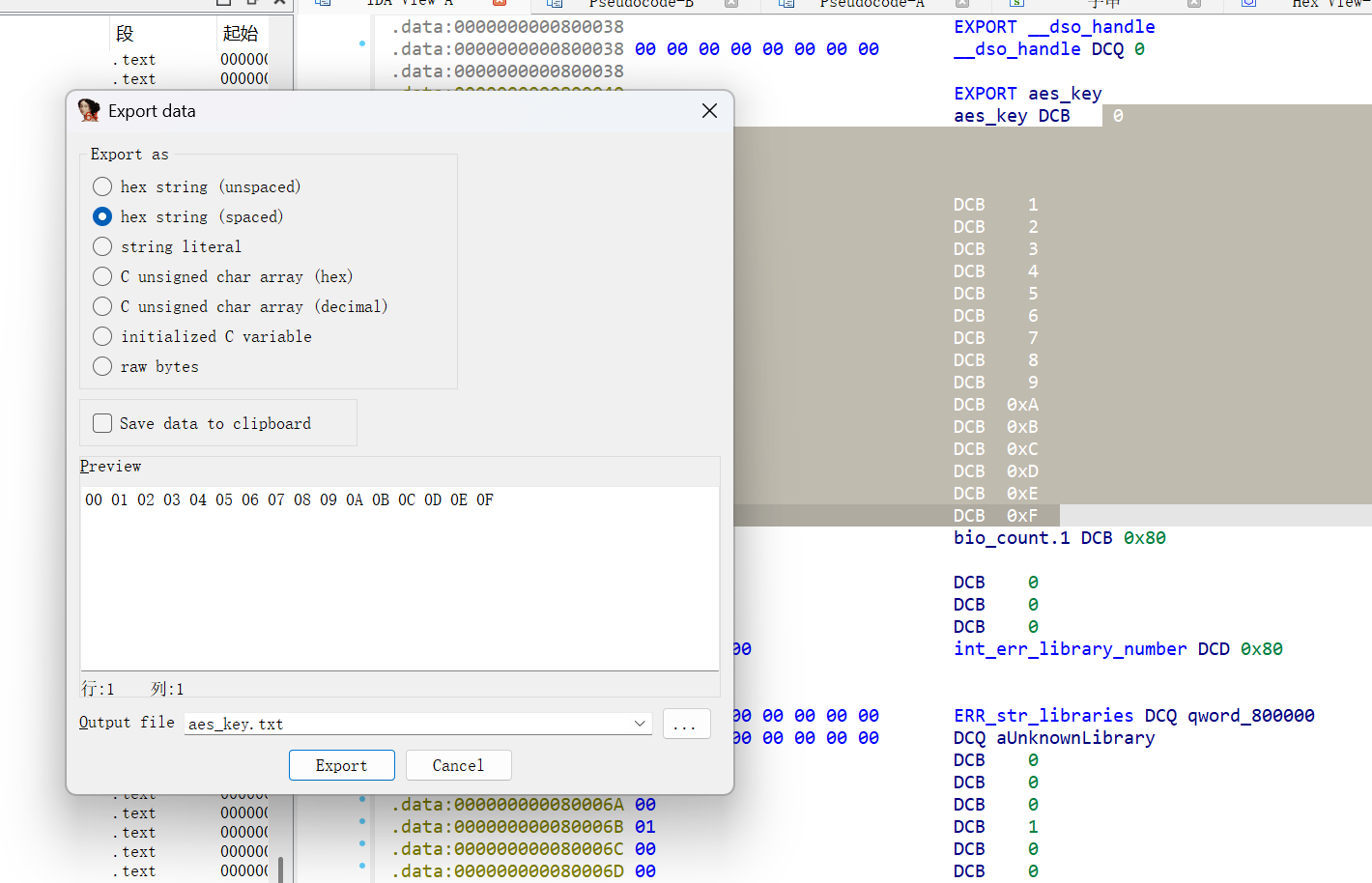
这个不太会,看了其他人的解法也没有完整的,能找到的有aes的key
跟进decrypr函数能看到aeskey
在安卓手机的linux容器里也能看到有一个历史命令
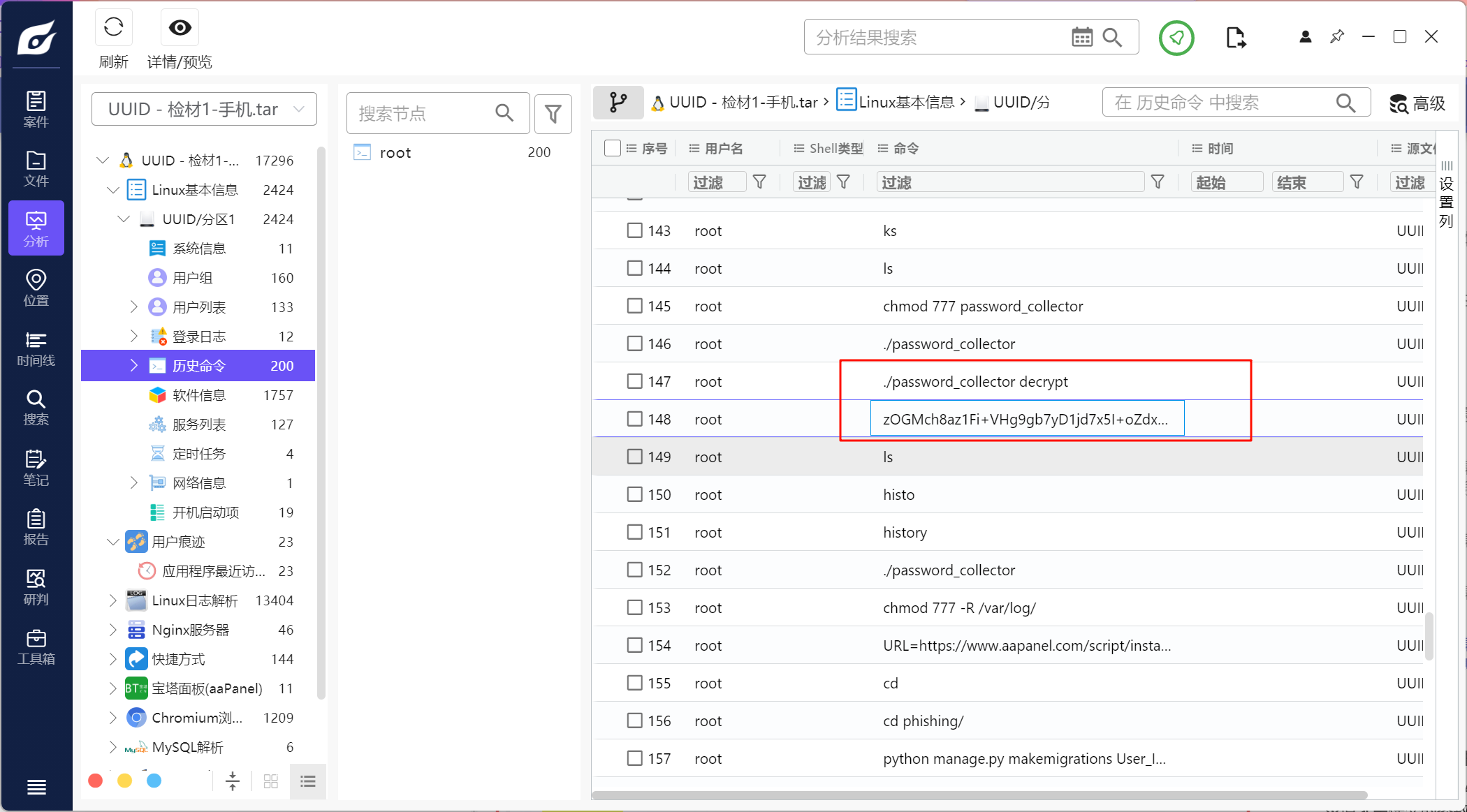
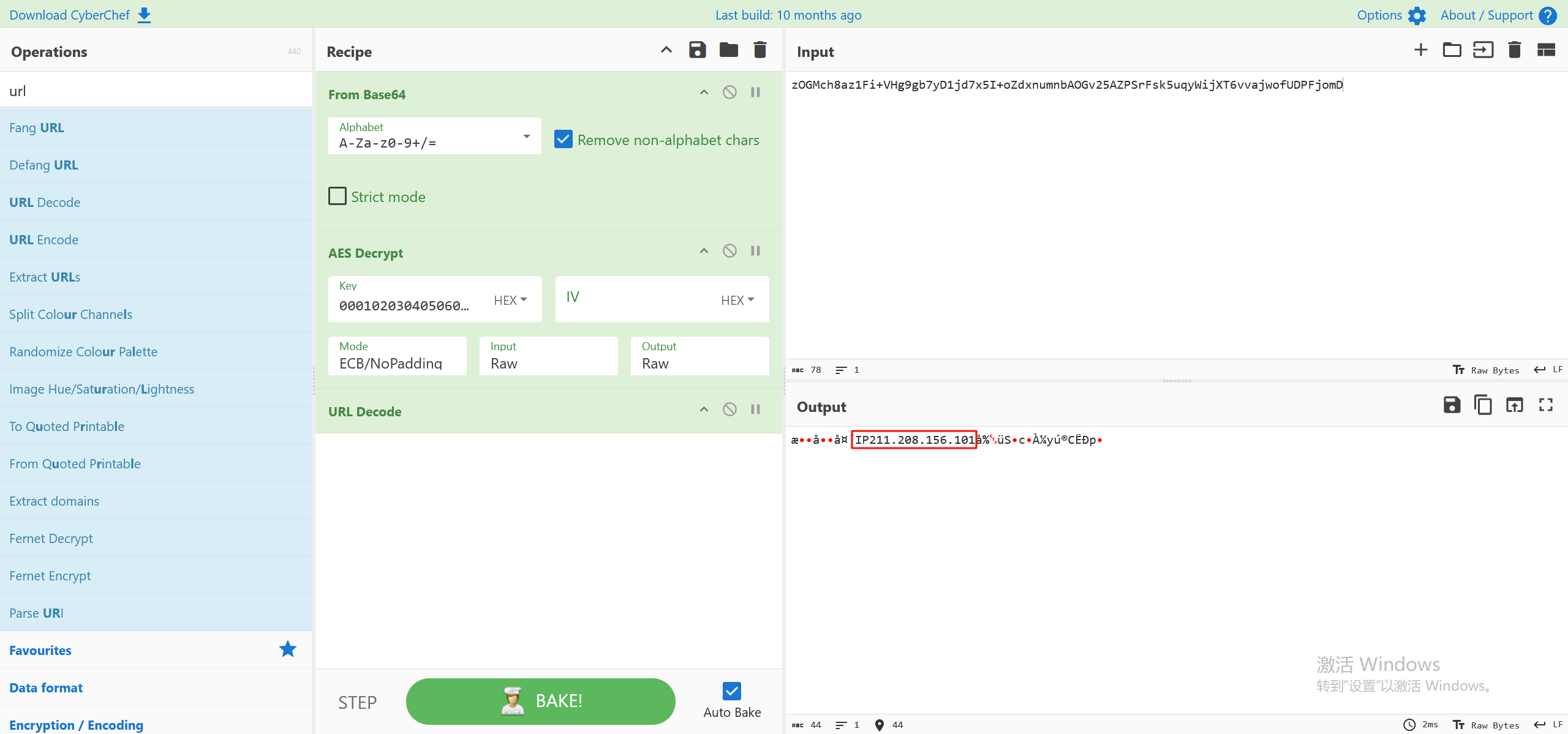
解密一下可以得到一个IP信息,所以A是能得出的,其他的就不确定了
APP取证部分
这部分前两题用雷电分析都可以直接看到,后面的题目需要当时的环境,所以就暂时不复盘了(毕竟我不专这一块),可以参考一下其他师傅的wp
综合分析
1.请综合分析,陈某进行了那些操作 *
一开始计算机部分有一次加密,然后在找比特币的照片有一次加密文件
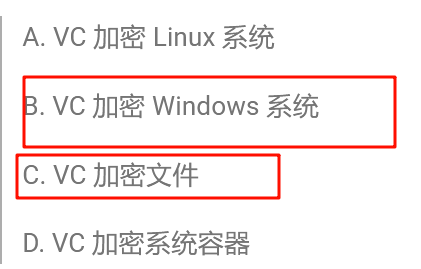
2.请综合分析,陈某没有使用过以下那种方式安装数据库
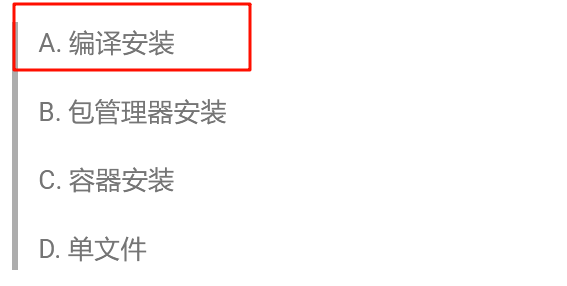
包管理器安装是在 Kali 中, 在 apt 的 log /var/log/apt/eipp.log.xz/eipp.log 中可以看到通过 apt 安装的包信息, 其中包括安装 mysql 和 mariadb 的记录,容器安装在服务器的docker里
3.请综合分析,陈某使用过以下那些系统
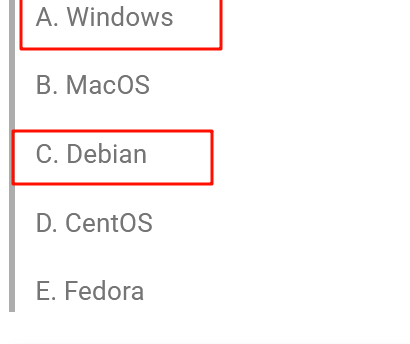
根据检材来看就行
4.请综合分析,以下说法正确的是
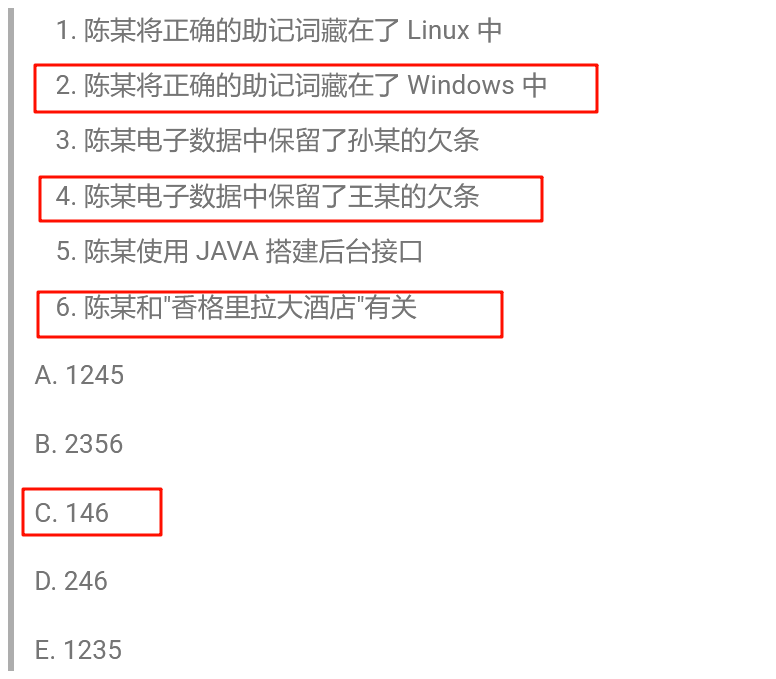
前两个都可以知道,最后一个据说是从初赛的内容知道的,没打过决赛,没有这种联系的思维……
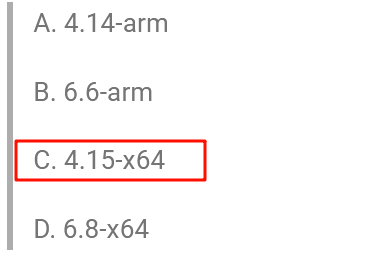
5.请综合分析,陈某现有电子数据没有以下那个Linux内核版本 *
其他三个分别是安卓手机的,服务器的,openwrt的
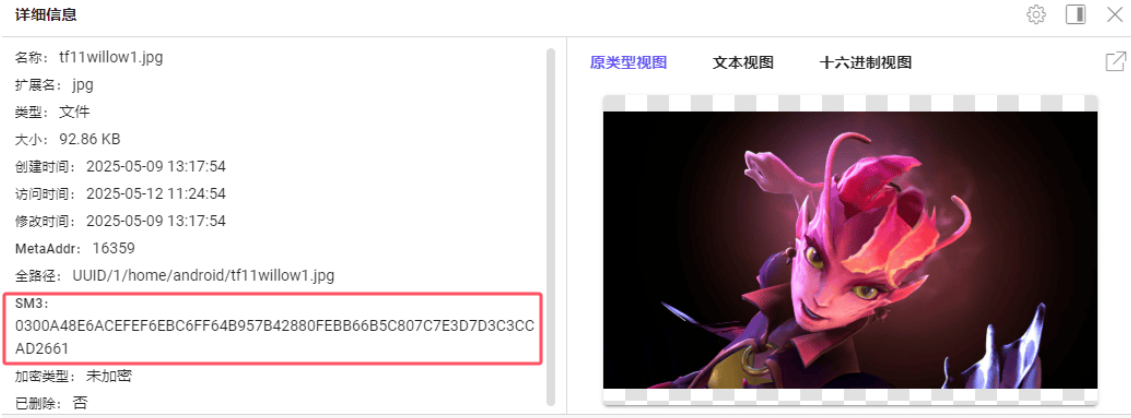
6.请综合分析,陈某做为壁纸的邪影芳灵原图的sm3值为 *
壁纸在手机容器里,在之前的android文件夹下,计算一下sm3值即可
我这里可能做太久了,电脑内存不够报错了,检材不能正常分析了,借用其xidian大佬的图片
7.请结合分析,陈某的真实GitHub密码为
这里找不到,是看川佬的wp,在手机的app里,com.ivanovsky.passnotes这个app的数据库里储存了hash,应该是爆破得到的密码吧,具体的没有继续下去,答案是Forensix666

 浙公网安备 33010602011771号