Java Restful - JSON example with Jersey + Jackson
http://www.mkyong.com/webservices/jax-rs/json-example-with-jersey-jackson/
Jersey uses Jackson to convert object to / form JSON. In this tutorial, we show you how to convert a “Track” object into JSON format, and return it back to user.
1. Dependency
To make Jersey support JSON mapping, declares “jersey-json.jar” in Maven pom.xml file.
<dependency>
	<groupId>com.sun.jersey</groupId>
	<artifactId>jersey-server</artifactId>
	<version>1.8</version>
</dependency>

<dependency>
	<groupId>com.sun.jersey</groupId>
	<artifactId>jersey-json</artifactId>
	<version>1.8</version>
</dependency>


Note
 Review the downloaded dependencies in your project classpath, Jackson and related libraries are inlcuded.
2. Integrate JSON with Jersey
In web.xml, declares “com.sun.jersey.api.json.POJOMappingFeature” as “init-param” in Jersey mapped servlet. It will make Jersey support JSON/object mapping.
<init-param>
	<param-name>com.sun.jersey.api.json.POJOMappingFeature</param-name>
	<param-value>true</param-value>
</init-param>
File : web.xml – full example.
<web-app ...>

  <servlet>
	<servlet-name>jersey-serlvet</servlet-name>
	<servlet-class>com.sun.jersey.spi.container.servlet.ServletContainer</servlet-class>
	<init-param>
		<param-name>com.sun.jersey.config.property.packages</param-name>
		<param-value>com.mkyong.rest</param-value>
	</init-param>
	<init-param>
		<param-name>com.sun.jersey.api.json.POJOMappingFeature</param-name>
		<param-value>true</param-value>
	</init-param>
	<load-on-startup>1</load-on-startup>
  </servlet>

  <servlet-mapping>
	<servlet-name>jersey-serlvet</servlet-name>
	<url-pattern>/rest/*</url-pattern>
  </servlet-mapping>

</web-app>
3. Simple Object
A simple “Track” object, later Jersey will convert it into JSON format.
package com.mkyong;

public class Track {

	String title;
	String singer;

	public String getTitle() {
		return title;
	}

	public void setTitle(String title) {
		this.title = title;
	}

	public String getSinger() {
		return singer;
	}

	public void setSinger(String singer) {
		this.singer = singer;
	}

	@Override
	public String toString() {
		return "Track [title=" + title + ", singer=" + singer + "]";
	}

}
4. JAX-RS with Jersey
Annotate the method with @Produces(MediaType.APPLICATION_JSON). Jersey will use Jackson to handle the JSON conversion automatically.
package com.mkyong.rest;

import javax.ws.rs.Consumes;
import javax.ws.rs.GET;
import javax.ws.rs.POST;
import javax.ws.rs.Path;
import javax.ws.rs.Produces;
import javax.ws.rs.core.MediaType;
import javax.ws.rs.core.Response;

import com.mkyong.Track;

@Path("/json/metallica")
public class JSONService {

	@GET
	@Path("/get")
	@Produces(MediaType.APPLICATION_JSON)
	public Track getTrackInJSON() {

		Track track = new Track();
		track.setTitle("Enter Sandman");
		track.setSinger("Metallica");

		return track;

	}

	@POST
	@Path("/post")
	@Consumes(MediaType.APPLICATION_JSON)
	public Response createTrackInJSON(Track track) {

		String result = "Track saved : " + track;
		return Response.status(201).entity(result).build();

	}

}
5. Demo
See demo for GET and POST request.
1. GET method
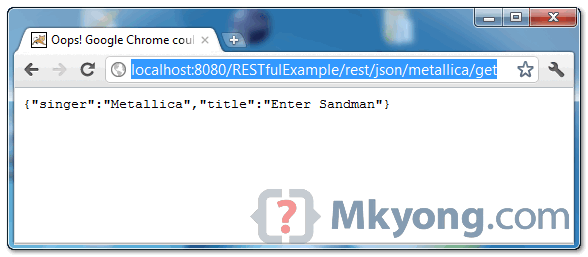
When URI pattern “/json/metallica/get” is requested, the Metallica classic song “Enter Sandman” will be returned in JSON format.
{
	"singer":"Metallica",
	"title":"Enter Sandman"
}
2. POST method
To test post request, you can create a RESTful client (refer to this Jersey client APIs example), and “post” the json format string to URI pattern “/json/metallica/post“, the posted json string will be converted into “Track” object automatically.
Download Source Code
References
posted on 2017-10-09 16:19 fanbird2008 阅读(265) 评论(0) 收藏 举报

 浙公网安备 33010602011771号