
SpringCloud Bus消息总线
一、SpringCloud Bus
1.1.SpringCloud Bus是什么?
Spring Cloud Bus 又被称为消息总线,它能够通过轻量级的消息代理(例如 RabbitMQ、Kafka 等)将微服务架构中的各个服务连接起来,实现广播状态更改、事件推送等功能,还可以实现微服务之间的通信功能。目前 Spring Cloud Bus 支持两种消息代理:RabbitMQ 和 Kafka。
1.2.Spring Cloud Bus 的基本原理
Spring Cloud Bus 会使用一个轻量级的消息代理来构建一个公共的消息主题 Topic(默认为“springCloudBus”),这个 Topic 中的消息会被所有服务实例监听和消费。当其中的一个服务刷新数据时,Spring Cloud Bus 会把信息保存到 Topic 中,这样监听这个 Topic 的服务就收到消息并自动消费。
1.3.Spring Cloud Bus 动态刷新配置的原理
利用 Spring Cloud Bus 的特殊机制可以实现很多功能,其中配合 Spring Cloud Config 实现配置的动态刷新就是最典型的应用场景之一。当 Git 仓库中的配置发生了改变,我们只需要向某一个服务(既可以是 Config 服务端,也可以是 Config 客户端)发送一个 POST 请求,Spring Cloud Bus 就可以通过消息代理通知其他服务重新拉取最新配置,以实现配置的动态刷新。Spring Cloud Bus 动态刷新配置的工作原理,如下图所示。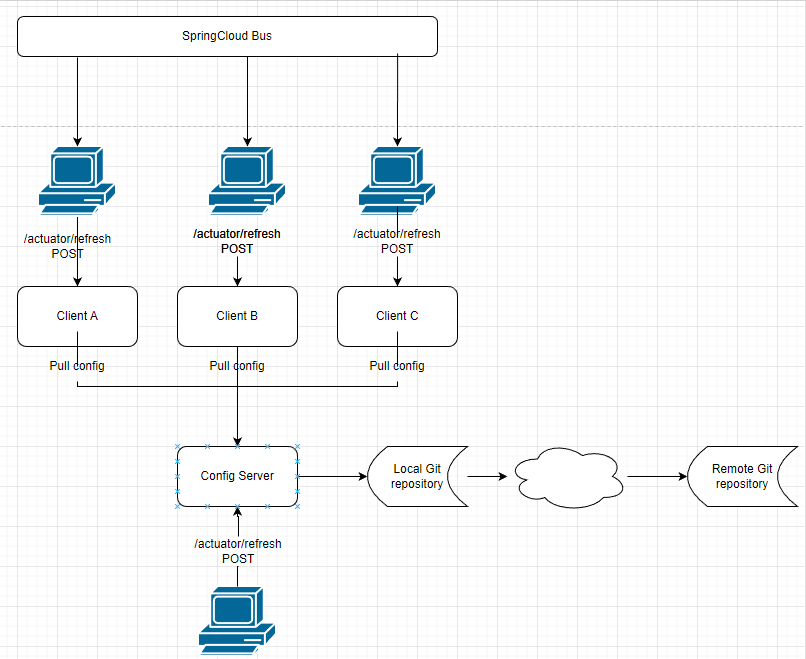
利用 Spring Cloud Bus 实现配置的动态刷新需要以下步骤:
- 当 Git 仓库中的配置发生改变后,运维人员向 Config 服务端发送一个 POST 请求,请求路径为“/actuator/refresh”。
- Config 服务端接收到请求后,会将该请求转发给服务总线 Spring Cloud Bus。
- Spring Cloud Bus 接到消息后,会通知给所有 Config 客户端。
- Config 客户端接收到通知,请求 Config 服务端拉取最新配置。
- 所有 Config 客户端都获取到最新的配置。
二、SpringCloud Bus动态刷新全局广播
在做下面操作的时候,先准备好Rabbitmq环境,以 RabbitMQ 为例,来演示如何使用 Config+Bus 实现配置的动态刷新。docker安装Rabbitmq环境如下:
docker run \
 -e RABBITMQ_DEFAULT_USER=root \
 -e RABBITMQ_DEFAULT_PASS=root \
 --name mq \
 --hostname mq1 \
 -p 15672:15672 \
 -p 5672:5672 \
 -d \
 rabbitmq:3-management
命令说明:
- -e RABBITMQ_DEFAULT_USER : 设置管理后台用户名
- -e RABBITMQ_DEFAULT_PASS : 设置管理后台密码
- --name mq :设置容器名字
- --hostname mq1 : 集群时用到,表示此服务的名称
- -p 15672:15672 : 映射管理后台端口
- -p 5672:5672 : 映射接受MQ的端口
- -d : 后台运行
- rabbitmq:3-management : 启动使用的镜像和tag
2.1. 在 cloud-config-center-3344 的 pom.xml 添加依赖
添加 Spring Boot actuator 监控模块和 Spring Cloud Bus 的依赖:
<!--添加消息总线(Bus)对 RabbitMQ 的支持-->
<dependency>
    <groupId>org.springframework.cloud</groupId>
    <artifactId>spring-cloud-starter-bus-amqp</artifactId>
</dependency>
<!--添加Spring Boot actuator 监控模块的依赖-->
<dependency>
    <groupId>org.springframework.boot</groupId>
    <artifactId>spring-boot-starter-actuator</artifactId>
</dependency>
2.2.修改cloud-config-center-3344 的配置文件
添加 RabbitMQ 和 Spring Boot actuator 的相关配置,配置内容如下。
# RabbitMQ 相关配置,15672 是web 管理界面的端口,5672 是 MQ 的访问端口###########
spring:
  rabbitmq:
    host: 192.168.92.129
    port: 5672
    username: root
    password: root
# Spring Boot 2.50对 actuator 监控屏蔽了大多数的节点,只暴露了 heath 节点,本段配置(*)就是为了开启所有的节点
management:
  endpoints:
    web:
      exposure:
        include: 'bus-refresh'
2.3.修改cloud-config-client-3355 的 pom.xml
添加 Spring Cloud Bus 的相关依赖,代码如下:
<!--添加消息总线(Bus)对 RabbitMQ 的支持-->
<dependency>
    <groupId>org.springframework.cloud</groupId>
    <artifactId>spring-cloud-starter-bus-amqp</artifactId>
</dependency>
2.4.修改cloud-config-client-3355 的配置文件
在bootstrap.yml 中添加以下配置:
# RabbitMQ 相关配置,15672 是web 管理界面的端口,5672 是 MQ 的访问端口
spring:
  rabbitmq:
    host: 127.0.0.1
    port: 5672
    username: guest
    password: guest
2.5.新建一个名为 cloud-config-client-3366 的 Spring Boot 模块(端口号为 3366),并在其配置文件 bootstrap.yml 中添加以下配置。
这里参考 cloud-config-client-3355 新建即可,作为客户端使用,
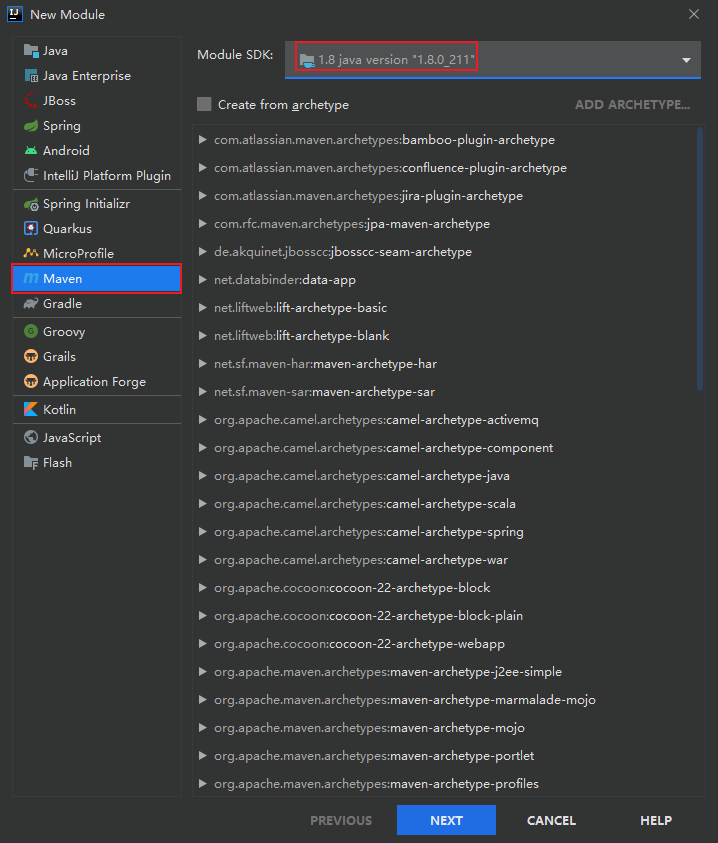
创建maven模块:
直接创建即可
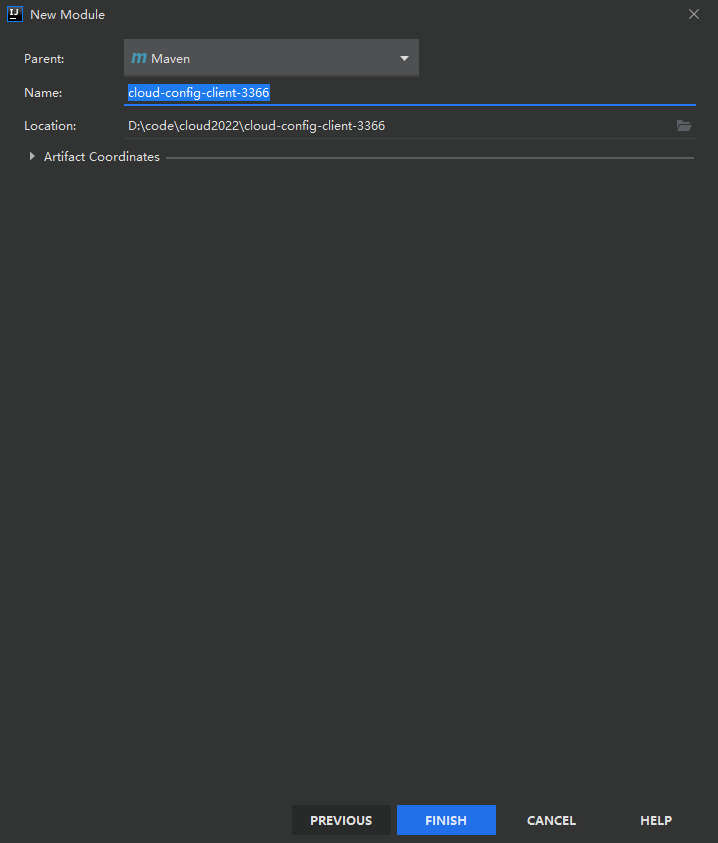
设置模块名:
在pom中引入依赖:
这里直接复制即可
<dependencies>
        <!--添加消息总线(Bus)对 RabbitMQ 的支持-->
        <dependency>
            <groupId>org.springframework.cloud</groupId>
            <artifactId>spring-cloud-starter-bus-amqp</artifactId>
        </dependency>

        <dependency>
            <groupId>org.springframework.boot</groupId>
            <artifactId>spring-boot-starter-actuator</artifactId>
        </dependency>

        <dependency>
            <groupId>org.springframework.cloud</groupId>
            <artifactId>spring-cloud-starter-config</artifactId>
        </dependency>
        <dependency>
            <groupId>org.springframework.boot</groupId>
            <artifactId>spring-boot-starter-web</artifactId>
        </dependency>
        <dependency>
            <groupId>org.springframework.boot</groupId>
            <artifactId>spring-boot-starter-actuator</artifactId>
        </dependency>
        <dependency>
            <groupId>org.springframework.cloud</groupId>
            <artifactId>spring-cloud-starter-netflix-eureka-client</artifactId>
        </dependency>
        <dependency>
            <groupId>org.springframework.boot</groupId>
            <artifactId>spring-boot-starter-test</artifactId>
            <scope>test</scope>
        </dependency>

        <dependency>
            <groupId>com.augus.springcloud</groupId>
            <artifactId>cloud-api-common</artifactId>
            <version>${project.version}</version>
        </dependency>
        <dependency>
            <groupId>org.springframework.boot</groupId>
            <artifactId>spring-boot-devtools</artifactId>
            <scope>runtime</scope>
            <optional>true</optional>
        </dependency>
    </dependencies>
创建配置文件
在resources目录创建配置文件 bootstrap.yml,内容如下:
#bootstrap.yml 是系统级别的,加载优先级高于 application.yml ,负责从外部加载配置并解析
server:
  port: 3366 #端口号
spring:
  application:
    name: cloud-config-client-3366 #服务名
  cloud:
    config:
      label: master #分支名称
      name: config  #配置文件名称,config-dev.yml 中的 config
      profile: dev  #环境名  config-dev.yml 中的 dev
      #这里不要忘记添加 http:// 否则无法读取
      uri: http://localhost:3344 #Spring Cloud Config 服务端(配置中心)地址
  # 配置连接 rabbitmq 的连接信息,这里端口要写5672,不能写浏览器打开的15672端口切记!!!
  rabbitmq:
    host: 192.168.93.129
    port: 5672
    username: root
    password: root

eureka:
  client: #将客户端注册到 eureka 服务列表内
    service-url:
      defaultZone: http://eureka7001.com:7001/eureka/,http://eureka7002.com:7002/eureka/ #将服务注册到 Eureka 集群

# Spring Boot 2.50对 actuator 监控屏蔽了大多数的节点,只暴露了 health 节点,本段配置(*)就是为了开启所有的节点
management:
  endpoints:
    web:
      exposure:
        include: "*"   # * 在yaml 文件属于关键字,所以需要加引号
创建主启动类
创建主启动类:CloudConfigClient3366
package com.augus.cloud;

import org.springframework.boot.SpringApplication;
import org.springframework.boot.autoconfigure.SpringBootApplication;
import org.springframework.cloud.netflix.eureka.EnableEurekaClient;

@SpringBootApplication
@EnableEurekaClient
public class CloudConfigClient3366 {
    public static void main(String[] args) {
        SpringApplication.run(CloudConfigClient3366.class,args);
    }
}
创建controller
在controller中创建:ConfigClientController,内容如下:
package com.augusu.cloud.controller;

import org.springframework.beans.factory.annotation.Value;
import org.springframework.cloud.context.config.annotation.RefreshScope;
import org.springframework.web.bind.annotation.GetMapping;
import org.springframework.web.bind.annotation.RestController;

@RestController
@RefreshScope
public class ConfigClientController {

    //获取配置文件中端口
    @Value("${server.port}")
    private String serverPort;

    //读取配置文件中info对应的值
    @Value("${config.info}")
    private String configInfo;

    //读取配置文件中info对应的值
    @Value("${config.version}")
    private String configVersion;

    @GetMapping(value = "/getConfig")
    public String getConfig(){
        return "服务的端口:"+serverPort+"</br>info:"+configInfo+"</br>version:"+configVersion;
    }
}
2.6.依次重启 cloud-config-center-3344 cloud-config-client-3355
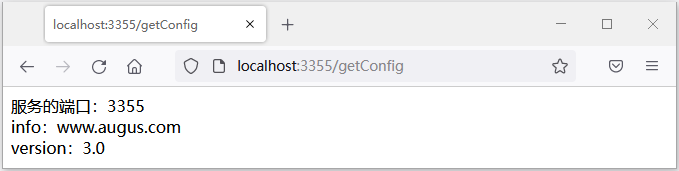
使用浏览器访问“http://localhost:3355/getConfig”,结果如下图。
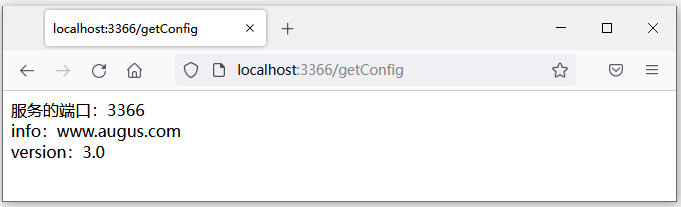
2.7.启动 micro-service-cloud-config-client-bus-3366
使用浏览器访问“http://localhost:3366/getConfig”,结果如下图。
2.7.修改Gitee仓库配置文件
将config-dev.yml 中的 config.version 修改为 4.0,配置如下:

2.8.打开命令行窗口,使用命令向 cloud-config-center-3344(Config 服务端)发送一个 POST 请求,刷新配置
这里刷新服务端,有服务端进行同步告知给客户端,命令如下:
curl -X POST "http://localhost:3344/actuator/bus-refresh"
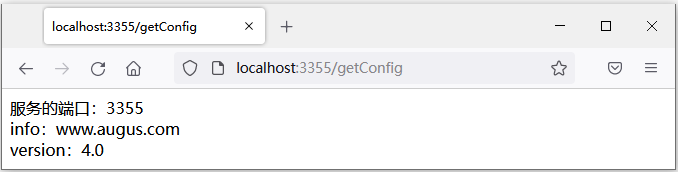
2.9.使用浏览器再次访问3355
在浏览器 输入: http://localhost:3355/getConfig ,结果如下图。
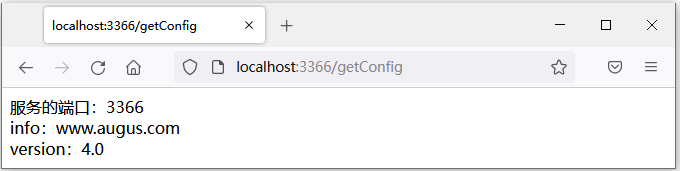
2.9.使用浏览器再次访问3366
在浏览器 输入: http://localhost:3366/getConfig ,结果如下图。
注意:在使用 Spring Cloud Bus 时,必须保证 Bus 所连接的RabbitMQ已经正确安装且运行正常。
三、Spring Cloud Bus 动态刷新配置(定点通知)
3.1.定点通知
定点通知,就是不再通知所有的 Config 客户端,有时候我们修改了配置根据需求只通知其中某一个 Config 客户端。使用 Spring Cloud Bus 实现定点通知只要我们在发送 POST 请求时使用以下格式即可
http://{hostname}:{port}/actuator/bus-refresh/{destination}
参数说明如下:
- {hostname}: 表示 Config 服务端的主机地址,既可以是域名,也可以是 IP 地址。
- {port}:表示 Config 服务端的端口号.
- {destination}:表示需要定点通知的 Config 客户端(微服务),由 Config 客户端的服务名(spring.application.name)+端口号(server.port)组成
3.2.定点通知案例演示
3.2.1.修改Gitee仓库信息将版本号由5.0改为6.0:

3.2.2.只想刷新运行在3355端口上的config-client为例,不通知3366,所以3366不刷新配置:
cloud-config-client-3355:3355 这里使用的eureka注册中心显示的服务名和对应的端口:
curl -X POST "http://localhost:3344/actuator/bus-refresh/cloud-config-client-3355:3355"
3.2.3.使用浏览器访问 http://localhost:3355/getConfig,会发现3355由于通知了,就会变成新的版本号6.0,显示如图:
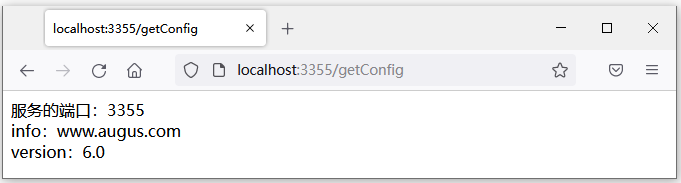
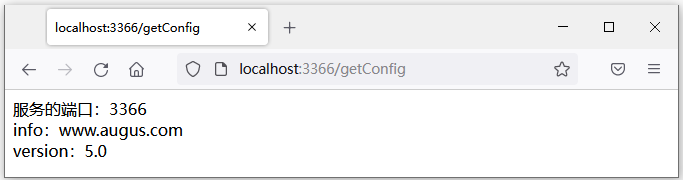
3.2.4.使用浏览器访问 http://localhost:3366/getConfig,会发现3366没有通知了,版本号还是之前的5.0,显示如图:

 浙公网安备 33010602011771号