arkui-x项目ios桥接功能笔记
参考资料主要为arkuix官方文档以及仓库里的sample,链接放在底部。
一、项目结构以及文件功能说明
.
├── .arkui-x
│   ├── android
│   ├── arkui-x-config.json5
│   └── ios
│       ├── .DS_Store
│       ├── app
│       │   ├── AppDelegate.h
│       │   ├── AppDelegate.m
│       │   ├── BridgeNetWorkUtil.h
│       │   ├── BridgeNetWorkUtil.m
│       │   ├── EntryEntryAbilityViewController.h
│       │   ├── EntryEntryAbilityViewController.m
│       │   └── main.m
├── .hvigor
├── AppScope
├── build
├── build-profile.json5
├── code-linter.json5
├── entry
│   └── src
│       ├── main
│       │   ├── ets
│       │   │   ├── bridge
│       │   │   │   ├── NetWork.ets
│       │   │   │   ├── NetWorkArkUIX.ets
│       │   │   │   ├── NetWorkInterface.ets
│       │   │   │   ├── NetWorkLocal.ets
│       │   │   │   └── PlatformInfo.ets
│       │   │   └── pages
│       │   │       ├── Index.ets
├── hvigor
├── hvigorfile.ts
├── local.properties
├── oh-package-lock.json5
├── oh-package.json5
└── oh_modules
在这个简单的demo中,需要关注如下几个文件
EntryEntryAbilityViewController.m	初始化桥接插件入口
BridgeNetWorkUtil.h	声明 iOS 原生桥接方法,供 ArkUI-X 调用
BridgeNetWorkUtil.m	实现桥接逻辑,处理 ArkUI-X 调用并返回结果
/entry/src/main/ets/bridge	这个目录是arkui部分的桥接实现
/entry/src/main/ets/pages/Index.ets	桥接方法使用的地方
demo代码仓库地址:
https://gitcode.com/stonescc/cross_platform_demo1
二、调用说明
- EntryEntryAbilityViewController.m 中初始化桥接插件
- Index.ets中调用需要跨平台的方法
- NetWork.ets判断系统类型并做转发
- NetWorkArkUIX.ets中createBridge、callMethod
- 返回object-c方法响应值
三、代码说明
1. EntryEntryAbilityViewController.m
代码地址:https://gitcode.com/stonescc/cross_platform_demo1/blob/main/.arkui-x/ios/app/EntryEntryAbilityViewController.m
新增插件初始化代码
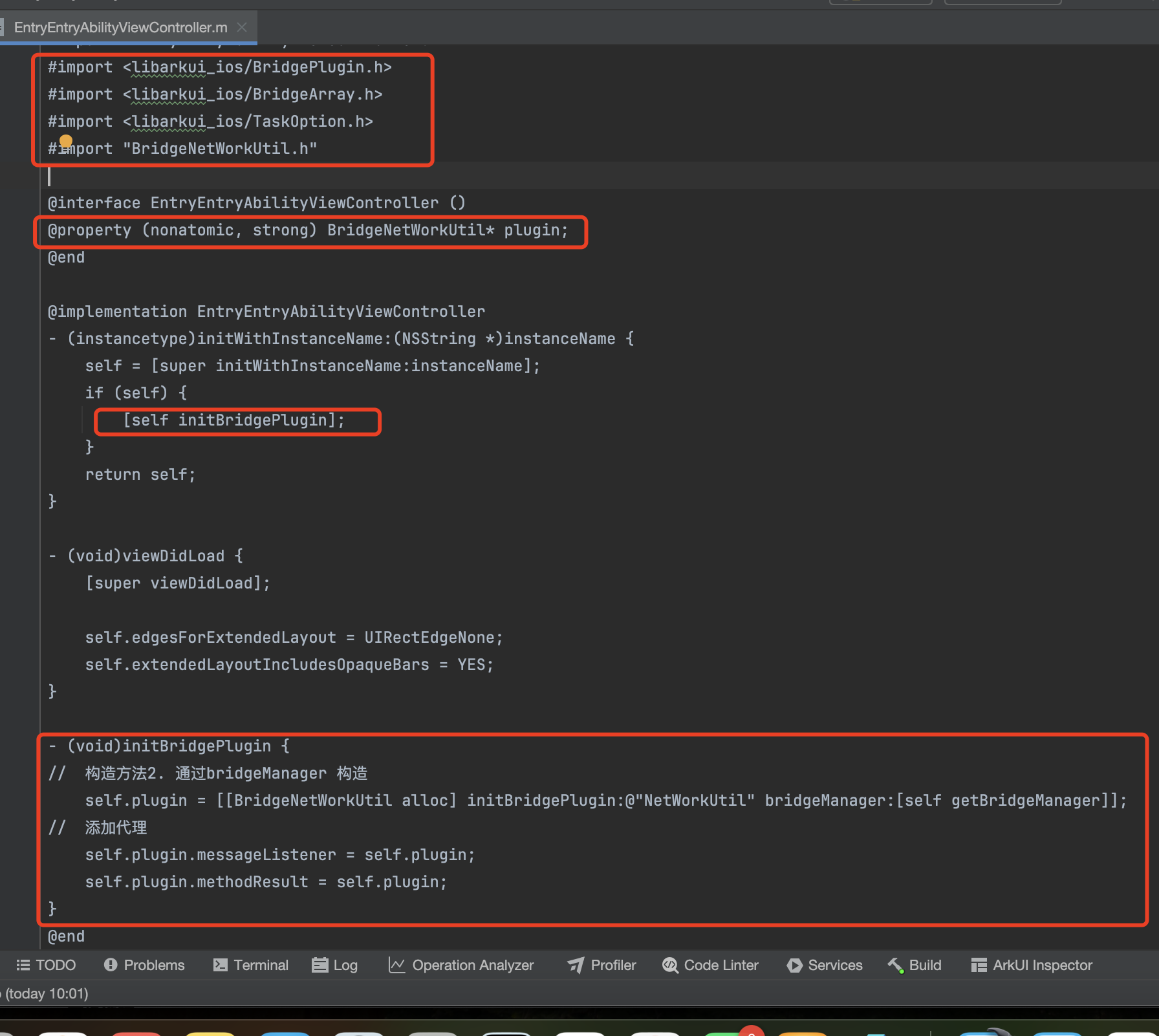
2. BridgeNetWorkUtil.m
新增待调用的object-c方法的实现
代码地址:https://gitcode.com/stonescc/cross_platform_demo1/blob/main/.arkui-x/ios/app/BridgeNetWorkUtil.m
3. PlatformInfo.ets
4. NetWorkArkUIX.ets
5. Index.ets
https://gitcode.com/stonescc/cross_platform_demo1/blob/main/entry/src/main/ets/pages/Index.ets
四、构建失败问题
完成上述步骤后,打包时遇到报错(萌新刚学客户端开发😭)
参考下方链接5文档(ios链接错误)
1. 报错描述
Undefined symbols for architecture arm64:
  "_OBJC_CLASS_$_XXXXXXX", referenced from:
       in EntryEntryAbilityViewController.o
ld: symbol(s) not found for architecture arm64
clang++: error: linker command failed with exit code 1 (use -v to see invocation)
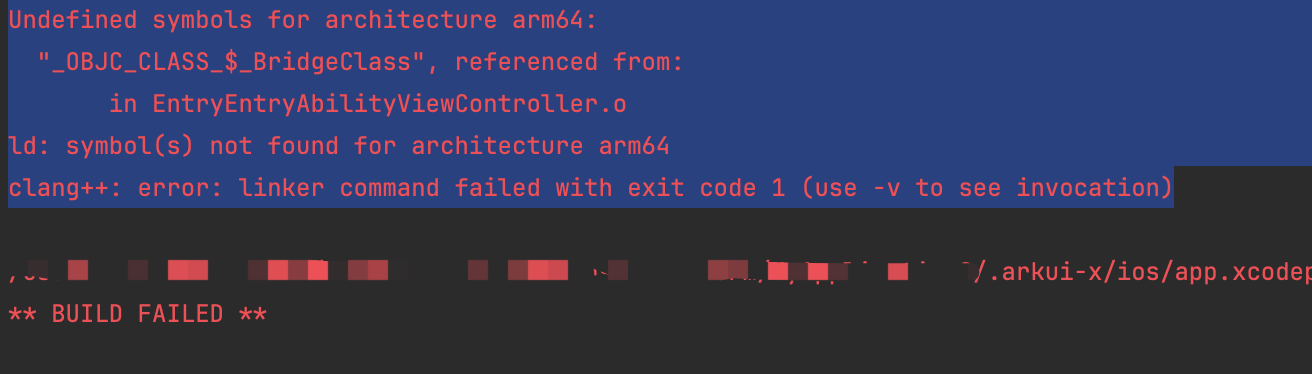
2. 解决方案
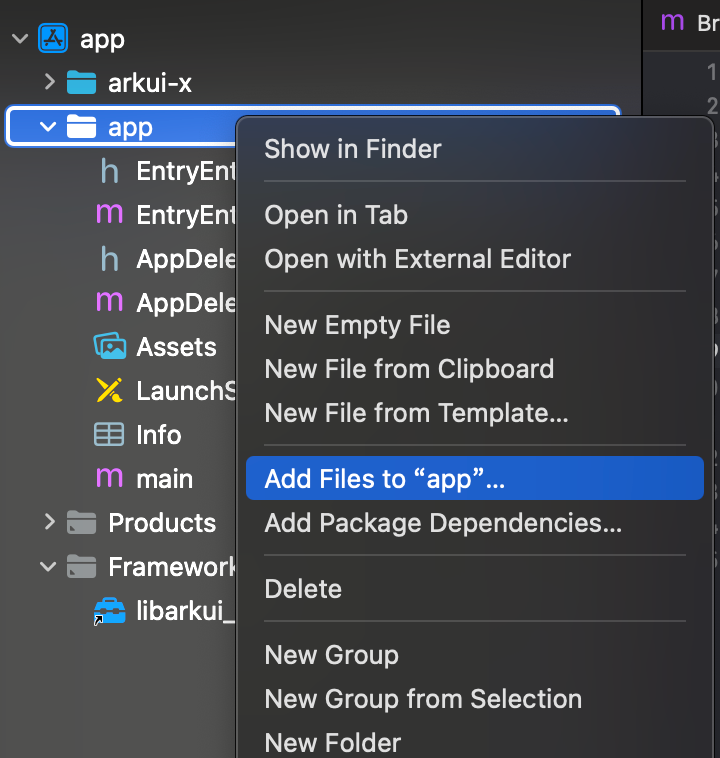
1️⃣使用xcode打开.arkui里面的ios项目,如下图,add files to app
2️⃣添加编译丢失的文件,选择然后add
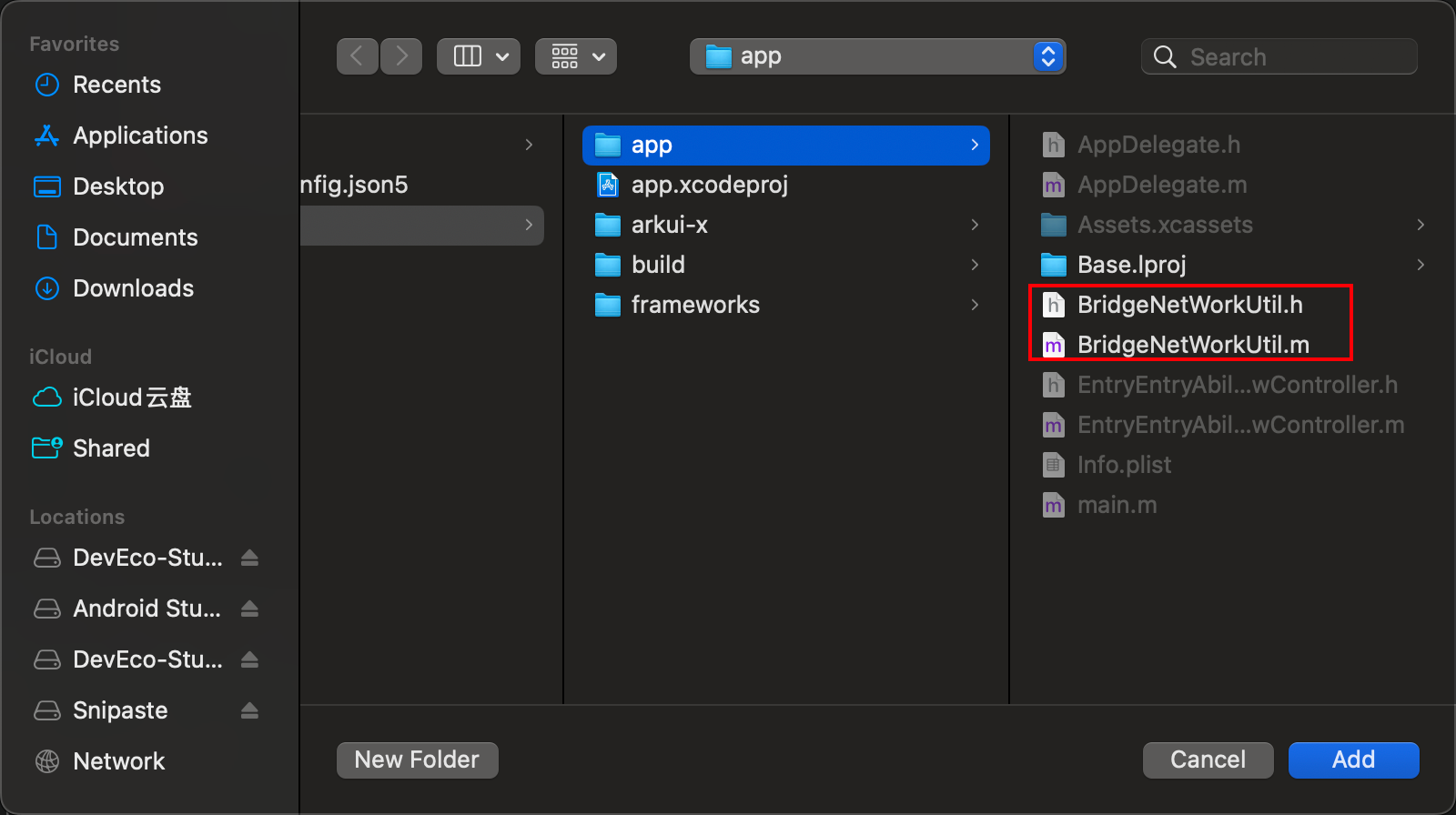
3️⃣检查app中有了上面添加的文件就ok了,然后在deveco studio重新构建app
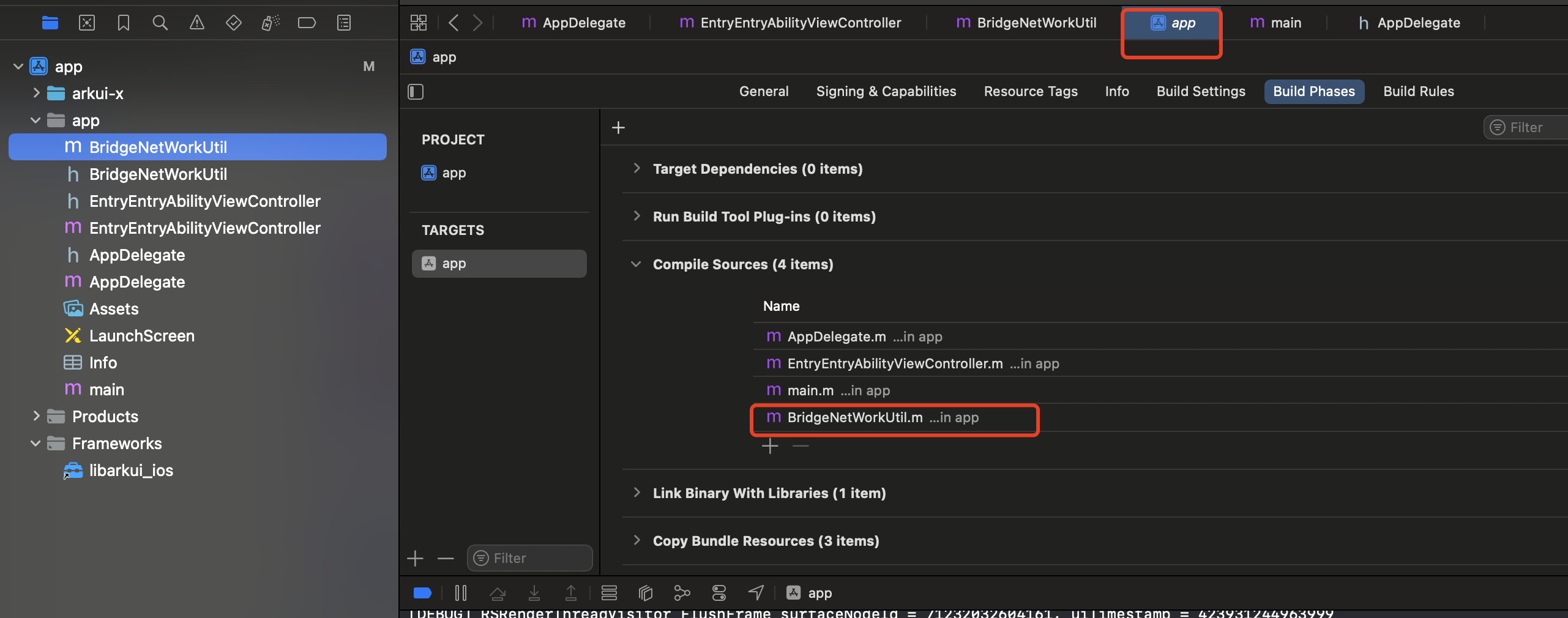
3. 问题原因(todo)
xcode应该有一套文件导入机制,还没研究
五、参考链接:
- IOS平台桥接开发指南:https://gitcode.com/arkui-x/docs/blob/master/zh-cn/application-dev/tutorial/how-to-use-bridge-on-ios.md
- bridge实例方法:https://gitcode.com/arkui-x/docs/blob/master/zh-cn/application-dev/reference/apis/js-apis-bridge.md
- arkui-for-ios BridgePlugin文档:https://gitcode.com/arkui-x/docs/blob/master/zh-cn/application-dev/reference/arkui-for-ios/BridgePlugin.md
- 跨平台应用改造指南:https://gitcode.com/arkui-x/docs/blob/master/zh-cn/application-dev/tutorial/how-to-use-arkuix-on-applicationRetrofit.md
- ios链接错误:https://blog.csdn.net/LeeCSDN77/article/details/120079228
- 样例仓库:https://gitcode.com/arkui-x/samples
主要参考'FauxNativeAlbum':FauxNativeAlbum(API12)以及'PlatformBridge':PlatformBridge(API12)

 浙公网安备 33010602011771号