flask: 用Flask-Uploads实现文件上传
一,安装第三方库
$ pip install Flask-Uploads二,代码
app.py
#先导入次此处需要用到的库:
from flask_uploads import UploadSet, IMAGES, configure_uploads, ALL,patch_request_class

# 配置文件上传到的路径,以及限制上传文件的类型
app.config['UPLOADED_PHOTO_DEST'] = os.path.dirname(os.path.abspath(__file__))
app.config['UPLOADED_PHOTO_ALLOW'] = IMAGES

# 实例化 UploadSet 对象
photos = UploadSet('PHOTO')

# 将 app 的 config 配置注册到 UploadSet 实例 photos
configure_uploads(app, photos)
photo.py
from flask import Blueprint,jsonify,render_template,request
from flask import request, Flask, redirect, url_for, render_template,abort

import os
from app import cache, photos

photo = Blueprint('photo', __name__)

# 上传图片页央
@photo.route("/upload/", methods=['GET'])
def photo_upload():
    # 得到post参数
    return render_template('photo/upload.html')

# 接收上传图片
@photo.route("/uploaded/", methods=['POST'])
def photo_uploaded():
    # 得到post参数
    filename = photos.save(request.files['photo'])
    return redirect(url_for('photo.photo_show', name=filename))

@photo.route("/show/<name>", methods=['GET'])
def photo_show(name):
    if name is None:
        abort(404)
    url = photos.url(name)
    return render_template('photo/show.html', url=url, name=name)
upload.html
<!DOCTYPE html>
<html lang="en">
<head>
    <meta charset="UTF-8">
    <title>Title</title>
</head>
<body>
<form method=POST enctype=multipart/form-data action="{{ url_for('photo.photo_uploaded') }}">
    <input type=file name=photo>
    <input type=submit>
</form>

</body>
</html>
show.html
<!DOCTYPE html>
<html lang="en">
<head>
    <meta charset="UTF-8">
    <title>Title</title>
</head>
<body>
<img src="{{ url }}"/>
</body>
</html>
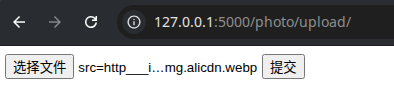
三,测试效果:


 浙公网安备 33010602011771号