gin: 判断是否ajax请求
一,代码
controller:
//得到用户信息
func (ic *MediaController) User(c *gin.Context) {

	if c.Request.Header.Get("X-Requested-With") == "XMLHttpRequest" {
		c.JSON(http.StatusOK, gin.H{
			"name": "王富贵",
		})
	} else {
		c.HTML(200, "user.html", gin.H{
			"Title": "Gin 模板示例",
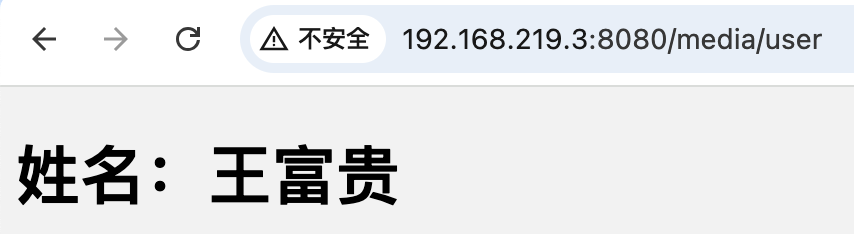
			"Message": "姓名:王富贵",
		})
	}

}
user.html
<!DOCTYPE html>
<html lang="en">
<head>
    <meta charset="UTF-8">
    <meta name="viewport" content="width=device-width, initial-scale=1.0">
    <title>{{ .Title }}</title>
    <link rel="stylesheet" href="/static/css/global.css">

</head>
<body>
<h1>{{ .Message }}</h1>
</body>
</html>
detail.html
<!DOCTYPE html>
<html lang="en">
<head>
    <meta charset="UTF-8">
    <meta name="viewport" content="width=device-width, initial-scale=1.0">
    <title>{{ .Title }}</title>
    <link rel="stylesheet" href="/static/css/global.css">
    <script src="/static/js/jquery-3.7.1.min.js"></script>
</head>
<body>
<h1>{{ .Message }}</h1>
<button onclick="getName()">获取当前用户名字</button>
<script>
    function getName() {
        var paramsData = {
            a:1,
            b:2
        }
        var url = "/media/user";
        $.ajax({
            type: 'GET',
            url: url,
            data: paramsData,
            dataType: 'json',
            success: function(data) {

                console.log("成功");
                console.log(data);
                if (data.hasOwnProperty('name')) {
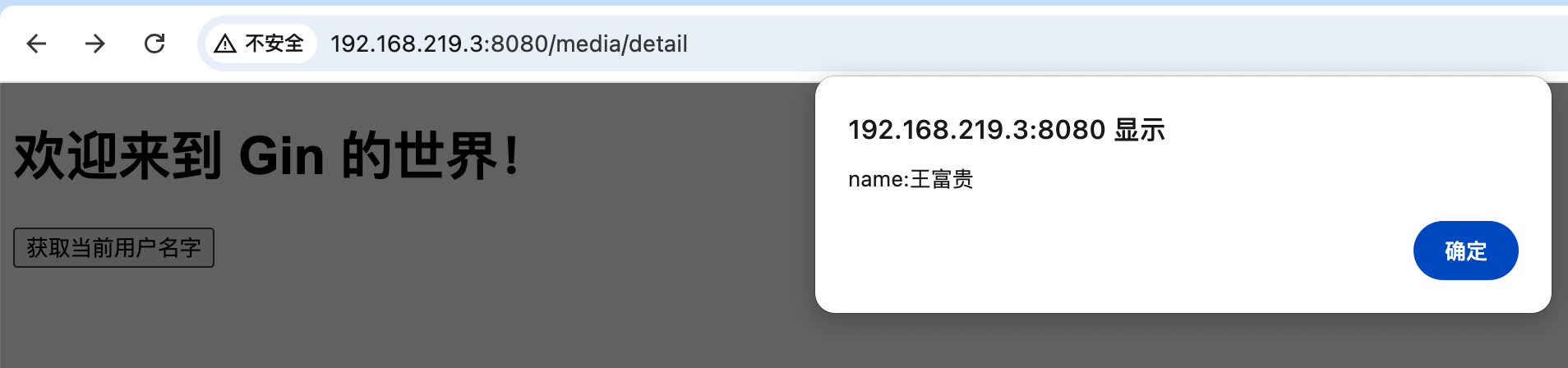
                    alert('name:'+data.name)
                } else {
                    alert('数据获取失败')
                }
            },
            error: function(jqXHR, textStatus, errorThrown) {
                console.log("失败");

                console.error('Error: ' + textStatus + ' - ' + errorThrown);
            }
        });
    }

</script>
</body>
</html>
二,运行结果:
ajax请求:
非ajax请求,直接访问

 浙公网安备 33010602011771号