android:新建一个fragment
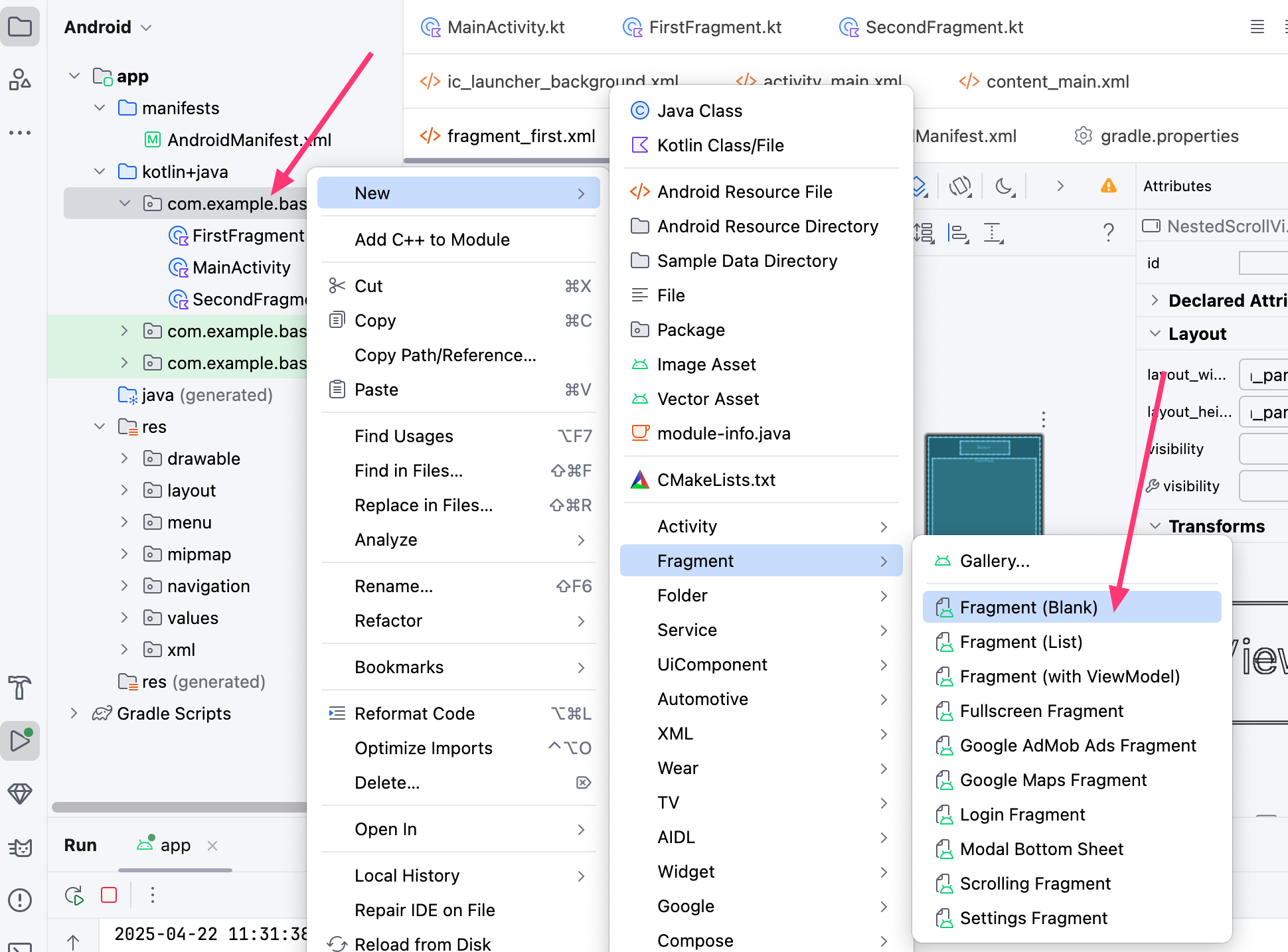
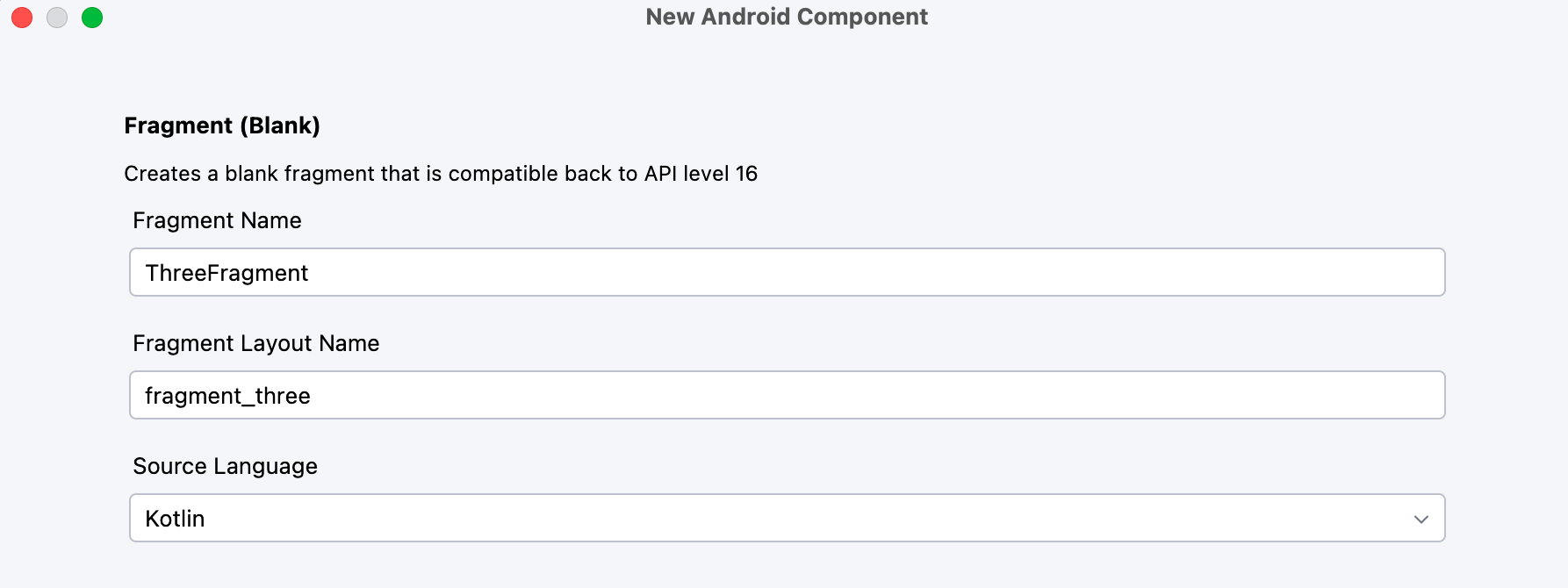
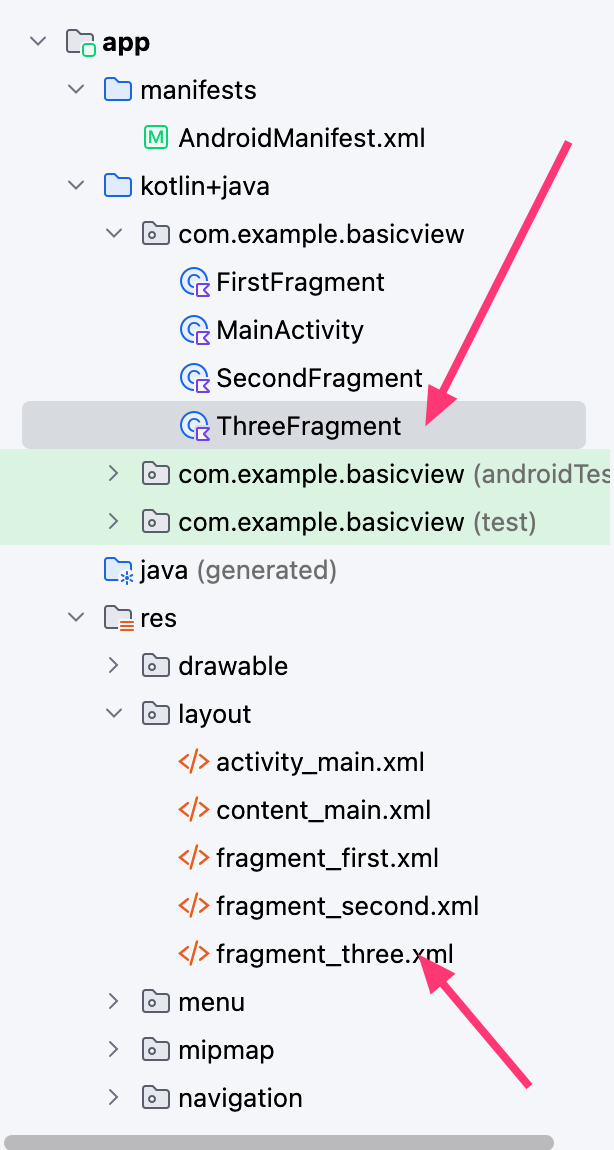
一,创建fragment,如图
二,编辑已有fragment,使可以跳转到新添加fragment
1,在已有fragment上添加一个按钮,如下:
        <Button
            android:id="@+id/gothree"
            android:layout_width="wrap_content"
            android:layout_height="wrap_content"
            android:layout_marginTop="160dp"
            android:text="跳转到第三个fragment页面"
            tools:layout_editor_absoluteX="95dp"
            tools:layout_editor_absoluteY="234dp"
            app:layout_constraintEnd_toEndOf="parent"
            app:layout_constraintStart_toStartOf="parent"
            app:layout_constraintTop_toTopOf="parent"
            />
2,增加一个跳转:
res/navigation/nav_graph.xml
<?xml version="1.0" encoding="utf-8"?>
<navigation xmlns:android="http://schemas.android.com/apk/res/android"
    xmlns:app="http://schemas.android.com/apk/res-auto"
    xmlns:tools="http://schemas.android.com/tools"
    android:id="@+id/nav_graph"
    app:startDestination="@id/FirstFragment">

    <fragment
        android:id="@+id/FirstFragment"
        android:name="com.example.basicview.FirstFragment"
        android:label="@string/first_fragment_label"
        tools:layout="@layout/fragment_first">

        <action
            android:id="@+id/action_FirstFragment_to_SecondFragment"
            app:destination="@id/SecondFragment" />
        <action
            android:id="@+id/action_FirstFragment_to_ThreeFragment"
            app:destination="@id/ThreeFragment" />
    </fragment>
    <fragment
        android:id="@+id/SecondFragment"
        android:name="com.example.basicview.SecondFragment"
        android:label="@string/second_fragment_label"
        tools:layout="@layout/fragment_second">

        <action
            android:id="@+id/action_SecondFragment_to_FirstFragment"
            app:destination="@id/FirstFragment" />
    </fragment>
    <fragment
        android:id="@+id/ThreeFragment"
        android:name="com.example.basicview.ThreeFragment"
        android:label="@string/three_fragment_label"
        tools:layout="@layout/fragment_three">

        <action
            android:id="@+id/action_SecondFragment_to_FirstFragment"
            app:destination="@id/FirstFragment" />
    </fragment>
</navigation>
我们在firstfragment中新添加了:
        <action
            android:id="@+id/action_FirstFragment_to_ThreeFragment"
            app:destination="@id/ThreeFragment" />
3,在代码中实现点击事件:
package com.example.basicview

import android.os.Bundle
import androidx.fragment.app.Fragment
import android.view.LayoutInflater
import android.view.View
import android.view.ViewGroup
import androidx.navigation.fragment.findNavController
import com.example.basicview.databinding.FragmentFirstBinding

/**
 * A simple [Fragment] subclass as the default destination in the navigation.
 */
class FirstFragment : Fragment() {

    private var _binding: FragmentFirstBinding? = null

    // This property is only valid between onCreateView and
    // onDestroyView.
    private val binding get() = _binding!!

    override fun onCreateView(
        inflater: LayoutInflater,
        container: ViewGroup?,
        savedInstanceState: Bundle?
    ): View {

        _binding = FragmentFirstBinding.inflate(inflater, container, false)
        return binding.root

    }

    override fun onViewCreated(view: View, savedInstanceState: Bundle?) {
        super.onViewCreated(view, savedInstanceState)

        binding.buttonFirst.setOnClickListener {
            findNavController().navigate(R.id.action_FirstFragment_to_SecondFragment)
        }
        binding.gothree.setOnClickListener {
            findNavController().navigate(R.id.action_FirstFragment_to_ThreeFragment)
        }
    }

    override fun onDestroyView() {
        super.onDestroyView()
        _binding = null
    }
}
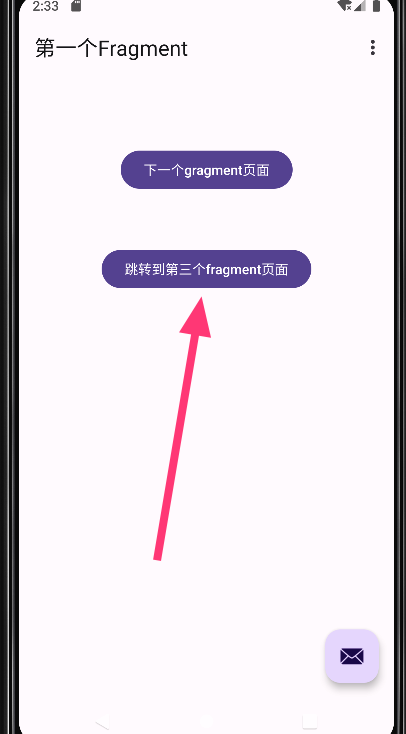
三,测试效果:

 浙公网安备 33010602011771号