flutter:前后台状态切换
一,五个状态
在 Flutter 中,整个应用的生命周期主要通过 WidgetsBindingObserver 以及 AppLifecycleState 进行管理。AppLifecycleState 包含四个状态,代表应用的不同生命周期阶段:
-
inactive:应用在前台但未接收用户输入时进入此状态,通常是短暂的。比如 iOS 上的应用切换、打开通知中心时会进入该状态。 -
paused:应用处于后台,用户无法看到应用界面,也不能与其交互。此时应用仍然驻留在内存中,并且执行后台任务。 -
hidden:用于表示应用界面不可见但仍在后台运行。 -
resumed:应用回到前台并可以与用户交互时进入此状态,这通常是应用运行的主要状态。 -
detached:应用在完全关闭或者正在被销毁时进入此状态,通常很少用到。
要监听这些状态变化,可以通过 WidgetsBindingObserver 进行实现。通过重写 didChangeAppLifecycleState 方法,开发者可以捕捉应用状态的变化并执行相应的逻辑。
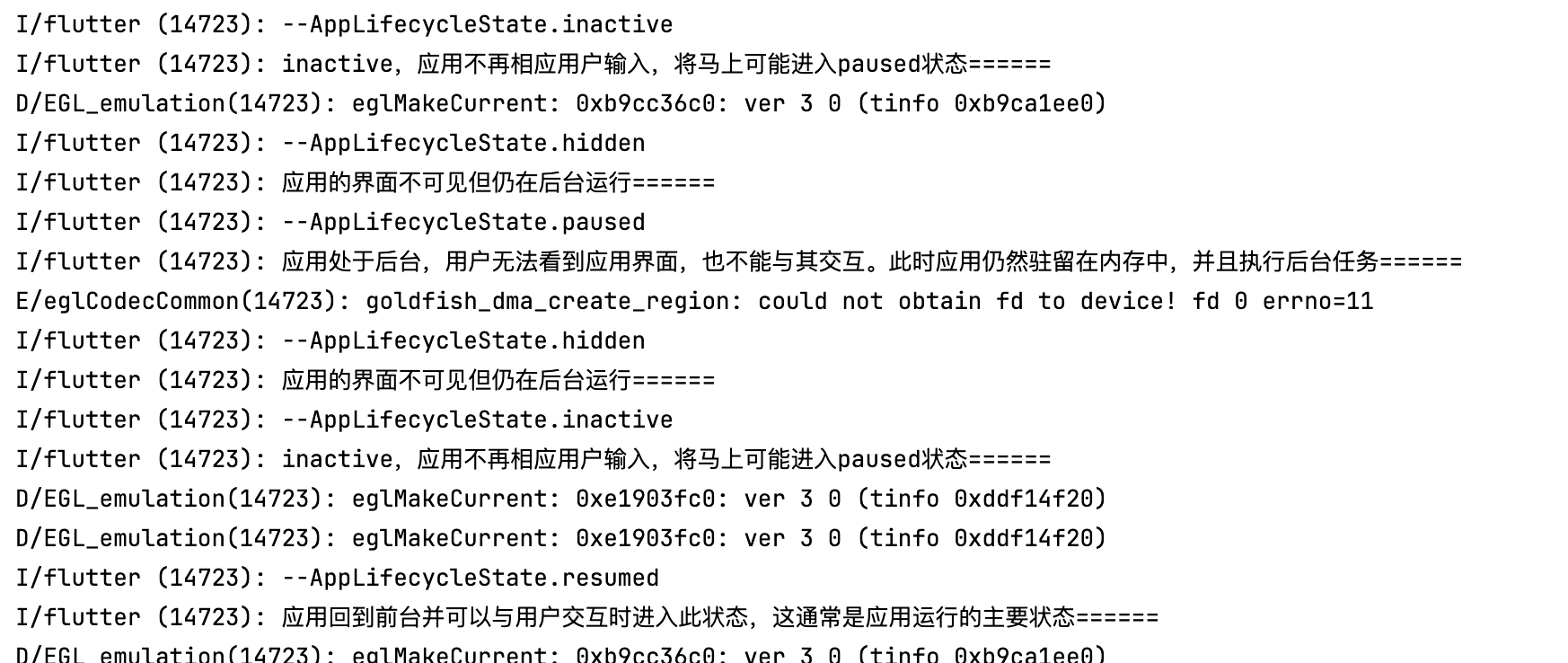
从前台切换到后台时经历的状态:
I/flutter (14723): --AppLifecycleState.inactive
I/flutter (14723): inactive,应用不再相应用户输入,将马上可能进入paused状态======
D/EGL_emulation(14723): eglMakeCurrent: 0xb9cc36c0: ver 3 0 (tinfo 0xb9ca1ee0)
I/flutter (14723): --AppLifecycleState.hidden
I/flutter (14723): 应用的界面不可见但仍在后台运行======
I/flutter (14723): --AppLifecycleState.paused
I/flutter (14723): 应用处于后台,用户无法看到应用界面,也不能与其交互。此时应用仍然驻留在内存中,并且执行后台任务======
E/eglCodecCommon(14723): goldfish_dma_create_region: could not obtain fd to device! fd 0 errno=11
inactive->hidden->paused
从后台切换到前台的状态:
I/flutter (14723): --AppLifecycleState.hidden
I/flutter (14723): 应用的界面不可见但仍在后台运行======
I/flutter (14723): --AppLifecycleState.inactive
I/flutter (14723): inactive,应用不再相应用户输入,将马上可能进入paused状态======
D/EGL_emulation(14723): eglMakeCurrent: 0xe1903fc0: ver 3 0 (tinfo 0xddf14f20)
D/EGL_emulation(14723): eglMakeCurrent: 0xe1903fc0: ver 3 0 (tinfo 0xddf14f20)
I/flutter (14723): --AppLifecycleState.resumed
I/flutter (14723): 应用回到前台并可以与用户交互时进入此状态,这通常是应用运行的主要状态======
D/EGL_emulation(14723): eglMakeCurrent: 0xb9cc36c0: ver 3 0 (tinfo 0xb9ca1ee0)
hidden->inactive->resumed
二,代码:
1,单页面上的监控
nextpage.dart
import 'dart:ui';

import 'package:flutter/material.dart';
import 'package:get/get.dart';

class NextPage extends StatefulWidget {
  @override
  State<NextPage> createState() => _NextPageState();
}

class _NextPageState extends State<NextPage> with WidgetsBindingObserver {

  @override
  void initState() {
    WidgetsBinding.instance.addObserver(this);
  }
  @override
  void didChangeAppLifecycleState(AppLifecycleState state) {
    print("-didChangeAppLifecycleState-" + state.toString());
    switch (state) {
    case AppLifecycleState.resumed:
    print("应用进入前台======");
    // 在这里进行判断
    break;
    //应用状态处于闲置状态,并且没有用户的输入事件,
    // 注意:这个状态切换到 前后台 会触发,所以流程应该是先冻结窗口,然后停止UI
    case AppLifecycleState.inactive:
    print("应用处于闲置状态,这种状态的应用应该假设他们可能在任何时候暂停 切换到后台会触发======");
    break;
    //当前页面即将退出
    case AppLifecycleState.detached:
    print("当前页面即将退出======");
    break;
    // 应用程序处于不可见状态
    case AppLifecycleState.paused:
    print("应用处于不可见状态 后台======");
    break;
    case AppLifecycleState.hidden:
      print("当前页面处于hidden状态======");
      break;
    }
  }
  @override
  void dispose() {
    WidgetsBinding.instance.removeObserver(this);
    super.dispose();
  }


  @override
  Widget build(BuildContext context) {

    return Scaffold(
      appBar: AppBar(
        backgroundColor: Theme.of(context).colorScheme.inversePrimary,
        title: const Text("next页面"),
      ),

      body:Stack(
        fit: StackFit.expand,
        children: [
          //背景图
          Image.network('https://wx4.sinaimg.cn/mw690/008AUO3Hly1i0gct3fmzqj31400u0agu.jpg'),
      //毛玻璃层
      Center(
        child: ClipRect(
          child: BackdropFilter(
            filter: ImageFilter.blur(sigmaX: 8.0,sigmaY: 8.0),
            child: Opacity(
              opacity: 0,
              child: Container(
                width: 300.0,
                height: 200.0,
                decoration: BoxDecoration(
                    color: Colors.grey.shade200,
                    //color: Colors.blue,
                ),
              ),
            ),

            ),
          ),
      ),
          //最上面的文字
          Center(
              child:Text(
                  'Car',
                  style: Theme.of(context).textTheme.displayMedium
              )
          ),
        ],
      ),
    );
  }

}
2,全局的监控:
main.dart
import 'package:flutter/material.dart';
import 'package:flutter/services.dart';
import 'package:get/get.dart';
import 'routes/routes.dart';

void main() {

  runApp(new MyApp());
}

class MyApp extends StatefulWidget {
  @override
  _MyAppState createState() => new _MyAppState();
}

class _MyAppState extends State<MyApp> with WidgetsBindingObserver{

  //const MyApp({super.key});


  @override
  void initState() {
    super.initState();
    WidgetsBinding.instance.addObserver(this);
  }

  @override
  void didChangeAppLifecycleState(AppLifecycleState state) {
    print("--" + state.toString());
    switch (state) {
      case AppLifecycleState.inactive: // 处于这种状态的应用程序应该假设它们可能在任何时候暂停。
        print("inactive,应用不再相应用户输入,将马上可能进入paused状态======");
        break;
      case AppLifecycleState.resumed:// 应用程序可见,前台
        print("应用回到前台并可以与用户交互时进入此状态,这通常是应用运行的主要状态======");
        break;
      case AppLifecycleState.paused: // 应用程序不可见,后台
        print("应用处于后台,用户无法看到应用界面,也不能与其交互。此时应用仍然驻留在内存中,并且执行后台任务======");
        break;
      case AppLifecycleState.detached: // 应用在完全关闭或者正在被销毁时
        print("应用在完全关闭或者正在被销毁时======");
        break;
      case AppLifecycleState.hidden: // 应用的界面不可见但仍在后台运行
        print("应用的界面不可见但仍在后台运行======");
        break;
    }
  }

  @override
  void dispose() {
    WidgetsBinding.instance.removeObserver(this);
    super.dispose();
  }


  @override
  Widget build(BuildContext context) {
    return   GetMaterialApp(
      debugShowCheckedModeBanner: false, //去除debug图标
      defaultTransition: Transition.rightToLeft,
      theme: ThemeData(primarySwatch: Colors.red),
      initialRoute: "/",
      getPages: APPage.routes,
    );
  }

}
三,测试效果:

 浙公网安备 33010602011771号