一,代码:
import 'package:flutter/gestures.dart';
import 'package:flutter/material.dart';


class HistoryDemo extends StatefulWidget {
  @override
  _HistoryDemoState createState() => _HistoryDemoState();
}

class _HistoryDemoState extends State<HistoryDemo> {
  int currentIndex = 0;
  final PageController _pageController = PageController();
  @override
  Widget build(BuildContext context) {
    return Container(
        color: Colors.white,
        child: Column(children: [
          Container(
              margin: EdgeInsets.only(top: 10),
              height: 80,
              child: Row(
                children: [
                  SizedBox(width: 20),
                  tabText("推荐", 0),
                  SizedBox(width: 50),
                  tabText("武汉", 1),
                  SizedBox(width: 50),
                  tabText("导购", 2)
                ],
              )
          ),
          Expanded(
              child: PageView(
                onPageChanged: (int page) {    //滑动时改变当前页面
                  setState(() {
                    currentIndex = page;
                  });
                },
                controller: _pageController,     //指定控制器
                scrollDirection: Axis.horizontal, //垂直滑动  默认水平滑动
                children: const [
                  Center(
                    child: Text("1"),
                  ),
                  Center(
                    child: Text("2"),
                  ),
                  Center(
                    child: Text("3"),
                  ),
                ],
              )
          )
        ]));
  }

  /// 导航栏文本样式定义
  RichText tabText(String text1, int index) {
    return RichText(
        text:TextSpan(
        text: text1,
        style: TextStyle(color: currentIndex == index ? Colors.black : Colors.grey,
            fontSize: currentIndex == index ? 40 : 30),
        recognizer: TapGestureRecognizer()
          ..onTap = () {
            //切换页面;
            setState(() {
              currentIndex = index; // 修改状态并触发 UI 更新
            });
            //把pageview滑动到指定页
            _pageController.animateToPage(
              index,
              duration: Duration(milliseconds: 300),
              curve: Curves.easeInOut,
            );
          }),
    );
  }
}
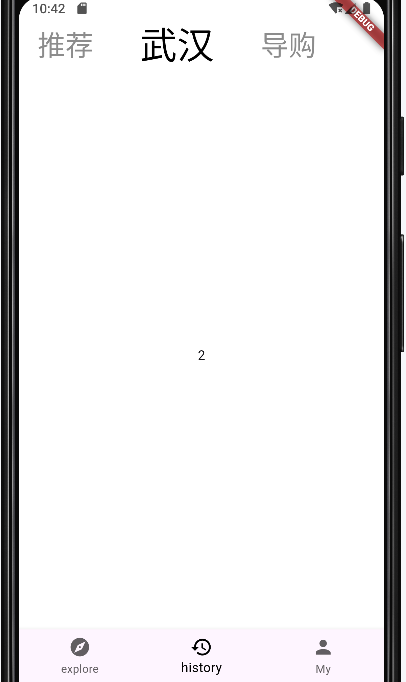
二,测试效果:
![]()

 浙公网安备 33010602011771号