flutter:删除xcode后报错xcrun: error: invalid active developer path, missing xcrun at
一,报错信息
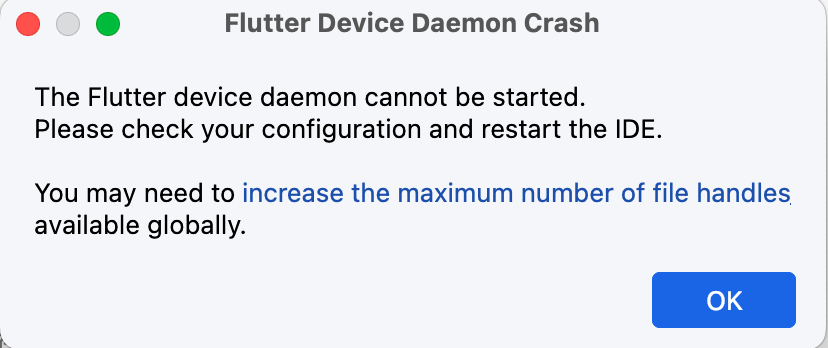
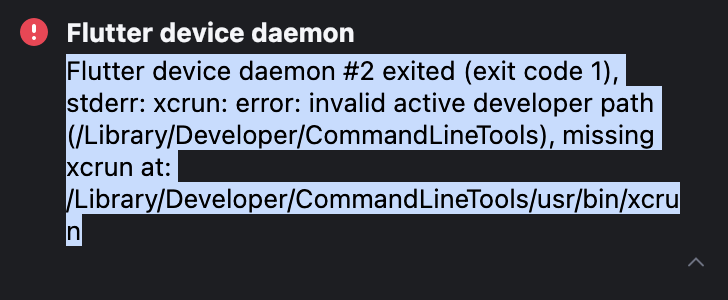
不能连接到虚拟设备,
从命令行运行flutter命令也报错:
liuhongdi@liuhongdideMBP ~ % flutter doctor
xcrun: error: invalid active developer path (/Library/Developer/CommandLineTools), missing xcrun at: /Library/Developer/CommandLineTools/usr/bin/xcrun
liuhongdi@liuhongdideMBP ~ % flutter --version
xcrun: error: invalid active developer path (/Library/Developer/CommandLineTools), missing xcrun at: /Library/Developer/CommandLineTools/usr/bin/xcrun
二,解决:
执行xcode-select --install即可
liuhongdi@liuhongdideMBP ~ % xcode-select --install
xcode-select: note: install requested for command line developer tools
用途:安装xcode的命令行工具Command Line Tools, 一般安装完成后问题就能修复,
xcode-select --install,该命令并不会安装大型的Xcode
安装完成后恢复正常:
liuhongdi@liuhongdideMBP ~ % flutter --version
Flutter 3.29.2 • channel stable • https://github.com/flutter/flutter.git
Framework • revision c236373904 (13 days ago) • 2025-03-13 16:17:06 -0400
Engine • revision 18b71d647a
Tools • Dart 3.7.2 • DevTools 2.42.3
如果安装完命令行工具还是不行,可以运行:
sudo xcode-select --reset
通常安装完成后重启android studio即可

 浙公网安备 33010602011771号